
Best Distortion Plugins (2026): Industrial Design

Distortion is the color of modern music. Whether you need subtle tape warmth or complete digital destruction, the right saturation plugin can turn a boring preset into a signature sound.

Last Updated: January 2026
Felix Ward
By Felix Ward

Felix is an indie-folk songwriter and session guitarist who values vibe over perfection. He looks for tools that potentialize 'happy accidents' and offer immediate inspiration. If a plugin requires reading a 100-page manual, he's probably already moved on.

Distortion used to be something to avoid. Now, it is a primary tool for composition. The best distortion plugins are not just about making things loud; they are about adding harmonics, texture, and movement to your audio.

For industrial sound design and cinematic scoring, we need tools that can mangle audio without turning it into white noise. From multi-band saturators to granular crushers, these are the weapons of choice for aggressive production.

Quick Summary

  1. 1. Decapitator Best for Analog Warmth
  2. 2. Trash Best for Industrial FX
  3. 3. Thermal Best for Sound Design
  4. 4. Saturn 2 Best for Mix Bus
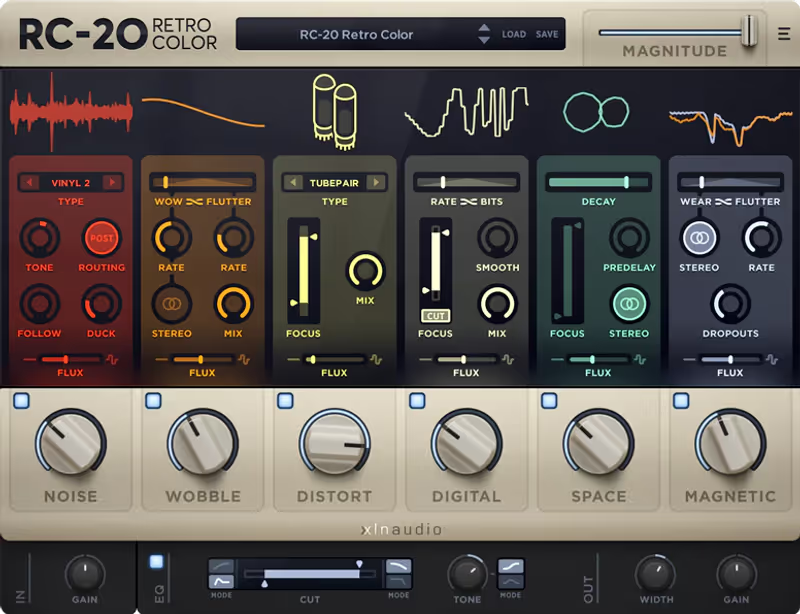
  5. 5. RC-20 Retro Color Best for Lo-Fi Texture
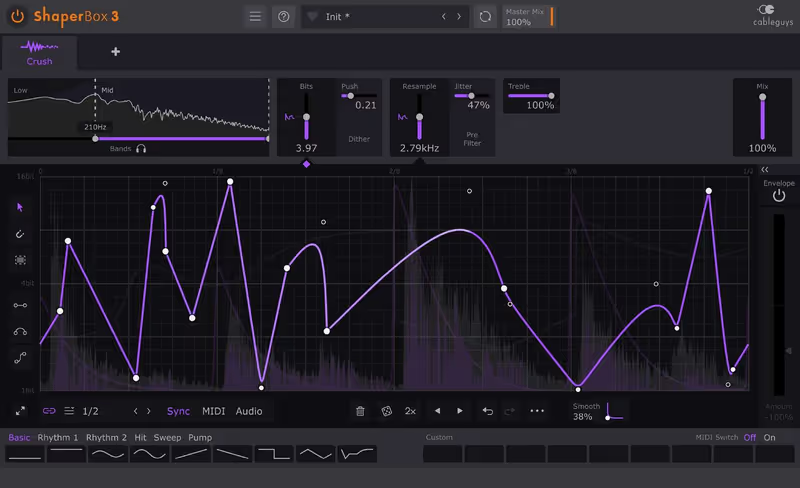
  6. 6. CrushShaper 2 Best for Rhythmic Glitch
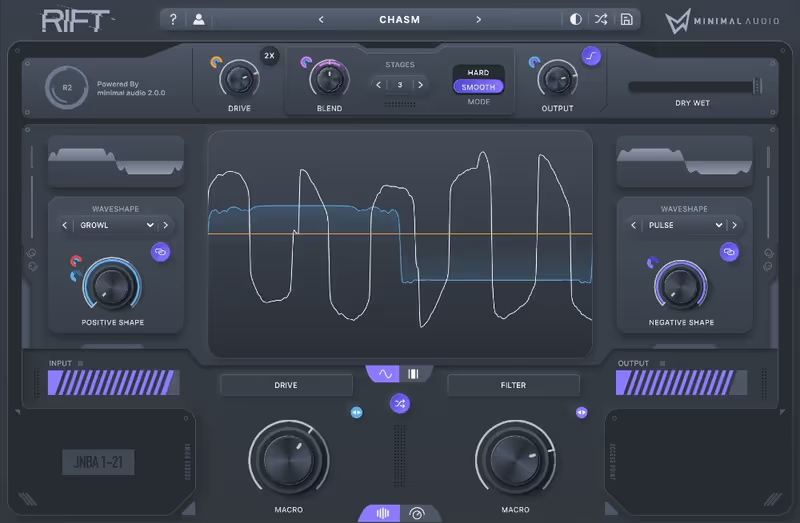
  7. 7. Rift Best for Bass Music
Read more →

Methodology

Who is this for

Working composers and producers who need reliability, speed, and character for professional scoring tasks.

Our testing process

We test every library in actual production scenarios—ranging from writing rapid sketches to delivering commercial pitches. We evaluate how they perform in a dense template, not just in isolation.

Why you should trust us

We buy most reviewed plugins ourselves. Occasionally we receive NFRs for evaluation, but this never guarantees a review or positive verdict. We may earn commissions from links, but our editorial choices are never for sale.

Also considered

For every category, we audition the top 8 to 15 standard options, discarding any that suffer from poor scripting, slow load times, or uninspiring sampling.

Top Picks

Soundtoys

Decapitator

Best For: Analog Warmth
Engine VST/AU/AAX
Type Analog Saturation
Size 100 MB
Price $69

The industry standard for 'vibe'.

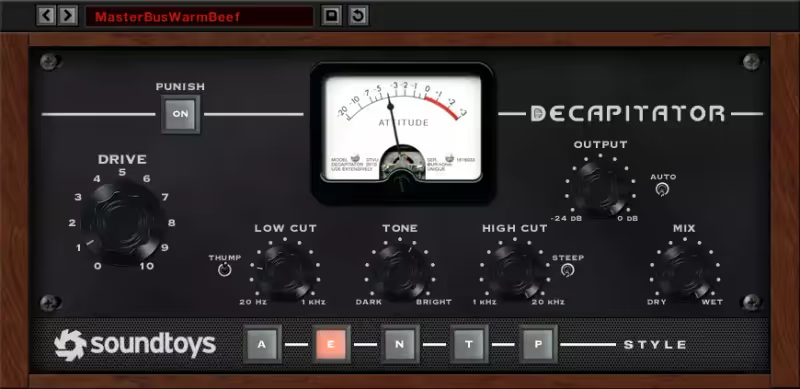
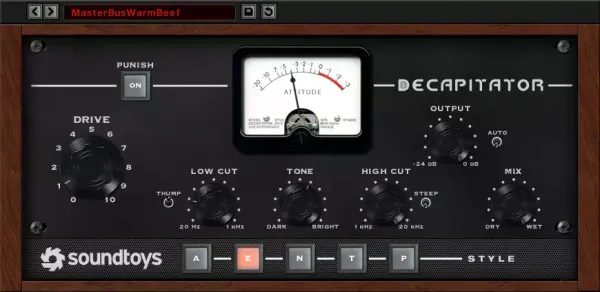
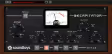
My Experience: I put Decapitator on almost everything I mix. It is remarkably difficult to make it sound bad, even at extreme settings. The "E" style (modeled after the Chandler/EMI TG Channel) is my absolute favorite for adding thick, creamy low-mids to thin bass lines or drum loops. The "Punish" button is legendary: adding an extra 20dB of gain instantly for when you just want to blow something up and make it sound massive. It sounds like expensive hardware, maintaining the depth of the signal rather than just flattening it like cheap digital clippers often do.

Deeper Look: The "Tone" knob is a gentle tilt EQ that is perfect for darkening up a harsh guitar or brightening a vocal after distortion. But the real magic is the "Mix" knob, which allows for instant parallel processing without setting up aux sends. This lets you obliterate a drum bus with the "N" (Neve) setting for crunch and then blend in just 10% of it to add weight and body without losing the transient punch of the kick and snare. It’s an essential workflow feature.

Decapitator

Our Verdict

Why we love it

Best for general mixing and warming up tracks with authentic analog character.

Who should skip

Skip this if you need complex multi-band modulation; this is a broad-strokes tool.

The Good
  • + Sounds incredible
  • + Very easy to use
  • + Punish button is iconic
× The Bad
  • - No multi-band
  • - Fixed GUI size (on older versions)
  • - Can be CPU heavy
Famous Uses:
Tame Impala Vocals Rock Drums 808 Saturation
iZotope

Trash

Best For: Industrial FX
Engine VST/AU/AAX
Type Multiband Destruction
Size 100 MB
Price $29

If you want to break sound, this is your hammer.

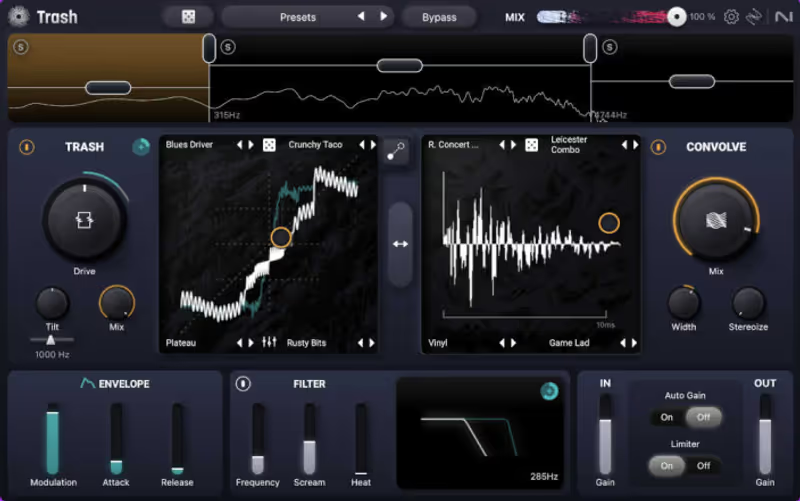
My Experience: The original Trash 2 was a legend in the industry; the new Trash takes that legacy even further. It excels at "ugly" distortion: digital clipping, aggressive bitcrushing, and complex wavefolding that tears sounds apart. I use this on cinematic braams and impacts to add that ripping, tearing high-end texture that defines modern trailer music. The "Convolve" module is particularly special; it lets you put your sound inside a microwave, a tin can, or a animal skull, creating unique acoustic resonances that make synthesized sounds feel physically grounded in a weird reality.

Deeper Look: The multiband integration is seamless and essential for heavy bass music. You can distort the sub-bass frequencies with a gentle tube fuzz to keep them warm while simultaneously obliterating the high frequencies with a screeching bitcrusher. The new specialized "Envelope Follower" modulation lets the distortion breathe and move with the input signal's dynamics, creating responsive, living grit rather than just a static layer of noise on top of your track. It turns distortion into a performance element.

Trash

Our Verdict

Why we love it

Best for extreme sound design and industrial textures where you want to alter the fundamental character of the sound.

Who should skip

Skip this if you just want a little bit of tube warmth for a vocal.

The Good
  • + Unmatched creative potential
  • + Multiband is essential
  • + Convolution presets are unique
× The Bad
  • - Can be overwhelming
  • - Harsh digital sound (intentional)
  • - Latency
Famous Uses:
Nine Inch Nails Video Game Sound Design Dubstep Bass
Output

Thermal

Best For: Sound Design
Engine VST/AU/AAX
Type Interactive Distortion
Size 500 MB
Price $74

Distortion that moves with your music.

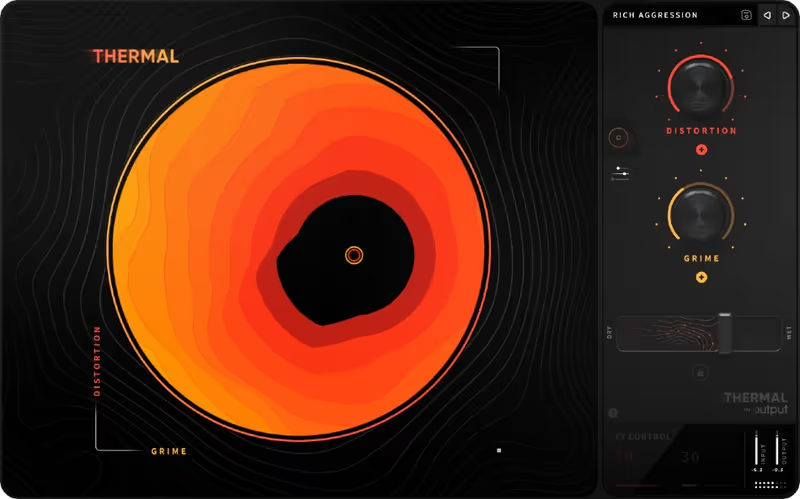
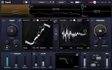
My Experience: Thermal takes a completely different approach to saturation. It splits the audio into bands and then lets you modulate the distortion parameters with LFOs, envelopes, and macros. I use this on static, boring synth loops to give them rhythm and life. A simple sustained pad becomes a pulsing, chugging rhythm section just by browsing the presets and engaging the sequencers. The visualizer (a circular heat map) is actually useful for seeing exactly where the harmonic energy is focused in the stereo field, making it easier to sculpt the sound.

Deeper Look: It’s best described as "Layered" distortion. You can have a clean pass-through layer and two separate distorted layers, each with their own complex FX chain (chorus, delay, filter, reverb). This means Thermal is basically a full multi-effects unit centered around saturation. It’s superb for creative producers who want to turn a single one-shot sample into a full song idea without leaving the plugin interface. The width and depth you can achieve here are unmatched by single-stage saturators.

Thermal

Our Verdict

Why we love it

Best for adding rhythmic interest and complex, evolving textures to boring sources.

Who should skip

Skip this if you are a purist who wants a simple emulation of a 1960s pedal.

The Good
  • + Incredible preset library
  • + XY control pad
  • + Very modern sound
× The Bad
  • - CPU Intensive
  • - Can sound 'samey' after a while
  • - Interface is complex
Famous Uses:
Hip Hop Production Future Bass Scores
FabFilter

Saturn 2

Best For: Mix Bus
Engine VST/AU/AAX
Type Multiband Saturation
Size 50 MB
Price $149

The most precise saturator on the market.

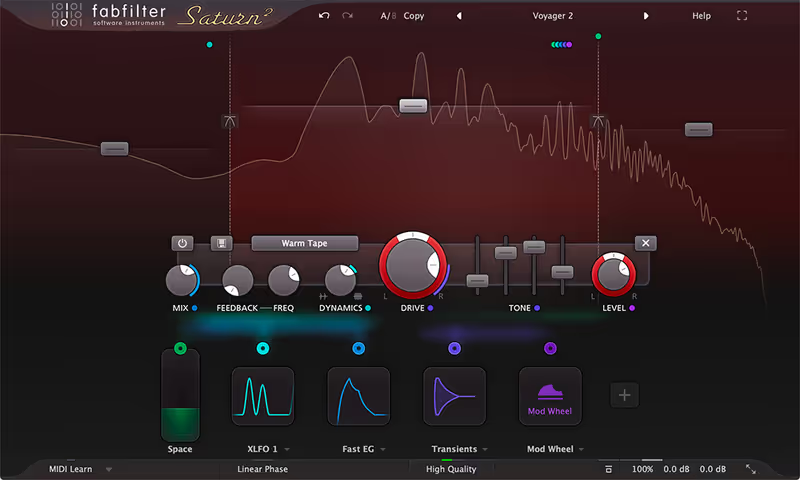
My Experience: Saturn 2 is my secret weapon for mixing and even mastering. Yes, mastering. The "Tape" and "Tube" algorithms are so clean and high-quality that I can apply multiband saturation to a full mix to glue it together without introducing harsh artifacts. I often start by splitting the bands: adding "Warm Tape" to the lows for fatness and "Gentle Saturation" to the highs for sparkle. It adds a polished, record-like sheen that EQ and compression alone can't achieve.

Deeper Look: The modulation system is identical to FabFilter's Timeless 3 and Pro-Q, meaning endless drag-and-drop possibilities for LFOs and envelopes. But the real star is the "Dynamics" knob found on each band. You can not only distort but also compress or expand specific frequencies simultaneously. It’s a multiband compressor and saturator in one, making it arguably the most powerful mixing tool on this list for shaping the tone and dynamics of a sound in a single move.

Saturn 2

Our Verdict

Why we love it

Best for mixing and mastering applications where precision and clarity are required.

Who should skip

Skip this if you want instant, one-knob gratification without setting up bands.

The Good
  • + Incredible sound quality
  • + Dynamics control is unique
  • + Visual feedback is perfect
× The Bad
  • - Learning curve
  • - Overkill for simple tasks
  • - Pricey
Famous Uses:
Mastering Engineers Drum Bus Glue Vocal Excitement
XLN Audio

RC-20 Retro Color

Best For: Lo-Fi Texture
Engine VST/AU/AAX
Type Lo-Fi Multi-FX
Size 50 MB
Price $99

The sound of modern Lo-Fi.

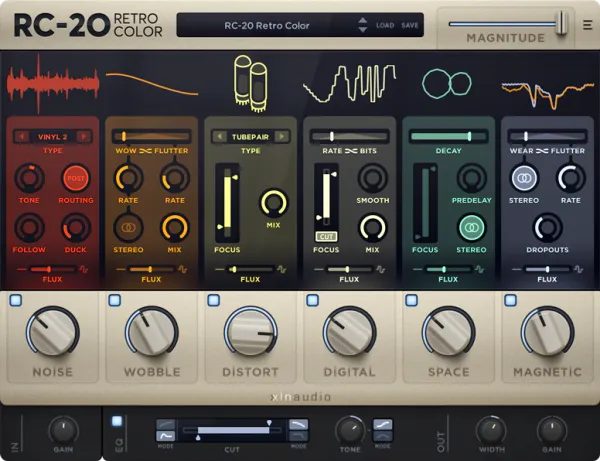
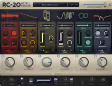
My Experience: It might be a cliché at this point because it is so popular, but RC-20 is on probably 50% of tracks released today for a reason: it works instantly. The "Distort" module is simple: just a knob targeting one of several flux types: but combined with the "Noise" and "Wobble" modules, it creates a cohesive "vintage" aesthetic that is hard to mess up. I use it on perfect digital piano and synth keys to instantly take away the harshness and make them sit back in the mix.

Deeper Look: The "Magnitude" slider is the MVP of this plugin. It lets you dial in your perfect gritty settings and then scale the entire plugin back a bit to fit the context of the mix. While not a dedicated heavy distortion unit like Trash, its "Tube" and "Iron" distortion modes are perfectly tuned for musicality and warmth. It instantly makes things sound like a sample grabbed from an old vinyl record, adding character that is essential for lo-fi and hip hop production.

Why we love it

Best for lo-fi hip hop and adding vintage warmth/nostalgia to digital tracks.

Who should skip

Skip this if you want aggressive, industrial destruction; this is a 'vibe' box.

The Good
  • + Instant good sounds
  • + Flux engine adds life
  • + Look and feel is great
× The Bad
  • - Overused sound
  • - Distortion is simple
  • - No multiband
Famous Uses:
Lo-Fi Beats Kendrick Lamar Productions Indie Keys
Cableguys

CrushShaper 2

Best For: Rhythmic Glitch
Engine VST/AU/AAX
Type Rhythmic Bitcrusher
Size 50 MB
Price $39

Rhythmic destruction.

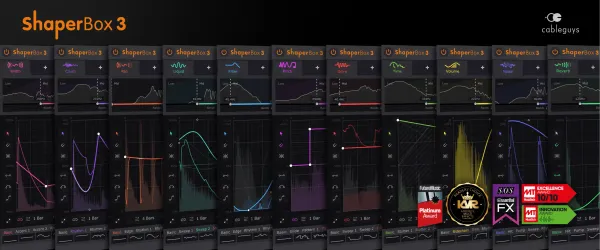
My Experience: Part of the Cableguys ShaperBox ecosystem, CrushShaper is all about timing and rhythm. You draw an LFO curve that determines exactly when the distortion happens in the loop. I use this to bitcrush unparalleled snares: leaving the initial transient clean for punch but crushing the tail into 8-bit noise for texture. It adds punch and grit without killing the initial impact, which is a common problem with standard bitcrushers that destroy the whole signal.

Deeper Look: The ability to target multiband frequencies is key to its power. You can leave the sub-bass completely clean and only crush the top end in a rhythmic pattern, or vice versa. It’s superb for turning boring white noise into rhythmic hi-hat patterns or adding grit to a bassline only on the off-beats to create groove. If you want distortion that dances with your track rather than just sitting on top of it, this is the tool to use.

CrushShaper 2

Our Verdict

Why we love it

Best for rhythmic distortion and glitch effects that need to lock to the grid.

Who should skip

Skip this if you want a static distortion pedal effect.

The Good
  • + Incredible rhythmic control
  • + Multiband capable
  • + Very cheap
× The Bad
  • - Requires ShaperBox usually
  • - Digital sound only
  • - UI is small
Famous Uses:
EDM Complextro Sound Design
Minimal Audio

Rift

Best For: Bass Music
Engine VST/AU/AAX
Type Bipolar Distortion
Size 100 MB
Price Check Site

A new approach to distortion.

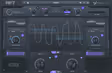
My Experience: Rift does something incredibly cool that most saturators don't: it splits the waveform into positive and negative halves and lets you distort, filter, and manipulate them differently. This creates unique harmonics and rhythmic stereo movement that standard saturators simply can't achieve. I love using the "Feedback" module to create screaming, tuned resonances that follow the pitch of the track, turning a simple bass stab into a complex, evolving lead sound.

Deeper Look: The "Dark" and "Light" modes are fantastic macro controls for quickly shifting the mood of the distortion from aggressive to subtle. The interface is stunning and very visual, showing exactly what is happening to the wave. It fits perfectly into the modern bass music workflow, where sound design is about movement and complexity. It’s capable of some of the most futuristic, clean, and distinct distortions I’ve heard, avoiding the "mud" that plagues many other plugins.

Rift

Our Verdict

Why we love it

Best for futuristic bass design and unique stereo distortion effects.

Who should skip

Skip this if you prefer modeling of vintage gear; Rift is unapologetically digital.

The Good
  • + Unique bipolar engine
  • + Incredibly musical feedback
  • + Stunning UI
× The Bad
  • - Complex concept
  • - Can get messy fast
  • - Newer company (less legacy)
Famous Uses:
Modern DnB Trailer Sound Design Glitch Hop
Written By

Felix Ward

Felix is an indie-folk songwriter and session guitarist who values vibe over perfection. He looks for tools that potentialize 'happy accidents' and offer immediate inspiration. If a plugin requires reading a 100-page manual, he's probably already moved on.