


Best De-Esser Plugins (2026): Transparent Vocals

Nothing ruins a vocal track faster than harsh 'S' sounds. A great de-esser doesn't just turn down volume; it intelligently reshapes the high frequencies to preserve clarity without the pain.

Last Updated: January 2026
Felix Ward
By Felix Ward

Felix is an indie-folk songwriter and session guitarist who values vibe over perfection. He looks for tools that potentialize 'happy accidents' and offer immediate inspiration. If a plugin requires reading a 100-page manual, he's probably already moved on.

Sibilance (the piercing "ss," "t," and "ch" sounds in speech) is the enemy of a professional mix. As we compress vocals harder to make them sit in a dense pop track, these high frequencies get exaggerated, becoming painful to the listener. The best de-esser plugins solve this problem transparently.

Unlike a simple EQ which would dull the entire track, these smart compressors only react when sibilance occurs. From simple one-knob tools to advanced spectral editors, here are the essential plugins for achieving smooth, radio-ready vocals.

Quick Summary

  1. 1. Pro-DS Best for Vocal Mixing
  2. 2. Weiss Deess Best for Mastering
  3. 3. Renaissance DeEsser Best for Backing Vocals
  4. 4. Oxford SuprEsser Best for Surgical Repair
  5. 5. Sibilance Best for Vocal Chain
  6. 6. T-De-Esser Pro Best for Bus Processing
  7. 7. Spectral De-esser Best for Audio Repair
Read more →

Methodology

Who is this for

Working composers and producers who need reliability, speed, and character for professional scoring tasks.

Our testing process

We test every library in actual production scenarios—ranging from writing rapid sketches to delivering commercial pitches. We evaluate how they perform in a dense template, not just in isolation.

Why you should trust us

We buy most reviewed plugins ourselves. Occasionally we receive NFRs for evaluation, but this never guarantees a review or positive verdict. We may earn commissions from links, but our editorial choices are never for sale.

Also considered

For every category, we audition the top 8 to 15 standard options, discarding any that suffer from poor scripting, slow load times, or uninspiring sampling.

Top Picks

FabFilter

Pro-DS

Best For: Vocal Mixing
Engine VST/AU/AAX
Type Smart De-Esser
Size 50 MB
Price $199

The most trusted de-esser in the industry.

My Experience:
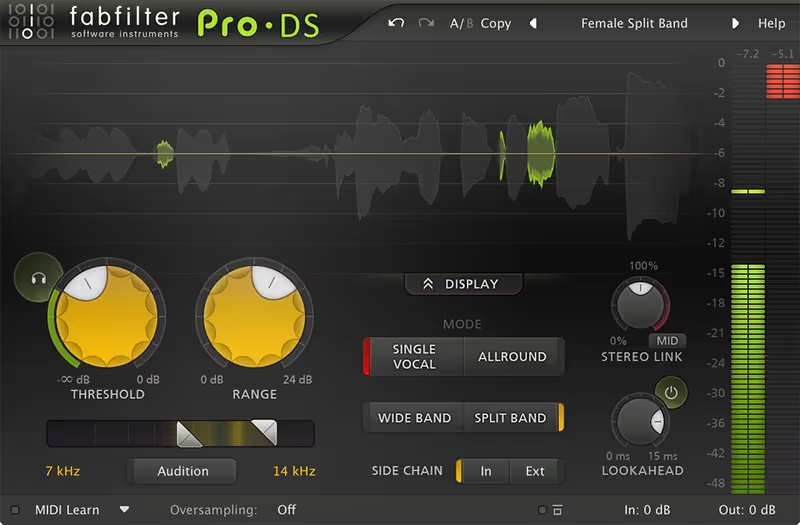
FabFilter Pro-DS is the one plugin that is on every single vocal chain I build. Its accuracy is frightening. The "Single Vocal" detection algorithm is so smart that I rarely have to tweak the threshold for it to grab only the "S" sounds while leaving the breath and "air" of the vocal untouched. It effectively eliminates the risk of giving your singer a lisp, which is the biggest danger with cheaper units.

Deeper Look:
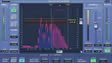
The visual feedback is, in typical FabFilter fashion, perfect. You see the waveform with the detected sibilance highlighted in green, so you know exactly what is being reduced. The "Allround" mode is also a secret weapon for mastering: I use it to tame harsh hi-hats or overly bright guitar solos without killing the track's excitement.

Pro-DS

Our Verdict

Why we love it

Best for any vocal mixing situation because of its intelligent detection and transparent sound.

Who should skip

Skip this if you want a vintage, colored sound; this is pure, clean utility.

The Good
  • + Unmatched transparency
  • + Visual feedback is essential
  • + Great on full mixes too
× The Bad
  • - Expensive for a utility
  • - Can be transparent to a fault
  • - Requires learning the threshold
Famous Uses:
Top 40 Pop Vocals Dialogue Editing Mastering
Softube

Weiss Deess

Best For: Mastering
Engine VST/AU/AAX
Type Mastering Grade
Size 100 MB
Price $199

The Rolls Royce of de-essing.

My Experience:
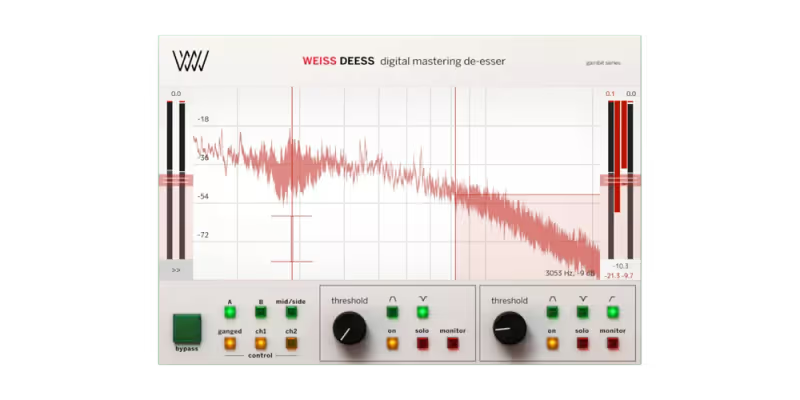
The Weiss DS1-MK3 hardware unit costs nearly $10,000. Softube's port of the de-essing section brings that mastering-grade precision to your DAW. The Weiss Deess creates an incredibly smooth high-end. Unlike other plugins that clamp down, this one feels like it gently pushes the harshness back into the mix. It retains the detail and shimmer of the vocal better than anything else I've tried.

Deeper Look:
It features two independent bands, which is huge. You can have one band taming the sharp "S" sounds at 7kHz and another handling the harsh "ch" presence at 4kHz. The interface is daunting at first, but for mastering engineers or crucial lead vocals where money (and CPU) is no object, this is the best sounding tool available.

Weiss Deess

Our Verdict

Why we love it

Best for mastering and critical lead vocals where retaining high-end detail is paramount.

Who should skip

Skip this if you are on a budget or working on a laptop, as it is CPU intensive.

The Good
  • + Incredible sonic quality
  • + Dual band control
  • + Very smooth reduction
× The Bad
  • - Very expensive
  • - Interface is complex
  • - iLok required
Famous Uses:
Professional Mastering High-Budget Vocals Classical Recordings
Waves

Renaissance DeEsser

Best For: Backing Vocals
Engine VST/AU/AAX
Type Broadband/Split
Size 50 MB
Price $99

The reliable workhorse of the mixing world.

My Experience:
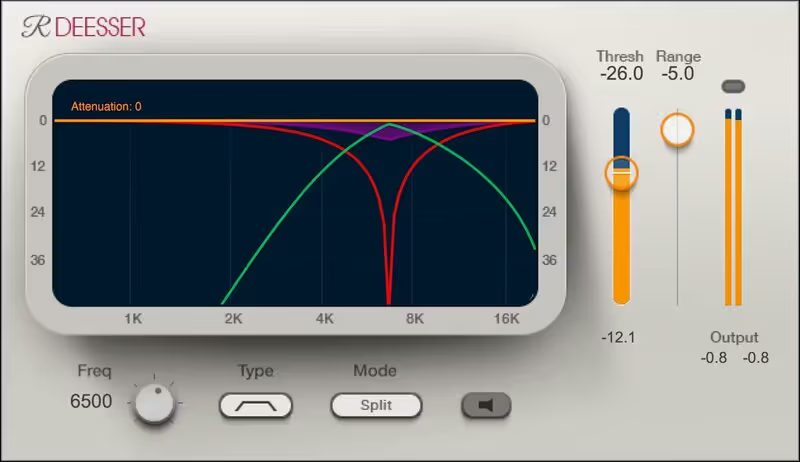
Sometimes you don't need a spectral display; you just need to fix a problem fast. R-DeEsser is ancient in plugin years, but it still works. I keep coming back to it for backing vocals and spoken word. The "Adaptive" threshold is its magic feature: it adjusts the reduction based on the input level, meaning it still catches sibilance even if the singer whispers a quiet line.

Deeper Look:
It has a specific "sound" to it: it's slightly darker and more aggressive than Pro-DS. This actually works in its favor for rock and rap vocals where you want the de-essing to be assertive. It’s extremely low CPU, so you can throw it on 50 backing vocal tracks without your computer blinking.

Why we love it

Best for quick fixes and backing vocals due to its low CPU usage and adaptive threshold.

Who should skip

Skip this if you need surgical precision for a delicate acoustic ballad lead vocal.

The Good
  • + Dead simple to use
  • + Adaptive mode is great
  • + Very low CPU/Cost
× The Bad
  • - Look is very dated
  • - Can be aggressive
  • - Lacks visual feedback
Famous Uses:
Rap Vocals Broadcast Radio Rock Mixing
Sonnox

Oxford SuprEsser

Best For: Surgical Repair
Engine VST/AU/AAX
Type Dynamic EQ
Size 50 MB
Price $244

More than a de-esser, it's a spectral surgeon.

My Experience:
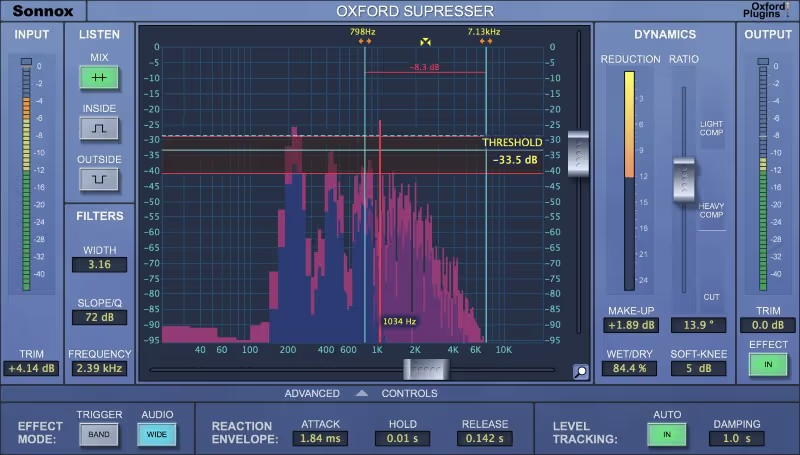
The SuprEsser was one of the first plugins to give a usable visual display of the sibilance spectrum. It excels at fixing "weird" sibilance: not just the top end hiss, but the whistling resonances that happen at 3kHz or 9kHz. Because it tracks the frequency specifically, it triggers only when that specific note rings out, making it invaluable for dialogue editing.

Deeper Look:
It operates almost like a dynamic EQ. You can narrow the band to isolate a very specific annoying whistle in a singer's voice. The "Wet/Dry" control is great for parallel processing, allowing you to crush the sibilance and then blend a tiny bit of the natural sound back in to avoid the "lisp" effect.

Oxford SuprEsser

Our Verdict

Why we love it

Best for fixing specific resonant whistles and complex sibilance issues in dialogue.

Who should skip

Skip this if you find detailed graph tweaking tedious and just want a simple knob.

The Good
  • + Extremely precise
  • + Functions as Dynamic EQ
  • + Great wet/dry control
× The Bad
  • - Interface shows age
  • - Can sound unnatural if pushed
  • - Expensive
Famous Uses:
Film Dialogue Instrument Resonance Clean Pop Vocals
Waves

Sibilance

Best For: Vocal Chain
Engine VST/AU/AAX
Type Spectral De-Esser
Size 100 MB
Price $79

The new generation of transparent detection.

My Experience:
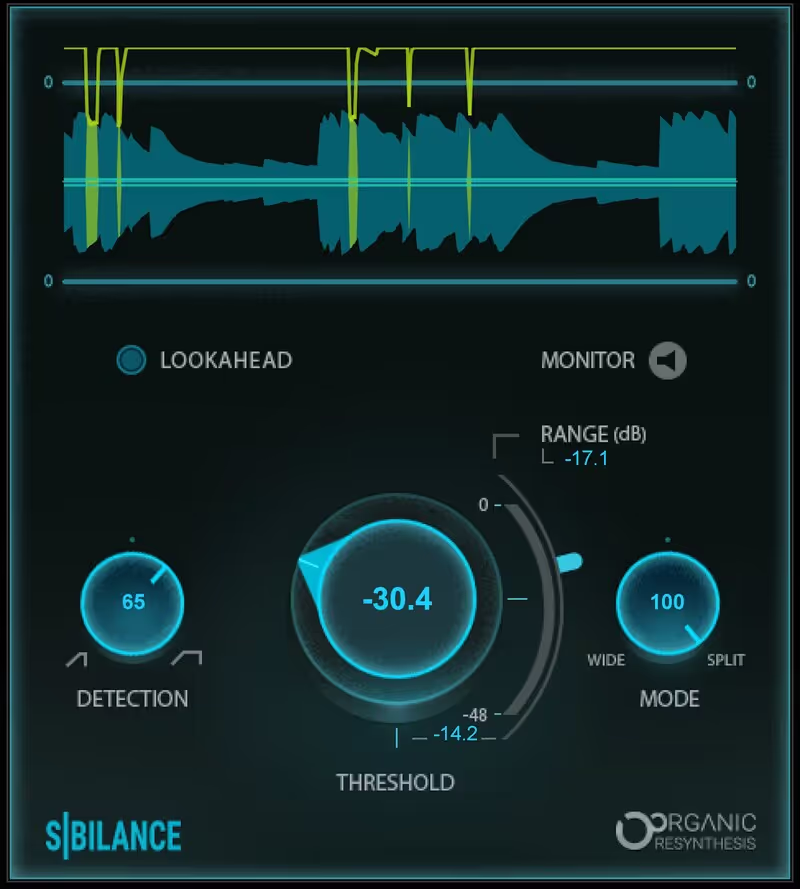
Waves released Sibilance to replace their older tools, and the technology is impressive. Instead of traditional compression, it uses a spectral engine to identify sibilant parts and separate them from the vocal tone. In practice, this means you can crush the "S" sounds incredibly hard without affecting the brightness of the rest of the word. It feels almost like editing the waveform manually.

Deeper Look:
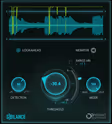
The interface is modern and visualized. You see the sibilance detector engaging in real-time. It separates the "S" signal from the main signal effectively. For podcast editing where you have imperfect recordings and varying microphone distances, this plugin is a lifesaver because it is less sensitive to level changes than older threshold-based units.

Sibilance

Our Verdict

Why we love it

Best for heavy reduction without artifacts, removing lisping even at high settings.

Who should skip

Skip this if you prefer the familiar behavior of traditional VCA style compression.

The Good
  • + Can push very hard safely
  • + Doesn't darken the tone
  • + Modern, clear interface
× The Bad
  • - Waves update plan
  • - Higher latency than R-DeEsser
  • - Detection isn't always perfect
Famous Uses:
Podcasting YouTubers Pop Vocals
Techivation

T-De-Esser Pro

Best For: Bus Processing
Engine VST/AU/AAX
Type Modern De-Esser
Size 50 MB
Price Check Site

Simple, affordable, and shockingly good.

My Experience:
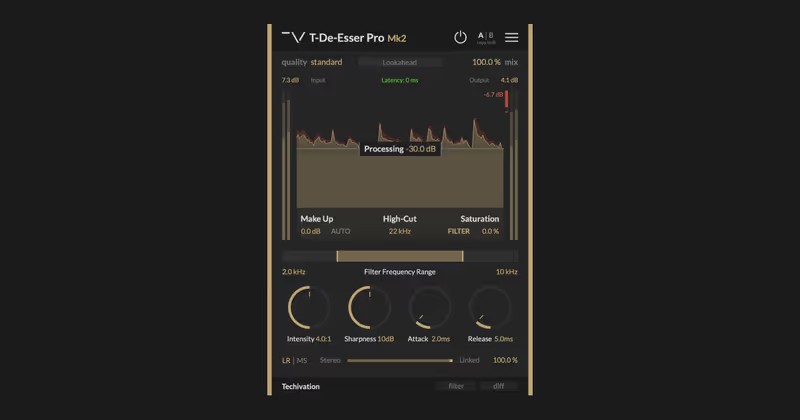
Techivation is a newer player, but the T-De-Esser gained a cult following for doing one thing well. It sounds remarkably natural. The interface is stripped back, encouraging you to listen rather than look. I find it sits somewhere between the transparency of FabFilter and the musicality of analog gear. It’s perfect for harsh electric guitars and overheads, not just vocals.

Deeper Look:
The "Pro" version adds spectral shaping options and mid-side processing, which is fantastic for mastering. You can de-ess just the center channel (where the vocal is) without dulling the hi-hats in the side channels. The "Diff" button lets you solo exactly what is being removed, ensuring you aren't killing the good frequencies.

T-De-Esser Pro

Our Verdict

Why we love it

Best for users who want a simple, modern workflow with mid-side capabilities.

Who should skip

Skip this if you need a graphical FFT display to visualize the frequency spectrum.

The Good
  • + Mid-Side is super useful
  • + Very easy to dial in
  • + affordable pricing
× The Bad
  • - No spectral graph
  • - Less surgical than Sonnox
  • - Newer brand ecosystem
Famous Uses:
Guitar De-essing Group Vocals Cymbal Taming
iZotope

Spectral De-esser

Best For: Audio Repair
Engine RX Module
Type Spectral Repair
Size 500 MB
Price Check Site

The nuclear option for bad recordings.

My Experience:
Sometimes a mix de-esser isn't enough. When I receive a vocal recorded with a cheap condenser mic in a tiled room, the high end is a mess. The Spectral De-esser module inside iZotope RX (and adapted for Ozone) works differently: it attenuates the sibilance spectrally, literally rewriting the frequencies. It can save a take that would otherwise be unusable.

Deeper Look:
This isn't for slight polishing; this is for surgery. It creates the most natural result on extremely problematic material because it doesn't just turn the volume down; it changes the tone of the "S" to match the surrounding audio. While it introduces latency and is best used offline in RX, for the final polish or restoration, it is unbeatable.

Why we love it

Best for audio restoration and fixing badly recorded vocals that standard plugins can't touch.

Who should skip

Skip this for tracking or quick mixing; it is a heavy, latent process designed for repair.

The Good
  • + Saves unusable audio
  • + Spectrally accurate
  • + Zero compression artifacts
× The Bad
  • - Workflow is slow (offline)
  • - Part of expensive bundles
  • - High latency
Famous Uses:
Forensic Audio Dialogue Restoration Archival Work
Written By

Felix Ward

Felix is an indie-folk songwriter and session guitarist who values vibe over perfection. He looks for tools that potentialize 'happy accidents' and offer immediate inspiration. If a plugin requires reading a 100-page manual, he's probably already moved on.