

Best AAX Plugins for Pro Tools Users (Stability & Workflow)

Pro Tools is picky. Unlike VSTs, AAX plugins need to be bulletproof. One bad line of code can crash a client billing hour. We found the ones that never crash.

The ModWheel Team
By The ModWheel Team Editorial Staff

What changed: Review prose rewritten out of the first person. The page carries a collective byline, so claims like 'I used it on a recent session' asserted an experience no single author was standing behind. The technical substance is unchanged.

ModWheel is reader-supported. When you buy through links on this page we may earn an affiliate commission, at no extra cost to you. This never influences which products we recommend, read our testing methodology.

Prices come from the store's own feed and were last checked 8 September 2026. We don't issue discount codes — the price you see is the store's own.

Pick one in 10 seconds

Short version

Compare all 7

Decapitator 7.5
Engine
AAX Native
Type
Saturation Unit
Size
150 MB
Engine
AAX DSP/Native
Type
Loudness Enhancer
Size
50 MB
Pro-Q 4
3. Pro-Q 4 FabFilter
7.8
Engine
AAX Native
Type
Parametric EQ
Size
20 MB
Tube-Tech CL 1B Mk II
4. Tube-Tech CL 1B Mk II Softube Featured at Plugin Boutique
6.9
Engine
AAX Native
Type
Optical Compressor
Size
200 MB
SSL Native Bus Compressor 2 7.3
Engine
AAX Native
Type
Bus Compressor
Size
150 MB
Engine
AAX DSP/Native
Type
Channel Strip
Size
200 MB
Engine
AAX DSP/Native
Type
True Peak Limiter
Size
100 MB

If you are running Pro Tools, you aren't playing around. You are likely billing by the hour, and 'Session Crash' is the dirtiest phrase in the English language. We need plugins that are efficient, DSP-optimized (where applicable), and rock solid.

We ignored the creative toys. This list is about the heavy lifters, the EQs you put on every channel, the compressors that glue the mix, and the tools that save your CPU from melting.

Several of these picks also appear in our Best Essential Mixing Plugins (2026): The Toolkit roundup, which is worth a look if you are weighing up both.

Top Picks

01 Soundtoys

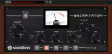
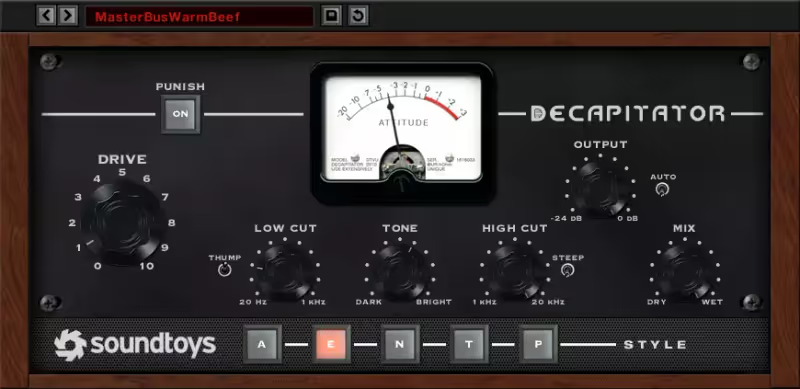
Decapitator

Best for Parallel Saturation

The most reliable way to make a sterile digital track sound like it went through something, and it will not be talked into subtlety.

Score
7.5
out of 10

How it scored

  • CPU Efficiency 8.0

    No oversampling, which keeps it light and is also why it can get noisy.

  • DSP Support 4.0

    Native only. It occupies host CPU on an HDX rig.

  • Sound Quality 8.8

    Five analog models that all do something distinct.

  • Workflow Speed 9.0

    One knob to the sound, and a mix control to walk it back.

Why we picked it

Adding weight and grit to thin sources. It is the reliable cure for 'digital sterility' on drums, vocals, and bass.

Who should skip it

You need subtle, transparent warming. This plugin loves to be pushed hard and wants to be heard.

The good

  • Instant vibe
  • Versatile
  • Mix knob

The bad

  • No oversampling
  • Fixed GUI size
  • Can be noisy
Engine
AAX Native
Type
Saturation Unit
Size
150 MB
Price
$199
Why it scored that way

The cure for 'Digital Coldness'.

Pro Tools can sound sterile if you stay entirely in the box, and Decapitator is the standard answer to that. It models the pre-amps of vintage consoles and tape machines closely enough that the results hold up under scrutiny, but distortion is only half of what it is for. The more common use is thickening thin sources, DI guitars and anaemic snares in particular, giving them the body a clean digital recording never captured in the first place.

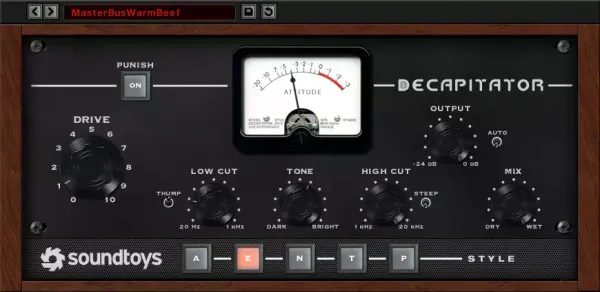
The 'Punish' button gets the attention, though the 'Mix' knob does the daily work, because blending in parallel saturation adds punch to a percussion bus and gives a vocal the grit it needs to cut through a dense arrangement. The AAX build is the other half of the argument here, staying stable across dozens of instances rather than becoming the thing that drops a session an hour before delivery. Where it sits against the rest of this list: Decapitator is the character tool on a page that is otherwise about precision, and it is the one to reach for when a source is technically fine and still sounds lifeless. The Inflator below overlaps with it slightly, but Inflator adds perceived loudness and density without an obvious tonal signature, whereas Decapitator has a signature and wants you to hear it. Run them in that order if you use both. On a page assembled around AAX reliability it also happens to be the most stable plugin here across long Pro Tools sessions, which matters more in post than it does in a music room.

Playing connects you to YouTube, which may set cookies.
Heard on
Tame Impala Rock Drums Nine Inch Nails
Check price $199
02 Sonnox

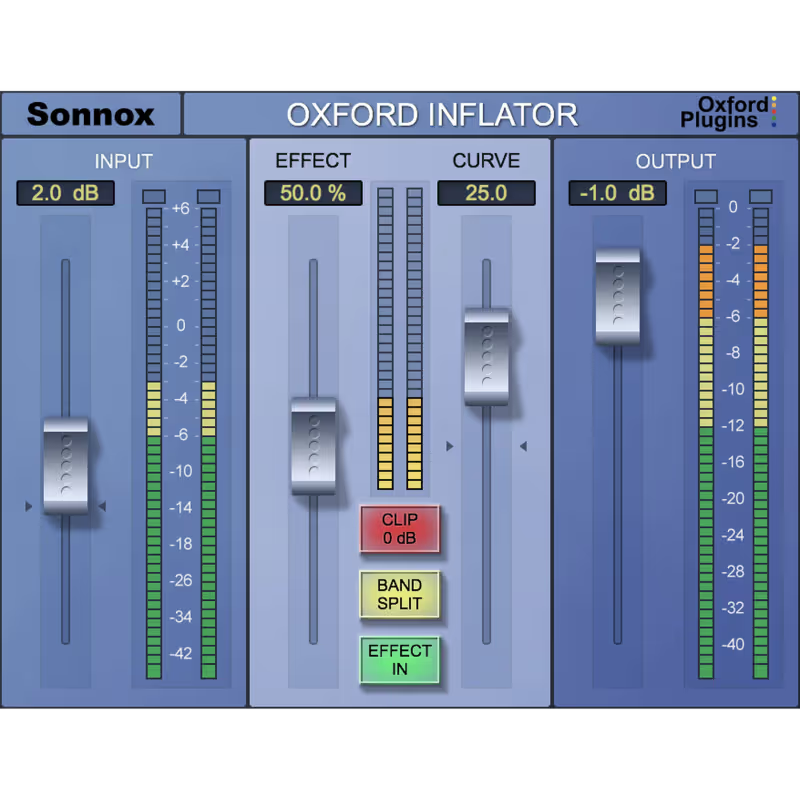
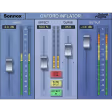
Oxford Inflator

Best for Loudness Enhancement

The only thing here that adds density without adding level, sold at a price that looks absurd until you use it.

Score
8.7
out of 10

How it scored

  • CPU Efficiency 8.5

    50 MB and cheap to run across a large session.

  • DSP Support 9.0

    Runs on HDX, which is most of why it is on this page.

  • Sound Quality 8.8

    Adds presence that compression cannot reach. Gritty if pushed.

  • Workflow Speed 8.5

    Effectively one control. Hard to get wrong.

Why we picked it

Increasing perceived loudness without destroying transients. It adds density and presence that standard compression cannot achieve.

Who should skip it

You want transparent leveling. This is a harmonic saturation effect that changes the character of the sound.

The good

  • Magic loudness
  • AAX DSP support
  • Simple

The bad

  • Old GUI
  • Pricey for one knob
  • Can be gritty
Engine
AAX DSP/Native
Type
Loudness Enhancer
Size
50 MB
Price
$156
Why it scored that way

The secret sauce of British mixing desks.

Sonnox writes unusually efficient code, and the Inflator is what to reach for when a mix has to compete on level without falling apart. Turn it up and the track gets louder and more present while the peak meter stays roughly where it was, which is not the behaviour of a compressor. It is a tube-emulating wave shaper, and its most reliable use is bringing a lead vocal forward when a dense arrangement has buried it.

It has been a Pro Tools staple for twenty years and still earns a slot in a mastering chain on that basis alone. The case it solves best is a drum bus that reads as weak and refuses to respond to equalisation, where an instance of Inflator across the bus supplies the density and weight that no amount of EQ was going to find.

Playing connects you to YouTube, which may set cookies.

Heard on
Pop Vocals Mastering Drum Bus
Check price $156
03 FabFilter

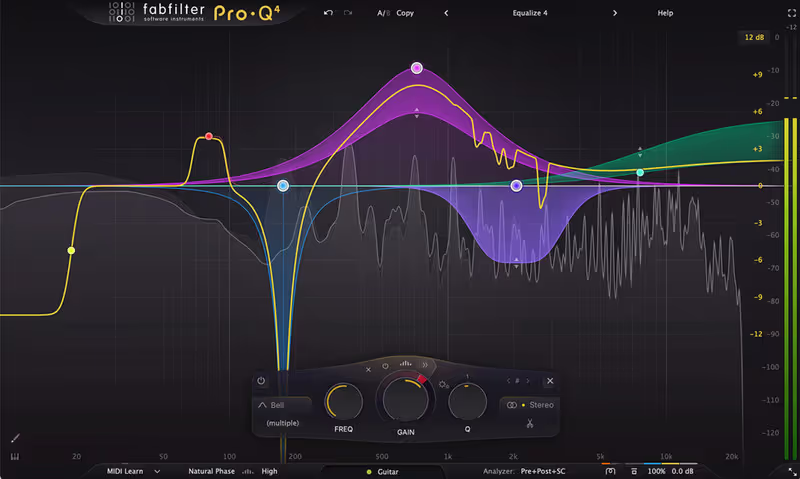
Pro-Q 4

Best for Surgical EQ

The cheapest EQ here in CPU terms and the most expensive in HDX terms, because there is no DSP version to offload to.

Score
7.8
out of 10

How it scored

  • CPU Efficiency 9.6

    Effectively free per instance. Best on the page's headline test.

  • DSP Support 3.5

    No DSP build at all. Lowest here, and it matters on HDX.

  • Sound Quality 8.5

    Transparent to the point of clinical. No colour on offer.

  • Workflow Speed 9.4

    The best EQ interface anyone has shipped. Best here.

Why we picked it

The indispensable utility EQ for every single track in your session. It is clean, precise, and virtually invisible on your CPU usage.

Who should skip it

You need a vintage analog color box. This is a transparent surgeon's tool, not an old tube equalizer.

The good

  • Effectively free per instance
  • Best workflow UI
  • Dynamic EQ

The bad

  • No DSP version
  • Clinical sound
  • Can be overwhelming
Engine
AAX Native
Type
Parametric EQ
Size
20 MB
Price
$199
Why it scored that way

The one plugin on this list nobody argues about.

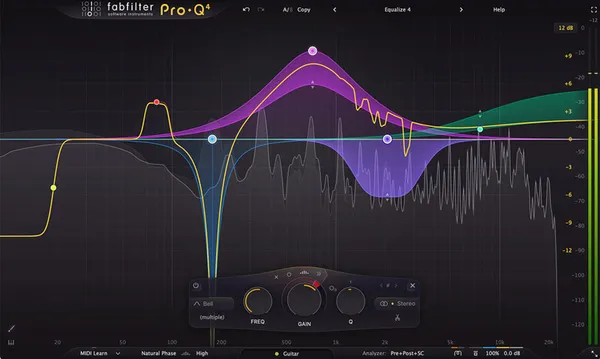
FabFilter understands the Pro Tools mindset, which is that speed decides everything else. Pro-Q 4 opens instantly, draws negligible CPU across hundreds of channels, and does exactly what you tell it without argument. That makes it the utility EQ rather than a creative one, and the distinction matters: it stays out of the way of the balance decisions instead of turning each of them into a fight with an interface.

On post-production work the Dynamic EQ mode earns its own place by taming dialogue resonances without anyone hand-automating a threshold across a reel. Sessions running well over two hundred instances stay stable rather than degrading as the count climbs, and that reliability, more than the sound, is the argument for making it the first insert on every track you create.

Playing connects you to YouTube, which may set cookies.

Heard on
EVERY Film EVERY Album Post Production
Check price $199
04 Softube

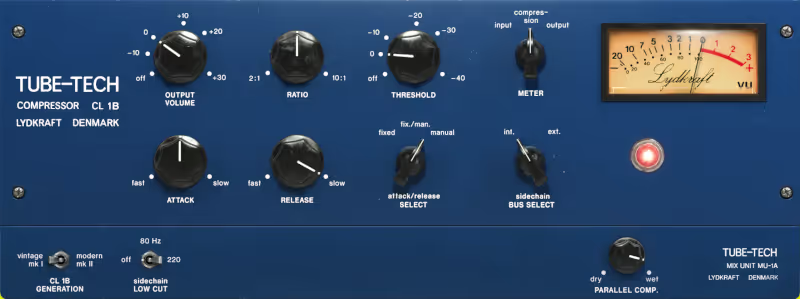
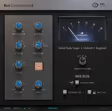
Tube-Tech CL 1B Mk II

Best for Vocal Compression
Featured at Plugin Boutique

The most flattering compressor on this page and the slowest, which rules it out of everything percussive.

Score
6.9
out of 10

How it scored

  • CPU Efficiency 6.5

    Component modelling is not cheap at low buffers. Lowest here.

  • DSP Support 4.0

    Native only.

  • Sound Quality 9.2

    Makes a digital vocal sound finished. Best on the page.

  • Workflow Speed 8.0

    Few controls, and the fixed attack removes one decision.

Why we picked it

Smoothing out vocals and bass with a rich, pillow-soft attack. It makes digital recordings sound expensive and finished instantly.

Who should skip it

You need fast, aggressive limiting. The optical attack is too slow for catching transients on drums.

The good

  • Musical compression
  • Great GUI
  • Classic tone

The bad

  • Fixed attack time
  • Expensive
  • Colored sound
Engine
AAX Native
Type
Optical Compressor
Size
200 MB
Price
$199
Why it scored that way

You can't make it sound bad.

Softube's AAX build is carefully optimised, and the CL 1B emulation holds up closely against the hardware it is modelled on. It captures the pillowy, slow attack of the opto cell, delivering the warmth that digital compressors usually trade away for something more brittle. Over-compressing it is genuinely difficult, and driven hard enough to bury the needle on a lead vocal it stays musical, keeping the dynamics of the performance rather than flattening them into one level.

Stability is what earns a plugin a permanent place in a large Pro Tools session, and this one holds through a mix print rather than falling over at the worst possible moment. On bass guitar it adds a harmonic weight that makes a direct-injected track sound finished and expensive, which is the job that otherwise needs several thousand pounds of outboard sitting in a rack.

Playing connects you to YouTube, which may set cookies.

Heard on
Rihanna Kanye West Modern Pop
Check price $199
05 Solid State Logic

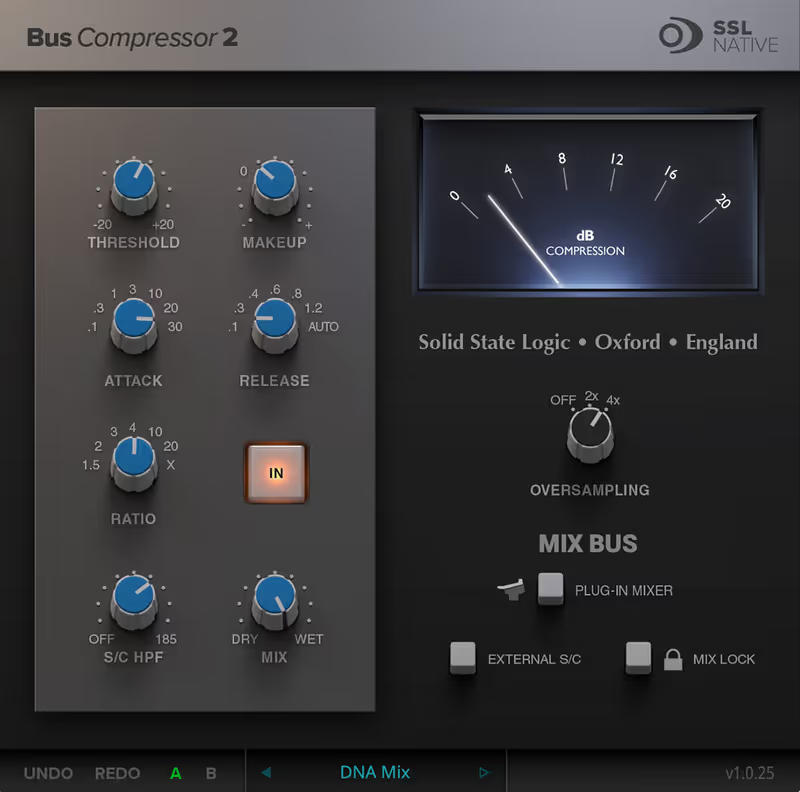
SSL Native Bus Compressor 2

Best for Mix Bus

The glue everyone means when they say glue, with fewer controls than anything else here and no need for more.

Score
7.3
out of 10

How it scored

  • CPU Efficiency 7.5

    Reasonable on a mix bus, where you need one instance.

  • DSP Support 4.0

    Native only.

  • Sound Quality 9.0

    The official VCA sound. Clean, with no distortion to hide behind.

  • Workflow Speed 8.5

    Four knobs and an external sidechain. Nothing to learn.

Why we picked it

The final glue on your mix bus. It snaps the drums and guitars together into a cohesive record like nothing else.

Who should skip it

You want modern, multi-band control. This is a classic VCA compressor with very few controls.

The good

  • Official sound
  • External Sidechain
  • Visual feedback

The bad

  • Clean (no distortion)
  • Expensive
  • Limited controls
Engine
AAX Native
Type
Bus Compressor
Size
150 MB
Price
$149
Why it scored that way

The only one that sounds like the actual console.

There is no shortage of SSL bus compressor clones, and the argument for this one is simply that SSL built it. It behaves differently from the emulations, with a release curve that is smoother and reads as more musical under a full mix. What it does is snap a mix together elastically, holding the dynamics without pulling the groove flat, and that is precisely the behaviour people are after when they reach for this compressor on a 2-bus.

The v2 code brought AAX performance up to the point where it is light enough for sub-groups rather than the master bus alone, so drums and guitars can each have one of their own. The external sidechain is the reason to keep an instance on a bass group, because keying the compressor from the kick locks the low end together in a way that no plain bus compressor manages.

Playing connects you to YouTube, which may set cookies.

Heard on
Everything since 1980 Dr. Dre Chris Lord-Alge
Check price $149
06 McDSP

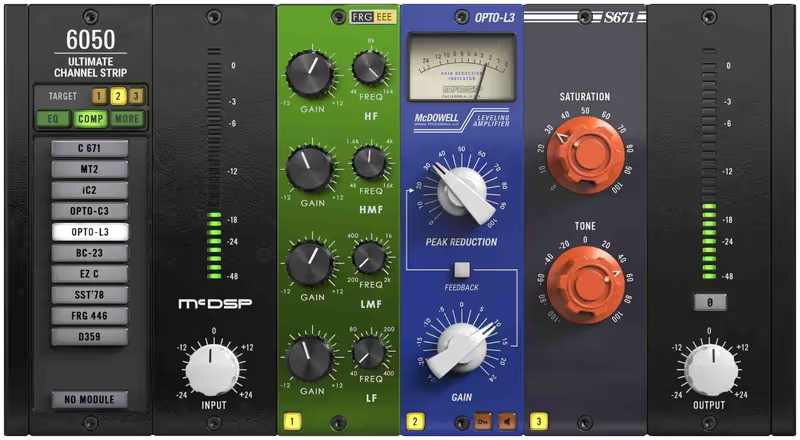
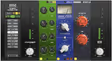
6050 Ultimate Channel Strip Native v7

Best for Channel Strip

The most session-proof plugin on this page, and the ugliest by a comfortable margin.

Score
8.6
out of 10

How it scored

  • CPU Efficiency 8.8

    Built for large sessions and it does not fall over at low buffers.

  • DSP Support 9.4

    The best HDX citizen here. Best on the page.

  • Sound Quality 7.5

    Competent everywhere, and slightly dated next to modern rivals.

  • Workflow Speed 8.8

    Swap EQ and compressor modules without leaving the strip.

Why we picked it

Engineers who need speed and flexibility. Being able to swap EQ and Comp modules instantly makes it perfect for dialing in tones fast.

Who should skip it

You require a modern, styled GUI. The interface is purely functional and looks a bit dated.

The good

  • Insanely stable
  • DSP friendly
  • Huge variety

The bad

  • Green GUI is ugly
  • Generic interfaces
  • Slightly dated sound
Engine
AAX DSP/Native
Type
Channel Strip
Size
200 MB
Price
$179
Why it scored that way

If Pro Tools had a better stock channel strip, it would be this.

McDSP helped build the AAX format alongside Avid, so it is no surprise that their plugins are often more stable than Pro Tools itself. The 6050 is a greatest-hits collection built for working fast, chaining their 6030 compressors and 6020 EQs into a single slot. The result is a custom channel strip on every track with modules swappable on the fly, and hearing the difference between a tube and a solid state EQ without opening a second window is the whole point of it.

Zero latency makes it usable while tracking rather than only at mixdown, which is a narrower but real advantage over most channel strips. It is a working engineer's tool that looks plain and moves quickly, and on a tight-deadline television episode that is worth considerably more than a styled interface demanding a separate window for every task.

Playing connects you to YouTube, which may set cookies.

Heard on
Live Sound Post Production Broadcast
Check price $179
07 Avid

Pro Limiter

Best for Loudness Compliance

Exactly as transparent and as dull as post-production needs, and it will not work outside Avid.

Score
8.5
out of 10

How it scored

  • CPU Efficiency 8.5

    Light enough to leave across every print bus.

  • DSP Support 9.2

    Full DSP, as you would expect from Avid's own.

  • Sound Quality 8.0

    Transparent and true peak accurate. No character whatsoever.

  • Workflow Speed 8.2

    The metering tells you whether you have passed spec.

Why we picked it

Post-production professionals who need to hit strict loudness targets. It is transparent, compliant, and rock-solid.

Who should skip it

You want a creative limiter for EDM styles. It is designed for transparency, not pumping volume wars.

The good

  • Transparent
  • Great metering
  • True Peak

The bad

  • Boring
  • Avid only
  • No character
Engine
AAX DSP/Native
Type
True Peak Limiter
Size
100 MB
Price
Check site
Why it scored that way

The standard for broadcast delivery.

Worth knowing before you read further: this is not a purchase. Pro Limiter ships inside Pro Tools, so if you are running Pro Tools you already have it, and if you are not then it is not available to you at any price. It is on this page because a roundup of AAX plugins that ignored the capable stock ones would be selling you tools you may not need.

What it does, it does without argument. It hits strict loudness targets like EBU R128 and ATSC A/85 without colouring the signal, and it holds up on dynamic dialogue without pumping or generating distortion artifacts. The metering is accurate to the sample, which is the part that actually matters when a delivery gets rejected.

It is not a vibe limiter and does not pretend to be one. It is a functional tool for delivering files that pass QC at Netflix or a broadcast network, which is reason enough to leave it on a print bus permanently. Reach for the McDSP above it when you want a limiter that contributes tone rather than merely obeying a spec.

Playing connects you to YouTube, which may set cookies.

Heard on
TV Post Netflix Deliverables Sport Broadcasts
Check price
Read more →

Methodology

Who is this for

Working composers and producers who need reliability, speed, and character for professional scoring tasks.

Our testing process

Where we have tested a product, we do it in actual production scenarios, ranging from rapid sketches to commercial pitches, and we evaluate it in a dense template rather than in isolation. Where we have not, the product card says so and the assessment is drawn from specifications and documented behaviour instead.

Why you should trust us

We buy most reviewed plugins ourselves. Occasionally we receive NFRs for evaluation, but this never guarantees a review or positive verdict. We may earn commissions from links, but our editorial choices are never for sale.

Also considered

For every category, we audition the top 8 to 15 standard options, discarding any that suffer from poor scripting, slow load times, or uninspiring sampling.

Frequently Asked Questions

What is AAX and who needs it?

AAX is the plugin format Pro Tools uses, and nothing else does. If you work in Pro Tools you need it, and if you do not, it is irrelevant. Post production and film mixing still run largely on Pro Tools, so composers delivering into those workflows come across it even when they compose elsewhere.

Why will Pro Tools not load my VST?

Because it cannot. Pro Tools reads AAX only, so a plugin sold as VST and AU will not appear however you rescan. Some developers ship all three formats in one installer and some sell AAX separately, which is worth checking before buying if Pro Tools is in your chain.

What is the difference between AAX Native and AAX DSP?

Native runs on your computer processor like any other plugin. DSP runs on dedicated HDX hardware, which gives very low latency for tracking and takes the load off the computer entirely. DSP versions are rarer, cost more, and only matter if you own the hardware.

Do I need Pro Tools as a composer?

For writing, no, and the major sequencers are better suited to it. Pro Tools becomes relevant at delivery, since dubbing stages work in it and a session that arrives in the right format saves everyone time. Many composers write in Cubase or Logic and only touch Pro Tools when the material leaves the studio.

Written By

The ModWheel Team

The ModWheel editorial team is a collective of composers, producers, and sound designers. We collaborate to bring you comprehensive guides, industry news, and curated lists that represent our shared expertise and passion for music technology.

Related Guides

All Guides →

New reviews, no noise

Occasional email when we publish something worth your time. No daily digest, no vendor press releases.

We store only your address, never sell it, and delete it as soon as you unsubscribe. See our privacy policy.