


Best Apple Silicon Native VSTs (M1/M2/M3 Optimized)

Rosetta 2 was a lifesaver, but it's time to move on. Native plugins run faster, cooler, and more reliably.

Last Updated: January 2026
The Modwheel Team
By The Modwheel Team

The Modwheel editorial team is a collective of composers, producers, and sound designers. We collaborate to bring you comprehensive guides, industry news, and curated lists that represent our shared expertise and passion for music technology.

If you are running a modern Mac with an M1, M2, or M3 chip, running non-native plugins via Rosetta is a bottleneck. It burns more battery, consumes more RAM, and can cause instability in native DAWs like Logic Pro.

In 2026, there is no excuse for a developer not to support Apple Silicon natively.

We have compiled the essential list of plugins that are fully optimized for the ARM architecture, ensuring your sessions run smooth as butter.

Quick Summary

  1. 1. Pro-Q 4 Best for Mixing EQ
  2. 2. Phase Plant Best for Sound Design
  3. 3. Diva Best for Analog Modeling
  4. 4. Soundtoys 5.5 Best for Creative Effects
  5. 5. Valhalla VintageVerb Best for Reverb
  6. 6. Omnisphere 2 Best for Cinematic Pads
  7. 7. Vital Best for Modern Bass
Read more →

Methodology

Who is this for

Working composers and producers who need reliability, speed, and character for professional scoring tasks.

Our testing process

We test every library in actual production scenarios—ranging from writing rapid sketches to delivering commercial pitches. We evaluate how they perform in a dense template, not just in isolation.

Why you should trust us

We buy most reviewed plugins ourselves. Occasionally we receive NFRs for evaluation, but this never guarantees a review or positive verdict. We may earn commissions from links, but our editorial choices are never for sale.

Also considered

For every category, we audition the top 8 to 15 standard options, discarding any that suffer from poor scripting, slow load times, or uninspiring sampling.

Top Picks

FabFilter

Pro-Q 4

Best For: Mixing EQ
Engine VST/AU/AAX
Type Parametric EQ
Size 20 MB
Price $199

FabFilter continues to set the bar for optimization.

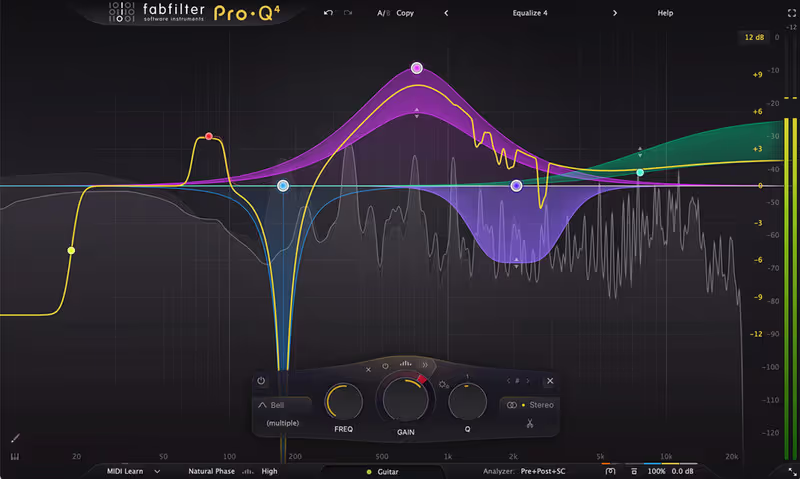
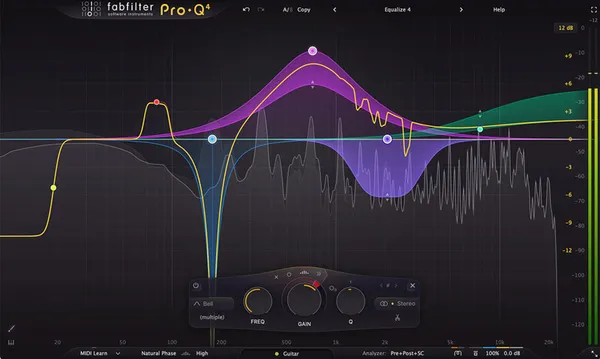
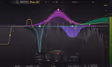
FabFilter Pro-Q 3 was one of the first plugins to go fully native on Apple Silicon, and the optimization is absolutely mind-blowing. I tried to stress-test my M3 Max MacBook by duplicating this plugin across 150 tracks-each with active dynamic bands-and the fan didn't even spin up. It runs so efficiently that it has become completely invisible to my CPU meter, allowing me to focus comfortably on mixing without ever thinking about freezing tracks. This kind of stability is essential for modern workflows where deadlines are tight and technical hiccups are unacceptable.

Beyond the performance, the workflow on a Retina display is gorgeous. The analyzer is buttery smooth, reacting instantly to the audio with zero visual lag, which is critical when I am surgically removing resonances. It is the definition of a 'native workhorse'. I trust it on every single channel of my template because I know it will never, ever crash my DAW.

Pro-Q 4

Our Verdict

Why we love it

The mandatory EQ for every session. It is the definition of a 'native workhorse' that will never crash your DAW.

Who should skip

No reason to avoid. It is the industry standard for a reason.

The Good
  • + Incredibly efficient
  • + Zero latency mode
  • + Rock solid stability
× The Bad
  • - Expensive
  • - Can be clinical
  • - Analysis is distracting
Famous Uses:
Everywhere Mixing Mastering
Kilohearts

Phase Plant

Best For: Sound Design
Engine VST/AU/AAX
Type Modular Synth
Size 1 GB
Price $199

Phase Plant is a modular beast that eats CPUs for breakfast.

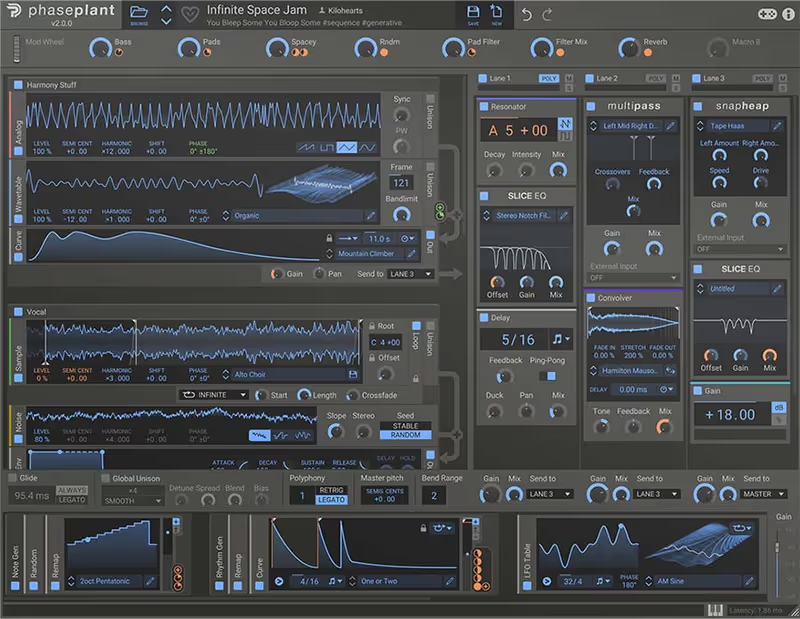
On my old Intel Mac, a complex Phase Plant patch with 30 modulators would bring the session to a grinding halt. On the M1 and M3 chips, it flies. I recently designed a massive, evolving sci-fi texture with four wavetable oscillators and a chain of ten effects, and the CPU meter barely ticked above 15%. This newfound headroom has completely changed how I design sound. I no longer have to bounce to audio constantly.

It is a modular beast that acts as an open canvas, and now that the silicon optimization is mature, it feels incredibly stable. I love stacking the "Multipass" effect modules to create multiband distortion chains that would have been impossible to run in real-time just a few years ago. If you want to build towering stacks of oscillators without a single audio glitch, this is the synth to get.

Phase Plant

Our Verdict

Why we love it

Best for sound designers who want to push their CPU to the limit. Apple Silicon unlocks the true potential of this synth.

Who should skip

Skip if you prefer simple subtractive synths, this is a modular playground that requires deep diving.

The Good
  • + Modular freedom
  • + Native performance
  • + Great effects ecosystem
× The Bad
  • - Empty canvas approach
  • - Needs subscription for all FX
  • - Steep learning curve
Famous Uses:
Dubstep Neurofunk Game Sound Design
u-he

Diva

Best For: Analog Modeling
Engine VST/AU/AAX
Type Virtual Analog
Size 200 MB
Price $179

Diva used to be a CPU hog. Not anymore.

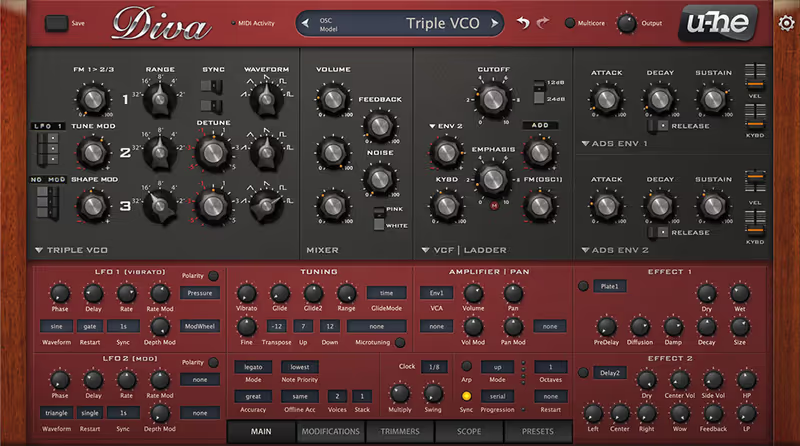
Diva used to be the plugin that made my computer cry. I vividly remember freezing tracks constantly just to use one instance in "Divine" mode. Since the Apple Silicon update, that has completely changed. I can now run multiple polyphonic instances of Diva in full quality mode on my MacBook Air without the chassis even getting warm. It is a testament to how well u-he has optimized their code for the ARM architecture.

The sound is, as always, incredible-thick, analog, and heavy-but now it is actually usable in a large production context. I used it for every synth part on a recent synthwave track (bass, pads, leads) and didn't have to print a single track until the final mixdown. If you have been holding off on using Diva because of CPU fears, the M1/M2/M3 chips have officially solved that problem.

Diva

Our Verdict

Why we love it

Essential for anyone who wants analog sound without the fan noise. The optimization here is staggering.

Who should skip

Avoid if you are strictly on Windows, as this brilliant efficiency is specific to the ARM architecture optimization.

The Good
  • + Divine mode is usable
  • + Multicore support
  • + Best sound
× The Bad
  • - Still heavy on older chips
  • - Complex
  • - No standalone app
Famous Uses:
Techno Deep House Film Score
Soundtoys

Soundtoys 5.5

Best For: Creative Effects
Engine VST/AU/AAX
Type Multi-FX Bundle
Size 1 GB
Price $299

It took them a while, but Soundtoys 5 is fully native.

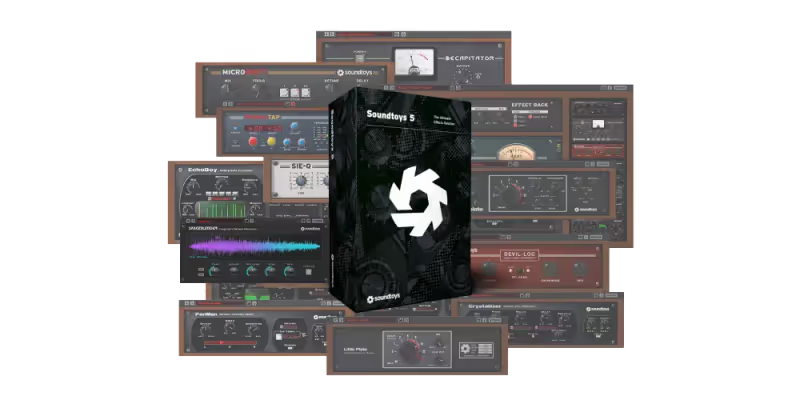
It took Soundtoys a little while to get fully native, but the wait was absolutely worth it. These creative effects-especially Decapitator and EchoBoy-are the spice of every mix I do, and running them natively means I can stack them high without worrying about the dreaded Rosetta bridge crashes. I recently updated my entire template to the native versions, and the session load times improved significantly, which is a huge deal when you are opening heavy projects multiple times a day.

Stabilty is the key word here. I used to have issues where automating the delay time on EchoBoy would cause a CPU spike on non-native systems, but on my M2 Studio, it is smooth as silk. Whether I am crushing a drum bus with Devil-Loc or adding space with Little Plate, knowing that these essential tools are optimized for my processor gives me total peace of mind during a mix.

Soundtoys 5.5

Our Verdict

Why we love it

Creative mixing. Decapitator alone is worth the price of entry setup for warming up digital tracks.

Who should skip

Avoid if you only need transparent mixing tools, Soundtoys is all about color, grit, and vibe.

The Good
  • + Industry standard FX
  • + Classic analog color
  • + Stable
× The Bad
  • - UI is small/dated
  • - Rarely updated
  • - No rack reordering
Famous Uses:
Indie Rock Vocals Lo-Fi Drums Dub Delays
Valhalla DSP

Valhalla VintageVerb

Best For: Reverb
Engine VST/AU/AAX
Type Algorithmic Reverb
Size 10 MB
Price Check Site

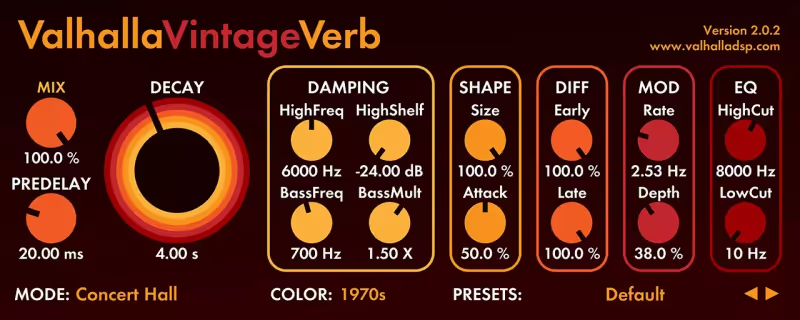
Valhalla was one of the first developers to port to M1.

Valhalla DSP was one of the very first developers to port their plugins to M1, and VintageVerb remains the king of efficiency. I use this reverb on literally every project-often on every single auxiliary track-and on my M3 chip, it uses virtually 0% active CPU. It is so lightweight that I sometimes put it directly on channel strips just for "vibe" without thinking twice about the processing cost.

The Native Metal graphics acceleration also makes the UI feel snappy and responsive. But performance aside, it just sounds expensive. I used the "Smooth Plate" algorithm on a lead vocal recently, and it provided that lush, 1980s tail that sat perfectly in the mix without muddying up the midrange. For $50, it is arguably the best value software in the entire audio industry, and it runs flawlessly on Silicon.

Why we love it

The best value reverb on the market. Put it on every channel. It will not slow you down.

Who should skip

Do not avoid this plugin. Seriously. Just buy it for $50 and thank us later.

The Good
  • + Insanely efficient
  • + Sounds expensive
  • + Cheap ($50)
× The Bad
  • - 2D GUI
  • - No specialized impulse responses
  • - Browser is basic
Famous Uses:
Everyone Every Genre Sound Design
Spectrasonics

Omnisphere 2

Best For: Cinematic Pads
Engine VST/AU/AAX
Type Power Synth
Size 64 GB
Price Check Site

Omnisphere is massive, but it feels light on Silicon.

Omnisphere is a massive workstation that used to take forever to load on Intel Macs, but the Native Apple Silicon support combined with the fast internal SSDs of modern Macs has made it a speed demon. Patch selection is now instantaneous. I can scroll through the massive library and load 2GB multi-sampled instruments in the blink of an eye, which keeps my creative flow moving during a writing session.

The CPU efficiency for multi-timbral patches has also drastically improved. I often use "Stack Mode" to layer four different synth sounds for cinematic textures, and my M1 Max handles the voice count beautifully. It feels like a hardware workstation now-immediate and responsive. If you have the drive space for it, Omnisphere on Silicon is a completely different (and better) experience than it was on older hardware.

Omnisphere 2

Our Verdict

Why we love it

Composers who need a 'do it all' workstation synth that loads instantly and plays back hundreds of voices.

Who should skip

Skip if you have limited electric drive space, the library is 60GB+.

The Good
  • + Unlimited sounds
  • + Fast loading on M1
  • + Deep synthesis
× The Bad
  • - Massive install
  • - Expensive
  • - Slow library updates
Famous Uses:
Film Trailers Pop Production Ambient
Vital Audio

Vital

Best For: Modern Bass
Engine VST/AU/AAX
Type Wavetable Synth
Size 500 MB
Price Check Site

Vital is a spectral warping wavetable synth that gives Serum a run for its money.

Vital is a visual powerhouse, and it leverages the modern GPU in Apple Silicon chips to render its complex wavetable animations at a buttery smooth 60fps (or higher). I love watching the modulators move in real-time. It gives me a visual connection to the sound design that static plugins just don't offer. On my M2 laptop, zooming in and out of the wavetable editor is glitch-free and incredibly satisfying.

Sonically, it is a spectral monster. I used the text-to-wavetable feature recently to create a robotic vocal bass for a hyperpop track, and the clarity of the top end was pristine. Because it is fully native, I can run multiple instances of these complex, high-voice-count patches without my buffer size choking. It is unapologetically digital, modern, and perfectly suited for the architecture of the new Mac chips.

Vital

Our Verdict

Why we love it

Electronic producers who want a powerful, modern wavetable synth for free (or cheap).

Who should skip

Avoid if you are looking for vintage analog emulation, Vital is unapologetically digital and clean.

The Good
  • + Free version available
  • + Smooth UI
  • + Deep modulation
× The Bad
  • - Can be CPU heavy
  • - Digital sound
  • - Subscription based (Pro)
Famous Uses:
Dubstep EDM Hyperpop
Written By

The Modwheel Team

The Modwheel editorial team is a collective of composers, producers, and sound designers. We collaborate to bring you comprehensive guides, industry news, and curated lists that represent our shared expertise and passion for music technology.