7 Best EQ Plugins for Surgical Mixing and Analog Color

Your mix sounds muddy because you are afraid to make decisions. An uncompromising equalizer forces you to commit to a sonic vision.

Louis Raveton
By Louis Raveton

Louis works across immersive scores (Venice Biennale, LVMH) and animation (Canal+), while producing Downtempo and Electro-Dub as Monsieur Shwill and Flagada. He treats his sample drive like a record collection, constantly hunting for the perfect 'imperfect' texture

Finding the best EQ plugins is a daunting task when completely identical digital curves are repackaged in purely visual gimmicks. You need tools that actually respect the phase relationships within your complex arrangements, not just software that looks like a beautiful analog console on your screen. When carving out space for dialogue over a roaring brass section, precision is entirely non-negotiable.

These are the plugins I consistently trust when the frequency spectrum turns into an absolute battleground. The best alternative to stacking endless compressors is simply using a highly dynamic equalizer to surgically notch out problematic resonances as they happen. Whether you need surgical digital purity or aggressive analog fatness, these seven tools provide the uncompromising tone required for a professional mix.

Quick Summary

Pro EQ
1. Pro EQ
Minimal System Group
Broad Shaping
MAutoDynamicEQ
2. MAutoDynamicEQ
MeldaProduction
Surgical Dynamics
Oxford EQ
3. Oxford EQ
Sonnox
Transparent Mastering
Blue Cat's Liny EQ
4. Blue Cat's Liny EQ
Blue Cat Audio
Parallel Tracks
PSP ConsoleQ
5. PSP ConsoleQ
PSP Audioware
Analog Punch
SplineEQ
6. SplineEQ
Photosounder
Curve Drawing
Pro Series EQ
7. Pro Series EQ
Positive Grid
Boutique Tone
Read more →

Methodology

Who is this for

Working composers and producers who need reliability, speed, and character for professional scoring tasks.

Our testing process

We test every library in actual production scenarios—ranging from writing rapid sketches to delivering commercial pitches. We evaluate how they perform in a dense template, not just in isolation.

Why you should trust us

We buy most reviewed plugins ourselves. Occasionally we receive NFRs for evaluation, but this never guarantees a review or positive verdict. We may earn commissions from links, but our editorial choices are never for sale.

Also considered

For every category, we audition the top 8 to 15 standard options, discarding any that suffer from poor scripting, slow load times, or uninspiring sampling.

Top Picks

Minimal System Group

Pro EQ

Best For: Broad Shaping
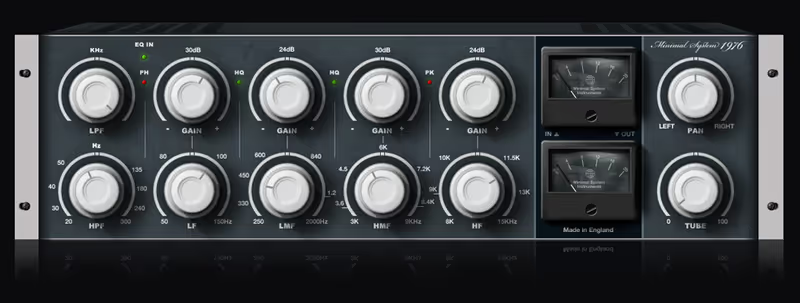
Interface Analog knob style
Bands Configurable broad bands
Analyzers None entirely
Price $19

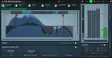
This plugin strips away advanced analyzers and dynamic bands, focusing entirely on broad strokes and fast workflow.

During a chaotic session where the director kept demanding a warmer synth bass tone, dragging out a complex surgical EQ just wasted time. Inserting this basic plugin and simply turning the low-mid knob provided the exact harmonic bump I needed instantly. The curves feel intentionally broad, meaning you cannot carve out tiny surgical notches, but you can effortlessly reshape the core tone of a sterile virtual instrument without destroying its character.

It lacks any visual feedback or fancy spectrum analyzers, which forces you to mix entirely with your ears rather than your eyes. For younger producers accustomed to staring at moving graphs, it can be slightly intimidating. However, for those who value speed above all else, it remains the best cheap alternative for basic channel strip shaping available.
Pro EQ by Minimal System Group - Review Verdict

Pro EQ

Our Verdict

Why we love it

Best for fast, broad channel shaping because its modeled curves interact musically without complex visual distractions.

Who should skip

Avoid if you require surgically precise, narrow Q values for removing severe microphone resonance.

The Good
  • + Forces you to mix by ear alone.
  • + Very musically forgiving curves.
  • + Extremely low CPU demand.
× The Bad
  • - Cannot perform surgical cuts or notches.
  • - No visual frequency feedback.
  • - Very basic feature set.
Famous Uses:
Quick synth processing Acoustic guitar warmth Basic drum leveling
MeldaProduction

MAutoDynamicEQ

Best For: Surgical Dynamics
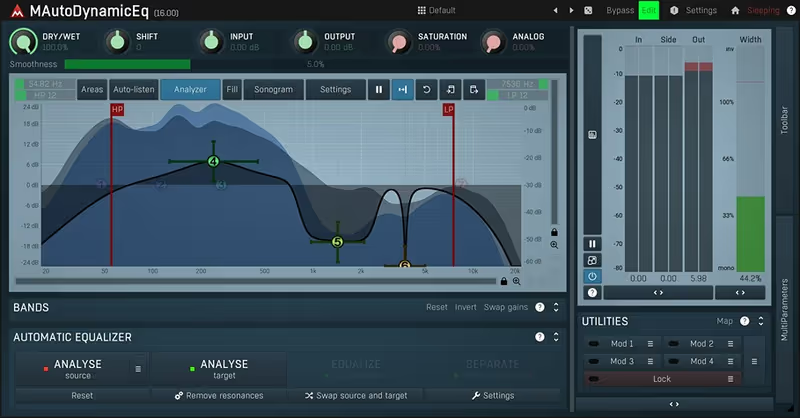
Bands Dynamic multi-bands
Features Automatic EQ matching
Interface Complex analytical GUI
Price $45

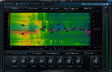
Melda provides a staggeringly complex, surgical tool built for engineers who despise compromises and demand absolute technical control.

I encountered an incredibly harsh violin stem last month that pierced through the mix only when playing specific high notes. Slapping this dynamic powerhouse on the channel allowed me to isolate the exact resonance and trigger the EQ cut exclusively when that note crossed a specific threshold. The level of precision it grants is almost terrifying, ensuring that the body of the string section remained untouched while the screech was effortlessly tamed.

The user interface is notoriously complex, abandoning analog charm entirely in favor of deep drop-down menus and intricate routing matrices. It definitely presents a hostile learning curve for anyone looking for instant, easy gratification. For those willing to learn its secrets, it holds its place as the absolute best dynamic tool for handling nightmarish frequency overlap.

MAutoDynamicEQ by MeldaProduction - Review Verdict

MAutoDynamicEQ

Our Verdict

Why we love it

Best for complicated surgical surgery because its dynamic bands can track and notch out moving resonances flawlessly.

Who should skip

Avoid if you are easily overwhelmed by deep, menu-heavy digital interfaces designed by scientists.

The Good
  • + Peerless surgical precision and control.
  • + Outstanding automatic matching.
  • + No analog harmonic coloration.
× The Bad
  • - Intimidating user interface.
  • - Steep learning curve.
  • - Lacks vintage vibe.
Famous Uses:
Taming screeching violins De-essing harsh pop vocals Master bus resonance control
Sonnox

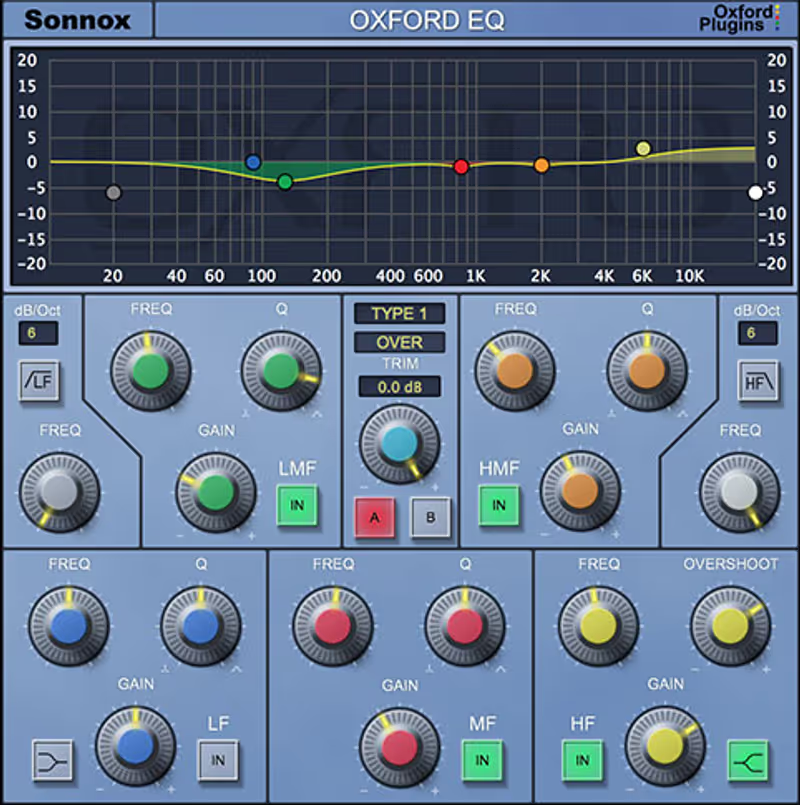
Oxford EQ

Best For: Transparent Mastering
Curves 4 selectable Oxford types
Filters Precise High/Low Pass
Character Pure transparent digital
Price $270

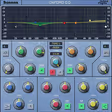
This plugin represents the absolute pinnacle of high-fidelity, transparent digital equalization that leaves absolutely no unwanted artifacts behind.

When mastering a sparse, delicate piano arrangement for a documentary, I refuse to tolerate any phase smearing or artificial coloration. This plugin is the surgical scalpel I reach for over everything else because its high-frequency lift sounds incredibly open without becoming brittle. The four selectable EQ types let you toggle between surgical notching curves and wider, more musical shelves seamlessly without swapping out multiple plugins in the chain.

It deliberately offers zero analog saturation, meaning it will not glue a weak mix together or add aggressive dirt to boring virtual drums. If your source material sounds lifeless, the Oxford EQ will simply present you with a perfectly balanced version of a boring sound. However, when transparency is vital, it remains the absolute best high-fidelity equalization standard in the professional industry.

Oxford EQ by Sonnox - Review Verdict

Oxford EQ

Our Verdict

Why we love it

Best for completely transparent mastering duties because the algorithm introduces zero harmonic distortion or phase smearing.

Who should skip

Avoid if you want your equalizer to add vintage warmth or gritty analog character to the audio.

The Good
  • + Absolute clinical transparency.
  • + Four distinct curve behaviors.
  • + Very low CPU footprint.
× The Bad
  • - No analog saturation option.
  • - Plugin GUI feels decades old.
  • - Premium flagship pricing.
Famous Uses:
High-end bus mastering Surgical dialogue clean-up Pristine acoustic polishing
Blue Cat Audio

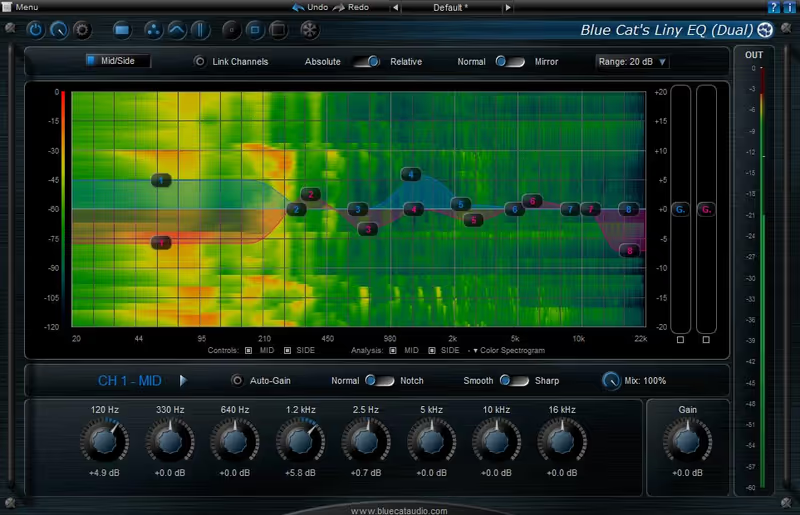
Blue Cat's Liny EQ

Best For: Parallel Tracks
Phase Low latency Linear Phase
Bands 8 Graphic fixed bands
Display Customizable spectrum
Price $49

This plugin provides transparent linear phase shaping while eliminating the massive latency penalties that usually plague such processors.

I was managing a massive drum bus filled with parallel compression chains, and using standard minimum phase equalizers introduced terrible comb filtering and transient smearing. Selecting a traditional linear phase alternative completely destroyed session latency. Utilizing this specific plugin allowed me to push aggressive low-end processing into the drum stems without disrupting the phase coherency or lagging my playback timeline. It sits in a bizarre, incredibly useful middle ground between precision and performance.

There are no deeply surgical parametric bands here, as the interface restricts you to eight fixed graphic bands that limit your ability to notch out thin resonances. It requires you to make broad tonal shaping choices rather than acting as a surgical microscope. As an alternative to heavy mastering equalizers, it is the best low-latency linear phase tool available.

Why we love it

Best for latency-free parallel processing because it avoids phase smearing without crushing the session buffer limits.

Who should skip

Avoid if you need a fully parametric, sweepable surgical notch filter for microscopic resonance removal.

The Good
  • + Zero phase smearing on parallel buses.
  • + Incredibly low latency operation.
  • + Very clean, punchy sound.
× The Bad
  • - Fixed bands prevent surgical frequency isolation.
  • - Can introduce minor pre-ringing.
  • - Visually dated interface.
Famous Uses:
Coherent parallel drum bussing Live broadcast equalization Wide graphic mastering tweaks
PSP Audioware

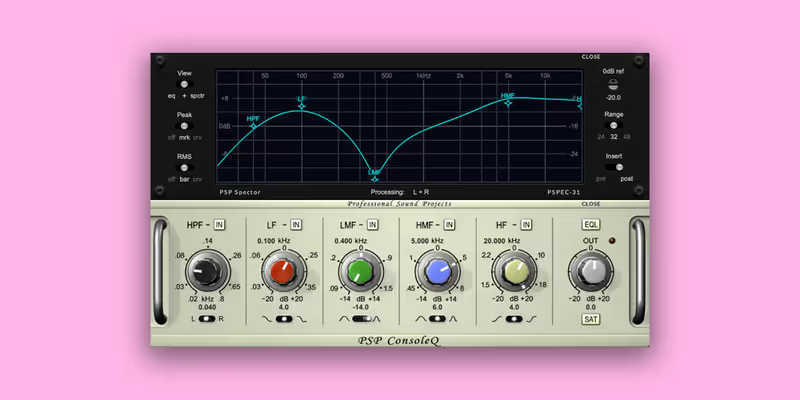
PSP ConsoleQ

Best For: Analog Punch
Emulation Classic British Console
Saturation Built-in analog clipping
Filters Musical shelf and bell
Price $69

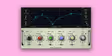
PSP offers a deeply colorful tool aimed directly at engineers chasing the classic, punchy sound of 1970s British rock records.

I routinely use this when mixing aggressive electric guitars or overly sterile virtual drum kits. Pushing the high mid-range bell slightly causes the signal to break up into a gorgeous, subtle saturation that immediately makes the track cut through the mix without sounding harsh. The 'Fat' switch on the low shelf is an absolute secret weapon for giving thin kick drums the enormous chest-thumping weight they demand in a heavy cinematic score.

You must be careful with the gain staging, as driving the input too hard will cause the plugin to distort severely, completely ruining delicate acoustic material. It lacks a visual spectrum analyzer, insisting that you turn the knobs and react emotionally rather than analytically. If you are seeking the best vintage console flavor to thicken weak tracks, this emulation easily outclasses the sterile competition.

PSP ConsoleQ by PSP Audioware - Review Verdict

PSP ConsoleQ

Our Verdict

Why we love it

Best for adding raw analog punch because the modeled saturation curves mimic legendary British consoles perfectly.

Who should skip

Avoid if you prefer pristine, visually-driven modern equalizers with surgical frequency feedback.

The Good
  • + Incredible, thick analog saturation.
  • + The low shelf is massive.
  • + Mixes sound instantly expensive.
× The Bad
  • - No spectrum analyzer.
  • - Distorts quickly with hot levels.
  • - Not for transparent surgical work.
Famous Uses:
Aggressive guitar tone shaping Fattening weak kick drums Vintage vocal coloration
Photosounder

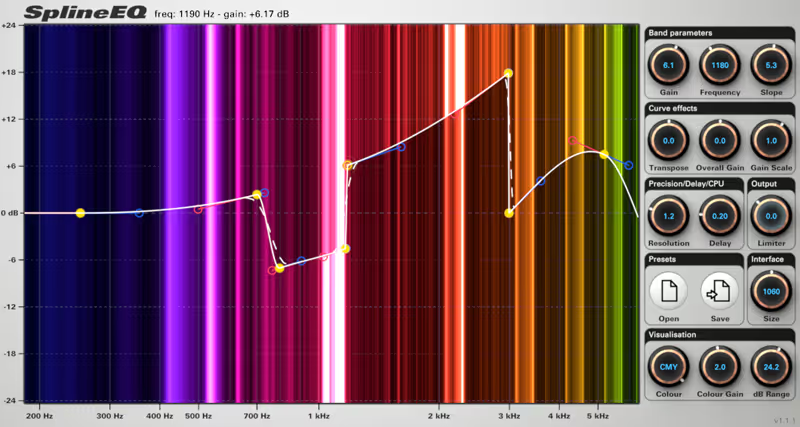
SplineEQ

Best For: Curve Drawing
Engine Linear Phase processing
Interface Bézier spline drawing
Bands Unlimited complexity
Price $19

Photosounder presents a fascinating, unconventional approach to equalization that behaves more like graphic design software than standard audio gear.

I had to completely redesign the frequency spectrum of a mangled synth drone for a sci-fi project, and standard parametric shelves were far too clumsy. SplineEQ allowed me to literally draw flowing, continuous sine-wave-like curves across the entire spectrum, carving out dense harmonic space perfectly without introducing phase destruction. The ability to manipulate the shapes seamlessly using splines offers an unprecedented level of creative control for experimental sound design sequences.

It is painfully slow for standard mixing tasks. If a client asks me to quickly cut 200 Hertz from a vocal stem, drawing complex mathematical curves completely destroys the workflow momentum. It represents a deeply flawed alternative to a standard channel strip for basic duties. However, when working on abstract soundscapes, it remains the absolute best experimental curve generator on the market entirely.

SplineEQ by Photosounder - Review Verdict

SplineEQ

Our Verdict

Why we love it

Best for radical sound design and complex curve generation because the spline interface ignores standard parametric limitations.

Who should skip

Avoid if you need a fast, standard equalizer for daily mixing duties and basic vocal sweetening.

The Good
  • + Allows impossible equalization curves.
  • + Excellent for deep sound design.
  • + Transparent linear phase processing.
× The Bad
  • - Terrible workflow for basic mixing.
  • - Visually confusing interface.
  • - Can consume high CPU.
Famous Uses:
Experimental drone shaping Complex sound design frequency mapping Phase-coherent master curve drawing
Positive Grid

Pro Series EQ

Best For: Boutique Tone
Modeling Component level simulation
Swappable Tubes, Caps, Transformers
Interface Photorealistic module view
Price $99

Positive Grid brings the obsessive detailing of guitar amp component modeling directly into the world of professional studio equalizers.

Sometimes a standard vintage emulation is too muddy or aggressive for the specific track in front of me. This plugin allowed me to construct a hybrid unit for a classical piano bus, keeping a transparent solid-state input stage while routing the output through heavily saturated British transformers. Swapping internal virtual tubes massively alters how the high frequencies saturate, turning tedious equalization duties into an inspiring exercise in bespoke hardware design.

It offers an overwhelming number of options that can easily trigger severe decision paralysis in inexperienced producers. If you do not understand how a given capacitor technically affects audio saturation, you will spend hours endlessly tweaking components instead of finishing your track. For tone-obsessed professionals looking customize their signal chain down to the wiring, it is the best boutique module builder available.

Pro Series EQ by Positive Grid - Review Verdict

Pro Series EQ

Our Verdict

Why we love it

Best for building custom hardware chains because it allows you to swap individual virtual components like tubes and transformers.

Who should skip

Avoid if you suffer from option paralysis and just want a simple tool that works perfectly immediately.

The Good
  • + Unmatched hardware customization.
  • + Sounds beautifully textured and authentic.
  • + Great for tone obsessives.
× The Bad
  • - Induces massive option paralysis.
  • - Requires hardware knowledge.
  • - High learning curve.
Famous Uses:
Custom bus compression matching Adding specific tube warmth Tuning vintage transformer tone
Written By

Louis Raveton

Louis works across immersive scores (Venice Biennale, LVMH) and animation (Canal+), while producing Downtempo and Electro-Dub as Monsieur Shwill and Flagada. He treats his sample drive like a record collection, constantly hunting for the perfect 'imperfect' texture