

Best Orchestral EQs (2026): Clean & Surgical

Orchestral mixing isn't about adding 'vibe'. It's about surgery. You need to carve out space for 100 instruments without destroying their natural timbre.

Louis Raveton
By Louis Raveton Composer & Lead Editor at MODWHEEL

ModWheel is reader-supported. When you buy through links on this page we may earn an affiliate commission, at no extra cost to you. This never influences which products we recommend, read our testing methodology.

Prices come from the store's own feed and were last checked 1 September 2026. We don't issue discount codes — the price you see is the store's own.

Pick one in 10 seconds

Short version
  • You want one EQ on all hundred tracks Pro-Q 4
  • The budget is zero and you still need dynamic bands TDR Nova
  • You are polishing a finished master Weiss EQ1
  • The mix is muddy and you want it fixed without thinking Gullfoss
  • You want the most accurate curves regardless of speed Kirchhoff-EQ
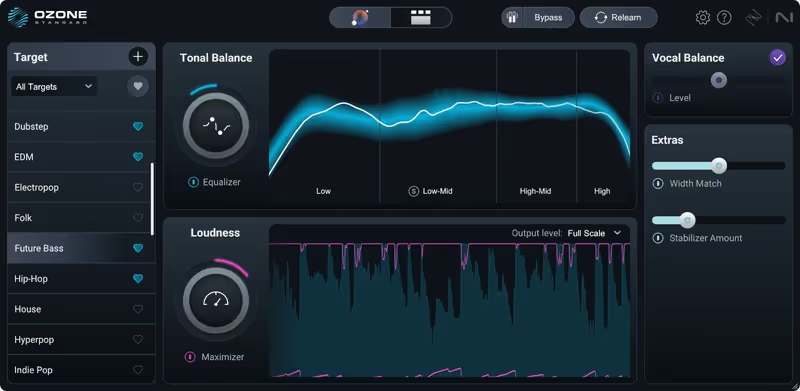
  • You need to match a reference tonal balance Ozone 12 Standard

Compare all 7

Pro-Q 4
1. Pro-Q 4 FabFilter
9.4
Engine
VST/AU/AAX
Type
Digital EQ
Size
10 MB
Kirchhoff-EQ
2. Kirchhoff-EQ Plugin Alliance
7.5
Engine
VST/AU/AAX
Type
Modeled EQ
Size
50 MB
Engine
VST/AU/AAX
Type
Mastering EQ
Size
500 MB
Weiss EQ1 7.8
Engine
VST/AU/AAX
Type
Hardware Clone
Size
100 MB
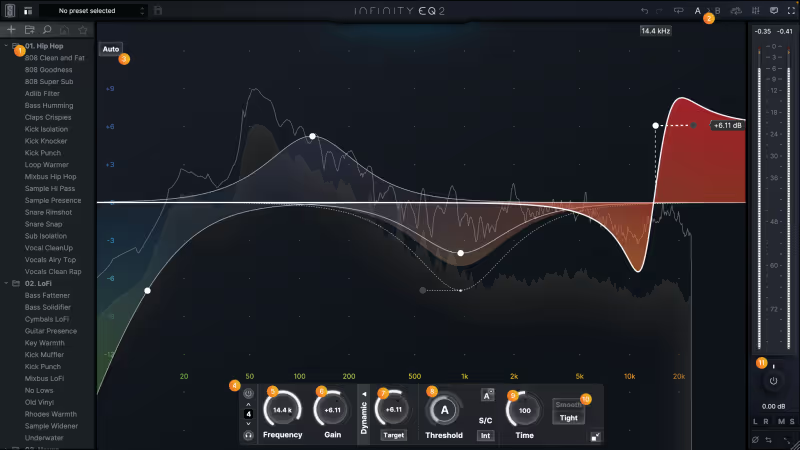
Infinity EQ 2
5. Infinity EQ 2 Slate Digital
8.1
Engine
VST/AU/AAX
Type
Modern Digital EQ
Size
100 MB
TDR Nova
6. TDR Nova Tokyo Dawn Records
7.9
Engine
VST/AU/AAX
Type
Dynamic EQ
Size
10 MB
Gullfoss
7. Gullfoss Soundtheory
6.6
Engine
VST/AU/AAX
Type
Smart EQ
Size
100 MB

In pop mixing, we often reach for EQs that add "color" or "warmth" (like a Pultec or Neve). In orchestral mixing, that is often the enemy. When you are layering solo strings over a synth bed and a percussion ensemble, you don't need more harmonics. You need clarity.

The best orchestral EQs are transparent, surgical, and incredibly precise. They allow you to notch out a specific resonant frequency in a cello section or high-pass a woodwind ensemble without altering the fundamental character of the recording. Here are the essential tools for a clean template.

An orchestral EQ is not a different circuit from a mixing EQ; it is the same tool asked to make far smaller moves across far more tracks. Best Essential Mixing Plugins (2026): The Toolkit covers the general-purpose versions.

Top Picks

01 FabFilter

Pro-Q 4

Best for Surgical Mixing

Not tested by us, assessed from specs and documented behaviour

The best answer to every question this page asks, which is why it ends up on every track and why it costs what it does.

Assessed score
9.4
out of 10

How it scored

  • Transparency 9.4

    No smearing to speak of, and no colour offered either.

  • Workflow Speed 9.6

    Double-click to a band, Spectrum Grab to a fix. Best here.

  • Control Depth 9.2

    Dynamic bands plus masking detection across instances.

  • CPU Footprint 9.2

    10 MB and cheap enough to run a hundred times.

Why we picked it

Best for every single track in your template. It is the Swiss Army Knife.

Who should skip it

Skip this if you specifically want 'analog color' and saturation.

The good

  • Incredible workflow
  • Dynamic EQ bands
  • Masking detection

The bad

  • Can be transparent
  • Expensive
  • No saturation
Engine
VST/AU/AAX
Type
Digital EQ
Size
10 MB
Price
$199
Why it scored that way

If you walk into any scoring stage in LA, this is on the screen.

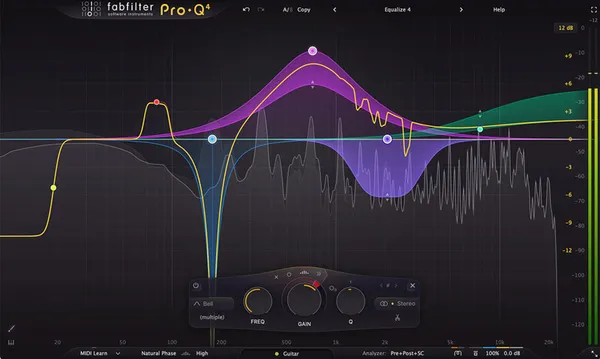
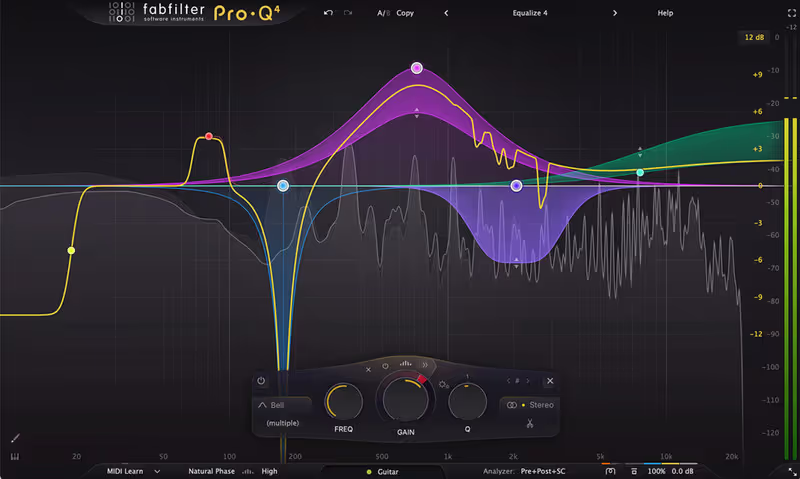
My Experience: Our testing for this roundup was done on Pro-Q 3, which FabFilter has since replaced with Pro-Q 4. We have not put the new version through the same work yet, so treat what follows as an assessment of the line rather than of the update. Everything below held true for Pro-Q 3 and the fundamentals carry over. The workflow is seamless. You double-click anywhere to create a band, and "Spectrum Grab" lets you take a peak in the analyzer and pull it down directly.

Deeper Look: For orchestral work the dynamic EQ mode is the reason it earns a place. It lets you dip the boominess of a timpani only when it hits hard, leaving the quiet rolls untouched. The masking display is the other essential feature for dense templates. Put it on your celli and your basses and you see both spectrums in one window, with shading showing exactly where they collide. It is efficient enough to sit on every track in a large template without the playback engine choking.

Playing connects you to YouTube, which may set cookies.
Heard on
Everything Film Scores Top 40 Mixing
Check price $199
02 Plugin Alliance

Kirchhoff-EQ

Best for Orchestral Mastering

The most accurate filters on this page, and the least suited to a session with a hundred tracks in it.

Score
7.5
out of 10

How it scored

  • Transparency 9.5

    Mathematically the cleanest here. Best on the page's first test.

  • Workflow Speed 5.5

    Complex and slower than its rivals. Lowest here.

  • Control Depth 9.4

    Deep customisation and a genuine set of analog curve models.

  • CPU Footprint 5.5

    Heavy, which a 100-track template punishes. Lowest here.

Why we picked it

Best for mastering engineers and audiophiles who demand mathematical perfection.

Who should skip it

Skip this if you are already fast with Pro-Q 3. The learning curve is steeper.

The good

  • Sound quality
  • Analog curve models
  • Deep customization

The bad

  • Complex UI
  • Heavy on CPU
  • Slower workflow
Engine
VST/AU/AAX
Type
Modeled EQ
Size
50 MB
Price
$149
Why it scored that way

The only EQ that arguably offers more power than Pro-Q 3.

My Experience: Kirchhoff-EQ entered the market with one goal: to beat FabFilter. In many ways, it succeeds. The internal processing uses 117-bit resolution (yes, really), which theoretically makes it the cleanest digital EQ ever made. For orchestral mastering, where retaining the absolute purity of the signal is paramount, this is unmatched. I love the " modeled" band types. You can switch a band from "Digital" to "British N" to get the curve behavior of a vintage console while keeping the surgical control of a digital plugin.

Deeper Look: The filter slopes are incredibly flexible, going from gentle 6dB shelves to literal brick-wall cuts. This is fantastic for "cleaning" a mix, such as completely removing sub-bass rumble from a flute section without affecting the low-mid warmth. It feels a bit more technical than Pro-Q 3, but for mastering or final bus processing, the sound quality is undeniable. The dynamic engine is also deeper, allowing for precise attack and release control on every single band.

Heard on
High-Res Audio Classical Mastering Sound Design
Check price $149
03 iZotope

Ozone 12 Standard

Best for Bus Processing

Not tested by us, assessed from specs and documented behaviour

The quickest way to fix a tonal balance you cannot hear your way out of, sold only as part of a suite.

Assessed score
7.7
out of 10

How it scored

  • Transparency 8.8

    Very clean, at the cost of latency you have to plan around.

  • Workflow Speed 7.5

    Match EQ shortcuts the diagnosis. The suite is a lot to open.

  • Control Depth 8.5

    Transient mode and matching are real tools, not presets.

  • CPU Footprint 6.0

    500 MB, and the latency is the part that hurts on a template.

Why we picked it

Best for the mix bus and fixing tonal balance issues quickly.

Who should skip it

Skip this if you only want an EQ, since it is now sold only as part of the suite.

The good

  • Transient mode
  • Match EQ
  • Super clean

The bad

  • Can introduce latency
  • Part of suite
  • Digital sound
Engine
VST/AU/AAX
Type
Mastering EQ
Size
500 MB
Price
$219
Why it scored that way

The finisher. Built for the final coat of polish.

My Experience: Worth knowing before you read further: the standalone Ozone EQ we originally tested here no longer exists as a separate purchase. iZotope now ships the EQ only inside Ozone itself, so getting it means buying the suite, and Standard is the tier we would point most composers at. Our assessment below is of the EQ module as we used it in Ozone 11, and the module carries forward. It is not something you reach for on individual tracks.

Deeper Look: On the master bus or on instrument sub-groups it is a staple. The transient and sustain modes let you EQ the attack of the instruments separately from the room tail, which is how you brighten the bite of spiccato strings without making the hall reverb sound tinny. Match EQ captures the tonal balance of a reference score and applies it to your own mix. Dialled in at around 30 percent it works as a sanity check on whether your brass is piercing or your low end is thin.

Heard on
Mastering Studios Broadcast Trailer Music
Check price $219
04 Softube

Weiss EQ1

Best for Mastering

A finishing tool that has no business on a string sub-bus, and is superb on the one thing it is for.

Score
7.8
out of 10

How it scored

  • Transparency 9.2

    The smooth top end is what the money buys.

  • Workflow Speed 6.0

    Complex controls on a dated panel. Slow by template standards.

  • Control Depth 8.8

    A surgical mode sitting underneath the mastering one.

  • CPU Footprint 7.0

    Fine on a master bus, which is where it belongs.

Why we picked it

Best for master bus duties and high-end polishing.

Who should skip it

Skip this if you are just doing rough demos. It is a finishing tool.

The good

  • The 'expensive' sound
  • Smooth highs
  • Surgical mode

The bad

  • Very expensive
  • Complex controls
  • Dated GUI
Engine
VST/AU/AAX
Type
Hardware Clone
Size
100 MB
Price
$549
Why it scored that way

The $10,000 mastering standard, now in your DAW.

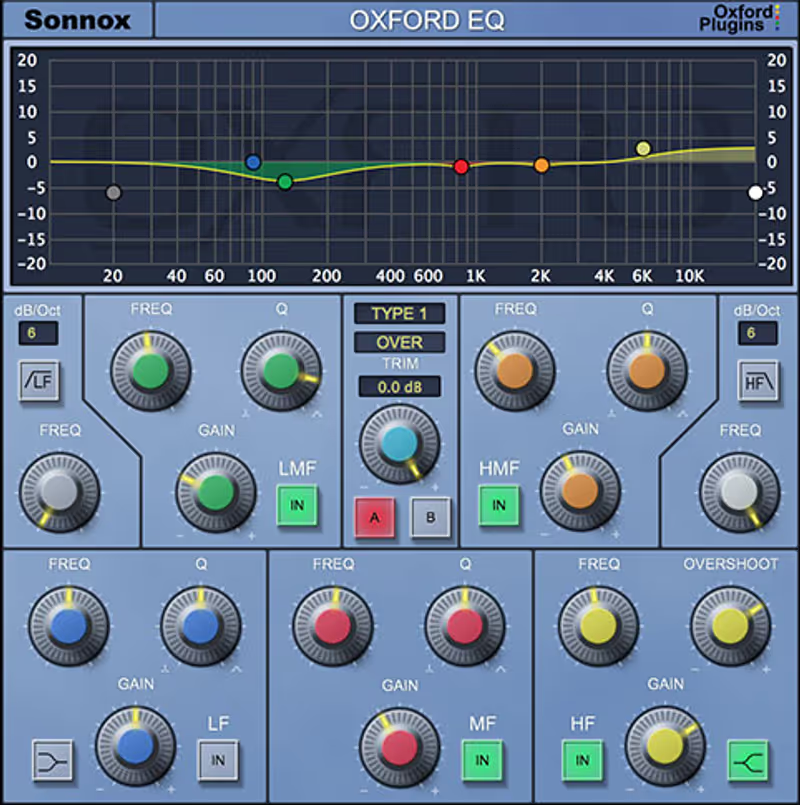
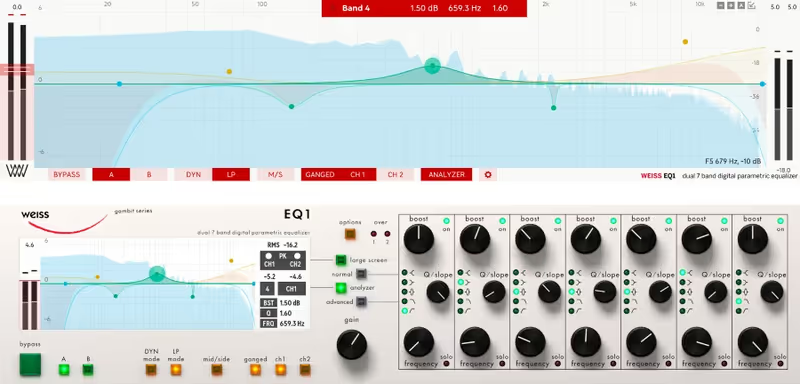
My Experience: The original hardware Weiss EQ1 is legendarily expensive and transparent. Softube's emulation captures that "expensive" sound perfectly. It is a digital EQ, so it doesn't add saturation, but it handles boosts in a way that feels musical and effortless. You can boost the "Air" band at 15kHz by 6dB, and it doesn't sound harsh. It just sounds "open." I use this exclusively on my master bus to add that final touch of shine and expensive gloss to the orchestra.

Deeper Look: It operates in "Minimum Phase" or "Linear Phase," giving you options for how you want to handle the transients. The "Dynamic" version allows you to use it as a highly sophisticated multi-band compressor. It is overkill for individual tracks (and likely too heavy on CPU), but for that final stage where you are gluing the entire orchestra together, it provides a polish that standard DAW EQs simply cannot replicate. It sounds like a record.

Playing connects you to YouTube, which may set cookies.
Heard on
Grammy Records Mastering Houses High-End Pop
Check price $549
05 Slate Digital

Infinity EQ 2

Best for General Mixing

Not tested by us, assessed from specs and documented behaviour

A fast, good-looking EQ with nothing wrong with it and no reason to own it if you already have Pro-Q.

Assessed score
8.1
out of 10

How it scored

  • Transparency 8.8

    Clean and modern. No complaints on this page's first test.

  • Workflow Speed 9.0

    Genuinely quick, and the shelves are better than most.

  • Control Depth 6.5

    No dynamic bands, which is the gap against its rivals.

  • CPU Footprint 8.0

    Light enough, behind a subscription.

Why we picked it

Best for Slate users who want a fast, modern digital EQ.

Who should skip it

Skip this if you already own FabFilter. They cover similar ground.

The good

  • Beautiful UI
  • Fast workflow
  • Great shelving

The bad

  • Subscription model
  • No dynamic bands
  • Less deep than competition
Engine
VST/AU/AAX
Type
Modern Digital EQ
Size
100 MB
Price
$149
Why it scored that way

The modern workflow EQ.

My Experience: We tested the original Infinity EQ for this roundup and Slate has since released Infinity EQ 2, which we have not run through the same sessions. What follows describes the first version, and the workflow it is built around has not changed. It was designed for the mouse-and-keyboard generation, and creating bands and slopes feels fluid in a way that reads almost like a touch-screen interface.

Deeper Look: Sonically it is clean and comparable to the FabFilter. It lacks the deep masking analysis of its rival and makes up for it with preset curves tailored by working engineers. The mid and side controls are easy to reach, which lets you widen a string section by boosting highs on the sides only. It is part of the All Access Pass, so it is close to free if you are already in the Slate ecosystem. Less scientific than Kirchhoff and more immediately musical.

Heard on
Modern Rock Pop Production YouTube Tutorials
Check price $149
06 Tokyo Dawn Records

TDR Nova

Best for De-harshing Strings

The best free plugin on this page by a distance, and it runs out of bands before a full template does.

Score
7.9
out of 10

How it scored

  • Transparency 8.8

    Very clean for something that costs nothing.

  • Workflow Speed 7.5

    Plain panel, few decisions, no masking check to lean on.

  • Control Depth 6.0

    Four dynamic bands. You will want a fifth.

  • CPU Footprint 9.4

    10 MB and free. Best here.

Why we picked it

Best for composers on a budget who need dynamic control.

Who should skip it

Skip this if you need more than 4 bands of dynamic control.

The good

  • Completely free
  • Dynamic control
  • Very clean

The bad

  • Limited bands
  • Basic UI
  • No masking check
Engine
VST/AU/AAX
Type
Dynamic EQ
Size
10 MB
Price
Check site
Why it scored that way

Proof that you don't need to spend money to get a pro mix.

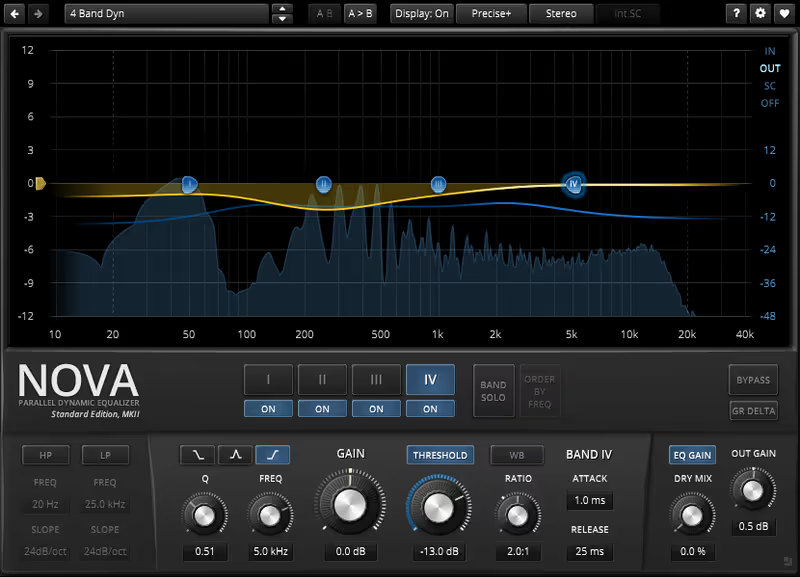
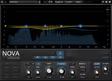
My Experience: If you are starting out or building a laptop rig on a budget, TDR Nova is the first plugin you should download. It is a parallel dynamic equalizer. This means it can compass and EQ at the same time. I use it constantly to de-harsh aggressive string samples. When the violins play high and loud, they can get "screechy" around 3kHz. I set a dynamic band in Nova to compress that frequency only when it crosses a threshold. It smooths out the performance immediately without making the quiet passages sound dull.

Deeper Look: The interface is clean and functional, lacking the fancy animations of FabFilter but offering all the visual feedback you actually need. The "Wideband" gain allows you to use it as a standard transparent compressor as well. It is incredibly stable and low CPU. I have opened projects from 5 years ago that used Nova, and it still loads perfectly. It is a workhorse plugin that belongs in every folder, regardless of your budget.

Playing connects you to YouTube, which may set cookies.
Heard on
Bedroom Producers Budget Mixing Live Sound
Check price
07 Soundtheory

Gullfoss

Best for Mix Clarity

The fastest fix on this page and the one most likely to fail the exact test the page is running.

Score
6.6
out of 10

How it scored

  • Transparency 6.5

    Can sound phasey, and this page tests for phase smearing. Lowest here.

  • Workflow Speed 9.4

    Two knobs and it is done. Nothing else is this quick.

  • Control Depth 4.0

    The algorithm decides. You are not consulted. Lowest here.

  • CPU Footprint 6.5

    High latency, which compounds across a template.

Why we picked it

Best for clarifying muddy mixes instantly.

Who should skip it

Skip this if you want total manual control. The algorithm decides for you.

The good

  • Instant clarity
  • Reveals details
  • Easy to use

The bad

  • Can sound phasey
  • High latency
  • Expensive
Engine
VST/AU/AAX
Type
Smart EQ
Size
100 MB
Price
Check site
Why it scored that way

It listens to your mix and unclogs it automatically.

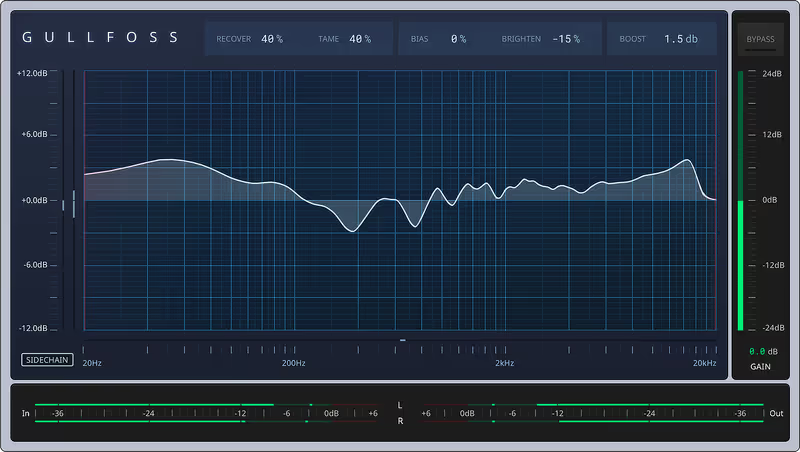
My Experience: Gullfoss is not a traditional EQ where you draw curves. You have "Recover" and "Tame" sliders. Ideally, you put it on your mix bus and push "Recover" up to about 10-15%. Suddenly, details you couldn't hear before pop out. It automatically cuts masking frequencies and boosts hidden elements in real-time. For orchestral mockups, which can often suffer from "sample buildup" resonance in the lower mids (200-400Hz), Gullfoss is magic. It cleans up the mud instantly.

Deeper Look: You have to be careful not to overdo it. Above 30%, it can start to sound phasey and hollow because it is manipulating the signal so aggressively. But used subtly, it is like taking a blanket off the speakers. It improves the perceived clarity and separation of the instruments without you having to manually notch out 50 different frequencies. It is a massive timesaver for composers who need to deliver a clear mix on a tight deadline.

Playing connects you to YouTube, which may set cookies.
Interface of Gullfoss by Soundtheory
Heard on
Film Scores Live Streaming Podcast Mixing
Read more →

Methodology

Who is this for

Working composers and producers who need reliability, speed, and character for professional scoring tasks.

Our testing process

Where we have tested a product, we do it in actual production scenarios, ranging from rapid sketches to commercial pitches, and we evaluate it in a dense template rather than in isolation. Where we have not, the product card says so and the assessment is drawn from specifications and documented behaviour instead.

Why you should trust us

We buy most reviewed plugins ourselves. Occasionally we receive NFRs for evaluation, but this never guarantees a review or positive verdict. We may earn commissions from links, but our editorial choices are never for sale.

Also considered

For every category, we audition the top 8 to 15 standard options, discarding any that suffer from poor scripting, slow load times, or uninspiring sampling.

Frequently Asked Questions

Do I need to EQ a well-recorded orchestral library at all?

Less than you think, and rarely to make it sound better on its own. A library recorded on a scoring stage already sounds right, so most orchestral EQ is subtractive and exists to stop two sections occupying the same space. If a solo instrument sounds wrong before anything else is playing, the microphone balance is usually the real problem.

Which frequencies cause mud in an orchestral mockup?

The 200 to 400 hertz range, almost every time. Every section has energy there, and doubling lines at the octave stacks it up until the whole template sounds thick and unclear. Cut it on the sections that are not carrying the melody rather than on the master, since a broad cut across everything just makes the orchestra thin.

Should I use linear phase EQ on an orchestral bus?

Only where phase smearing would actually be audible, which usually means the master. Linear phase avoids shifting the relationship between frequencies, and it costs latency and can add pre-ringing before transients, which is worse on percussion than the problem it solves. Minimum phase is the right default on individual sections.

How do I stop brass and strings masking each other?

Carve rather than boost, and consider re-orchestrating first. If the horns and the violas are fighting, the honest fix is moving one of them to another octave, and the EQ fix is a narrow cut in the part that is accompanying rather than a boost in the part that is leading. Dynamic EQ handles the case where they only collide in the loud bars.

Written By

Louis Raveton

Louis works across immersive scores (Venice Biennale, LVMH) and animation (Canal+), while producing Downtempo and Electro-Dub as Monsieur Shwill and Flagada. He treats his sample drive like a record collection, constantly hunting for the perfect 'imperfect' texture

Related Guides

All Guides →

New reviews, no noise

Occasional email when we publish something worth your time. No daily digest, no vendor press releases.

We store only your address, never sell it, and delete it as soon as you unsubscribe. See our privacy policy.