Steinberg Dorico Pro 6 organises a score around players, flows and layouts. Avid Sibelius Ultimate works directly on the score. Compared on engraving, playback, film features, learning curve and price.
Dorico Pro 6
Steinberg
Sibelius Ultimate
Avid
VS
Images: Dorico Pro 6, Steinberg; Sibelius Ultimate, Avid.
The short answer
Dorico Pro 6 if you are choosing fresh and deliver finished scores and parts, because its engraving, condensing and playback lead and its film tools are the most complete. Sibelius Ultimate if you work with people who already run it, or need to be productive this week, because it is the established format in film and TV and the quicker of the two to learn.
ModWheel is reader-supported. When you buy through links on this page
we may earn an affiliate commission, at no extra cost to you. This
never influences which products we recommend, read our testing methodology.
These are the two professional notation programs left standing after Finale’s
end in 2024, and they are built on different ideas. Choosing between them is
less about which can print a better page, since both can, than about which way
of working you want to live with.
How each one thinks
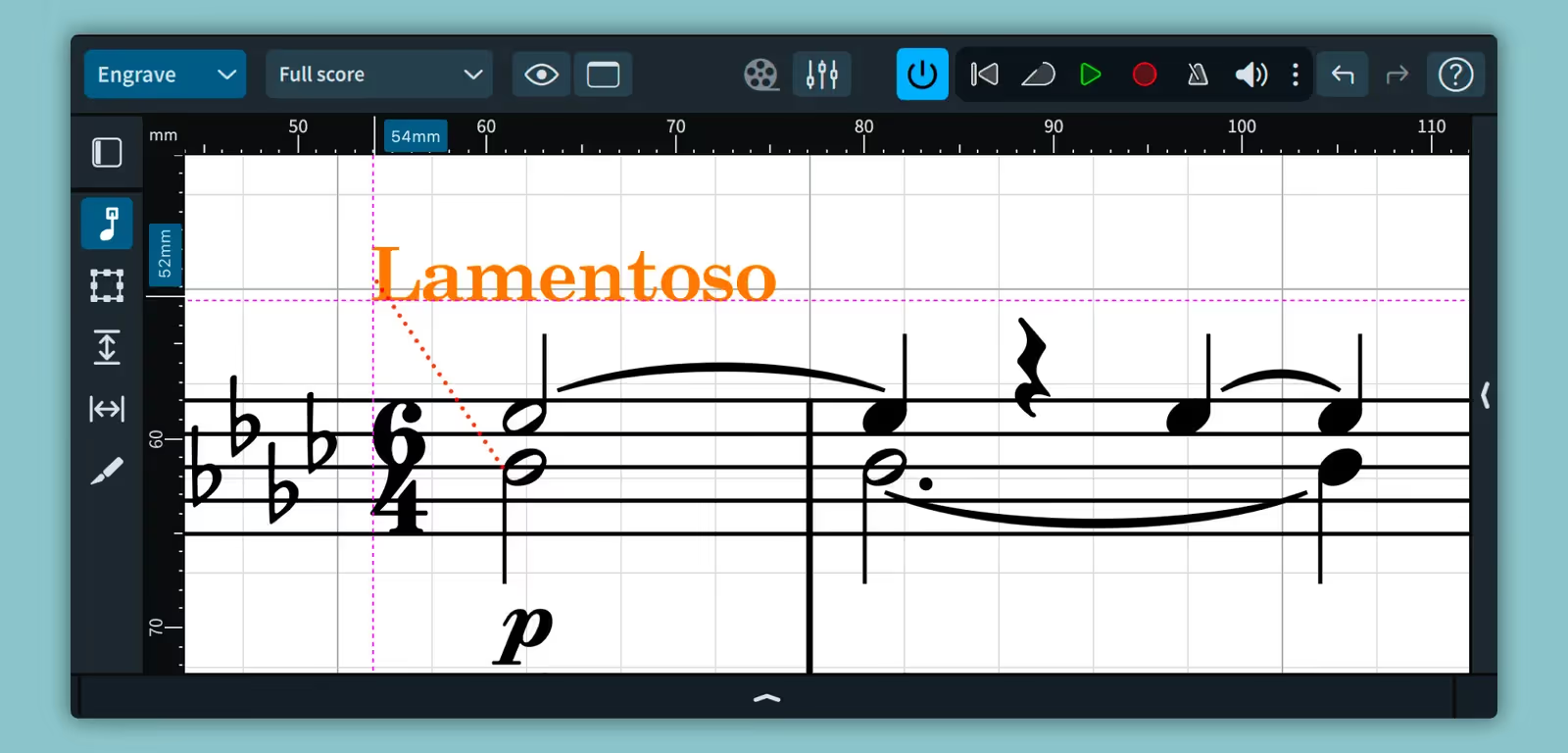
Dorico organises a project around players, flows and layouts. You tell it who
is playing and which pieces or cues make up the project, and it generates the
full score and every part from that, keeping them linked. It has separate modes
for setting up, writing, engraving and playback, and users describe it as
opinionated: it expects you to adapt to its logic.
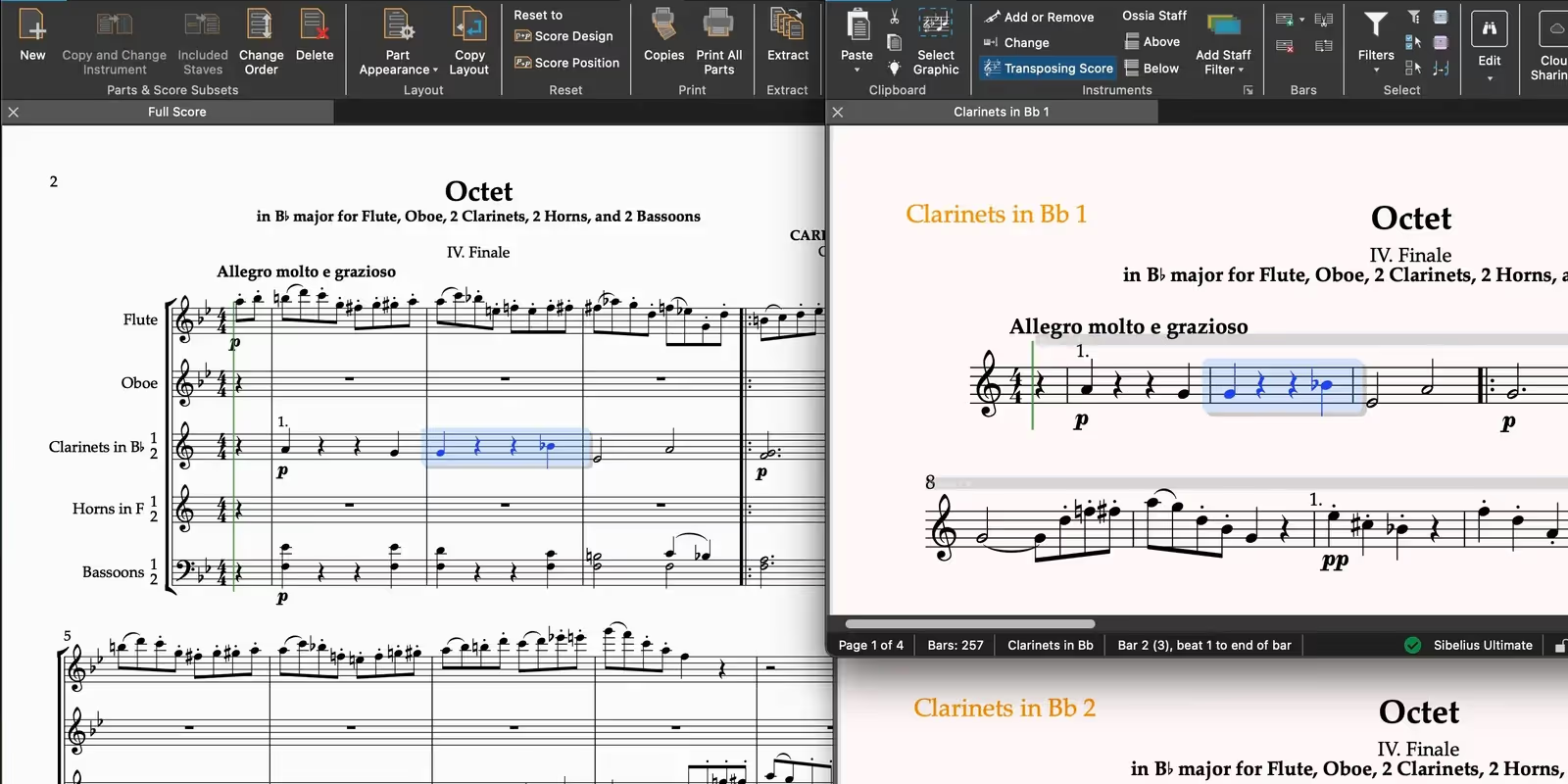
Sibelius works directly on the score. You see a page, you put notes on it, and
its magnetic layout moves things out of each other’s way as you go. Parts are
extracted from the score. For anyone who learned notation software in the last
twenty years, that is the familiar model, and it is why Sibelius is quicker to
start with.
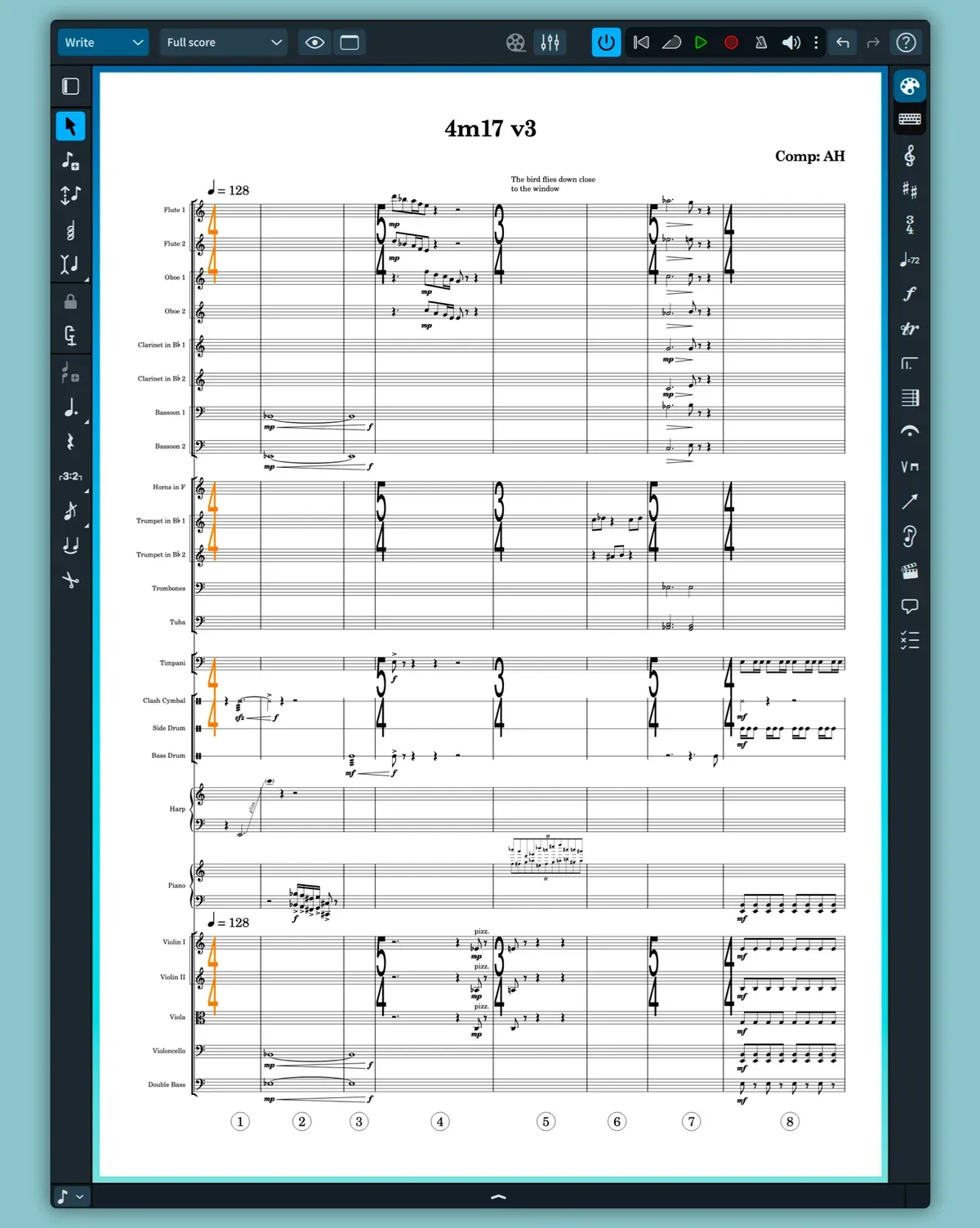
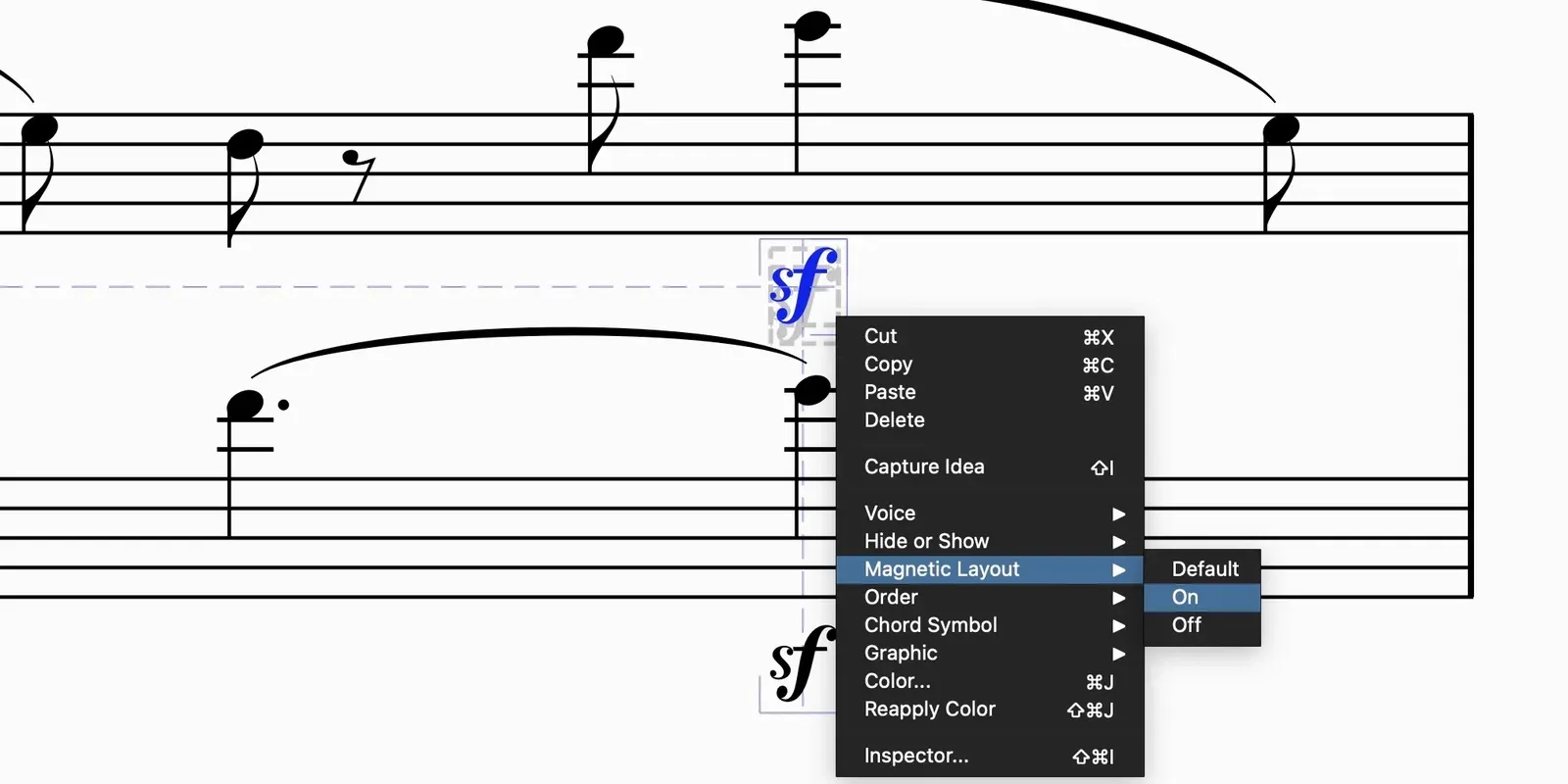
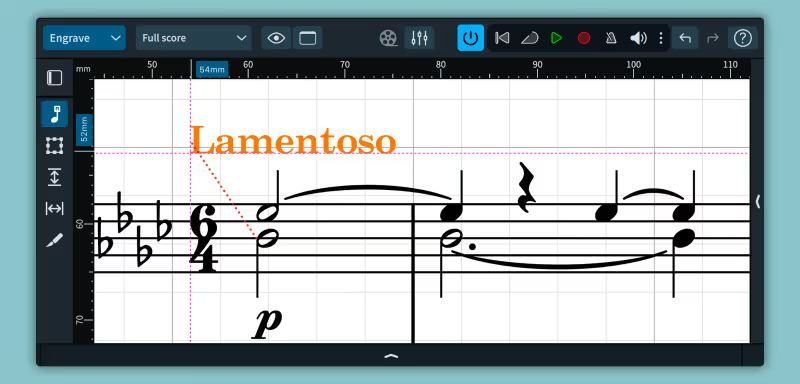
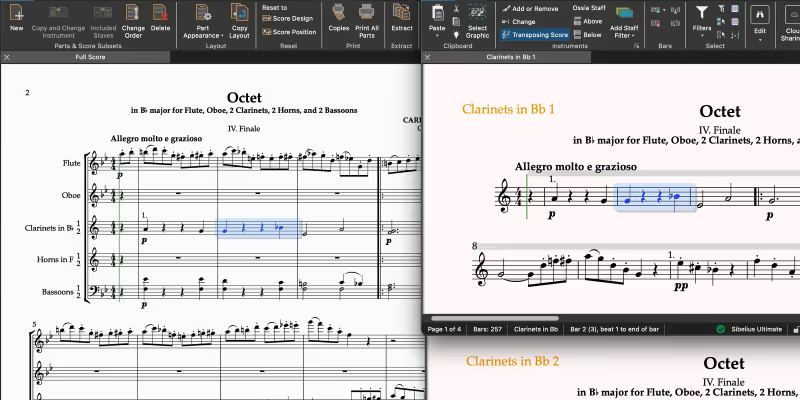
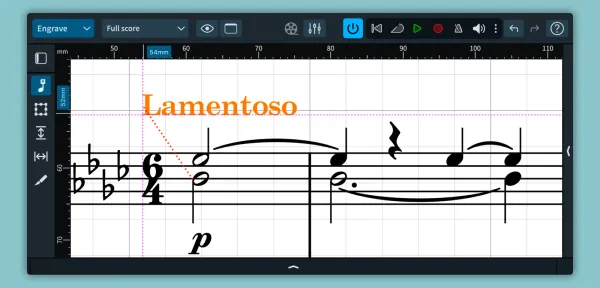
Write mode with a full orchestral cue, the compact Dorico 6 toolbar along the top and the notation toolbox down the right.Image: Steinberg.Magnetic Layout moves markings out of collisions as you write, and can be switched off object by object.Image: Avid.
Engraving
This is Dorico’s clearest lead. Its default spacing and collision handling are
widely regarded as the best available, and condensing a full score onto fewer
staves is automatic. Version 6 added cutaway scores, which hide empty staves
system by system, automatically or by hand. Specialist coverage called that a
first in any notation program.
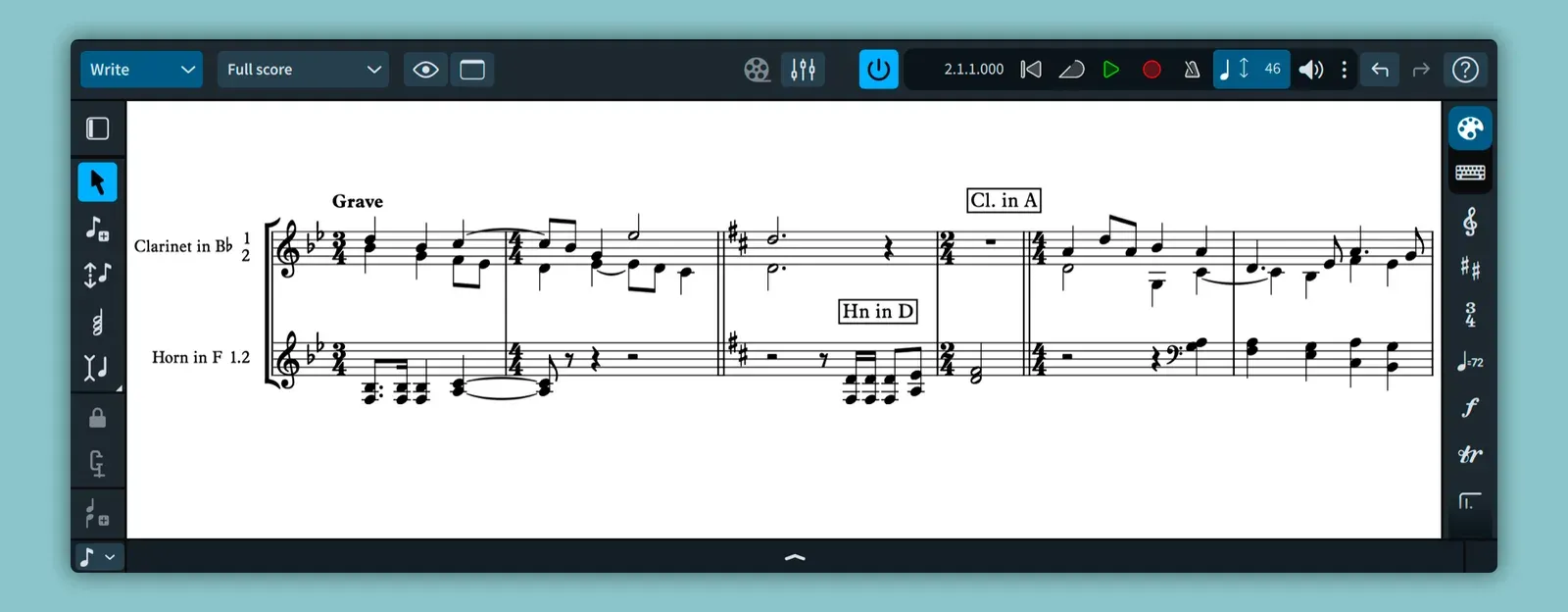
Automatic condensing puts two players on one staff, and in Dorico 6 handles instrument changes inside a condensed staff.Image: Steinberg.
Sibelius produces professional pages too, with more manual work to reach the
same finish. Avid’s recent releases have concentrated on long-standing
engraving gaps, and it has only been adding decondensing for parts since 2025.
Playback
Dorico’s playback is the stronger system. Expression maps, playback templates
and a piano roll for editing performance data let a sample-library composer get
a convincing mockup out of the score itself, and Pro ships with HALion
Symphonic Orchestra. Sibelius has a large sound library in Ultimate, and only
added VST3 plugin support in May 2026, which Avid’s own executives called
overdue.
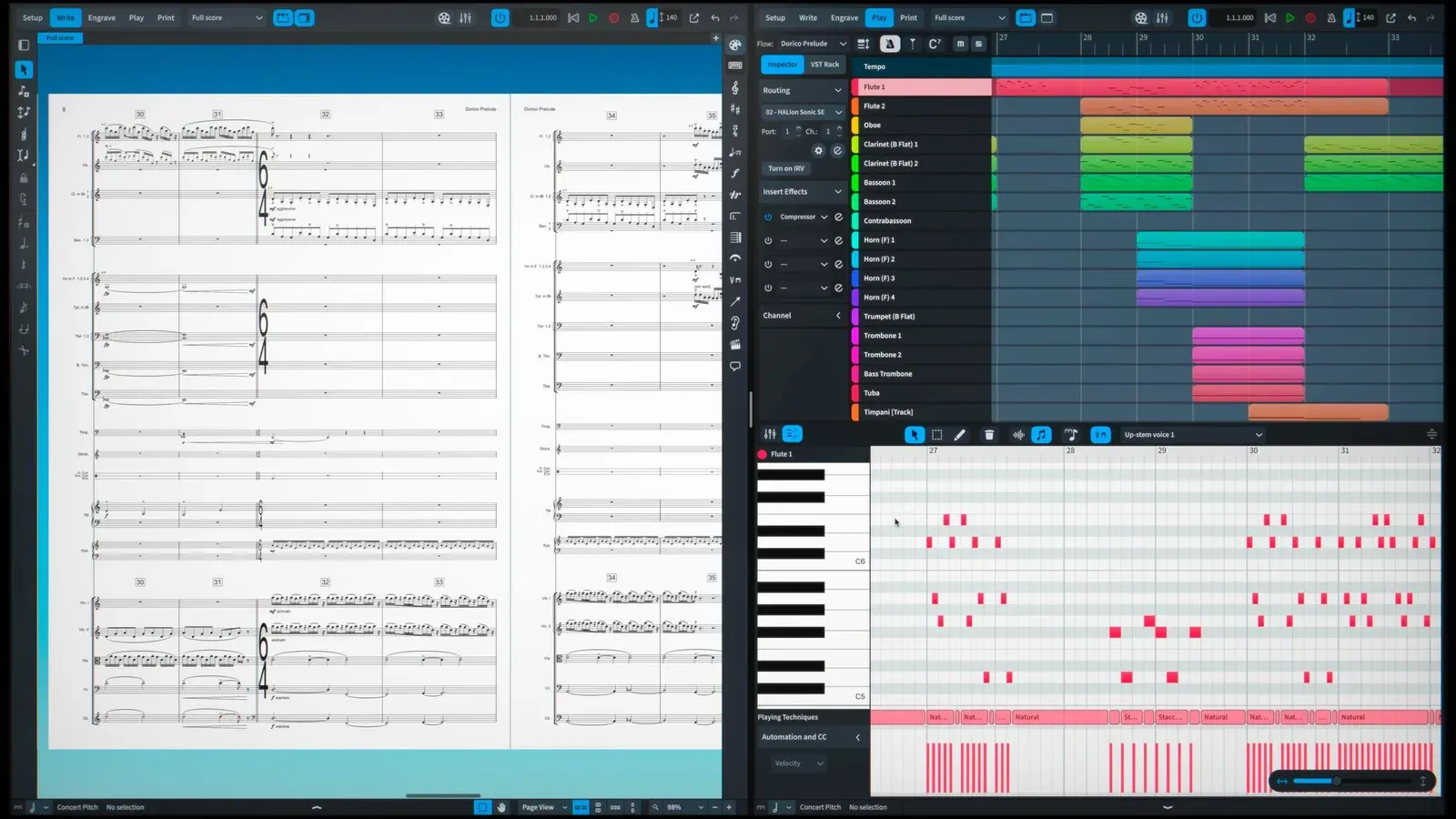
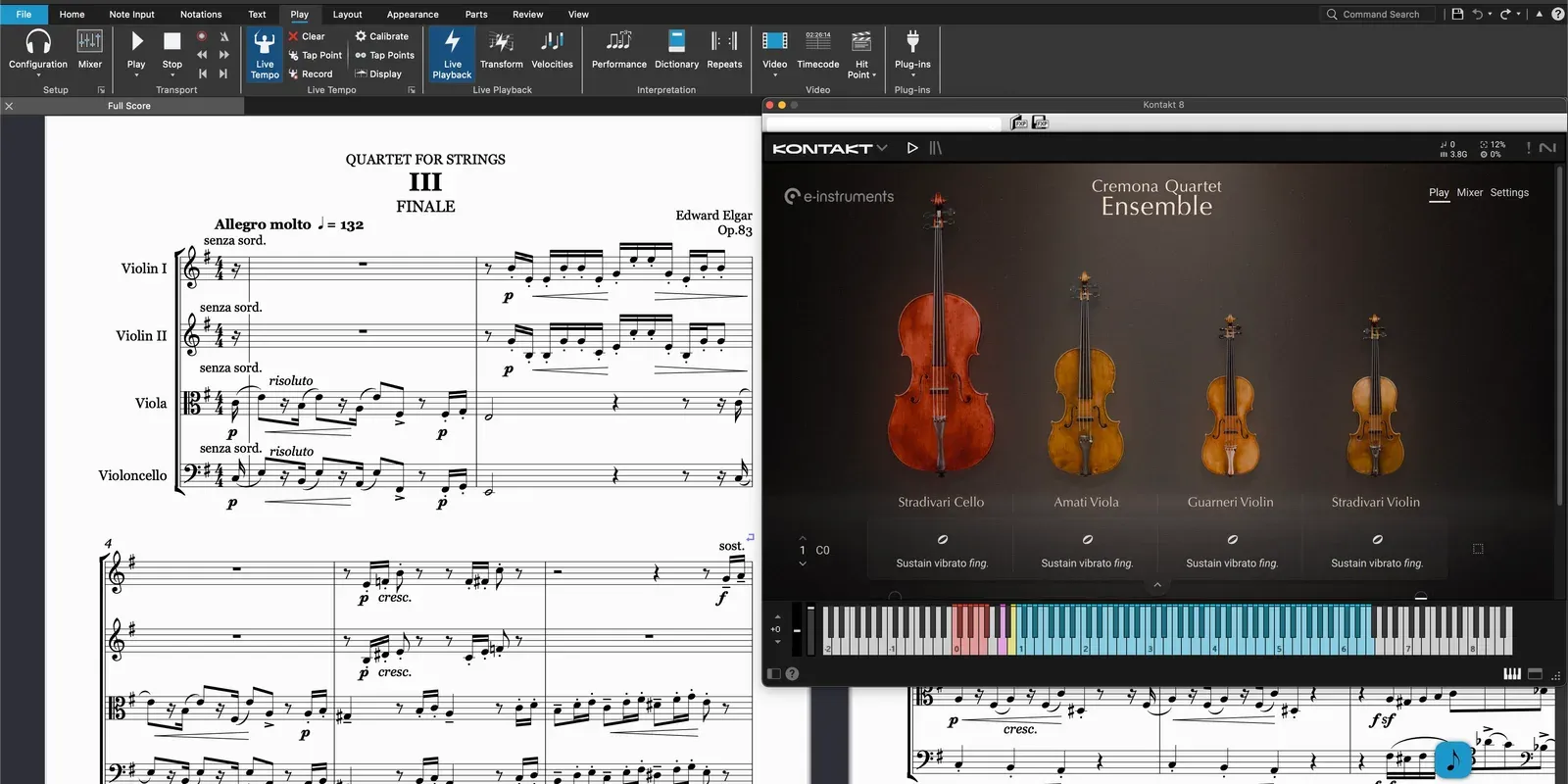
Play mode's tracks and piano roll in a second window beside the score, where a mockup is shaped from the notation.Image: Steinberg.The Play tab holds the video, timecode and hit-point tools alongside plugin hosting, shown here with Kontakt 8.Image: Avid.
Many composers sidestep the question with NotePerformer 5, a third-party
playback engine that supports both.
Film and video
Both have the essentials for writing to picture: a video window and timecode.
Sibelius Ultimate adds hit points with their own staff, the long-standing way
of marking sync points in the score. Dorico has a marker table with an
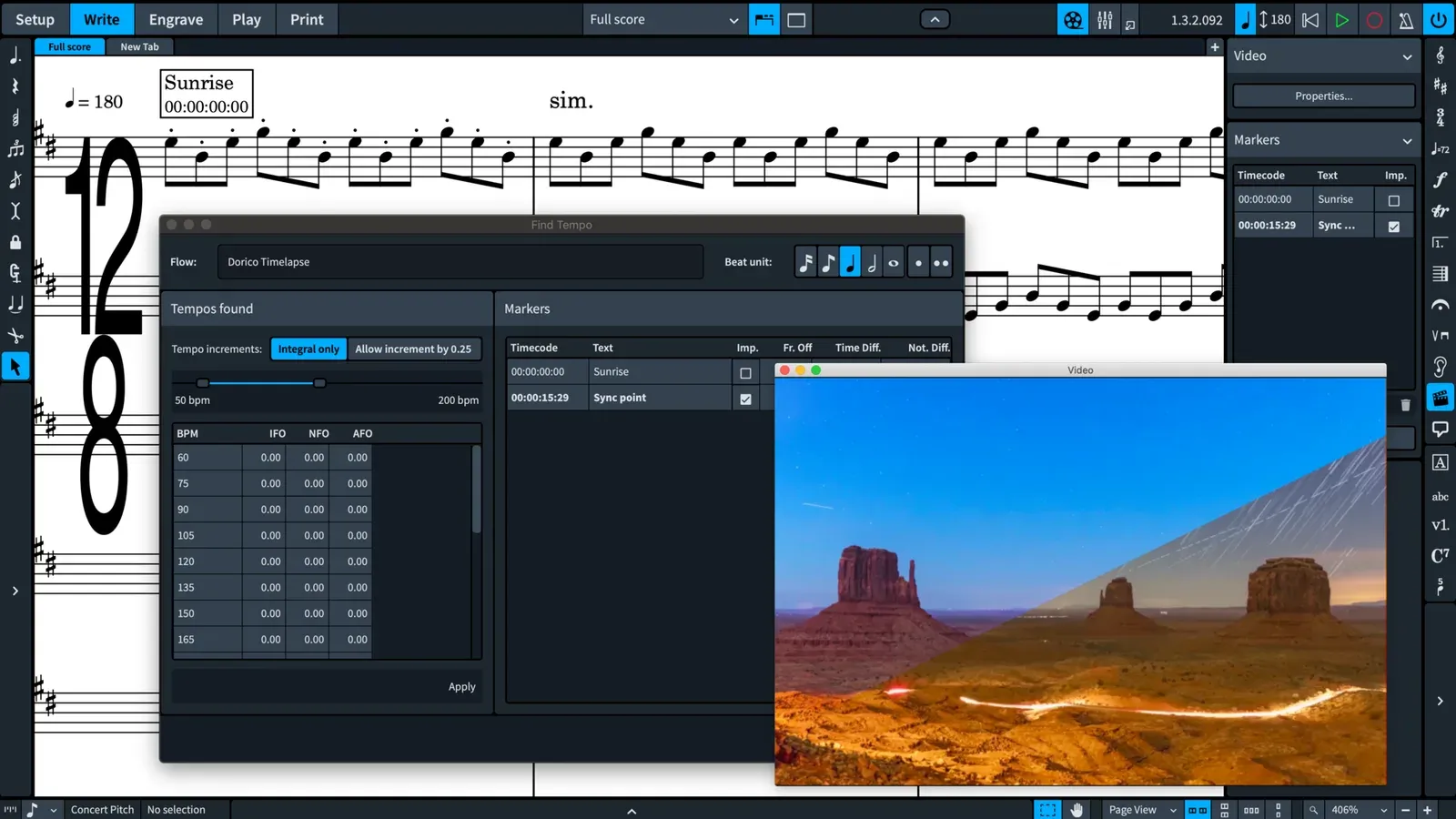
important flag and Find Tempo, which calculates a tempo so markers land on
strong beats, at frame rates from 23.976 to 60 including drop-frame.
Video, timecoded markers and Find Tempo, which suggests a tempo that puts the markers on beats. Steinberg's image shows an earlier Dorico interface.Image: Steinberg.
Dorico’s tools are the more complete. Sibelius’ advantage here is not
features but presence: it is still described as the standard in many film and
TV studios, and in a team that exchanges files, the format everyone else uses
matters more than any single tool.
Speed and learning curve
Sibelius wins the first month. Its score-centric model is familiar, and a new
user can produce parts quickly. Dorico’s players, flows and modes take weeks to
feel natural, and features can be hard to find until you know where its logic
puts them.
Over a longer run the case for Dorico is automation. Layout, condensing and
part preparation happen without manual work, which is where most of the hours
in score preparation go, and forum accounts of composers switching mostly run
from Sibelius to Dorico rather than the other way. The recurring complaint against it is performance on
very large scores, where condensing can make each edit lag.
Price and licensing
Dorico Pro 6 is a perpetual licence with paid major updates, and Steinberg
sells a discounted crossgrade to Sibelius and Finale owners. Dorico Elements 6
runs the same engine for a fraction of the price, without Pro’s engraving
customisation.
Sibelius Ultimate is sold by annual subscription or as a perpetual licence,
and the subscription costs much less up front, which is the direction Avid’s
pricing pushes. The recurring complaint from Sibelius users is that pressure
towards subscription.
What neither does well
Neither moves music cleanly to and from a DAW. Dorico shares technology with
Cubase’s score editor, but transferring a cue between them is still a MIDI
export and a cleanup, and the same is true of Sibelius with any DAW. A composer
who sketches in a sequencer and prepares parts in notation software still has
to plan for that handover.
Side by side
Dorico Pro 6
Sibelius Ultimate
Model
Players, flows, layouts
Direct score editing
Engraving defaults
Best available, automatic condensing
Professional, more manual work
Playback
Expression maps, piano roll, HALion
Large library, VST3 since 2026
Film
Video, timecode, markers, Find Tempo
Video, timecode, hit points
Learning curve
Steep
Quicker start
Licence
Perpetual, paid upgrades
Subscription or perpetual
Strongest complaint
Lag on very large scores
Subscription pressure
Which one
If you are choosing for the first time, or leaving Finale, and your work ends
in printed scores and parts, Dorico Pro 6. Its engraving and condensing save the
most time over a career, its playback produces better mockups from the score,
and its film tools are the more complete. Budget a few weeks to learn it, or
start with Dorico Elements and upgrade later.
If you work in a team that runs Sibelius, already know it, or cannot spare the
learning time, Sibelius Ultimate. The format compatibility is worth more than
the engraving gap, and it is still the program many film and TV studios expect.
Not tested by us, assessed from specs and documented behaviour
The best notation software for composers who deliver finished scores and parts. Its engraving defaults and automatic condensing save the most manual fixing, and its film tools are the most complete, at the cost of a learning curve that frustrates newcomers.
How it scored
Engraving 9.5
Widely regarded as the best defaults, with automatic condensing.
Film and Video 9.0
Video up to 8K, timecode, markers and Find Tempo.
Learning Curve 5.5
Opinionated and mode-based. Steepest here.
Value 6.5
Full price is high, crossgrades from Sibelius and Finale are not.
Why we picked it
Best for composers who deliver finished scores and parts, especially for film and game sessions, and will invest time in learning it.
Who should skip it
Skip it if you need to be productive this week, because its players, flows and modes take time to learn.
The good
+
Best engraving defaults
+
Automatic condensing and cutaways
+
Strongest film tools here
The bad
−
Steep learning curve
−
Lag on very large scores
−
Not tested in our studio
Platforms
macOS, Windows, iPad (separate app)
Video
Yes, up to 8K, timecode, markers
Licence
Perpetual, Steinberg Activation Manager
Why it scored that way
· 1 min read
The engraver's default, and the destination most Finale users chose.
+
The engraver's default, and the destination most Finale users chose.
Dorico 6 is the seventh major release of Steinberg's notation software, and the one specialist coverage describes as the engraving standard. A project is organised around players, flows and layouts, so parts are generated rather than extracted and stay linked to the score, and condensing a full score onto fewer staves is automatic. Version 6 added automatic and manual cutaway scores, a proofreading panel, multi-row chord symbols and video up to 8K, and point releases through 2026 have added the Cantai vocal synth.
For film and game work it has a video window, timecode, a marker table and a Find Tempo tool that fits a tempo so markers land on strong beats, at frame rates from 23.976 to 60 including drop-frame. The friction is the learning curve. Users describe it as opinionated, expecting you to adapt to its logic, and large scores with condensing switched on can lag. Moving music to Cubase is still a MIDI export with cleanup, despite the shared technology.
Not tested by us, assessed from specs and documented behaviour
The pick for composers working in studios and teams that already run Sibelius. It is quicker to learn than Dorico and has the film features that matter, while its engraving and playback trail Dorico's and its pricing pushes towards subscription.
How it scored
Engraving 8.0
Solid, with long-standing gaps Avid is still closing.
Film and Video 8.5
Video, timecode, hit points and a hit-point staff.
Learning Curve 7.0
Score-centric and familiar. Quicker start than Dorico.
Value 5.5
Perpetual licence is the most expensive purchase here.
Why we picked it
Best for composers in film and TV teams that already exchange Sibelius files, and anyone who needs to be productive quickly.
Who should skip it
Skip it if engraving quality and playback are your priorities, because Dorico leads on both.
The good
+
Industry standard in film and TV
+
Quicker to learn than Dorico
+
Hit points and timecode
The bad
−
Playback trails Dorico
−
Pushes towards subscription
−
Not tested in our studio
Platforms
macOS, Windows, mobile apps
Video
Yes, timecode and hit points
Licence
Perpetual or subscription
Why it scored that way
· 1 min read
The incumbent in film and TV, and quicker to learn than Dorico.
+
The incumbent in film and TV, and quicker to learn than Dorico.
Sibelius is still described in film and TV circles as the entrenched standard, and for a composer joining a team or sending files to an orchestrator who runs it, that alone can decide the purchase. It works directly on the score with its magnetic layout, which most people find quicker to start with than Dorico's modes. Ultimate is the tier with unlimited staves, video import, timecode and hit points with their own staff, plus a large sound library.
Avid now releases it several times a year under year-and-month names, and the 2026 releases added a dark theme, VST3 support in May and cross-staff notation fixes. Its executives have conceded the move to VST3 was overdue, and the recurring complaints are subscription pressure, an ageing codebase and playback that trails Dorico's. The perpetual licence in the store we link to is the most expensive purchase on this page, and subscriptions bought from Avid cost considerably less per year.
You prepare scores and parts for sessions or publication, you want the best result with the least manual fixing, and you are willing to spend a few weeks learning a different way of working.
Pick Sibelius Ultimate if
You collaborate with orchestrators, copyists or studios that exchange Sibelius files, you already know it, or you need to get a score out quickly without learning a new model.
The ModWheel editorial team is a collective of composers, producers, and sound designers. We collaborate to bring you comprehensive guides, industry news, and curated lists that represent our shared expertise and passion for music technology.