Arturia · Review

Arturia Pigments 7 Review

A full review of Pigments 7: what the multi-engine architecture actually gives you, the one hardware caveat worth knowing, and who it suits.

Verdict

Buy it. Pigments is the rare deep synth that stays legible while you use it, and the visual routing teaches modulation rather than hiding it. The only real caveat is that the interface itself is demanding on older machines.

ModWheel is reader-supported. When you buy through links on this page we may earn an affiliate commission, at no extra cost to you. This never influences which products we recommend, read our testing methodology.

01 Arturia

Pigments 7

Best for Visual Synths

The most legible complex synth on the market, at a CPU cost that is mostly the interface drawing itself.

Score
8.0
out of 10

How it scored

  • Modulation Depth 9.0

    Every routing is visible and animated, which changes how fast you learn it.

  • Oscillator Character 8.5

    Four engines, and the granular layer is the one that earns its place.

  • CPU Efficiency 5.5

    Animations plus dense patches. The heaviest thing here. Lowest on the page.

  • Workflow Speed 8.8

    Colour-coded routing means you are never hunting for a modulator.

Why we picked it

Best for visual sound design because every modulation routing is clearly animated and color-coded.

Who should skip it

Avoid if you have an older computer that struggles with heavy GUI animations.

The good

  • Incredible visual feedback
  • Four diverse synthesis engines
  • Excellent built-in effects

The bad

  • GUI animations can cause lag
  • High CPU usage on complex patches
  • Factory presets lean toward cinematic
Format
VST/AU/AAX
Protection
Arturia Software Center
Price
$199
Why it scored that way

Pigments offers the most intuitive visual feedback of any complex synthesizer on the market today.

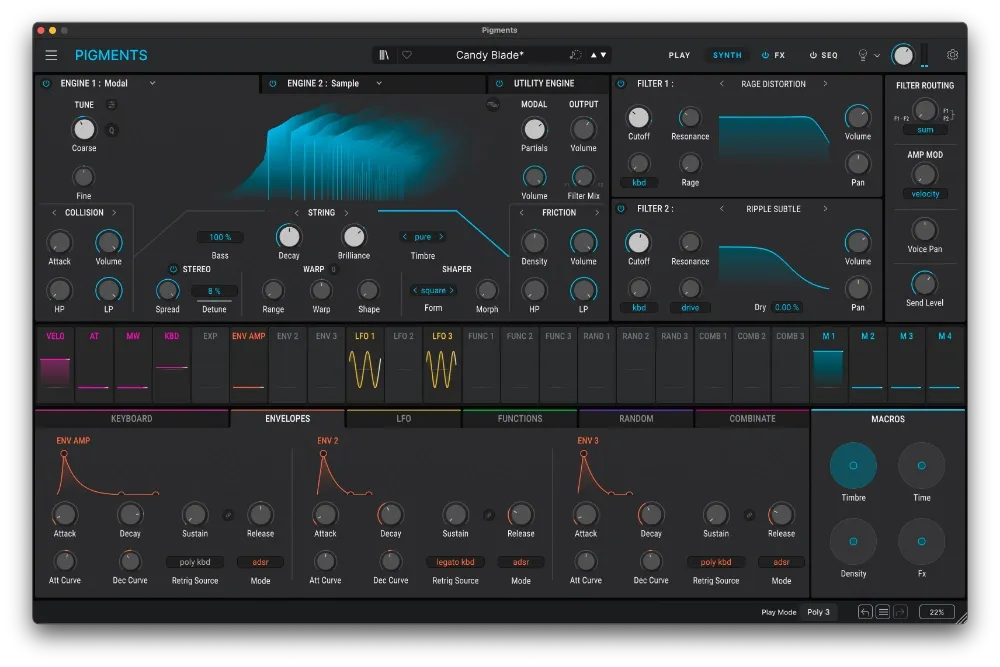
Arturia Pigments excels at making complex modulation patching visually understandable through its brilliant color-coded interface and animated routing matrix. The dual engine architecture allows you to easily combine a gritty granular sample layer with a heavy wavetable bass patch. I frequently rely on its deep randomization features to generate unexpected metallic textures for heavy tearout bass fills.

While the visual feedback is outstanding, the sheer amount of animation can occasionally cause interface lag on older operating systems. Despite this minor friction point, it remains one of the best Serum alternatives for producers who need intense visual confirmation of their sound design. The included effects rack is robust and full of vintage emulations, though the CPU load climbs once several engines and effects run together.

Playing connects you to YouTube, which may set cookies.

Heard on
Zedd Feed Me Pegboard Nerds
Check price $199

Pigments is the synth we end up recommending most often, and the reason is not that it sounds better than its rivals. It is that you can see what you are doing.

Multi-engine, and it matters

The architecture combines engines rather than picking one: a granular sample layer alongside a wavetable patch, or a deeply complex additive harmonic oscillator running into a warm analog filter. Those are genuinely different synthesis approaches sharing one instrument, and switching between them costs nothing.

For cinematic work the additive engine is the underrated part. Dense harmonic routing on otherwise sterile drone material produces evolving character without the artificial, over-processed quality that plagues cheaper approaches.

The visual routing is the actual feature

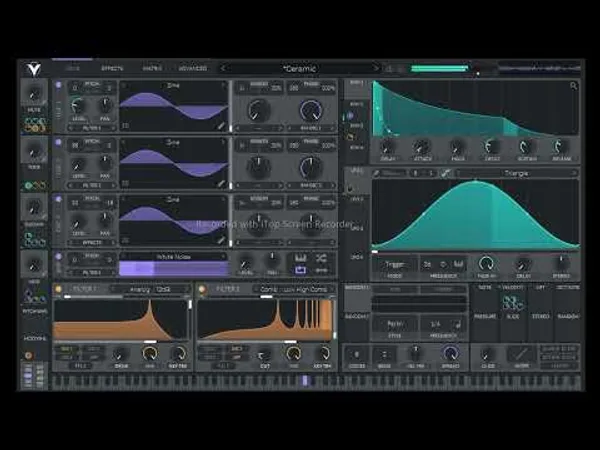
Every modulation path is colour-coded and animated. Watch the partials move while an LFO sweeps them and the relationship stops being abstract.

This sounds cosmetic and is not. The practical limit on complex sound design is usually comprehension, not capability. A Pigments patch is still readable a week later. That is worth more than another oscillator type.

The randomisation is also a genuine idea generator rather than a novelty, particularly for metallic and unexpected textures.

The one real caveat

The animation is demanding. On an older machine the interface becomes the bottleneck while the audio engine is still perfectly happy, which is a confusing failure mode if you do not know to expect it.

If your computer is a few years old, try the demo before committing. This is the only thing about Pigments that genuinely catches people out.

Specs

FormatVST / AU / AAX
ProtectionArturia Software Center
ArchitectureDual engine

Who should buy it

Almost anyone. It is a strong first serious synth because it teaches while you use it, and it remains useful long after you have outgrown that stage.

Skip it only if your machine struggles with heavy interface animation, or if you already think entirely in modular terms and want no ceiling at all.

Written By

Ewan Clarke

Ewan is a sound designer whose patches have appeared in major wavetable synths and cinematic scoring libraries. A self-confessed modular addict, he bridges the gap between West Coast experimentation and pop-ready polish. He believes every preset should tell a story.

Related Guides

All Guides →

New reviews, no noise

Occasional email when we publish something worth your time. No daily digest, no vendor press releases.

We store only your address, never sell it, and delete it as soon as you unsubscribe. See our privacy policy.