
7 Best Tape Emulator Plugins for Analog Warmth

Sometimes perfection is the exact opposite of what your mix needs. Real character comes from the beautiful imperfections of tape.

Louis Raveton
By Louis Raveton

Louis works across immersive scores (Venice Biennale, LVMH) and animation (Canal+), while producing Downtempo and Electro-Dub as Monsieur Shwill and Flagada. He treats his sample drive like a record collection, constantly hunting for the perfect 'imperfect' texture

Finding the best tape emulator plugins isn't about pure fidelity, it is about carefully introducing controlled damage. Whether you are looking for the best tape machine for scoring or a lo-fi alternative for electronic beats, tape emulation forms the glue of a modern digital mix.

In a pristine digital environment, these plugins offer the essential dust and rust needed to make a record feel alive. If you are comparing top options, a lighter alternative to heavier CPU-hungry modeled channels could save your session. I rely on these tools when the scoring stage feels too sterile and needs authentic weight. Let's look at the absolute best options available right now.

ModWheel is reader-supported. When you buy through links on this page we may earn an affiliate commission, at no extra cost to you. This never influences which products we recommend, read our testing methodology.

Pick one in 10 seconds

Short version

Compare all 7

Read more →

Methodology

Who is this for

Working composers and producers who need reliability, speed, and character for professional scoring tasks.

Our testing process

Where we have tested a product, we do it in actual production scenarios, ranging from rapid sketches to commercial pitches, and we evaluate it in a dense template rather than in isolation. Where we have not, the product card says so and the assessment is drawn from specifications and documented behaviour instead.

Why you should trust us

We buy most reviewed plugins ourselves. Occasionally we receive NFRs for evaluation, but this never guarantees a review or positive verdict. We may earn commissions from links, but our editorial choices are never for sale.

Also considered

For every category, we audition the top 8 to 15 standard options, discarding any that suffer from poor scripting, slow load times, or uninspiring sampling.

Top Picks

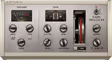
01 Softube

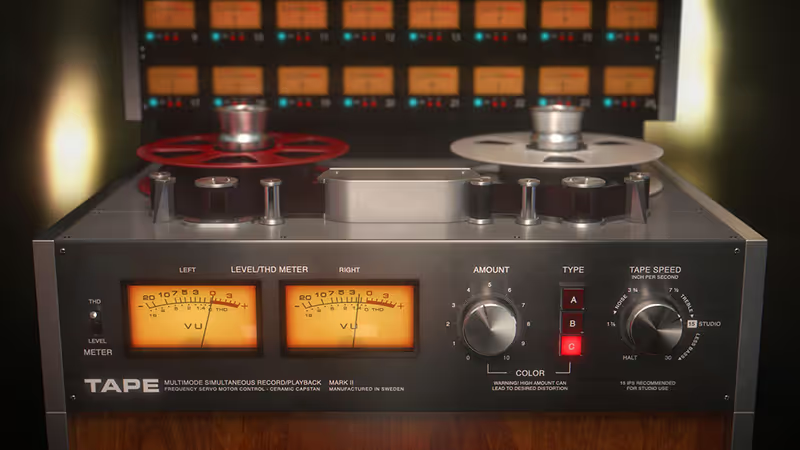
Tape

Best for Mix Glue

The most usable tape on a mix bus here precisely because it barely announces itself.

Tested score
8.2
out of 10

How it scored

  • Saturation Character 8.8

    Musical and subtle. Three machines that genuinely differ.

  • Control Depth 6.5

    Crosstalk, speed and roll-off. Fewer controls than its rivals.

  • Workflow Speed 8.8

    Little to set. It flatters a stem in one move.

  • CPU Footprint 8.8

    Light even oversampled, which this page tests for.

Why we picked it

Best for overall mix bus cohesion because it offers subtle, highly musical harmonic saturation.

Who should skip it

Avoid if you need aggressive, broken cassette-style lo-fi effects.

The good

  • Extremely musical and subtle saturation.
  • Low CPU footprint.
  • Great integration with Studio One.

The bad

  • Lacks extreme lo-fi mangling features.
  • GUI is slightly dated.
  • Fewer controls than surgical competitors.
Machines
3 Types (A, B, C)
Features
Crosstalk, Tape Speed, High/Low Roll-off
Oversampling
Yes
Price
$99
Why it scored that way

Softube's approach to tape emulation focuses heavily on musicality rather than pure surgical degradation.

I used this on a deadline last week when the director felt the string stems were too harsh and digital. Placing this on the master bus with a touch of the 'Type C' machine smoothed out the high-mids instantly without compromising the essential transients of the pizzicato section. The crosstalk feature is subtle but critical for binding a sparse orchestral arrangement into a cohesive space.

It excels at adding a dusty, coherent warmth that feels incredibly authentic. However, it is not for extreme, broken-tape sound design. If your goal is to push a mix into complete lo-fi chaos, you might find it too polite. But for gluing a dense mix together, this is currently one of the best tape emulator plugins available to modern composers.
Heard on
Master bus processing Smoothing harsh digital synths Gluing orchestral stems
Check price $99
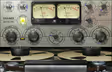
02 Arturia

Tape MELLO-FI

Best for Lo-Fi Texture

The quickest vintage texture on this page and far too loud about it for an orchestral bus.

Tested score
7.9
out of 10

How it scored

  • Saturation Character 7.5

    Heavy-handed by design. Great on a synth, wrong on strings.

  • Control Depth 6.0

    Wow, flutter, wear and mechanics, with almost no routing.

  • Workflow Speed 9.4

    Intuitive to the point of being a toy. Fastest here.

  • CPU Footprint 8.5

    Cheap to run across many tracks.

Why we picked it

Best for instant vintage texture because of its intuitive wobble and mechanical noise controls.

Who should skip it

Avoid if you need transparent saturation for an entire orchestral bus.

The good

  • Instant vintage character.
  • Very simple, intuitive interface.
  • Excellent wow and flutter models.

The bad

  • Can be too heavy-handed for subtle duties.
  • Limited routing options.
  • Not a flexible mix-bus compressor.
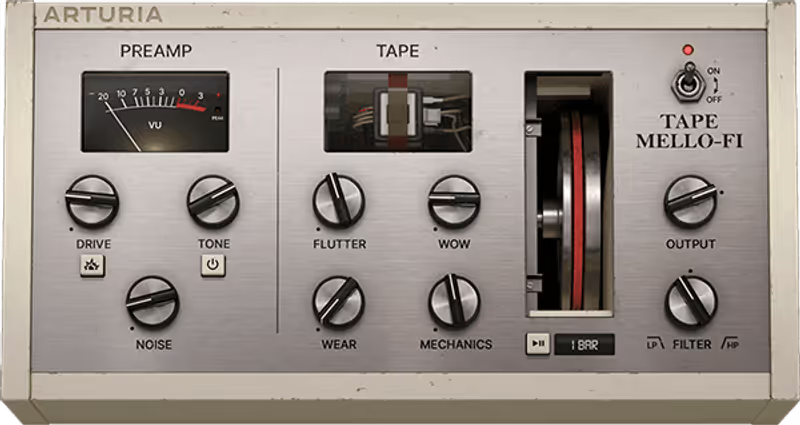
Preamp
Drive, Tone, Noise
Tape
Flutter, Wow, Wear, Mechanics
Filter
Low/High Pass
Price
$29
Why it scored that way

This plugin thrives on intentional degradation, offering a fast track to nostalgic, wobbly textures.

If you need to quickly degrade a sterile piano line, this is incredibly effective. I often turn to it when I need a scoring piano to sound like it has been abandoned in a damp basement for decades. The mechanical noise and wear controls are surprisingly interactive, allowing you to dial in just the right amount of flutter and unpredictable wow.

It is not designed for transparent mix buss duties. Pushing the drive introduces a fuzzy, almost granular breaking point that works wonderfully on drum loops but ruins delicate orchestrations. As a creative texture tool it beats more complex modulation plugins for instant vintage character, though the routing options are limited and it turns heavy-handed the moment you ask it for something subtle.

Heard on
Degrading pristine pianos Adding flutter to synth pads Lo-fi hip hop drum processing
Check price $29 (was $49)
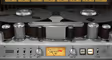
03 Waves

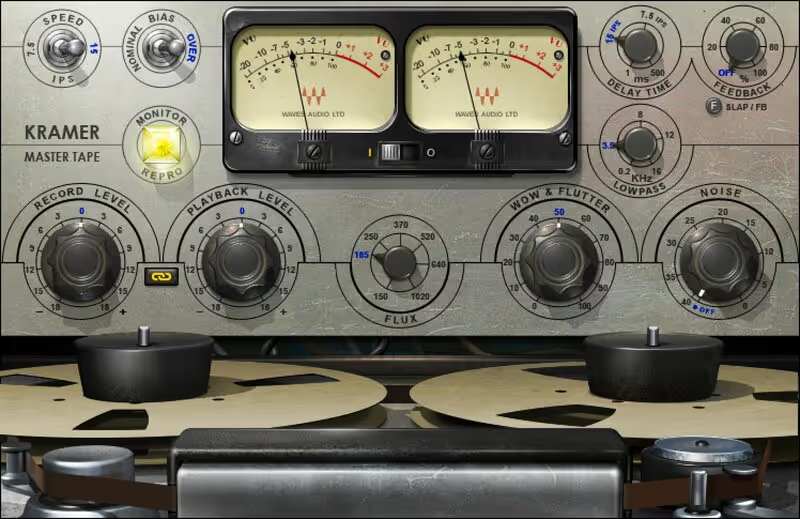
Kramer Master Tape

Best for Rock Fatness

The most low-end weight per CPU cycle here, and the fastest way to make a dense stem muddy.

Tested score
7.7
out of 10

How it scored

  • Saturation Character 8.2

    Aggressive flux modelling that thickens the bottom convincingly.

  • Control Depth 5.5

    Flux, wow, flutter, noise. Little say over the mechanics.

  • Workflow Speed 8.0

    Fast, on an old panel, with a slapback delay thrown in.

  • CPU Footprint 9.2

    Very light. Best here on the page's second stated criterion.

Why we picked it

Best for adding low-end weight because of its aggressive, vintage flux modeling.

Who should skip it

Avoid if you want a clean, modern high-fidelity tape sheen.

The good

  • Incredible low-end thickening.
  • Authentic vintage tone.
  • Very low CPU usage.

The bad

  • Can easily make a mix muddy.
  • UI is quite old.
  • Limited detailed control over tape mechanicals.
Modeled
Vintage 1/4 inch machine
Controls
Flux, Wow, Flutter, Noise
Extras
Slapback Delay
Price
$34
Why it scored that way

Designed for weight and depth, this emulation brings the classic rock era fatness directly into your DAW.

This emulation has a very distinct, chunky low-end response that I regularly use on synth basses and heavy percussion beds. The flux control allows you to push the magnetic saturation in a way that feels analog and incredibly satisfying. During a recent action cue, it gave the trailer impacts the necessary rust and weight to cut through a dense brass arrangement.

The delay and wow controls are somewhat limited compared to modern boutique plugins, but the core tone is undeniably thick. It can get muddy quickly if you overload the input, so careful gain staging is essential. For adding weight to a sterile digital track it remains one of the better classic rock tape emulators, even if the interface shows its age.

Heard on
Thickening synth basses Adding weight to drum busses Vintage slapback delays
Check price $34 (was $149)
04 Waves

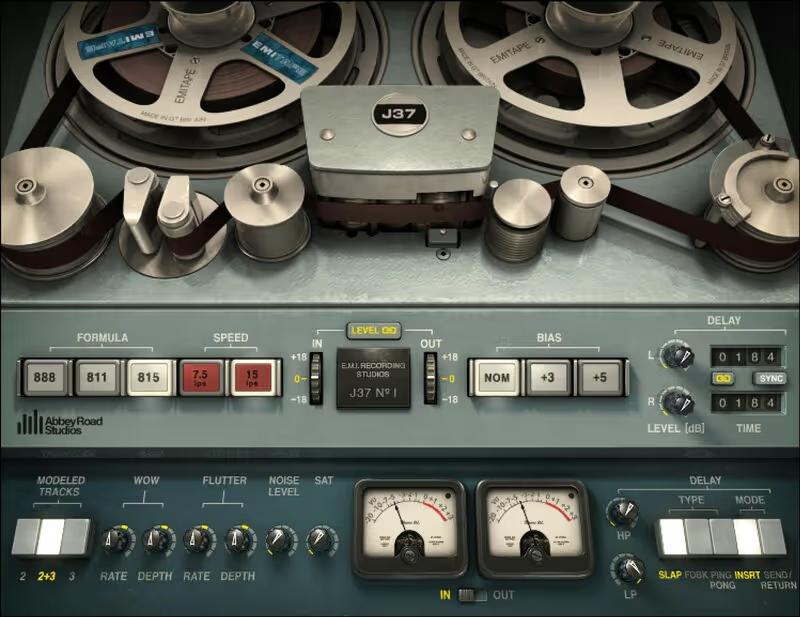
Abbey Road J37 Tape

Best for Vintage Color

The most characterful mid-range on this page, and the least appropriate thing to put across a delicate acoustic stem.

Tested score
7.8
out of 10

How it scored

  • Saturation Character 9.2

    Three modelled EMI formulas with real differences between them.

  • Control Depth 8.5

    Formula, speed and a full delay section.

  • Workflow Speed 7.5

    Rewarding, and easy to overdo on quiet sources.

  • CPU Footprint 6.0

    Heavy at high oversampling, which orchestral stems will want.

Why we picked it

Best for colorful vintage coloration because of the meticulously modeled EMI tape formulas.

Who should skip it

Avoid if you need absolute transparency on your master bus.

The good

  • Distinct, classic mid-range color.
  • Excellent built-in tape delay.
  • Multiple tape formulations.

The bad

  • Can be overwhelming on subtle acoustic sources.
  • CPU heavy on high oversampling.
  • Waves update plan ecosystem.
Formulas
EMI Tape 888, 811, 815
Speeds
7.5 ips, 15 ips
Extras
Comprehensive Delay Section
Price
$34
Why it scored that way

This plugin captures the distinct, colorful saturation that defined an entire era of classic British recordings.

The J37 is my go-to when a vocal or lead melody needs to sit perfectly within a retro-leaning score. The three different EMI tape formulas offer distinctly different mid-range characteristics. I find the EMI Tape 888 setting particularly useful for adding a focused, aggressive crunch to electric guitars and aggressive brass synths without making them harsh.

It is definitely a color box, adding a noticeable sonic footprint even at flat settings. The delay section is also fantastic for dub-style echoes, providing that classic decaying tape sound that sits behind a cue without smearing it. It works as both a character EQ and a saturator in one dense package, though the higher oversampling settings cost real CPU and the Waves update plan is worth factoring into the price.

Heard on
Retro vocal processing Classic British drum sounds Warm tape echo
Check price $34 (was $149)
05 Universal Audio

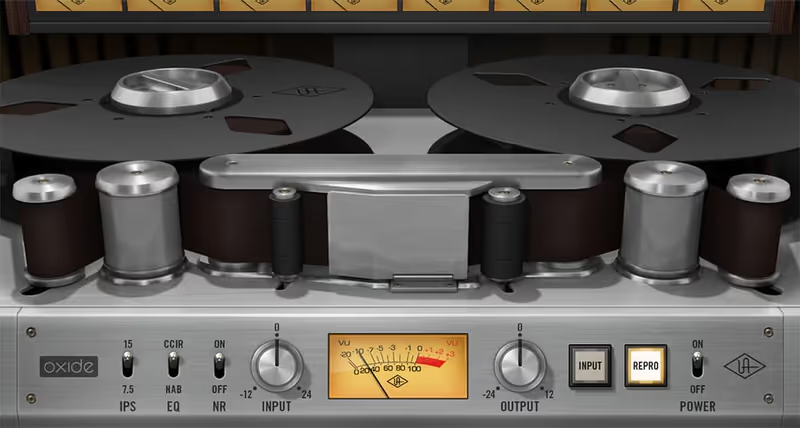
Oxide Tape Recorder

Best for Efficient Warming

The fastest track-warming on this page, available only if you are already paying UAD.

Tested score
7.6
out of 10

How it scored

  • Saturation Character 8.0

    Beautiful top-end smoothing, and not much else on offer.

  • Control Depth 4.5

    No calibration, no wow or flutter controls. Lowest here.

  • Workflow Speed 9.2

    Dialled in within seconds. That is the entire pitch.

  • CPU Footprint 8.8

    DSP-efficient, inside an ecosystem you have to buy into.

Why we picked it

Best for fast, efficient track warming because of its simplified controls and low DSP usage.

Who should skip it

Avoid if you want deep, surgical control over tape calibration and bias.

The good

  • Incredibly fast to dial in.
  • Beautiful top-end smoothing.
  • DSP efficient.

The bad

  • Requires UAD ecosystem.
  • No deep calibration settings.
  • No dedicated wow/flutter controls.
Platform
UAD Spark / Apollo
Speeds
7.5 ips, 15 ips
EQ
CCIR, NAB
Price
$29
Why it scored that way

Oxide distills the complexity of professional tape calibration into a fast, highly effective saturation tool.

When you have seventy tracks of orchestration and you need analog warmth without crushing your CPU, Oxide is the perfect choice. I drop this on acoustic guitar stems and woodwind busses to tame digital transients quickly. The interface forces you to rely on your ears rather than over-tweaking bias and EQ curves, which I find incredibly refreshing during tight deadlines.

While it lacks the deep calibration menus found in UA's larger models, the core algorithm retains that signature top-end smoothing. It essentially performs a very musical form of soft clipping that remarkably helps completely different instrument tracks gel perfectly inside a dense orchestral arrangement. It easily ranks as the absolute best streamlined vintage tape plugin for an efficient and highly reliable music mixing workflow.

Heard on
Taming acoustic transients Warming up virtual instruments Quick channel saturation
Check price $29 (was $49)
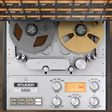
06 Universal Audio

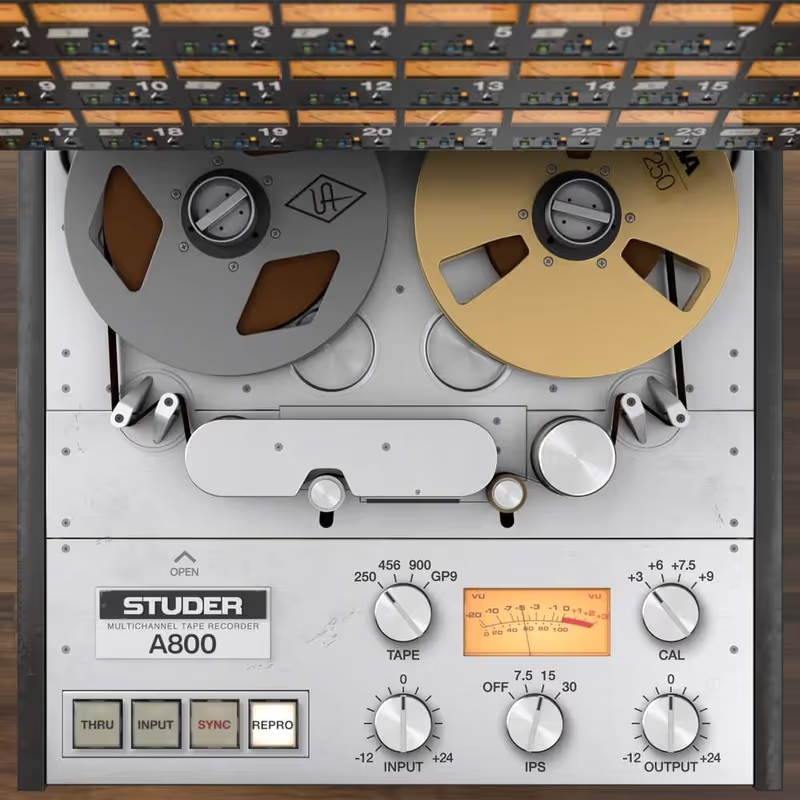
Studer A800 Tape Recorder

Best for Pro Tracking

The most complete tape machine here, and the only one you can misconfigure into sounding worse than no tape at all.

Tested score
7.5
out of 10

How it scored

  • Saturation Character 9.4

    The most realistic on the page once calibrated properly.

  • Control Depth 9.6

    Full bias and EQ, plus ganging across a session. Best here.

  • Workflow Speed 5.5

    Steep, and punishing if you set bias wrong. Lowest here.

  • CPU Footprint 5.5

    Expensive to run, and it needs UAD hardware or a subscription.

Why we picked it

Best for professional mix preparation because of its deep calibration parameters and realistic multi-track workflow.

Who should skip it

Avoid if you prefer simple, one-knob saturation tools.

The good

  • Unmatched realism and depth.
  • Deep control over all mechanical aspects.
  • Gang feature for session-wide control.

The bad

  • Steep learning curve.
  • Requires UAD hardware or Spark subscription.
  • Can easily be misconfigured.
Formulas
Multiple classic tapes
Speeds
7.5, 15, 30 ips
Calibration
Full bias and EQ control
Price
$39
Why it scored that way

This is the plugin you reach for when you want the absolute highest tier of surgical tape calibration.

The Studer A800 is a masterclass in subtlety. When mixing a delicate chamber ensemble, this allows me to get into the bias and HF record EQ to perfectly align the harmonic response to the music. The ability to gang controls across multiple instances makes it incredibly powerful for mimicking a true analog console workflow across an entire digital session.

It deeply requires a solid fundamental understanding of how real hardware tape machines actually operate. Otherwise, you can easily ruin the vital phase response of a good orchestrational mix. It is definitely not an instant gratification lo-fi box intended for beginners. For audio professionals demanding the absolute best high-fidelity tape machine response available today, this incredibly complex beast firmly remains the definitive gold standard in the recording industry.

Heard on
Complete mix session emulation High-fidelity drum tracking Detailed master bus leveling
Check price $39 (was $199)
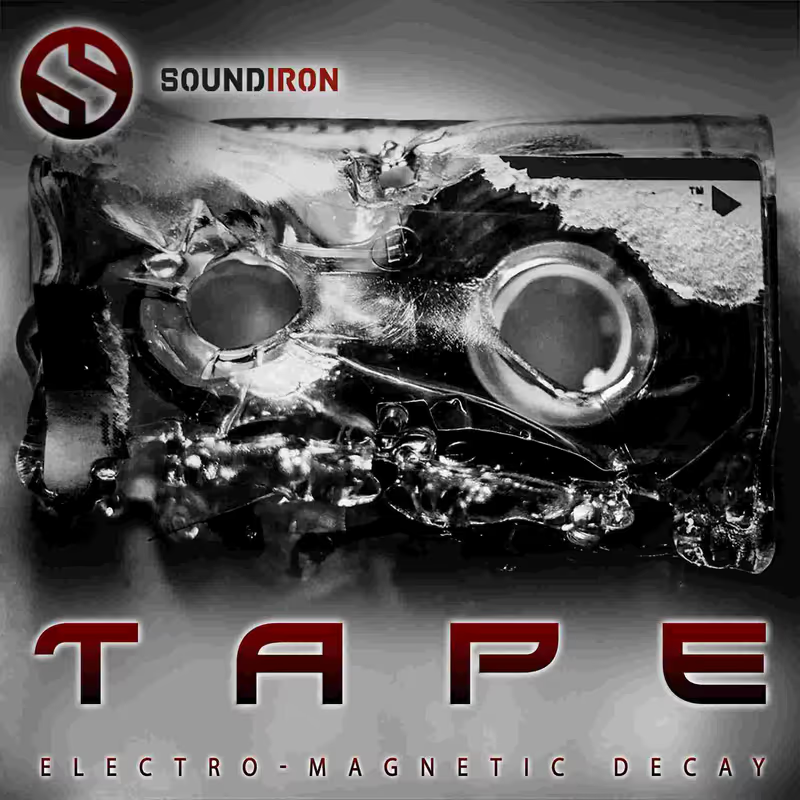
07 Soundiron

Tape

Best for Creative Destruction

The most destructive tool on this page and not a tape emulator in any professional sense.

Tested score
6.6
out of 10

How it scored

  • Saturation Character 7.0

    Convolution wear models rather than a modelled machine. Extreme.

  • Control Depth 8.0

    Deep across wear and artefacts, on a busy panel.

  • Workflow Speed 6.5

    Too heavy-handed to be quick at anything subtle.

  • CPU Footprint 5.0

    High on dense settings, which is where you would use it. Lowest here.

Why we picked it

Best for extreme sound design and degradation because of its unique IR-based wear models.

Who should skip it

Avoid if you are looking for a subtle, professional mastering tape.

The good

  • Incredible tool for sonic destruction.
  • Unique convolution-based wear models.
  • Very aggressive character.

The bad

  • Too heavy-handed for subtle mix tasks.
  • Interface can be busy.
  • High CPU usage on dense settings.
Type
Creative Effect
Artifacts
Extensive wow, flutter, wear
Impulse Responses
Yes
Price
$39
Why it scored that way

Soundiron delivers a deeply creative tool aimed heavily at sound designers rather than traditional mixing engineers.

This plugin excels at destruction. I recently used it on a clean sine wave drone for a sci-fi project, and the sheer amount of warble, degradation, and hiss it produced turned a boring patch into a terrifying, breathing entity. The inclusion of unique IR-based tape wear models gives it an edge over standard algorithmic saturators when aiming for drastic sonic transformations.

It is emphatically not designed for delicate mastering or subtle mix cohesion. The interface is geared toward extreme mangling, making it sometimes difficult to dial in a gentle warmth. As an alternative to standard studio emulators it is the strongest creative destruction tool for composers scoring tension, though the interface gets busy and dense settings push CPU usage up.

Heard on
Sci-fi sound design Extreme drone mangling Adding extreme hiss and warble
Check price $39

Frequently Asked Questions

Does tape emulation add anything besides loudness?

Yes: soft compression, harmonic distortion, and high-frequency loss that rises with level. All three flatter a signal, so always compare at matched output level before deciding the plugin helped.

What is the head bump?

A low-frequency lift caused by the interaction between the tape and the playback head gap. It sits lower in frequency at slower speeds, which is why 15 ips sounds fuller in the bass than 30 ips.

How many tape emulators can I run in a session?

Technically many, but the high-frequency loss accumulates and so does the CPU cost. A mix with tape on forty tracks arrives dull rather than warm, so use it where it is needed and once on the bus.

Is tape emulation useful on orchestral libraries?

In small amounts, mainly to soften bright close mics and glue layered sections. It will not make a mockup sound less synthetic, because that is a programming problem rather than a tonal one.

Written By

Louis Raveton

Louis works across immersive scores (Venice Biennale, LVMH) and animation (Canal+), while producing Downtempo and Electro-Dub as Monsieur Shwill and Flagada. He treats his sample drive like a record collection, constantly hunting for the perfect 'imperfect' texture

Related Guides

All Guides →

New reviews, no noise

Occasional email when we publish something worth your time. No daily digest, no vendor press releases.

We never sell your address. Unsubscribe any time, see our privacy policy.