
The 7 Best Saturation Plugins For Analog Warmth (2026)

I treat my DAW like an old mixing desk, constantly hunting for tools that bleed harmonic life back into digital signals.

Henry Foster
By Henry Foster

Henry is a mixing engineer with a background in broadcast and post-production. He obsesses over signal flow, gain staging, and the subtle coloration of analog-modeled plugins. His reviews focus on technical precision, CPU efficiency, and UI workflow.

Finding the best saturation plugins for analog warmth is arguably the most crucial step in modern music production. When everything is recorded perfectly into a clean interface, the result usually lacks depth, dimension, and that elusive feeling of glue. We are constantly searching for the best saturation VSTs to aggressively color our transients and add weight to our buses. You do not just want distortion. You want calculated harmonic enhancement that introduces desirable rust without destroying clarity. This list strips away the vintage mystique and highlights seven saturation tools that actually perform reliably under the pressure of a deadline mix.

Several of these picks also appear in our Best Distortion Plugins (2026): Industrial Design roundup, which is worth a look if you are weighing up both.

ModWheel is reader-supported. When you buy through links on this page we may earn an affiliate commission, at no extra cost to you. This never influences which products we recommend, read our testing methodology.

Pick one in 10 seconds

Short version
  • You want aggressive colour on a drum bus Watch the output, the auto-gain is not reliable. Decapitator
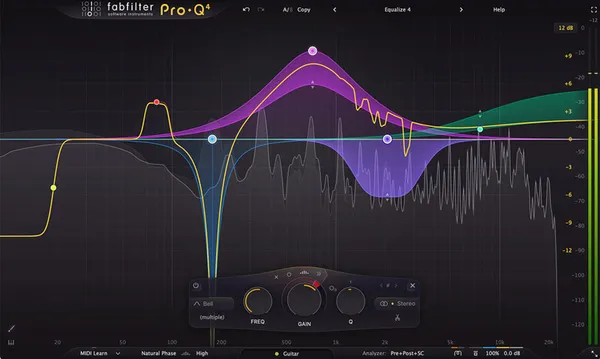
  • You need saturation on one frequency band only Saturn 2
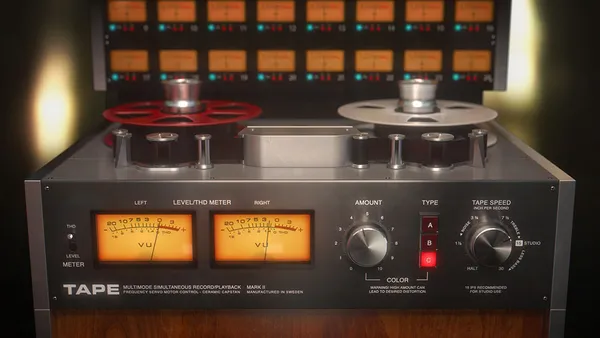
  • You are gluing an orchestral mix gently Tape
  • The master needs air and perceived loudness Black Box Analog Design HG-2
  • A vocal has to cut through a dense arrangement High latency, so not for tracking. Type A

Compare all 7

Decapitator 7.7
$69 $199 View price
Saturn 2
2. Saturn 2 FabFilter
8.1
Tape
3. Tape Softube
7.3
Devastor 2
4. Devastor 2 D16 Group
7.0
$35 $59 View price
Radiator
5. Radiator Soundtoys
7.7
Type A
7. Type A AudioThing
6.9
$33 $59 View price
Read more →

Methodology

Who is this for

Working composers and producers who need reliability, speed, and character for professional scoring tasks.

Our testing process

Where we have tested a product, we do it in actual production scenarios, ranging from rapid sketches to commercial pitches, and we evaluate it in a dense template rather than in isolation. Where we have not, the product card says so and the assessment is drawn from specifications and documented behaviour instead.

Why you should trust us

We buy most reviewed plugins ourselves. Occasionally we receive NFRs for evaluation, but this never guarantees a review or positive verdict. We may earn commissions from links, but our editorial choices are never for sale.

Also considered

For every category, we audition the top 8 to 15 standard options, discarding any that suffer from poor scripting, slow load times, or uninspiring sampling.

Top Picks

01 Soundtoys

Decapitator

Best for Aggressive Drive

The fastest route to drums that sound like a record, provided you meter the output yourself.

Tested score
7.7
out of 10

How it scored

  • Sound Quality 9.0

    Five distinct models, all musical. Punish is genuinely usable.

  • Workflow Speed 8.8

    Intuitive layout that invites you to just turn it up.

  • CPU Footprint 8.5

    Light enough to leave on several busses.

  • Metering & Control 4.5

    Flawed auto-gain and no visual metering. Weakest here.

Why we picked it

A heavy hitting alternative to subtle tape machines for aggressive mix bus coloration.

Who should skip it

You need precise visual feedback or perfectly accurate auto gain compensation.

The good

  • Incredible drum coloration
  • Five unique hardware models
  • Very musical punish mode
  • Intuitive layout

The bad

  • Flawed auto-gain
  • No visual metering
  • Can be overly aggressive
Algorithms
5 distinct models
Feature
Punish button
Price
$69
Why it scored that way

The industry standard for making things sound aggressively better.

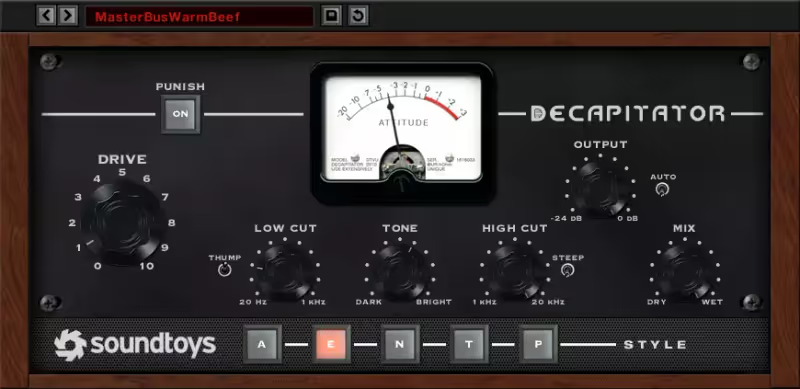
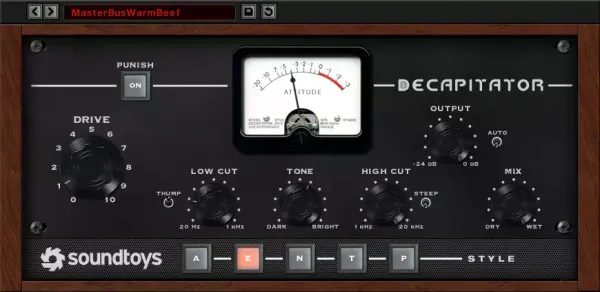
Decapitator has lived on my drum bus for nearly a decade, and I rarely mix a track without it somewhere in the session. I recently tried to process a lackluster snare drum with multiple digital EQs and limiters. Nothing worked until I instantiated Decapitator, selected the EMI style 'E' algorithm, and pushed the drive into the red. It introduces an instant, chunky thickness that glues things together perfectly. The built in punish button remains one of the best ways to completely destroy a synth bass line with incredible musicality.

It is not perfect, despite its reputation. The auto makeup gain feature is notoriously misleading, often making the signal much louder rather than just saturated. You must rely heavily on manual volume matching to ensure you are actually improving the sound. It also lacks any modern visual metering, keeping you blind to exactly what frequencies are clipping. However, once you learn its quirks, it provides an undeniable analog thickness that modern digital limiters simply cannot touch.

Heard on
Trent Reznor Greg Kurstin Tchad Blake
Check price $69 (was $199)
02 FabFilter

Saturn 2

Best for Multiband Exciter

The only saturator here that can drive one band without touching the rest, which is worth the setup time on a busy mix.

Tested score
8.1
out of 10

How it scored

  • Sound Quality 8.8

    Clean and precise across the bands.

  • Workflow Speed 6.5

    The feature set can stall a mix while you configure it.

  • CPU Footprint 7.5

    Moderate, and it climbs with band count.

  • Metering & Control 9.5

    Outstanding visuals and deep modulation. Best in this roundup.

Why we picked it

The most precise alternative to traditional hardware emulations for multiband saturation.

Who should skip it

You suffer from decision paralysis and prefer simple three knob processors.

The good

  • Surgical multiband processing
  • Incredible visual interface
  • Deep modulation options

The bad

  • Overwhelming feature set
  • Can disrupt workflow speed
  • Requires programming patience
Style
Multiband Saturator
Modulation
Extensive Matrix
Price
$149
Why it scored that way

The Swiss Army knife of harmonic manipulation.

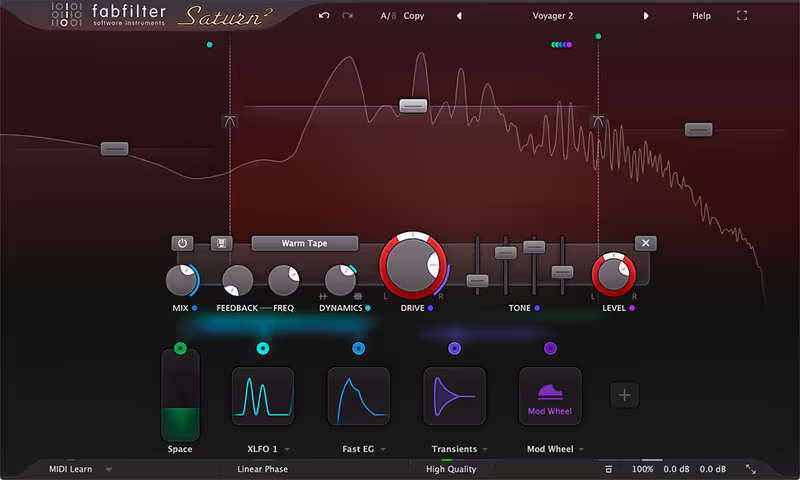
FabFilter builds surgical tools, and Saturn 2 applies that clean methodology to the dirty world of saturation. When working on a dense orchestral score, I needed to excite the lower midrange of a cello section without muddying the sub frequencies. Saturn allowed me to isolate a specific multiband range and apply a subtle 'Warm Tape' curve just to the notes I wanted to protrude. The modulation matrix is essentially a modular synthesizer built into a distortion unit. It enables incredibly dynamic, moving textures that breathe with the music.

The sheer sheer amount of options can disrupt workflow. I have wasted entire hours tweaking envelope followers linked to drive amounts instead of finishing the composition. The plugin is visually stunning, but sometimes the endless visual feedback distracts from actual listening. It is the exact opposite of a 'set and forget' vintage emulation box. If you have the patience to program it, it is a formidable weapon for pinpoint harmonic control throughout your mix.

Heard on
Skrillex Noisia Modern pop mixers
Check price $149
03 Softube

Tape

Best for Mix Glue

The polite option, and the right one when the goal is cohesion rather than colour.

Tested score
7.3
out of 10

How it scored

  • Sound Quality 8.5

    Smooths high end beautifully, with real crosstalk depth.

  • Workflow Speed 8.5

    Elegant and quick to a musical setting.

  • CPU Footprint 5.5

    Heavy once instantiated across many tracks.

  • Metering & Control 6.5

    Few controls, and no extreme settings to reach for.

Why we picked it

A polite alternative to aggressive distortion units for gentle mix cohesion.

Who should skip it

You want extreme wobble, cassette noise, and lo-fi destruction.

The good

  • Beautiful high end smoothing
  • Great crosstalk depth
  • Elegant interface

The bad

  • Heavy CPU usage on multiple tracks
  • No extreme distortion settings
  • Too subtle for some tastes
Machines
3 Tape Types
Goal
Subtle Warmth
Price
$99
Why it scored that way

A classy and subtle approach to simulated magnetic tape.

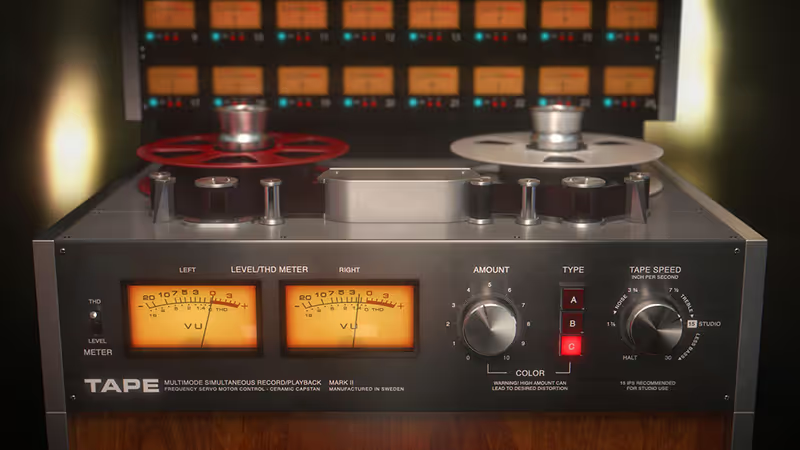
Softube consistently approaches modeling with a refined ear. I use this plugin almost exclusively for its incredible cohesion across a stereo bus. Last week, a piano track was sounding incredibly harsh and digital. Placing Tape on the insert, set to the Swiss machine type at 15 IPS, smoothed out the transients and added a beautiful low end bump. It acts like a subtle blanket of compression that makes individual tracks feel like a singular performance. The cross talk feature is extremely effective at creating a fake sense of physical depth.

You will be disappointed if you expect wild distortion. Pushing the drive fully clockwise results in a polite crunch rather than chaotic destruction. It refuses to let you ruin the audio. Furthermore, the CPU hit becomes noticeable when you instantiate it across twenty different channels, which is the intended use case for true console emulation. It demands a powerful system to function smoothly as a global mix tool. It is an elegant tool for polite glue.

Heard on
High-end mastering engineers Acoustic producers Jazz tracking engineers
Check price $99
04 D16 Group

Devastor 2

Best for Industrial Distortion

A narrow, aggressive clipper that earns its place on synths and has no business near an acoustic source.

Tested score
7.0
out of 10

How it scored

  • Sound Quality 7.0

    Excellent on electronic material, poor on anything acoustic.

  • Workflow Speed 6.5

    The interface is small enough to slow you down.

  • CPU Footprint 8.5

    Light and undemanding.

  • Metering & Control 6.0

    A good envelope follower and flexible routing on a cramped panel.

Why we picked it

The most aggressive VS standard harmonic exciters for heavy electronic styles.

Who should skip it

You mix primarily acoustic material and require large, readable interfaces.

The good

  • Incredibly aggressive sound
  • Flexible routing matrix
  • Great envelope follower

The bad

  • Tiny graphic user interface
  • Terrible on acoustics
  • Very narrow usage window
Type
Diode Clipper
Filters
3 Multimode Filters
Price
$35
Why it scored that way

A digital sledgehammer for creating rhythmic chaos.

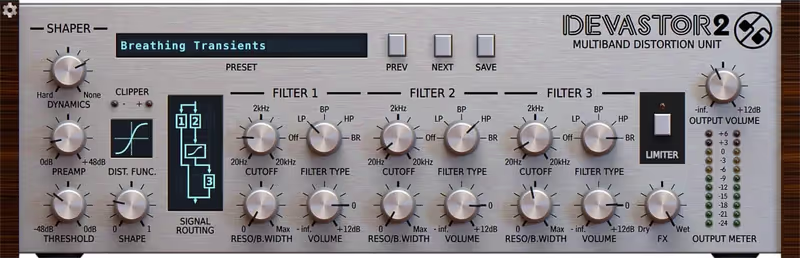
D16 understands aggression better than almost any other developer. I frequently rely on Devastor 2 when a synth loop feels polite and uninspired. I ran a basic saw wave phrase through its diode clipper engine, mapped the dynamic filter to the input envelope, and watched the track come alive. The routing matrix allows you to place the filters before or after the distortion block, offering massive tonal flexibility. It has this metallic, resonant quality that cuts through a dense electro mix with absolute authority.

Like many D16 plugins, the interface is cramped and visually noisy. Navigating the microscopic routing switches on a high resolution screen is frustrating. It also excels exclusively at harsh, synthetic tones. It sounds completely disastrous on acoustic instruments or delicate vocals. It was built for techno, industrial, and heavy electronic music. If you use it outside of those genres, you are likely doing more harm than good to your mix.

Heard on
Techno producers Industrial acts The Prodigy style beats
Check price $35 (was $59)
05 Soundtoys

Radiator

Best for Bass Bark

Vintage character in about four seconds, so long as you are not expecting to equalise anything precisely with it.

Tested score
7.7
out of 10

How it scored

  • Sound Quality 8.5

    The noise floor is part of the appeal rather than a flaw.

  • Workflow Speed 8.8

    Simple enough that there is nothing to learn.

  • CPU Footprint 8.5

    Light across a session.

  • Metering & Control 5.0

    Two broad bands and careful gain staging required.

Why we picked it

A vintage alternative to modern surgical EQs for adding immediate retro character.

Who should skip it

You need precise parametric equalization and transparent gain control.

The good

  • Instant vintage character
  • Great sounding noise floor
  • Simple to use

The bad

  • Only two broad EQ bands
  • Very colored sound
  • Requires careful gain staging
Style
Tube EQ/Drive
Hardware
Altec 1567A
Price
$99
Why it scored that way

The sound of a dusty 1960s Motown channel strip.

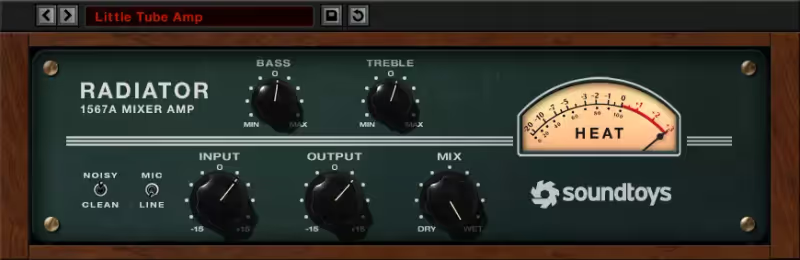
Radiator has a very specific harmonic footprint that instantly invokes vintage soul recordings. When I track electric basses through digital amp sims, the results are often brittle. Placing Radiator next in the chain, boosting the bass EQ knob and driving the input, adds an immediate wooly authority. It brings out the rust and midrange bark of a bass without muddying the sub frequencies. The noise switch is surprisingly pleasant, adding a subtle bed of authentic hum that fills the empty spaces in a sparse arrangement.

It offers virtually zero control over the specific saturation curve. You are bound to the limitations of the original Altec hardware it emulates. The two EQ bands are broad and unrefined, making surgical frequency carving impossible. It is a broad stroke tool that assumes you want a lot of color. It easily overloads your gain staging if you are not carefully riding the output knob. It is heavily opinionated, but when it fits the track, nothing else compares.

Heard on
Motown emulation Indie rock producers Vintage drum tracking
Check price $99
06 Plugin Alliance

Black Box Analog Design HG-2

Best for Mastering Glue

The best-sounding processor here and the one that most needs a room you trust before you commit to a setting.

Tested score
7.5
out of 10

How it scored

  • Sound Quality 9.4

    The air band is remarkable and it adds real perceived loudness.

  • Workflow Speed 7.0

    Highly interactive controls make small changes slow.

  • CPU Footprint 6.5

    Noticeable at the end of a mastering chain.

  • Metering & Control 7.0

    Mastering grade, but it needs monitoring to match.

Why we picked it

A mastering alternative to standard bus compressors for expensive harmonic enhancement.

Who should skip it

You are looking for a cheap, dirty distortion effect for individual synths.

The good

  • Incredible air band
  • Adds perceived loudness
  • Mastering grade sound

The bad

  • Highly interactive knobs
  • Needs a good room to hear
  • Overkill for raw tracking
Tubes
Pentode/Triode
Usage
Mix Bus Processing
Price
$30
Why it scored that way

A mastering grade tube saturator that adds immense size and punch.

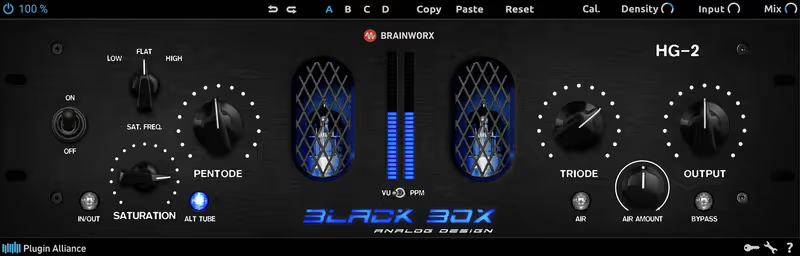
The HG-2 is an exercise in mastering level harmonic enhancement. I was struggling to finalize a dense electronic track where the mix felt disconnected. Running the entire stereobus through the HG-2's dual pentode and triode circuits glued the elements together with terrifying efficiency. The air band control is legendary, lifting the high frequencies with a smooth, expensive sounding sheen that never gets harsh. It adds perceived loudness and harmonic density without triggering digital clipping. It acts like an expensive analog hug for your track.

The controls are highly interactive and somewhat mysterious. Adjusting the pentode drive affects the triode gain stage, creating a balancing act that requires a highly trained ear. It is easy to accidentally destroy your stereo image if the calibration settings are misunderstood. It demands a pristine listening environment to truly appreciate its subtle harmonic shaping. It is an investment in professional finishing, and it is arguably wasted on raw, unmixed stems during the early production phase.

Heard on
Dave Pensado Top tier mastering engineers Hip hop mixing
Check price $30 (was $125)
07 AudioThing

Type A

Best for Vocal Exciter

A specialist that will lift a buried vocal, and the latency rules it out of anything you have to track through.

Tested score
6.9
out of 10

How it scored

  • Sound Quality 8.2

    Genuine presence, though it can push cymbals into harshness.

  • Workflow Speed 7.5

    Quick once you ignore what the hardware was built for.

  • CPU Footprint 6.0

    High plugin latency makes it a mixing-only tool.

  • Metering & Control 6.0

    Sparse, and the original purpose confuses the labelling.

Why we picked it

The best enhancer VS modern exciters for aggressive high end vocal presence.

Who should skip it

You are tracking live and need a zero latency environment.

The good

  • Incredible vocal presence
  • Unique phase saturation
  • Cuts through dense mixes

The bad

  • High plugin latency
  • Can make cymbals harsh
  • Confusing original intended use
Origin
Noise Reduction Abuse
Focus
High Midrange Enhance
Price
$33
Why it scored that way

The secret trick of 1980s vocal production in a single window.

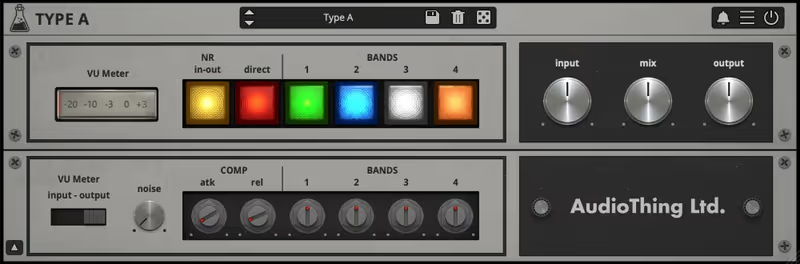
Type A emulates the famous 'Dolby A trick' used by legendary engineers to achieve breathy, aggressive vocals. I had a vocal take that felt completely buried beneath a dense wall of guitars. Engaging Type A and pushing the high band immediately lifted the vocal out of the mud, saturating the sibilance in a surprisingly musical way. It fundamentally alters the phase and harmonics of the top end, causing elements to jump to the front of the speakers. It is phenomenal on acoustic guitars that need to cut through a mix.

It is an absolute nightmare for latency. The oversampling and phase shifting algorithms introduce significant delay, making it useless for live tracking. The interface is also slightly confusing until you realize you are essentially misusing a vintage noise reduction unit. It can quickly make cymbals incredibly harsh if pushed too hard. It is a highly specific utility tool rather than a general purpose saturator. Use it exclusively when a track refuses to cut through the mix.

Heard on
Classic 80s pop Vocal production Acoustic rock
Check price $33 (was $59)

What didn’t make the list

3 cut
  • Saturation Knob Softube

    Free, and genuinely useful for quick warmth, but a single knob cannot be compared meaningfully against the tools here.

  • Trash 2 iZotope

    Far more extreme and very good at destruction, though it is a multiband distortion suite rather than a mix saturator.

  • Vertigo VSM-3 Plugin Alliance

    Excellent, surgical harmonic control for mix bus work. Left out because the HG-2 covers the same slot with a clearer set of controls.

Frequently Asked Questions

What is the difference between saturation and distortion?

The same process at different intensities. Saturation is soft clipping that adds harmonics without visibly reshaping the wave; distortion is the same circuit driven far enough that the shape changes audibly.

What harmonics do different saturation types add?

Tube and tape circuits emphasise even harmonics, which read as warmth and thickness, while transistor and diode clipping emphasise odd harmonics, which read as edge and aggression. That difference is why the topology label on a plugin is useful information rather than marketing.

Should saturation go before or after compression?

Before, usually. Saturating first rounds the peaks the compressor would grab, so the compressor works on a steadier signal and needs less gain reduction to achieve the same control.

Why does saturation always seem to improve a track?

Because it makes it louder. Level-matched comparison is the only reliable way to judge saturation, and a large proportion of the perceived improvement disappears once the output is matched to the input.

Written By

Henry Foster

Henry is a mixing engineer with a background in broadcast and post-production. He obsesses over signal flow, gain staging, and the subtle coloration of analog-modeled plugins. His reviews focus on technical precision, CPU efficiency, and UI workflow.

Related Guides

All Guides →

New reviews, no noise

Occasional email when we publish something worth your time. No daily digest, no vendor press releases.

We never sell your address. Unsubscribe any time, see our privacy policy.