


Best Filter Plugins (2026): Creative Sweeps

A static sound is a boring sound. The best filter plugins breathe life into your tracks by adding movement, rhythm, and screaming resonance.

Felix Ward
By Felix Ward

What changed: Every pick now carries a verdict line and scores for resonance character, modulation and drive, and there is a decision router at the top.

Felix is an indie-folk songwriter and session guitarist who values vibe over perfection. He looks for tools that potentialize 'happy accidents' and offer immediate inspiration. If a plugin requires reading a 100-page manual, he's probably already moved on.

In electronic music, the filter is the most important tool after the oscillator. It shapes the timbre. But complex sound design requires more than the simple EQ cut found on your mixer channel.

The best creative filter VSTs offer dual-filter routing, complex LFO modulation, and analog-modeled saturation. They turn a simple sawtooth wave into a growling, moving bassline.

ModWheel is reader-supported. When you buy through links on this page we may earn an affiliate commission, at no extra cost to you. This never influences which products we recommend, read our testing methodology.

Pick one in 10 seconds

Short version
  • The filter movement is the sound design, not a sweep on top of it Volcano 3
  • You want auto-wah on a Rhodes or a guitar and nothing else FilterFreak
  • You want hardware behaviour and have the CPU headroom to pay for it The Drop
  • You need formants and growls rather than a cutoff WOW 2
  • The filtering has to lock to the grid ShaperBox 3 Bundle
  • You just need a clean sweep on the master and nothing to configure Simplon

Compare all 7

Volcano 3
1. Volcano 3 FabFilter
8.5
Type
Multimode Filter
FilterFreak 8.0
Type
Analog Model
Filter M12 7.8
Type
Matrix Filter
$29 $49 View price
WOW 2
4. WOW 2 Sugar Bytes
7.9
Type
Vowel Filter
$49 $99 View price
Type
LFO Filter
Simplon
6. Simplon FabFilter
6.5
Type
Basic Filter
7.5
Type
Circuit Model
Read more →

Methodology

Who is this for

Working composers and producers who need reliability, speed, and character for professional scoring tasks.

Our testing process

Where we have tested a product, we do it in actual production scenarios, ranging from rapid sketches to commercial pitches, and we evaluate it in a dense template rather than in isolation. Where we have not, the product card says so and the assessment is drawn from specifications and documented behaviour instead.

Why you should trust us

We buy most reviewed plugins ourselves. Occasionally we receive NFRs for evaluation, but this never guarantees a review or positive verdict. We may earn commissions from links, but our editorial choices are never for sale.

Also considered

For every category, we audition the top 8 to 15 standard options, discarding any that suffer from poor scripting, slow load times, or uninspiring sampling.

Top Picks

01 FabFilter

Volcano 3

Best for Synth Modulation

The most flexible filter here by a distance, and the one that costs you an evening before it earns its place.

Tested score
8.5
out of 10

How it scored

  • Resonance Character 8.8

    Clean and controlled at self-oscillation rather than warm.

  • Modulation Flexibility 9.6

    Four filters, drag-and-drop sources, per-channel routing. Best on the page.

  • Drive Quality 9.0

    Tube, Metal and Hard drive sit inside the filter feedback loop.

  • CPU Footprint 6.5

    Four filters and ten modulators is a real load.

Why we picked it

Best for complex sound design and intricate rhythmic gatings.

Who should skip it

Skip this if you just want a simple one-knob sweep.

The good

  • Best modulation system
  • Great drive sounds
  • Visual feedback

The bad

  • Learning curve
  • Can be CPU heavy
  • Overkill for basics
Engine
VST/AU/AAX
Type
Multimode Filter
Size
Plugin
Price
$149
Why it scored that way

The standard for creative filtering.

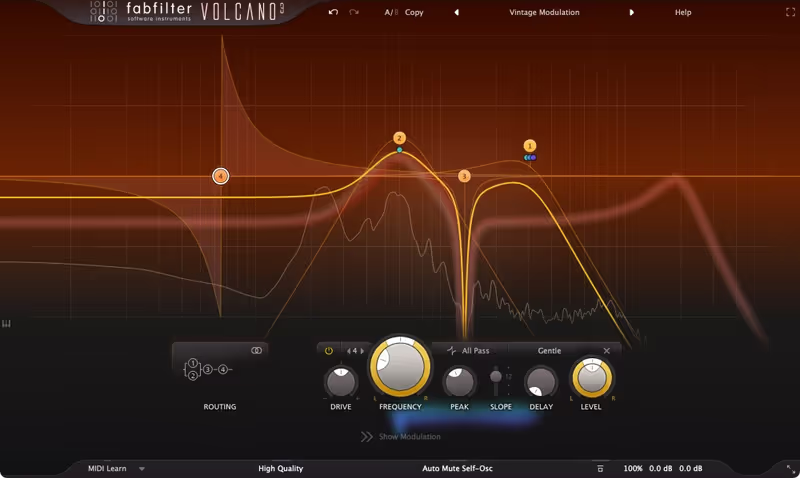
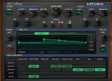
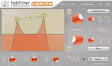
My Experience: Volcano 3 is creating its own completely unique instrument class. The ability to route four different filters in parallel, serial, or per-channel (L/R/M/S) is absolutely unmatched in the industry. I use it to create vocal formants by modulating two band-pass filters against each other, creating talking basslines that are impossible with standard EQs. The visualizer is, as always with FabFilter, beautiful and informative, showing you exactly how the modulation is affecting the frequency spectrum in real-time.

Deeper Look: The "Drive" section on each filter is excellent. You can choose "Tube," "Metal," or "Hard" distortion inside the filter feedback loop, which creates aggressive, screaming tones that bite through a mix. The drag-and-drop modulation system is intuitive, meaning you can have 10 complex LFOs moving the cutoff frequencies in evolving polyrhythms with just a few clicks. It turns static pads into living textures.

Heard on
Dubstep Bass Vocal Chops Automated Sweeps
Check price $149
02 Soundtoys

FilterFreak

Best for Auto-Wah

The most musical resonance on the page, wrapped in a plugin that has not been redrawn this decade.

Tested score
8.0
out of 10

How it scored

  • Resonance Character 9.0

    Chewy and warm at extremes where digital filters turn to noise.

  • Modulation Flexibility 6.5

    Rhythm editor and envelope follower, and no deeper than that.

  • Drive Quality 8.5

    Analog-modelled saturation that thickens rather than tears.

  • CPU Footprint 8.0

    Light enough to run across a whole guitar bus.

Why we picked it

Best for adding analog warmth and rhythmic auto-wah effects.

Who should skip it

Skip this if you want surgical digital cleaning.

The good

  • Incredible analog tone
  • Fun rhythm editor
  • Very musical resonance

The bad

  • UI is fixed size (older)
  • Modulation is simpler than Volcano
  • No visual graph
Engine
VST/AU/AAX
Type
Analog Model
Size
Plugin
Price
$149
Why it scored that way

Warm, fat, and rhythmic.

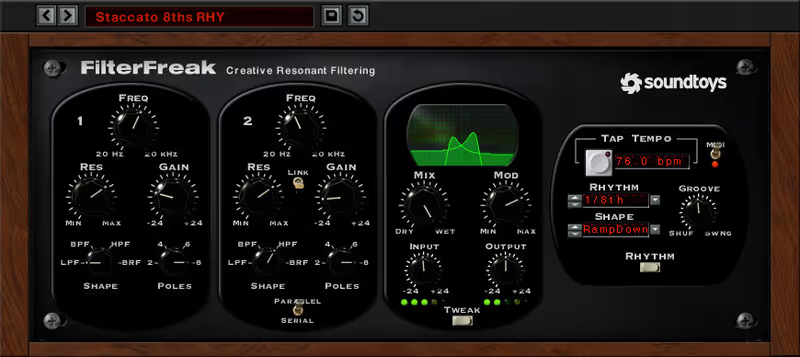
My Experience: FilterFreak captures the authentic sound of expensive hardware units perfectly. It digitally models the filters from old classic Moog synths and Mutron pedals. The resonance is "chewy," warm, and musical, never sounding like harsh digital noise even when pushed to self-oscillation. I use the "Rhythm Mode" to create classic auto-wah effects on electric guitars and Rhodes keys. It adds instant funk and vibe to any track.

Deeper Look: It comes as "FilterFreak 1" (Simple) and "FilterFreak 2" (Dual), giving you options for complexity. The "Envelope Follower" is particularly snappy and responsive, allowing the filter to open up based on the volume of the incoming track. This makes it perfect for dynamic auto-wah effects on funk bass, where the harder you play, the brighter the sound gets. It connects the sound to the performance.

Heard on
Funk Guitars Daft Punk style Synth Sweeps
Check price $149
03 Arturia

Filter M12

Best for Pad Movement

Fifteen filter modes you cannot get anywhere else, behind a matrix that will hold up the session while you learn it.

Tested score
7.8
out of 10

How it scored

  • Resonance Character 8.5

    Dark and gritty, and genuinely wild once the envelope hits resonance.

  • Modulation Flexibility 8.8

    The Matrix-12 modulation scheme, which is why the plugin exists.

  • Drive Quality 7.0

    Colour comes from the filter modes rather than a drive stage.

  • CPU Footprint 7.0

    Middling. Fine on a pad, noticeable across a template.

Why we picked it

Best for textural filtering and accessing the unique Matrix-12 modes.

Who should skip it

Skip this if you are overwhelmed by patch cables and matrices.

The good

  • Unique filter modes
  • Powerful matrix
  • Great sound

The bad

  • Can be confusing
  • Resonance can be wild
  • Specific character
Engine
VST/AU/AAX
Type
Matrix Filter
Size
Plugin
Price
$29
Why it scored that way

The complex beast.

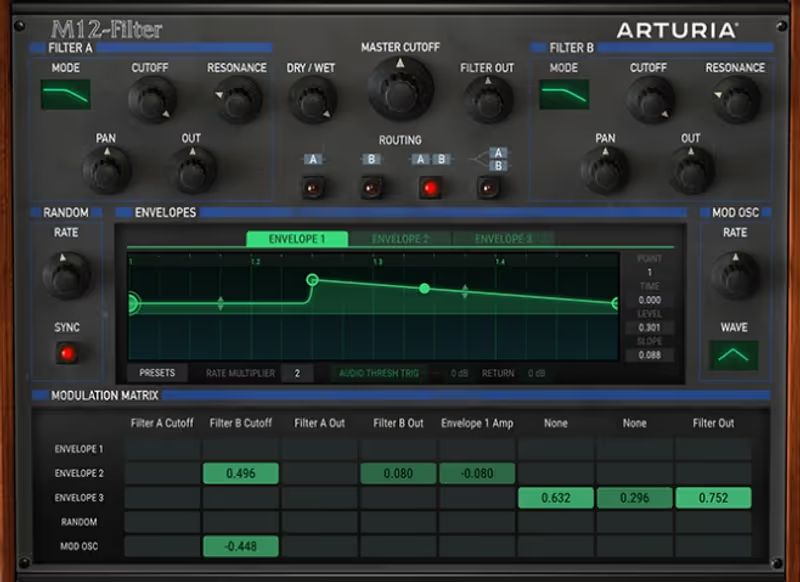
My Experience: The original Oberheim Matrix-12 is legendary for its 15 different filter modes, and Arturia put them all in here faithfully. It isn't just a simple low pass. It has phase filters, notch filters, and strange combos that standard plugins lack. I use the massive modulation matrix (hence the name) to create slowly evolving pads that shift timbre over 32 bars. It’s a texture machine for ambient music.

Deeper Look: The user interface is stunning, resembling the original hardware unit but enhanced with modern envelopes and visualizers. The ability to modulate the resonance with an envelope leads to some very "squelchy" and acidic sounds that are beloved by techno producers. It captures the specific, slightly dark and gritty character of the original unit while adding modern flexibility.

Heard on
Ambient Techno 80s Pop
Check price $29 (was $49)
04 Sugar Bytes

WOW 2

Best for Dubstep Bass

The only filter here that talks, and the least useful of the seven if you wanted something subtle.

Tested score
7.9
out of 10

How it scored

  • Resonance Character 7.5

    Aggressive and digital on purpose, and harsh when pushed.

  • Modulation Flexibility 7.5

    Step sequencer and simple sources. Quick rather than deep.

  • Drive Quality 8.5

    The built-in distortion does more work here than the filter on some settings.

  • CPU Footprint 8.0

    No noticeable load in a dense session.

Why we picked it

Best for Dubstep growls, vocal formants, and aggressive distortion.

Who should skip it

Skip this if you want a subtle, transparent filter.

The good

  • Best vowel sounds
  • Great distortion
  • Easy modulation

The bad

  • Very aggressive sound
  • Interface is eccentric
  • Can be harsh
Engine
VST/AU/AAX
Type
Vowel Filter
Size
Plugin
Price
$49
Why it scored that way

Talk to me.

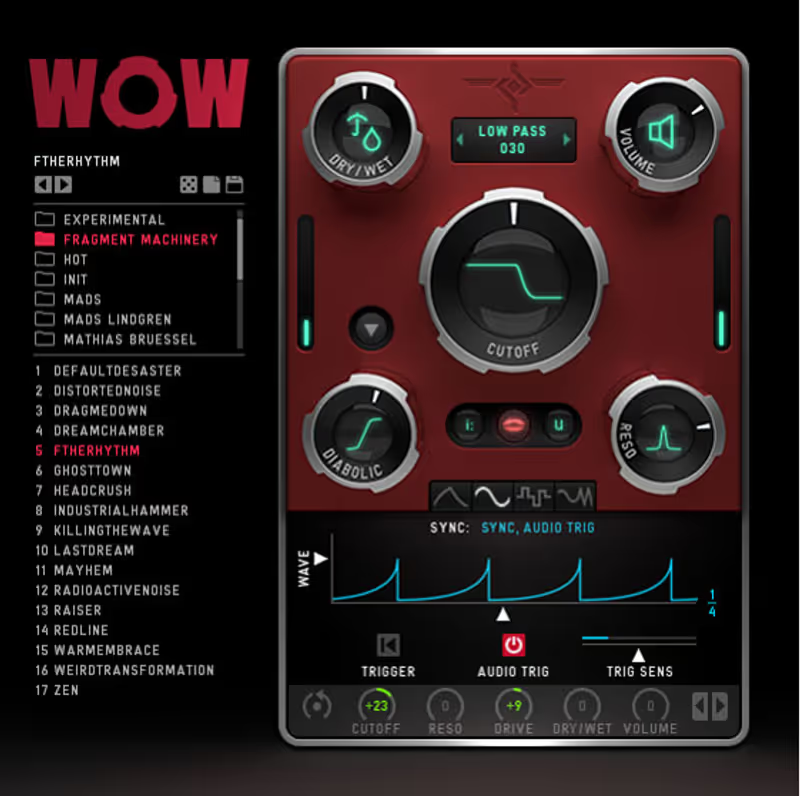
My Experience: WOW2 is famous for exactly one thing: aggressive Formant Filtering ("Talking" sounds). The "Vowel" mode allows you to smoothly morph between A, E, I, O, and U. It creates that classic "Yoi Yoi" dubstep bass sound instantly. But it also has a great distortion unit built-in. I use it to dirt up drums and add vocal-like characteristics to cutting leads that need to speak.

Deeper Look: The modulation engine works with a simple yet powerful "Step Sequencer" that is great for rhythmic gating effects. It feels like a toy in the best possible way: you just wiggle the knobs and cool, unexpected sounds happen. It is unapologetically aggressive and digital, making it perfect for genres like Dubstep, Drum and Bass, and heavy Electro where subtlety is not the goal.

Heard on
Skrillex Complextro EDM
Check price $49 (was $99)
05 Cableguys

ShaperBox 3 Bundle

Best for Rhythmic Gating

The most precise rhythmic filtering available and the least analog-feeling, which is the same sentence twice.

Tested score
7.7
out of 10

How it scored

  • Resonance Character 6.5

    Clean and digital. It never sounds like a circuit and does not try to.

  • Modulation Flexibility 9.2

    Drawn curves per band, down to a single sixteenth.

  • CPU Footprint 7.5

    Cheap until you split it into bands, which is what you bought it for.

Why we picked it

Best for rhythmic filtering and sidechain-style pumping effects.

Who should skip it

Skip this if you want a free-running analog feel (it locks to the grid).

The good

  • Precision control
  • Multiband
  • Visual workflow

The bad

  • Requires ShaperBox
  • Sounds very digital
  • Can be addictive
Engine
VST/AU/AAX
Type
LFO Filter
Size
Plugin
Price
$99
Why it scored that way

Drawing the movement.

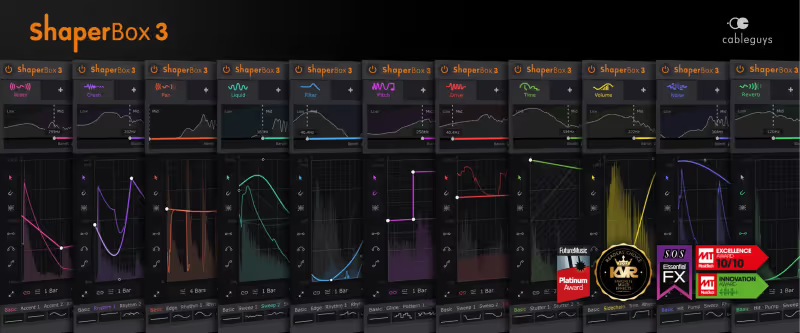
My Experience: ShaperBox changed everything about how I approach modulation. Instead of using standard LFOs, you draw the exact curve you want. You can make a filter that opens for exactly one 16th note and then snaps shut instantly. I use FilterShaper to add "pump" and movement to chords without using a compressor. It’s the ultimate detailed rhythm tool for grid-based music production where precision is key.

Deeper Look: The multiband integration is effortless and essential for modern mixing. You can filter just the high frequencies in a specific rhythm while leaving the sub-bass completely alone. For modern EDM, where every element needs to be tight, controlled, and locked to the grid, this is the essential tool. It allows for surgical rhythmic sculpting that would be impossible with traditional automation clips.

Heard on
David Guetta Future Bass House
Check price $99
06 FabFilter

Simplon

Best for DJ Sweep

Volcano with everything removed, which is exactly the point and exactly the limitation.

Tested score
6.5
out of 10

How it scored

  • Resonance Character 8.5

    The same FabFilter filter shapes, minus the ways to move them.

  • Modulation Flexibility 1.5

    None at all. DAW automation is the only movement available. Lowest here.

  • CPU Footprint 9.6

    Effectively free, which is why it survives in large templates.

Why we picked it

Best for simple DJ sweeps and utility filtering.

Who should skip it

Skip this if you need modulation. It has none (rely on DAW automation).

The good

  • Dead simple
  • Great sound
  • Low CPU

The bad

  • No internal modulation
  • Limited features
  • It's just a filter
Engine
VST/AU/AAX
Type
Basic Filter
Size
Plugin
Price
$55
Why it scored that way

When you just need a filter.

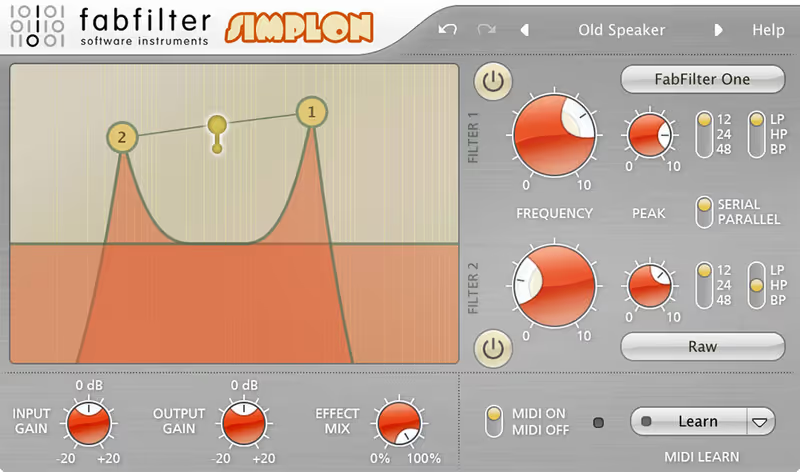
My Experience: Sometimes Volcano is simply too much power for the job. Simplon is just two of those great-sounding FabFilter filters in a tiny, streamlined interface. I use it for DJ-style low-pass sweeps on the master bus or simple clean-up jobs on individual tracks. It sounds identical to Volcano but loads instantly and uses virtually zero CPU, making it perfect for large sessions.

Deeper Look: It has three simple modes: Serial, Parallel, and Mono. That's it. It’s the perfect "utility" filter when you don't need complex modulation. It works perfectly with automation in Ableton or Logic, allowing you to draw in sweeps quickly. It proves that you don't always need the most complex tool to get the best professional result. Sometimes simplicity wins.

Heard on
Live Sets Simple Mixing Transitions
Check price $55
07 Cytomic

The Drop

Best for Analog Warmth

The most convincing analog behaviour here and the reason the CPU meter is red, which is the trade Cytomic always asks for.

Tested score
7.5
out of 10

How it scored

  • Resonance Character 9.6

    Circuit-level Sallen Key and Ladder models. Best on the page.

  • Modulation Flexibility 8.0

    Audio-rate LFOs, but a plainer routing scheme than Volcano.

  • Drive Quality 9.4

    Breaks up the way the circuit does rather than the way a waveshaper does.

  • CPU Footprint 3.0

    Solving non-linear equations per sample. Lowest here by a distance.

Why we picked it

Best for analog purists who want the true sound of hardware filters.

Who should skip it

Skip this if you have a slow computer. It eats CPU.

The good

  • Unmatched realism
  • Audio-rate modulation
  • Beautiful drive

The bad

  • Very heavy on CPU
  • Complex UI
  • Niche appeal
Engine
VST/AU/AAX
Type
Circuit Model
Size
Plugin
Price
Check site
Why it scored that way

The most realistic circuit model available.

My Experience: The Drop is built for the absolute analog purists. It simulates the actual electrical circuits of famous synthesizer filters down to the component level. The "Sallen Key" and "Ladder" models sound indistinguishable from my actual hardware synths sitting in the studio. The drive is fantastic: it breaks up exactly how an analog circuit does, with pleasing harmonics. I use it to warm up cold, sterile VST synths instantly.

Deeper Look: It is notoriously CPU intensive because it is solving complex non-linear math equations in real-time to generate its sound. But the result is worth it. The LFOs are ultra-fast, allowing for true audio-rate modulation (FM), which can turn the filter itself into a sound generator. It allows for complex, jagged textures that most digital filters simply cannot reproduce accurately.

Heard on
Techno Production Hardware Emulation Acid Lines
Check price

Frequently Asked Questions

What is the difference between a filter plugin and an EQ?

An EQ is designed for precise, low-artefact tonal correction; a filter plugin is designed to be swept and driven, with resonance and saturation as features. The distinction is intent rather than mathematics.

What does resonance actually do?

It boosts the signal at the cutoff frequency, and at high settings the filter begins to self-oscillate and produce a tone of its own. That tone is pitched, so a heavily resonant sweep can clash with the key of the cue.

Why do filter sweeps sound stepped?

Because the cutoff is being modulated at MIDI control resolution rather than audio rate. A plugin that smooths its parameter changes, or an LFO running inside the plugin rather than automation from the host, removes the zipper noise.

What filter slope should I use?

12 dB per octave for musical sweeps and 24 dB per octave when you need the material below the cutoff genuinely gone. Steeper slopes remove more but also ring more around the cutoff.

Written By

Felix Ward

Felix is an indie-folk songwriter and session guitarist who values vibe over perfection. He looks for tools that potentialize 'happy accidents' and offer immediate inspiration. If a plugin requires reading a 100-page manual, he's probably already moved on.

Related Guides

All Guides →

New reviews, no noise

Occasional email when we publish something worth your time. No daily digest, no vendor press releases.

We never sell your address. Unsubscribe any time, see our privacy policy.