




Best LFOTool Alternatives

LFOTool became standard because drawing a volume shape and locking it to the bar is faster than automating it. The alternatives are better because they apply the same idea to more than volume.

The ModWheel Team
By The ModWheel Team Editorial Staff

ModWheel is reader-supported. When you buy through links on this page we may earn an affiliate commission, at no extra cost to you. This never influences which products we recommend, read our testing methodology.

Prices come from the store's own feed and were last checked 27 September 2026. We don't issue discount codes — the price you see is the store's own.

Pick one in 10 seconds

Short version
  • You want the same idea applied to volume, filter, pan, drive and width The direct superset, and the one most people should buy. ShaperBox 3 Bundle
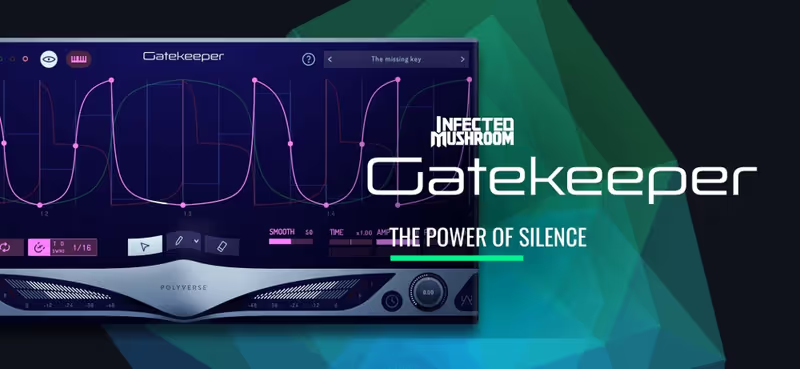
  • You only ever use it for rhythmic gating and want it cheap One job, done precisely, for a fraction of the price. Gatekeeper
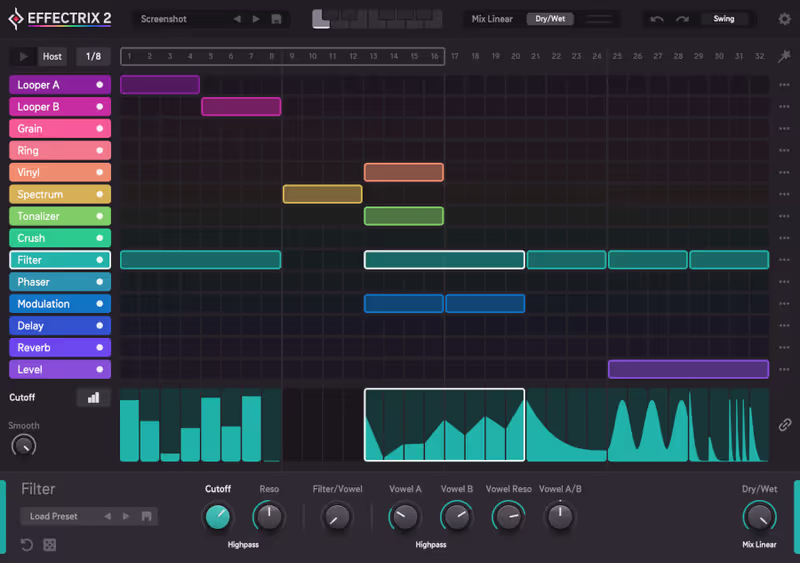
  • You think in steps and patterns rather than in curves A sequencer grid instead of a drawn shape, which suits some writers far better. Effectrix 2
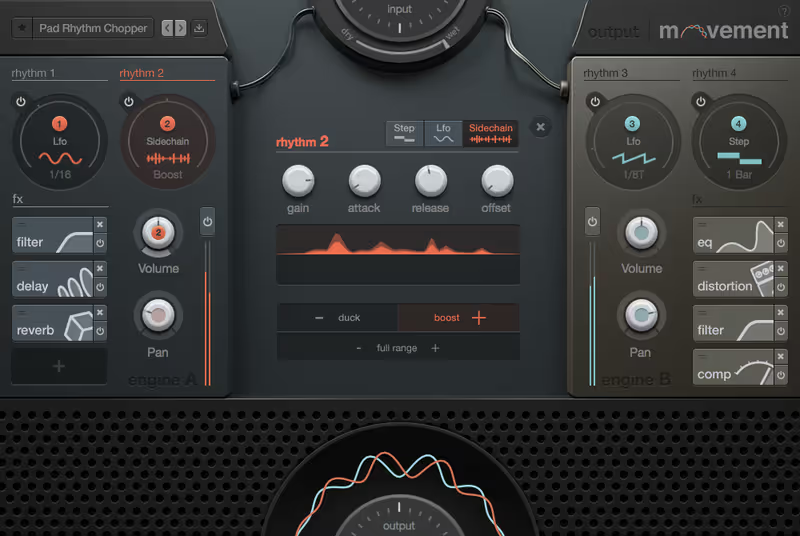
  • You want movement across a whole effects rack, not one parameter Rhythmic modulation driving a chain, built for exactly this kind of cue. Movement
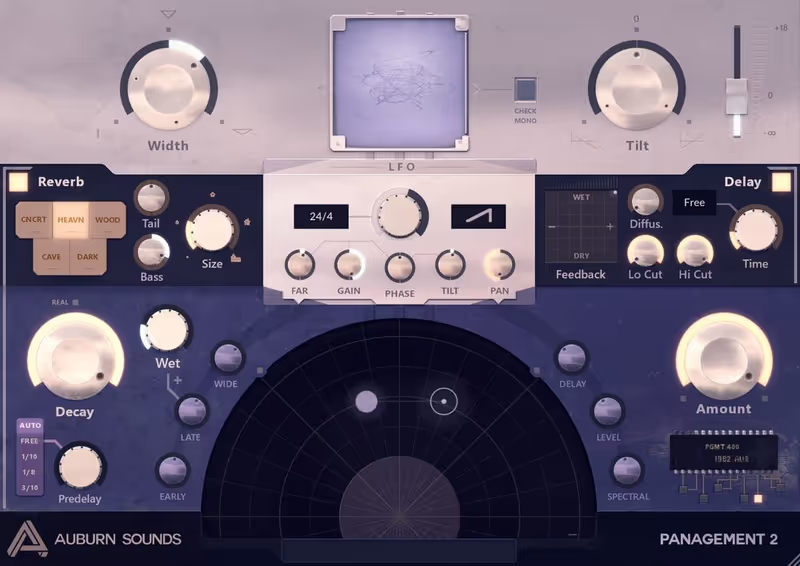
  • The movement you actually want is spatial Position and distance rather than level, at the lowest price here. Panagement 2

Compare all 5

Controls
Volume, filter, pan, drive, width, time
Method
Drawn curve
Controls
Volume
Method
Drawn envelope
Effectrix 2
3. Effectrix 2 Sugar Bytes
8.1
Controls
A rack of effects
Method
Step sequencer
Movement 8.4
Controls
An internal effects chain
Method
Tempo synced modulators
Panagement 2
5. Panagement 2 Auburn Sounds
7.3
Controls
Position and distance
Method
Binaural panning

The job is narrow and it comes up constantly in hybrid writing. A pad needs to pulse against a percussion loop, a sustained brass note needs to be chopped into a rhythm, or a bed needs to duck under a hit without a compressor making the decision. Drawing the shape and locking it to the tempo does all three.

So the axes score the shape editor separately from what the shape can control. A plugin that draws a beautiful curve and only applies it to volume will lose to one with a cruder editor driving a filter, a pan and a drive stage at once, and which of those matters depends on how much of your cue is movement.

Nothing here was tested in a studio and every card says so. The scores come from published specification and documented behaviour, and the verdicts agree with what this site has already published about these plugins elsewhere.

7 Best Multi-FX Plugins for Audio Mangling (2026) covers the wider field these sit inside.

Top Picks

01 Cableguys Best Overall

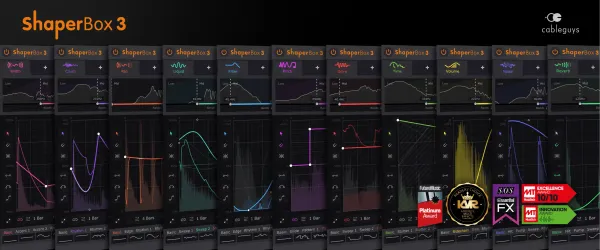
ShaperBox 3 Bundle

Best for Rhythmic Modulation

Not tested by us, assessed from specs and documented behaviour

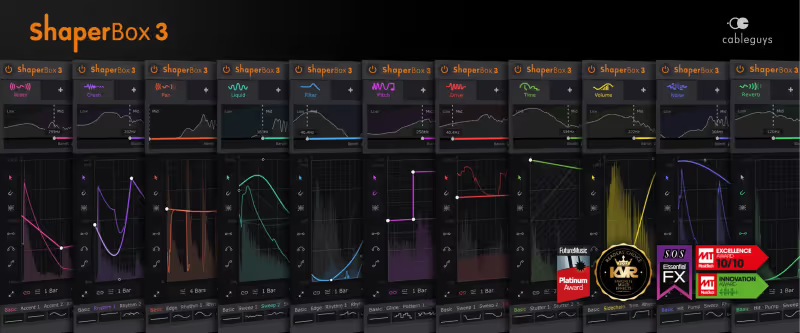
The direct upgrade and the obvious purchase for most people. It is the same drawable tempo locked curve, applied to volume, filtering, panning, drive, width and time, with several shapers stacked inside one plugin instance.

Assessed score
9.1
out of 10

How it scored

  • Shape Editor 9.5

    Node based, snaps to the grid, and it is quick to draw by hand.

  • Destinations 9.5

    Volume, filter, pan, drive, width and time, stackable.

  • Time to Result 9.0

    Presets cover the common shapes and the editor is not in the way.

  • Value 8.5

    More than the anchor, and it replaces several plugins at once.

Why we picked it

Best for composers building hybrid textures who want several kinds of movement from one drawn shape.

Who should skip it

Skip it if you only ever gate volume, because a cheaper plugin does that job as well.

The good

  • Six kinds of movement, one window
  • Excellent node based editor
  • Shapers stack in one instance

The bad

  • The priciest option here
  • Easy to overuse
  • More than a gate needs
Controls
Volume, filter, pan, drive, width, time
Method
Drawn curve
Price
$99
Why it scored that way

The same idea, applied to everything.

This is the plugin most people searching for an LFOTool alternative are looking for without knowing its name. The core idea is identical, a curve drawn against the bar that modulates a parameter, and the difference is that the parameter is no longer only volume. The same shape can drive a filter cutoff, a pan position, a drive stage, a stereo width or a time based effect.

In practice that changes what the plugin is for. A trailer bed that pulses in level is a familiar sound and a slightly tired one. The same bed pulsing in level while a filter opens on the offbeat and the image widens on the downbeat is a texture, and building it here is three shapes in one window rather than three plugins and a routing decision.

The cost is the price and a certain amount of rope. Having six destinations available makes it easy to build something that moves constantly and communicates nothing, which is a discipline problem rather than a design flaw. It is also the most expensive entry here, and if volume gating is genuinely all you do then you are paying for capability that will sit unused.

Playing connects you to YouTube, which may set cookies.
Heard on
Trailer Music Hybrid Scoring Sound Design
Check price $99
02 Polyverse Best Value

Gatekeeper

Best for Rhythmic Gating

Not tested by us, assessed from specs and documented behaviour

If the honest answer is that you only ever use LFOTool to chop or duck volume, this does exactly that with a precise envelope editor and costs a fraction of the alternatives. Everything else here is capability you would not open.

Assessed score
8.0
out of 10

How it scored

  • Shape Editor 9.0

    Precise, with sharp corners that stay sharp.

  • Destinations 4.0

    Volume, and that is deliberate.

  • Time to Result 9.5

    Nothing to configure. Draw and it works.

  • Value 9.5

    The cheapest serious option on the page.

Why we picked it

Best for composers whose use of this kind of plugin is rhythmic volume gating and nothing else.

Who should skip it

Skip it if you want to modulate filtering or panning, because it does neither.

The good

  • Precise envelope editor
  • Patterns switchable from MIDI
  • Cheapest serious option here

The bad

  • Volume only
  • No filter or pan movement
  • Limited outside its one job
Controls
Volume
Method
Drawn envelope
Price
$49
Why it scored that way

One job, and it is the job you actually do.

There is a strong argument for buying the narrow tool. A large proportion of LFOTool use is one thing, cutting a sustained sound into a rhythm or ducking a bed under a hit, and paying four times as much for filter and pan modulation you will never reach is a poor trade.

What this offers is a clean envelope editor aimed squarely at that, with several patterns held per instance and the ability to switch between them from MIDI, which turns a static gate into something that can change across a cue without automating the plugin itself. For a hybrid arrangement where the pattern needs to double in the last eight bars, that is the difference between one instance and a lane full of automation.

What it will not do is anything other than volume. There is no filter, no panning and no distortion, so the moment a cue needs the movement to be spectral rather than dynamic you are opening a second plugin. Bought with that understood it is the best value here, and bought as a general modulation tool it will disappoint within a week.

Heard on
Hybrid Scoring Trailer Music Game Audio
Check price $49
03 Sugar Bytes

Effectrix 2

Best for Sequenced Effects

Not tested by us, assessed from specs and documented behaviour

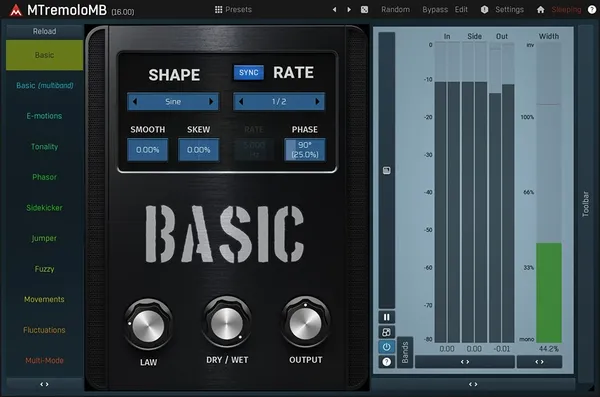
A different interface to the same instinct. You paint effects onto a grid rather than drawing a curve, which is worse for smooth movement and much better for abrupt, arranged, obviously rhythmic gestures.

Assessed score
8.1
out of 10

How it scored

  • Shape Editor 7.0

    A step grid, so resolution is the step rather than the curve.

  • Destinations 9.0

    A full rack of effects, any of which can be sequenced.

  • Time to Result 8.5

    Painting a pattern is fast and the presets are usable.

  • Value 8.0

    Mid priced for a plugin that covers a lot of ground.

Why we picked it

Best for composers building transitions and abrupt rhythmic sound design rather than continuous movement.

Who should skip it

Skip it if you want subtle continuous modulation, because the grid quantises everything.

The good

  • Whole effects rack sequenced
  • Fast for building transitions
  • Suits step based thinking

The bad

  • Quantised to the grid
  • Poor at subtle movement
  • Always announces itself
Controls
A rack of effects
Method
Step sequencer
Price
$129
Why it scored that way

Steps instead of curves, which suits some writers much better.

Drawing a curve and painting a grid are two ways of expressing the same intention, and composers divide fairly cleanly on which one they think in. A grid is worse at the gentle pulse that a drawn curve produces naturally, and considerably better at the abrupt stutter, reverse and filter sweep that a transition into a new section wants.

The rack matters as much as the sequencer. Because each step can trigger a different processor, a single bar can pass through a stutter, then a reverse, then a filtered tail, arranged in advance rather than performed. For the eight bars before a trailer drop, where the sound design is the arrangement, that is a much more direct way to work than automating five separate plugins.

Its weakness is subtlety. Everything it produces announces itself, which is fine when the point is a transition and wrong when the point is a bed that breathes. The quantised nature of the grid also means anything that needs to sit between steps has to be built elsewhere, and that limitation shows up faster than you would expect.

Heard on
Trailer Music Transitions Sound Design
Check price $129
04 Output

Movement

Best for Evolving Texture

Not tested by us, assessed from specs and documented behaviour

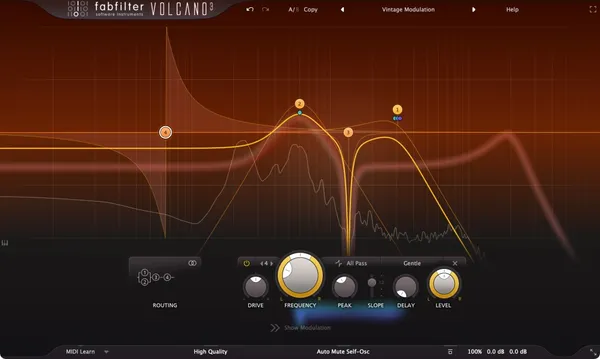
The choice when the thing you want moving is a whole processed sound rather than its level. Modulators drive an internal effects chain, so a static pad becomes an evolving one without you automating anything.

Assessed score
8.4
out of 10

How it scored

  • Shape Editor 7.5

    Modulator shapes rather than freehand drawing.

  • Destinations 9.0

    An internal effects chain, with modulation across it.

  • Time to Result 9.0

    Preset driven, and the presets are the reason to own it.

  • Value 8.0

    Reasonable, particularly given how often it is discounted.

Why we picked it

Best for composers who want a static bed to evolve on its own across a long cue.

Who should skip it

Skip it if you need to draw an exact rhythmic shape, because that is not what it does.

The good

  • Turns pads into textures
  • Modulates a whole chain
  • Strong preset library

The bad

  • Hard to steer precisely
  • Recognisable character
  • Poor at exact gating
Controls
An internal effects chain
Method
Tempo synced modulators
Price
$149
Why it scored that way

Movement across a chain rather than one parameter.

This addresses a related but distinct complaint, and the distinction is worth being clear about before spending anything. LFOTool makes a sound pulse, which is a change in level against the bar. Movement makes a sound become something else over the course of a phrase, by running it through an internal chain whose parameters are being driven by tempo synced modulators continuously rather than gated.

For hybrid writing that difference is substantial. A sustained string bed put through this arrives with filtering, distortion and delay all moving against the bar, so it stops being a pad and starts being a texture that develops across sixteen bars without a single automation lane. That is the specific job of a lot of underscore writing, and doing it by hand is slow.

The trade is control and transparency. You are working through somebody else's chain with somebody else's modulators, which means the results are good quickly and hard to steer precisely, and a listener familiar with the plugin will recognise its character on a bare texture. For drawing an exact rhythmic gate it is the wrong tool entirely, and the first two entries on this page do that far better.

Heard on
Underscore Hybrid Scoring Ambient Cues
Check price $149
05 Auburn Sounds

Panagement 2

Best for Spatial Placement

Not tested by us, assessed from specs and documented behaviour

Not a modulation tool in the sense the rest of this page means. If the movement your cue is missing is spatial rather than rhythmic, this places sounds in a field for less than thirty euros and nothing above it does that.

Assessed score
7.3
out of 10

How it scored

  • Shape Editor 6.0

    Modulation is there, and it is not the focus.

  • Destinations 5.0

    Position and distance, which is a narrow but distinct set.

  • Time to Result 9.0

    Two controls carry most of the work.

  • Value 9.0

    The cheapest entry, and a free tier exists below it.

Why we picked it

Best for composers whose arrangements are crowded in the centre and need depth rather than rhythm.

Who should skip it

Skip it if you want tempo locked rhythmic gating, because that is not what it does.

The good

  • Real depth and placement
  • Cheapest option here
  • Free tier to try first

The bad

  • No rhythmic gating
  • Narrow purpose
  • Modulation is secondary
Controls
Position and distance
Method
Binaural panning
Price
$29
Why it scored that way

The odd one out, and the right answer for some readers.

Include this only if it describes you. A number of composers reach for a rhythmic modulation plugin because a cue feels flat and static, and rhythm is the first remedy that comes to mind. Often the actual fault is that everything is sitting in the same place in the stereo field at the same distance, and no amount of gating addresses that.

What this offers is binaural panning with distance simulation, so a texture can be placed behind and to the left of the orchestra rather than merely turned down, with slow modulation available to keep it from sitting completely still. On a dense hybrid arrangement that is frequently the change that makes the cue open up, and it is a change that costs under thirty euros.

It is on this page as a corrective rather than as a competitor, and it should not be compared with the entries above it on their own terms. If what you need is a volume shape locked to the bar, this does not provide one, and Gatekeeper or the Cableguys bundle is the correct purchase instead.

Heard on
Hybrid Scoring Ambient Cues Sound Design
Check price $29
Read more →

Methodology

Who is this for

Working composers and producers who need reliability, speed, and character for professional scoring tasks.

Our testing process

Where we have tested a product, we do it in actual production scenarios, ranging from rapid sketches to commercial pitches, and we evaluate it in a dense template rather than in isolation. Where we have not, the product card says so and the assessment is drawn from specifications and documented behaviour instead.

Why you should trust us

We buy most reviewed plugins ourselves. Occasionally we receive NFRs for evaluation, but this never guarantees a review or positive verdict. We may earn commissions from links, but our editorial choices are never for sale.

Also considered

For every category, we audition the top 8 to 15 standard options, discarding any that suffer from poor scripting, slow load times, or uninspiring sampling.

Frequently Asked Questions

What is the closest alternative to LFOTool?

The ShaperBox bundle, because it is the same idea with more destinations. A drawable tempo locked curve is still what you are working with, and it can now drive filtering, panning, drive, width and time as well as volume, with several shapers stacked in one instance. It costs more than the anchor and replaces several plugins at once.

Do I need this if my DAW has automation?

Automation does the same thing and takes far longer, which is the whole argument. Drawing one bar of a shape and letting it repeat against the tempo is a few seconds of work, where the equivalent automation lane is a few minutes and has to be redrawn every time the tempo or the arrangement changes.

Is rhythmic gating overused in hybrid cues?

Badly, and it is worth being honest about. A pulsing bed is the most recognisable sound in trailer music and an editor hears it constantly, so a cue that leans on it sounds like every other cue on the reel. Movement that is spectral or spatial rather than dynamic tends to survive more listens.

Can I use one of these instead of a sidechain compressor?

Yes, and for a scored cue it is usually the better choice. A drawn shape does exactly what you drew regardless of what the source material does, where a compressor's behaviour changes with the input, so a bed ducking under an orchestral hit stays consistent across takes and edits instead of varying with the take.

Written By

The ModWheel Team

The ModWheel editorial team is a collective of composers, producers, and sound designers. We collaborate to bring you comprehensive guides, industry news, and curated lists that represent our shared expertise and passion for music technology.

Related Guides

All Guides →

New reviews, no noise

Occasional email when we publish something worth your time. No daily digest, no vendor press releases.

We store only your address, never sell it, and delete it as soon as you unsubscribe. See our privacy policy.