





7 Best Multi-FX Plugins for Audio Mangling (2026)

If you are chaining twenty separate plugins together just to make a synth lead interesting, you are doing it wrong.

Ewan Clarke
By Ewan Clarke

What changed: Every pick now carries a verdict line and scores for modulation flexibility, glitch sequencing and CPU load, and there is a decision router at the top.

Ewan is a sound designer whose patches have appeared in major wavetable synths and cinematic scoring libraries. A self-confessed modular addict, he bridges the gap between West Coast experimentation and pop-ready polish. He believes every preset should tell a story.

Finding the best multi-FX plugins is essential for producers aiming to quickly transform boring, static audio into complex rhythmic textures. Traditional mixing workflows often rely on static equalization and compression, which completely ignores the creative potential of extreme time and pitch manipulation. The top audio mangling VSTs combine dozens of distinct processors into a single unified environment, driven by complex internal sequencers.

You need a powerful digital sandbox that handles heavy glitching, granular delay, and aggressive distortion without crashing your session. A great multi-effect unit replaces complex DAW automation lanes with simple, intuitive graphical envelopes. The right tool depends heavily on your workflow, such as preferring step-sequenced stutters or highly animated, curve-based modulation.

Several of these picks also appear in our 7 Best Glitch Plugins for IDM and Glitchcore (2026) roundup, which is worth a look if you are weighing up both.

ModWheel is reader-supported. When you buy through links on this page we may earn an affiliate commission, at no extra cost to you. This never influences which products we recommend, read our testing methodology.

Pick one in 10 seconds

Short version
  • You want the deepest sound design available inside one instance Infiltrator 2
  • You know the modulation curve and want to draw it exactly ShaperBox 3 Bundle
  • You want tape stops and reverses painted onto a grid Effectrix 2
  • A piano chord should become an evolving texture in tempo Portal
  • The lows and the highs need different distortion Thermal
  • You want vintage colour rather than mangling RC-20 Retro Color

Compare all 7

Protection
Serial Key
Effectrix 2
2. Effectrix 2 Sugar Bytes
7.9
Protection
Serial Key
$89 $129 View price
Thermal 6.0
Protection
Output Hub
Infiltrator 2
4. Infiltrator 2 Devious Machines
8.4
Protection
Serial Key
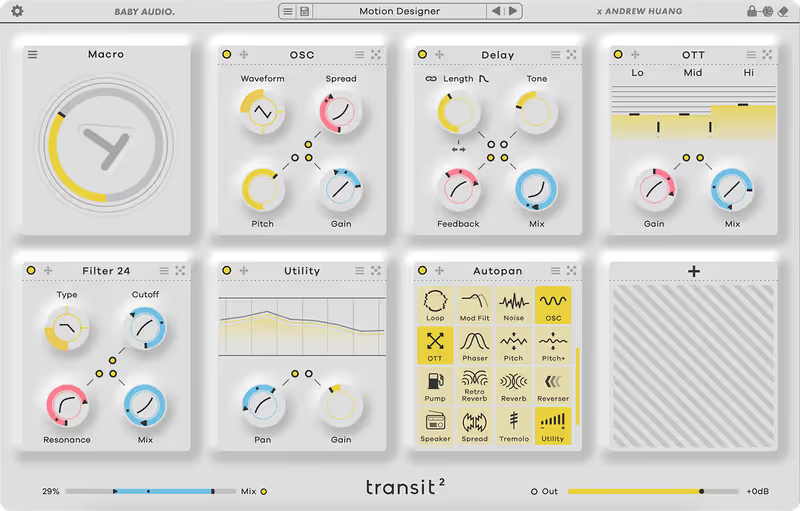
Transit 2
5. Transit 2 Baby Audio
7.0
Protection
Serial Key
Protection
XLN Online Installer
Portal 6.9
Protection
Output Hub
Read more →

Methodology

Who is this for

Working composers and producers who need reliability, speed, and character for professional scoring tasks.

Our testing process

Where we have tested a product, we do it in actual production scenarios, ranging from rapid sketches to commercial pitches, and we evaluate it in a dense template rather than in isolation. Where we have not, the product card says so and the assessment is drawn from specifications and documented behaviour instead.

Why you should trust us

We buy most reviewed plugins ourselves. Occasionally we receive NFRs for evaluation, but this never guarantees a review or positive verdict. We may earn commissions from links, but our editorial choices are never for sale.

Also considered

For every category, we audition the top 8 to 15 standard options, discarding any that suffer from poor scripting, slow load times, or uninspiring sampling.

Top Picks

01 Cableguys

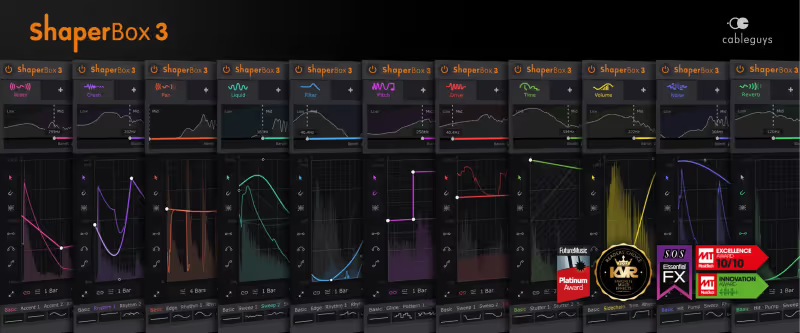
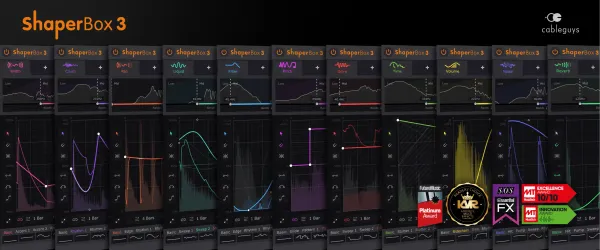
ShaperBox 3 Bundle

Best for Rhythmic Modulation

The most precise modulation on the page, sold one module at a time.

Tested score
8.5
out of 10

How it scored

  • Modulation Flexibility 9.4

    Drawn curves per band, with audio-triggered envelopes. Best here.

  • Glitch Sequencing 8.5

    TimeShaper handles stutters and tape stops without a separate plugin.

  • CPU Footprint 7.5

    Light per module, noticeably less so once the bands split.

Why we picked it

Best for fluid rhythm manipulation because the intuitive curve editor allows you to draw exact modulation shapes instantly.

Who should skip it

Avoid if you strongly prefer traditional step-sequenced blocks rather than drawing continuous mathematical curves.

The good

  • Incredibly intuitive curve editor
  • Fantastic audio-triggered envelopes
  • Extremely low CPU usage

The bad

  • Requires purchasing multiple modules
  • Multiband splitting increases CPU load
  • Interface can feel slightly sterile
Format
VST/AU/AAX
Protection
Serial Key
Price
$99
Why it scored that way

This is the most fluid rhythmic modulation environment I have ever used in a studio setting.

ShaperBox 3 has completely replaced manual volume automation in my daily mixing template for electronic projects. The highly responsive graphical interface allows you to draw precise volume ducks, intricate time stutters, and aggressive filter sweeps instantly. The newly introduced audio-triggered envelopes mean you no longer need complex MIDI routing just to achieve highly responsive, dynamic effects on a static drum bus.

While it is generally a lightweight plugin, stacking multiple frequency bands with complex LFO shapes can eventually tax older processing systems. I appreciate how quickly you can achieve a classic French house pumping effect or unpredictable IDM stutters. It remains a strong choice for any mix engineer looking to save time, though multiband splitting raises the CPU cost noticeably.

Heard on
David Guetta Illenium Martin Garrix
Check price $99
02 Sugar Bytes

Effectrix 2

Best for Glitch Sequencing

The fastest glitch sequencer here and the least able to move smoothly between two states.

Tested score
7.9
out of 10

How it scored

  • Modulation Flexibility 5.5

    Blocks on a grid, with no continuous LFO to speak of. Lowest here.

  • Glitch Sequencing 9.6

    The grid is still the quickest way to place a tape stop. Best on the page.

  • CPU Footprint 8.5

    Comfortable with a full pattern running.

Why we picked it

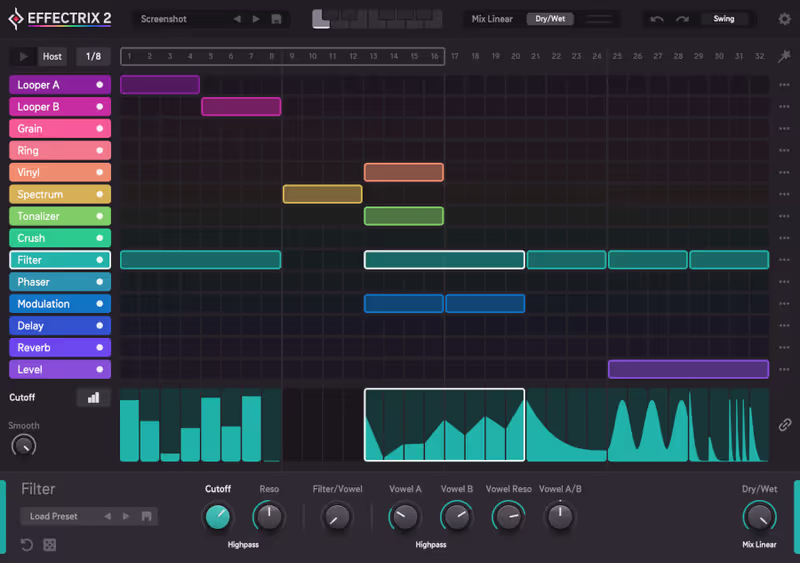
Best for immediate glitch effects because the step-sequencer grid allows you to paint complex audio manipulations instantly.

Who should skip it

Avoid if you require smooth, continuously evolving LFO curves rather than rigid, block-based sequencing.

The good

  • Incredibly fast grid-based workflow
  • Excellent tape stop and reverse effects
  • Great for live performance

The bad

  • Lacks smooth continuous LFO modulation
  • Interface feels slightly cramped
  • Limited internal routing options
Format
VST/AU/AAX
Protection
Serial Key
Price
$89
Why it scored that way

Effectrix is the undisputed king of immediate, step-sequenced audio destruction.

Effectrix 2 revitalizes the classic grid-based workflow that defined an entire generation of glitch and experimental hip hop. You simply paint blocks across the sequencer to instantly apply heavy tape stops, reverse stutters, and aggressive bitcrushing exactly where you need it. I frequently use this tool on static vocal chops to rapidly generate complex rhythmic movement without needing to physically cut the audio regions.

The strict step-sequencer design is incredibly fast, but it inherently lacks the smooth, continuous modulation found in modern LFO-driven plugins. Despite this rigid structure, it remains an excellent Infiltrator alternative for producers who value immediate, block-based composition. The updated looper and granular modules add a massive amount of modern texture to an already legendary classic toolkit.

Heard on
Skrillex Diplo Flume
Check price $89 (was $129)
03 Output

Thermal

Best for Multiband Distortion

The best multiband distortion here and the worst CPU bill, which is the same sentence Output has been writing for years.

Tested score
6.0
out of 10

How it scored

  • Modulation Flexibility 8.5

    The XY pad drives several parameters at once and the routing is deep.

  • Glitch Sequencing 6.5

    Modulation rather than sequencing. There is no grid to paint on.

  • CPU Footprint 3.0

    Demanding, and the animated interface adds to it. Lowest here.

Why we picked it

Best for aggressive multiband distortion because it allows you to independently saturate specific frequency ranges with complex modulation.

Who should skip it

Avoid if you just need a simple, lightweight analog tape emulation for subtle mix bus saturation.

The good

  • Incredible multiband distortion options
  • Highly interactive XY modulation pad
  • Massive library of modern presets

The bad

  • Requires significant computer resources
  • Interface animations can cause lag
  • Overkill for subtle saturation
Format
VST/AU/AAX
Protection
Output Hub
Price
$149
Why it scored that way

Thermal provides an incredibly musical approach to entirely destroying your audio signals.

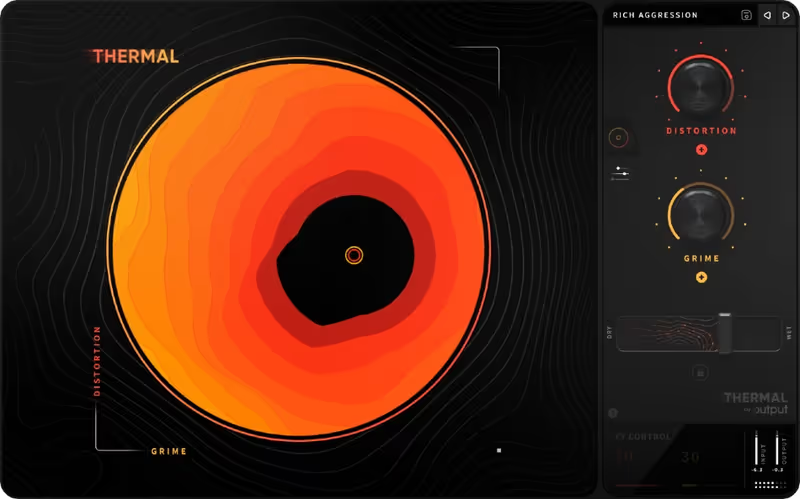
Output Thermal goes far beyond standard saturation by combining massive multiband distortion with an incredibly interactive circular XY modulation pad. The deep manipulation engine allows you to apply different distortion algorithms to the lows, mids, and highs independently while heavily modulating the cutoff frequencies. I constantly use this plugin to completely decimate sub basslines while leaving the fundamental frequencies completely intact and powerful.

The visually stunning interface is fantastic for inspiration, but it demands a significant amount of computer processing power to render its complex animations smoothly. Even with the heavy CPU load, it stands as the absolute best distortion alternative to basic, static saturation tools. The included preset library is massive and heavily tailored toward modern, aggressive electronic music production.

Heard on
Kenny Beats Finneas Ian Kirkpatrick
Check price $149
04 Devious Machines

Infiltrator 2

Best for Sound Design

Twenty-eight modules and a sequencer for each of them, which replaces a folder of plugins and a clear head.

Tested score
8.4
out of 10

How it scored

  • Modulation Flexibility 9.6

    Ten effects chained with a drawn curve on every parameter. Best on the page.

  • Glitch Sequencing 9.0

    Spectral modules and per-step sequencing cover the same ground as a dedicated glitcher.

  • CPU Footprint 6.5

    Ten modules deep in one instance is not free.

Why we picked it

Best for absolute sound design control because it offers twenty-eight distinct modules and incredibly deep modulation sequencing.

Who should skip it

Avoid if you suffer from severe decision paralysis and prefer simple plugins with only three knobs.

The good

  • Overwhelming amount of high-quality effects
  • Incredibly powerful internal sequencer
  • Fantastic sounding spectral manipulation

The bad

  • Can easily induce decision paralysis
  • Steep learning curve for beginners
  • Complex routing can become confusing
Format
VST/AU/AAX
Protection
Serial Key
Price
$129
Why it scored that way

Infiltrator is a complete multi-effect ecosystem capable of entirely replacing your entire modulation folder.

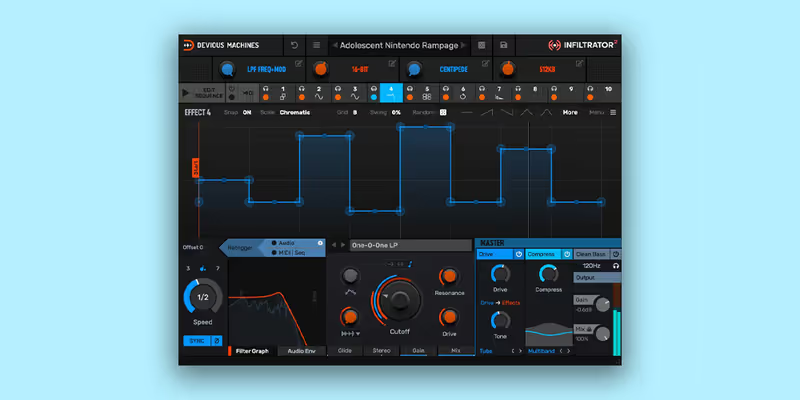
Infiltrator 2 provides an overwhelming amount of sound design potential, featuring twenty-eight distinct effect modules ranging from pristine reverbs to aggressive spectral manipulations. The internal sequencer allows you to chain up to ten effects simultaneously, drawing complex custom modulation curves for every single parameter. I recently utilized it to transform a basic acoustic guitar loop into a massive, swelling ambient drone entirely within a single plugin instance.

The sheer density of options and routing capabilities can easily induce severe decision paralysis during a fast-paced tracking session. Regardless of the steep learning curve, it is unquestionably the best ShaperBox alternative for producers who demand absolute, uncompromising control over their audio. The dual filter system and aggressive overdrive algorithms sound exceptionally analog and heavy.

Heard on
Noisia Virtual Riot Mr. Carmack
Check price $129
05 Baby Audio

Transit 2

Best for Mix Transitions

Built for the eight bars before the drop and unremarkable everywhere else, which the plugin does not pretend otherwise.

Tested score
7.0
out of 10

How it scored

  • Modulation Flexibility 7.0

    One macro moving many parameters, and no per-parameter control underneath.

  • Glitch Sequencing 6.5

    The motion sequencer works, though it is a side feature.

  • CPU Footprint 7.5

    A full chain in one instance, and no worse than the sum of its parts.

Why we picked it

Best for creating song transitions because the macro knob controls dozens of effect parameters simultaneously with one movement.

Who should skip it

Avoid if you are looking for a static, subtle equalizer or compressor for basic track leveling.

The good

  • Simplifies massive transition automation
  • Excellent sounding internal effects
  • Great built-in motion sequencer

The bad

  • Not designed for static mix processing
  • Requires careful gain staging
  • Limited to macro-driven parameter changes
Format
VST/AU/AAX
Protection
Serial Key
Price
$129
Why it scored that way

Transit removes the painful tedium of manually automating massive sweeps and risers.

Transit 2 focuses entirely on solving the tedious problem of creating massive, exciting transitions between different sections of a song. You load up multiple effects like delays, reverbs, and noise generators, and then control them all simultaneously using a single macro transition knob. I use this exclusively on my master bus during the final build-up before a heavy dubstep drop, saving hours of manual automation drawing.

Because it is explicitly designed for large sweeping transitions, it is not particularly useful as a static insert effect for subtle mixing tasks. Despite this specialized focus, it is the absolute best alternative to manually drawing twenty separate automation lanes in your DAW. The inclusion of an internal motion sequencer allows you to trigger massive sweeps with a single MIDI note perfectly.

Heard on
Andrew Huang San Holo Zedd
Check price $129
06 XLN Audio

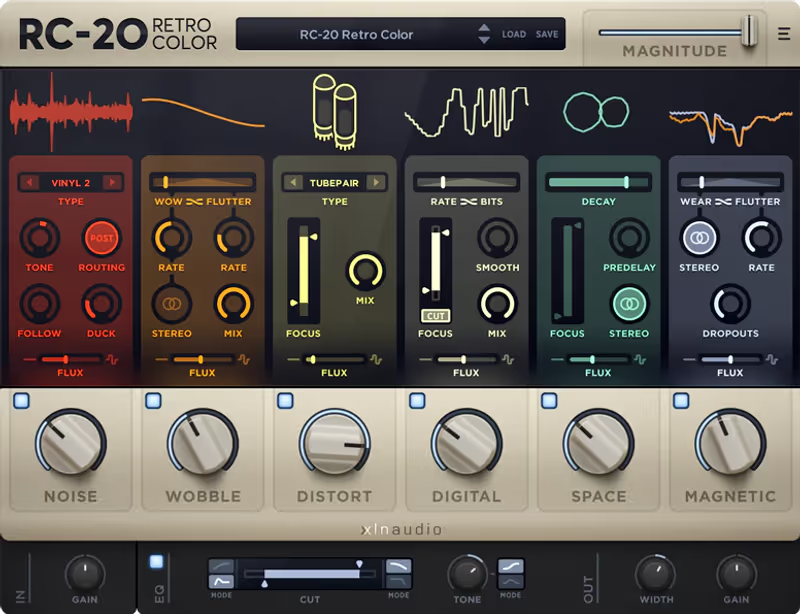
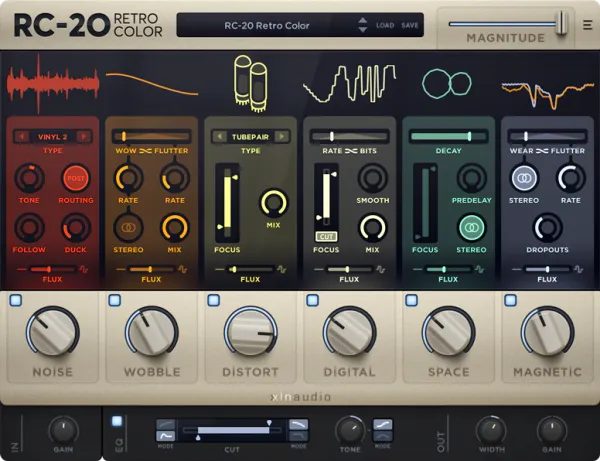
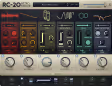
RC-20 Retro Color

Best for Vintage Color

A colour box on a page of mangling tools, which is why it scores badly here and still ends up on the track.

Tested score
5.6
out of 10

How it scored

  • Modulation Flexibility 4.0

    No internal LFOs and no sequencers. Lowest on the page.

  • Glitch Sequencing 3.5

    None. The rhythmic movement it has is wobble, not gating.

  • CPU Footprint 9.4

    The lightest thing here by a wide margin.

Why we picked it

Best for adding vintage character because it provides authentic tape degradation and vinyl noise instantly.

Who should skip it

Avoid if you require complex, heavily sequenced rhythmic stutters and gating effects.

The good

  • Incredible vintage tape and vinyl emulations
  • Brilliant global magnitude control knob
  • Extremely low CPU consumption

The bad

  • Lacks complex rhythmic modulation sequencers
  • Requires dedicated XLN installer
  • Tube distortion can sound slightly harsh
Format
VST/AU/AAX
Protection
XLN Online Installer
Price
$99
Why it scored that way

RC-20 is the undisputed standard for adding immediate vintage warmth and nostalgic imperfection to modern audio.

RC-20 Retro Color excels at instantly degrading pristine digital audio, providing an incredibly authentic tape wobble and vinyl noise generation engine. The six separate effect modules allow you to precisely dial in everything from subtle tube warmth to aggressive, broken speaker distortion. I use this plugin constantly on my drum buses to glue the transients together while imparting a distinct, dusty vintage character.

The user interface is exceptionally clean, but the plugin lacks any complex internal LFOs or step-sequencers for rhythmic modulation. However, it remains an excellent multi-effect alternative when you prioritize vintage tone color over complex audio mangling. The magnitude slider is a brilliant inclusion, allowing you to instantly dial back the overall intensity of all six effects simultaneously.

Heard on
Kenny Beats Finneas Tyler The Creator
Check price $99
07 Output

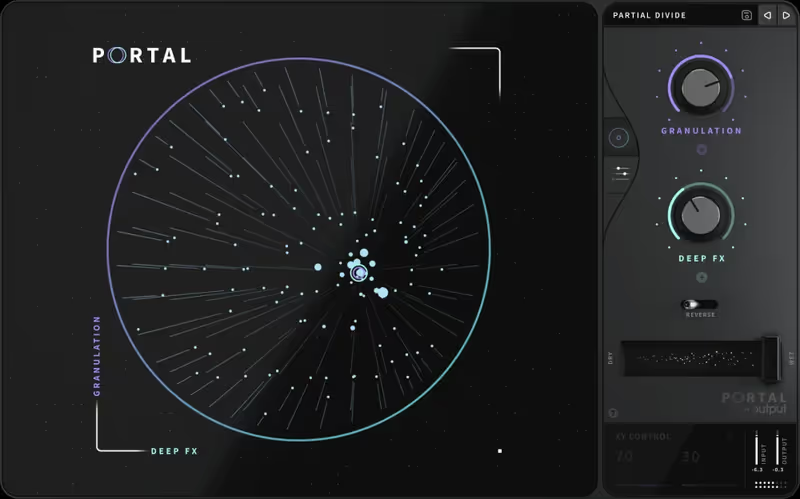
Portal

Best for Granular Mangling

The most musical granular engine here and a second heavy Output plugin, so budget the CPU before you buy both.

Tested score
6.9
out of 10

How it scored

  • Modulation Flexibility 8.8

    Grain size and density under XY control, locked to host tempo.

  • Glitch Sequencing 8.0

    Granular textures rather than step-sequenced cuts.

  • CPU Footprint 4.0

    Heavy, and the interface animation adds to the load.

Why we picked it

Best for creating rhythmic ambiance because the granular engine maintains perfect musical synchronization with your host tempo.

Who should skip it

Avoid if you are looking for traditional, straightforward delay and reverb algorithms without granular processing.

The good

  • Highly musical granular synthesis approach
  • Excellent circular XY modulation interface
  • Great built-in delay and filter modules

The bad

  • High computer processing requirements
  • Interface animations can cause lag
  • Can easily smear transient heavy audio
Format
VST/AU/AAX
Protection
Output Hub
Price
$149
Why it scored that way

Portal transforms entirely mundane audio sources into complex, shifting alien soundscapes.

Output Portal utilizes a highly musical approach to granular synthesis, avoiding the chaotic, random noise often associated with older granular plugins. The circular XY modulation pad allows you to smoothly alter the grain size and density while maintaining perfect synchronization with your session tempo. I frequently route simple acoustic piano chords through this processor to instantly generate massive, evolving ambient textures for film scores.

Similar to Thermal, the heavily animated user interface can demand significant CPU resources, especially when running multiple instances. Despite the heavy processing load, it is the absolute best granular alternative for producers who want musical, tempo-locked results without extreme chaos. The built-in delay and filter modules help tame the granular artifacts, ensuring the output always remains highly musical.

Heard on
Mike Dean Metro Boomin Ludwig Goransson
Check price $149

Frequently Asked Questions

Is a multi-FX plugin better than separate plugins?

For sound design, usually yes, because the routing between modules is where the interesting results come from. For mixing, separate plugins are better, since you want the exact compressor or EQ you trust rather than a general-purpose module.

Do multi-FX plugins use more CPU than individual plugins?

Less, typically, because one plugin instance replaces several and the modules share a processing block. The saving disappears if you enable modules you would not otherwise have used.

Can I use multi-FX plugins on a master bus?

It is rarely a good idea. Multi-FX chains are built for character rather than transparency, and the modulation and randomisation that make them useful on individual sources are exactly what you do not want across a whole mix.

What is the advantage of modular routing in an effects plugin?

It lets you put effects in orders that no fixed chain offers, such as reverb into distortion into filter. Most distinctive processed sounds come from an unusual order rather than an unusual effect.

Written By

Ewan Clarke

Ewan is a sound designer whose patches have appeared in major wavetable synths and cinematic scoring libraries. A self-confessed modular addict, he bridges the gap between West Coast experimentation and pop-ready polish. He believes every preset should tell a story.

Related Guides

All Guides →

New reviews, no noise

Occasional email when we publish something worth your time. No daily digest, no vendor press releases.

We never sell your address. Unsubscribe any time, see our privacy policy.