


7 Best Glitch Plugins for IDM and Glitchcore (2026)

If you are drawing stutter automation curves by hand in 2026, you are wasting your time.

Ewan Clarke
By Ewan Clarke

What changed: Every pick now carries a verdict line and scores for the three things this page tests, which are rhythm randomization, workflow and CPU, and there is a decision router at the top.

Ewan is a sound designer whose patches have appeared in major wavetable synths and cinematic scoring libraries. A self-confessed modular addict, he bridges the gap between West Coast experimentation and pop-ready polish. He believes every preset should tell a story.

Finding the best glitch plugins is essential for experimental electronic producers aiming to create complex fractured rhythms. Traditional waveform editing is extremely tedious when you want rapid-fire stutters or sudden tape stops. The top stutter VSTs automate these intensive time-manipulation effects effortlessly with complex internal sequencers.

You need these powerful tools to absolutely destroy a drum bus or add subtle rhythmic movement to a static vocal chop. A good multi-effect sequencer replaces hours of manual chopping with a few strategic clicks. The right choice depends on your specific workflow, such as preferring detailed graphical envelopes or quick step-sequencing.

Several of these picks also appear in our 7 Best Multi-FX Plugins for Audio Mangling (2026) roundup, which is worth a look if you are weighing up both.

ModWheel is reader-supported. When you buy through links on this page we may earn an affiliate commission, at no extra cost to you. This never influences which products we recommend, read our testing methodology.

Pick one in 10 seconds

Short version
  • You want stutters painted onto a quantized loop in one pass Effectrix 2
  • You want the plugin to find the groove for you Looperator
  • You know the exact curve and want to draw it ShaperBox 3 Bundle
  • The high end should shatter and the low end should not Multipass
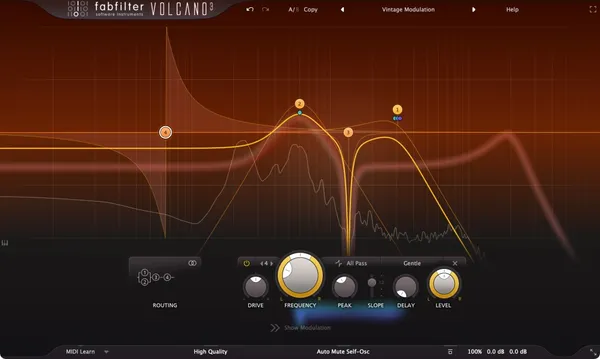
  • The glitch is really distortion with movement on it Thermal
  • You are building a transition rather than a texture Transit 2

Compare all 7

Protection
Serial Key
Thermal 6.2
Protection
Serial Key
Protection
Arturia Software Center
Multipass
4. Multipass Kilohearts
7.7
Protection
Kilohearts Center
Effectrix 2
5. Effectrix 2 Sugar Bytes
8.8
Protection
Serial Key
$89 $129 View price
Looperator
6. Looperator Sugar Bytes
8.7
Protection
Serial Key
$79 $129 View price
Transit 2
7. Transit 2 Baby Audio
7.8
Protection
Serial Key
Read more →

Methodology

Who is this for

Working composers and producers who need reliability, speed, and character for professional scoring tasks.

Our testing process

Where we have tested a product, we do it in actual production scenarios, ranging from rapid sketches to commercial pitches, and we evaluate it in a dense template rather than in isolation. Where we have not, the product card says so and the assessment is drawn from specifications and documented behaviour instead.

Why you should trust us

We buy most reviewed plugins ourselves. Occasionally we receive NFRs for evaluation, but this never guarantees a review or positive verdict. We may earn commissions from links, but our editorial choices are never for sale.

Also considered

For every category, we audition the top 8 to 15 standard options, discarding any that suffer from poor scripting, slow load times, or uninspiring sampling.

Top Picks

01 Cableguys

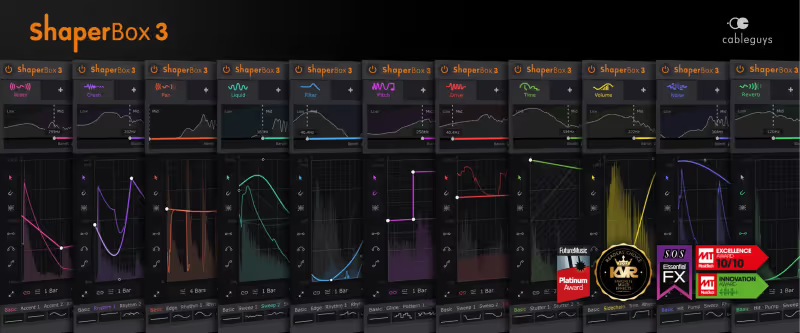
ShaperBox 3 Bundle

Best for Rhythmic Modulation

The most precise rhythmic tool here and the least surprising, which is the trade when you draw everything yourself.

Tested score
7.3
out of 10

How it scored

  • Rhythm Randomization 6.0

    Nothing happens that you did not draw.

  • Workflow Speed 8.5

    Fluid to draw, slowed by the preset browser.

  • CPU Footprint 7.5

    Light until the bands stack up.

Why we picked it

Best for precise modulation control because of its incredibly detailed drawable LFOs.

Who should skip it

Avoid if you prefer randomized algorithmic results over manually drawn curves.

The good

  • Incredibly precise LFO drawing tools
  • Highly responsive audio triggered envelopes
  • Multiband processing available per effect

The bad

  • Steep learning curve for complex sidechain routing
  • Can be overwhelming for simple volume ducking tasks
  • Preset browser feels slightly clunky to navigate
Format
VST/AU/AAX
Protection
Serial Key
Price
$99
Why it scored that way

This is the most fluid rhythmic modulation environment I have ever used in a studio setting.

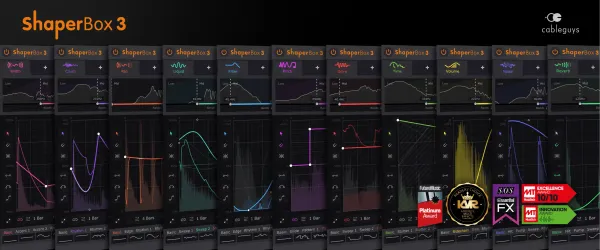
ShaperBox 3 has completely replaced manual volume automation in my daily mixing template for electronic projects. The highly responsive graphical interface allows you to draw precise volume ducks, intricate time stutters, and aggressive filter sweeps instantly. The newly introduced audio-triggered envelopes mean you no longer need complex MIDI routing just to achieve highly responsive, dynamic effects on a static drum bus.

While it is generally a lightweight plugin, stacking multiple frequency bands with complex LFO shapes can eventually tax older processing systems. I appreciate how quickly you can achieve a classic French house pumping effect or unpredictable IDM stutters. It remains a strong choice for any mix engineer looking to save time, even though the preset browser is the clunkiest part of the package.

Heard on
David Guetta Illenium Flume
Check price $99
02 Output

Thermal

Best for Rhythmic Saturation

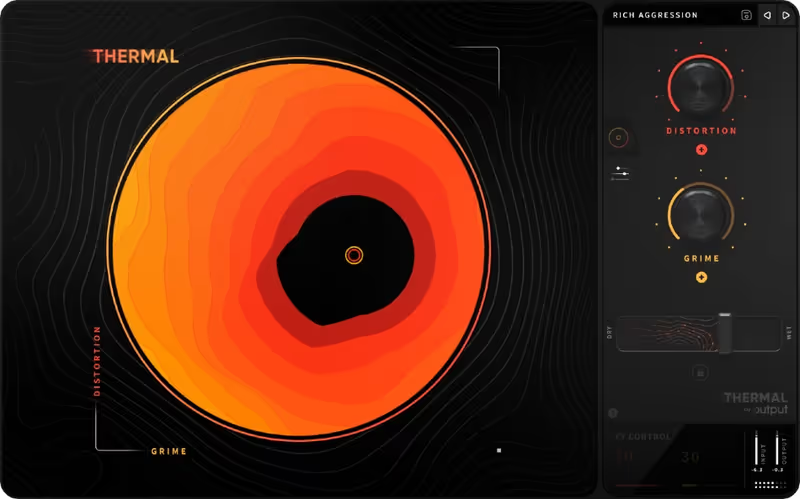
A distortion with rhythm rather than a glitch tool, and the heaviest thing on the page by some distance.

Tested score
6.2
out of 10

How it scored

  • Rhythm Randomization 7.5

    Deep modulation, though it moves the distortion rather than cutting the audio.

  • Workflow Speed 8.0

    The XY pad does the work. The window is oversized on a laptop.

  • CPU Footprint 3.0

    Heavy enough that printing the track is the usual answer. Lowest here.

Why we picked it

Best for heavy sound design because of its unique multiband rhythmic distortion capabilities.

Who should skip it

Avoid if you are working on an older computer with limited CPU resources.

The good

  • Highly intuitive macro control system
  • Excellent sounding analog distortion algorithms
  • Deep modulation options for rhythmic effects

The bad

  • Extremely demanding on CPU resources
  • Interface can feel oversized on smaller laptop screens
  • Some presets are far too loud by default
Format
VST/AU/AAX
Protection
Serial Key
Price
$149
Why it scored that way

Thermal provides an incredibly musical approach to aggressive harmonic destruction.

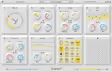
Thermal excels at turning sterile digital synth patches into aggressive, ripping textures with intense rhythmic movement. The circular XY macro interface is highly intuitive, allowing you to manipulate multiple distortion parameters simultaneously with a single gesture. I recently used this to completely mangle a clean bass guitar DI, transforming it into a synth-like neurobass sound with minimal effort.

The primary downside to this plugin is its extremely heavy CPU footprint, which often forces me to print the audio tracks immediately. Despite the processing load, it remains one of the best saturation alternatives when you need rhythmic movement alongside heavy drive. The included presets are a good starting point for complex sound design, though the window runs oversized on smaller laptop screens.

Heard on
Skrillex Noisia Mick Gordon
Check price $149
03 Arturia

FX Collection 6 PRO

Best for Creative Processing

Not tested by us, assessed from specs and documented behaviour

Twenty-odd effects where you needed one, which is good value and a slow way to find a stutter.

Assessed score
6.5
out of 10

How it scored

  • Rhythm Randomization 8.0

    Efx Fragments generates unpredictable grains and pitch jumps.

  • Workflow Speed 5.5

    Finding the right plugin in a library this size takes longer than using it. Lowest here.

  • CPU Footprint 6.0

    Varies by plugin, and several of the vintage emulations are demanding.

Why we picked it

Best for comprehensive sound design because it covers every possible effect category.

Who should skip it

Avoid if you only need a single dedicated stutter effect plugin.

The good

  • Massive variety of high-quality effects
  • Excellent granular and distortion plugins included
  • Consistent and scalable user interfaces

The bad

  • Significant hard drive space required
  • Can be overwhelming for beginner producers
  • Some vintage emulations are CPU intensive
Format
VST/AU/AAX
Protection
Arturia Software Center
Price
$499
Why it scored that way

This bundle provides an overwhelming amount of high-quality effects for creative audio mangling.

We tested version 5 of this bundle, and Arturia now sells it as FX Collection 6 in an Intro and a PRO tier. We have not worked through the version 6 additions, so this covers what version 5 offered and what carries forward. The standout tools for glitch production are the Efx Fragments granular processor and the Coldfire distortion. Both offer deep modulation matrices that generate unpredictable stutters and pitch shifts from any basic source.

The granular engine in Fragments is the one that earns the bundle its place here, since it turns simple drum loops into unrecognisable ambient textures with very little setup. Navigating a library this large does slow you down when you only need one quick effect. Having both pristine vintage emulations and aggressive modern manglers in a single purchase is the tradeoff, and for most producers building a complete toolkit it is the right one.

Heard on
Jean-Michel Jarre Trent Reznor Junkie XL
Check price $499
04 Kilohearts

Multipass

Best for Multiband Mangling

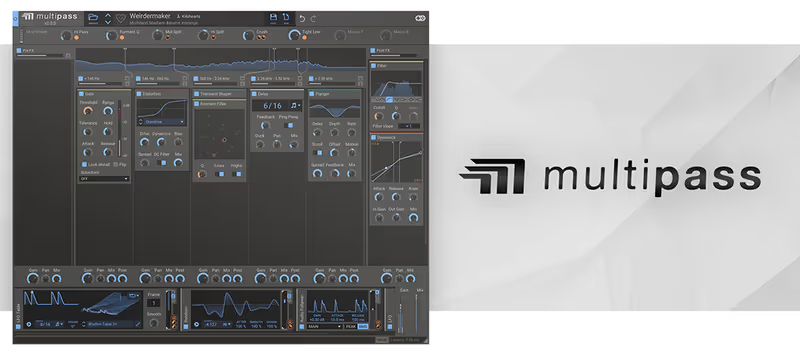
A frame rather than an effect, which makes it the cheapest to run here and the slowest to get a result from.

Tested score
7.7
out of 10

How it scored

  • Rhythm Randomization 6.5

    Only as random as the snapins you put in it.

  • Workflow Speed 7.5

    Dragging snapins is quick. Building the chain from nothing is not.

  • CPU Footprint 9.0

    Individual snapins are cheap. Best on the page.

Why we picked it

Best for surgical sound mangling because of its intuitive multiband modular routing.

Who should skip it

Avoid if you prefer instant gratification from curated multi-effect presets.

The good

  • Incredibly fast modular workflow
  • Low CPU usage for individual snapins
  • Endless possibilities for custom effects

The bad

  • Requires purchasing additional snapins for full potential
  • Visual feedback is somewhat utilitarian
  • Takes time to build complex chains from scratch
Format
VST/AU/AAX
Protection
Kilohearts Center
Price
$99
Why it scored that way

This modular environment lets you build custom glitch machines from the ground up.

Multipass is an absolute dream for technical sound designers who want total control over specific frequency bands. By splitting the signal, you can apply aggressive bitcrushing to the high frequencies while keeping the low end completely clean and mono. The snapin modular system is incredibly fast to use, allowing you to drag and drop mini-effects into the multiband lanes instantly.

The visual feedback is somewhat basic compared to modern graphical EQs, which can make precise frequency splitting slightly difficult. Regardless, it remains the best alternative to complex manual routing setups in your digital audio workstation. If you like building your own effect chains it is hard to replace for technical glitch work, though reaching its full potential means buying further snapins on top.

Heard on
Zomboy Virtual Riot Au5
Check price $99
05 Sugar Bytes

Effectrix 2

Best for Step-Sequenced Glitching

Still the fastest route from a static loop to a finished glitch pattern, provided the loop is on the grid.

Tested score
8.8
out of 10

How it scored

  • Rhythm Randomization 8.8

    The grid produces patterns faster than you can evaluate them.

  • Workflow Speed 9.5

    Paint a block, hear the effect. Best here.

  • CPU Footprint 8.2

    Comfortable, with several effects sequenced at once.

Why we picked it

Best for instant gratification because the grid interface makes pattern creation incredibly fast.

Who should skip it

Avoid if you are working with unquantized live instruments.

The good

  • Extremely fast grid-based workflow
  • Classic, recognizable stutter effects
  • Great for live performance and DJing

The bad

  • Struggles with unquantized audio material
  • Sound character can be slightly digital
  • Interface can feel cramped on small screens
Format
VST/AU/AAX
Protection
Serial Key
Price
$89
Why it scored that way

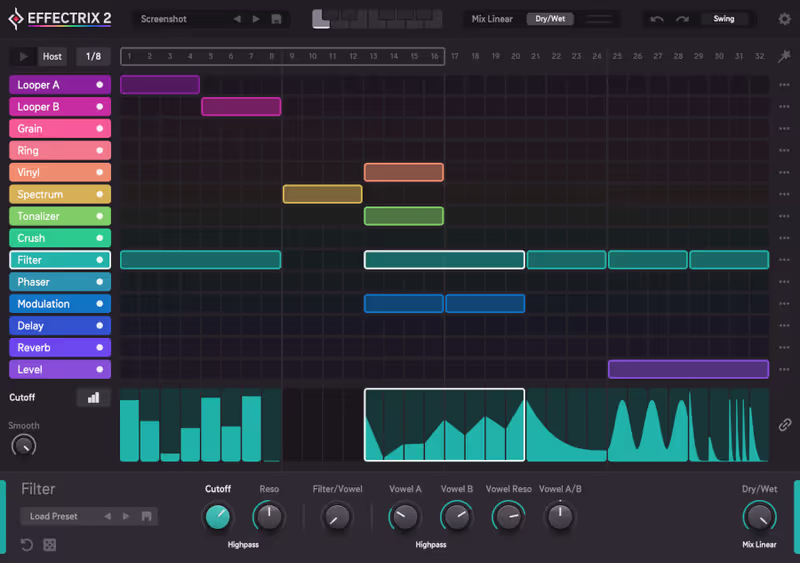
This is the undeniable classic tool for generating instant IDM stutters and tape stops.

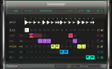
Effectrix 2 continues the legacy of the original step-sequenced glitch tool with an updated, modernized interface and improved algorithms. The matrix sequencer allows you to paint complex effect patterns across a grid, triggering delays, bitcrushers, and tape stops in rapid succession. I frequently rely on this plugin to add immediate interest to repetitive hi-hat patterns or boring synth arpeggios.

The step sequencer approach is brilliant for rigid electronic music, but it struggles to adapt to loosely timed, unquantized live recordings. Even with that limitation, it is arguably the best stutter plugin for immediate, playable results. The updated modulation adds depth to the recognisable Effectrix sound, although the character leans slightly digital and the sequencer grid feels cramped on small laptop screens.

Heard on
Aphex Twin Squarepusher Daft Punk
Check price $89 (was $129)
06 Sugar Bytes

Looperator

Best for Loop Slicing

The one plugin here that suggests a groove rather than executing yours, and it is harsh about it.

Tested score
8.7
out of 10

How it scored

  • Rhythm Randomization 9.2

    It slices and rearranges on its own. Best on the page.

  • Workflow Speed 8.0

    Per-step envelopes are quick, and the effects are blunt enough to need taming.

  • CPU Footprint 9.0

    Very light for a slicer.

Why we picked it

Best for generative inspiration because it effortlessly rearranges audio slices into new grooves.

Who should skip it

Avoid if you want subtle, transparent mix processing.

The good

  • Generates new grooves instantly
  • Excellent per-step volume control
  • Very low CPU consumption

The bad

  • Effects can sound overly harsh
  • Tied strictly to host tempo synchronization
  • Not ideal for subtle processing tasks
Format
VST/AU/AAX
Protection
Serial Key
Price
$79
Why it scored that way

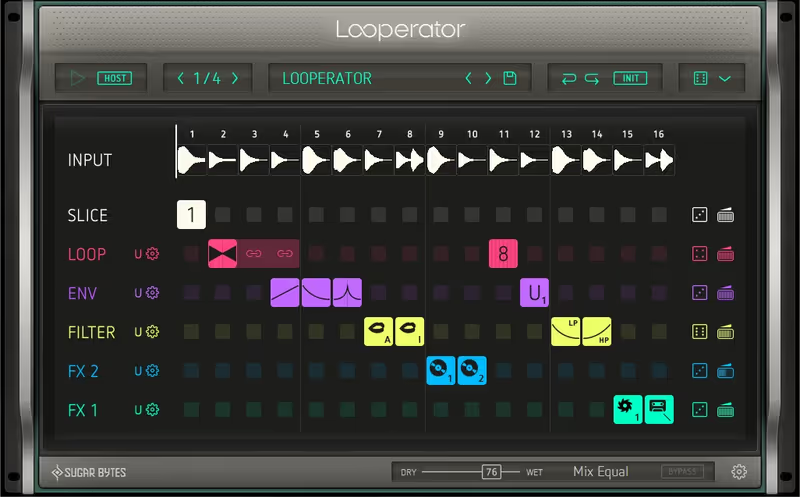
Looperator treats your audio as a puzzle to be constantly rearranged and mangled.

Looperator takes a slightly different approach to glitching by automatically slicing your incoming audio loop and allowing you to rearrange the pieces. The tie features and dedicated volume envelopes per step make it incredibly easy to create pumping, breathing rhythms from static pads. I find it particularly useful for generating entirely new groove ideas when I am stuck on a boring loop.

The built-in effects are decidedly aggressive and chaotic, which may not suit producers looking for subtle, polite mix enhancements. However, if you want a reliable alternative to manual audio slicing, this plugin handles the heavy lifting perfectly. It reliably generates happy accidents early in a session, but it stays locked to host tempo, so free-time material is out.

Heard on
The Glitch Mob Flying Lotus Machinedrum
Check price $79 (was $129)
07 Baby Audio

Transit 2

Best for Mix Transitions

A transition tool that glitches on the side, which is a real use and not what this page is about.

Tested score
7.8
out of 10

How it scored

  • Rhythm Randomization 6.5

    The motion sequencer covers it, and the results lean generic. Lowest here.

  • Workflow Speed 9.0

    One macro replaces a screen of automation lanes.

  • CPU Footprint 7.8

    A chain of effects in one instance, priced about as you would expect.

Why we picked it

Best for creating smooth build-ups because it links complex effect chains to a single macro.

Who should skip it

Avoid if you require surgical, precise control over individual effect parameters.

The good

  • Saves hours of automation work
  • Single macro control is highly intuitive
  • Great new motion sequencer features

The bad

  • Individual effects lack surgical depth
  • Can make transitions sound slightly generic
  • UI animation can be distracting
Format
VST/AU/AAX
Protection
Serial Key
Price
$129
Why it scored that way

This plugin eliminates the tedious process of automating multiple parameters during song transitions.

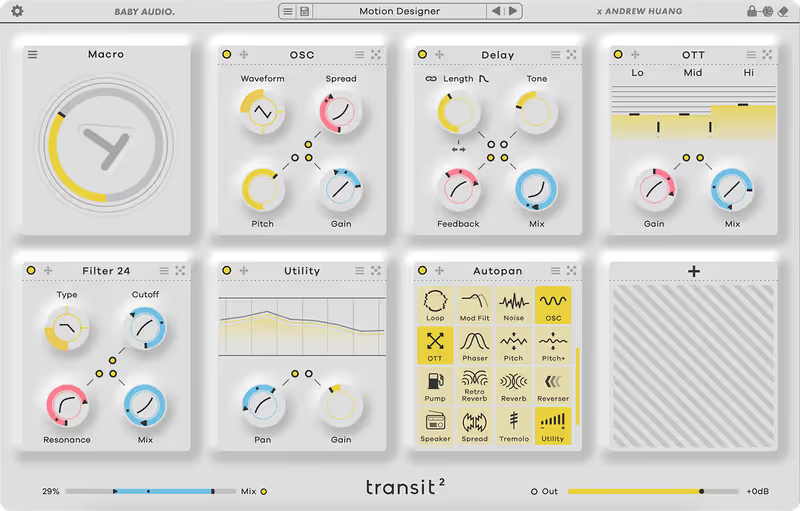
Transit 2 streamlines the notoriously annoying task of building mix transitions by linking multiple effect parameters to a single macro dial. You can load a custom chain of delays, filters, and pitch shifters, and smoothly sweep them all together to create massive build-ups. I use this extensively to add dynamic movement leading into heavy drops without cluttering my project with automation lanes.

The included effect modules are functional but lack the deep, surgical control found in dedicated single-purpose plugins. Despite this, it stands out as the best transition tool for electronic producers working on tight deadlines. The motion sequencer also lets you use it as a rhythmic glitch effect during the drop, though overused those transitions start to sound generic.

Heard on
Andrew Huang San Holo Zedd
Check price $129

Frequently Asked Questions

What is the difference between a glitch plugin and a granular effect?

A glitch plugin sequences discrete events such as stutters, repeats and reverses on a grid, while a granular effect continuously rebuilds the signal from overlapping grains. Glitch tools are rhythmic and step-based; granular tools are textural and usually free-running.

Should glitch effects go on an insert or a send?

Insert, in almost all cases. Glitch processing replaces the signal rather than adding to it, so a parallel send leaves the unprocessed source audible underneath and the effect stops reading as a deliberate edit.

How do I keep glitch effects in time with the cue?

Host-sync the plugin and work in note values rather than milliseconds. Anything free-running will drift against a tempo map, which matters more in scoring than in fixed-tempo music because cues change tempo constantly.

Do glitch plugins work on orchestral material?

Yes, and sparse sustained material often works better than busy percussion. Stutters and reverses read most clearly when there is a long tone to interrupt, which is why they suit strings and choir beds in hybrid cues.

Written By

Ewan Clarke

Ewan is a sound designer whose patches have appeared in major wavetable synths and cinematic scoring libraries. A self-confessed modular addict, he bridges the gap between West Coast experimentation and pop-ready polish. He believes every preset should tell a story.

Related Guides

All Guides →

New reviews, no noise

Occasional email when we publish something worth your time. No daily digest, no vendor press releases.

We never sell your address. Unsubscribe any time, see our privacy policy.