
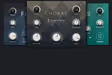
Best Chorus Plugins (2026): Dimension & Width

Chorus is the sound of the 80s, but it's also the secret to modern width. Whether it's the subtle shimmer of the Dimension D or the thick wobble of the Juno, nothing widens a track quite like it.

Henry Foster
By Henry Foster

Henry is a mixing engineer with a background in broadcast and post-production. He obsesses over signal flow, gain staging, and the subtle coloration of analog-modeled plugins. His reviews focus on technical precision, CPU efficiency, and UI workflow.

A good chorus plugin does two things: it adds movement and it adds width. A bad chorus plugin makes your mix sound muddy and out of phase. The trick is finding an effect that creates that lush, thick texture without destroying the center image of your sound.

I’ve tested the top analog emulations to see which ones can turn a thin, mono saw wave into a massive stereo wall of sound. These are the tools that give you that "expensive" shimmer found on classic records.

ModWheel is reader-supported. When you buy through links on this page we may earn an affiliate commission, at no extra cost to you. This never influences which products we recommend, read our testing methodology.

Pick one in 10 seconds

Short version

Compare all 7

Engine
VST/AU/AAX
Type
Dimension Expander
Size
100 MB
$49 $99 View price
Chorus Jun-6 8.4
Engine
VST/AU/AAX
Type
Juno Chorus
Size
100 MB
$29 $49 View price
TriceraChorus 8.0
Engine
VST/AU/AAX
Type
Tri-Chorus
Size
200 MB
$49 $99 View price
MicroPitch 8.7
Engine
VST/AU/AAX
Type
Pitch Shifter
Size
50 MB
$49 $99 View price
Syntorus 2
5. Syntorus 2 D16 Group
7.6
Engine
VST/AU/AAX
Type
Triple Path BBD
Size
200 MB
$35 $65 View price
Choral
6. Choral Native Instruments
7.8
Engine
VST/AU/AAX
Type
Multi-Mode Chorus
Size
50 MB
7. Multiply Acon Digital
8.0
Engine
VST/AU
Type
Phase Randomizer
Size
20 MB
Read more →

Methodology

Who is this for

Working composers and producers who need reliability, speed, and character for professional scoring tasks.

Our testing process

Where we have tested a product, we do it in actual production scenarios, ranging from rapid sketches to commercial pitches, and we evaluate it in a dense template rather than in isolation. Where we have not, the product card says so and the assessment is drawn from specifications and documented behaviour instead.

Why you should trust us

We buy most reviewed plugins ourselves. Occasionally we receive NFRs for evaluation, but this never guarantees a review or positive verdict. We may earn commissions from links, but our editorial choices are never for sale.

Also considered

For every category, we audition the top 8 to 15 standard options, discarding any that suffer from poor scripting, slow load times, or uninspiring sampling.

Top Picks

01 Arturia

Chorus DIMENSION-D

Best for Vocal Widen

The most tasteful width here and the least interesting thing to own, which is the entire point of a Dimension D.

Tested score
8.6
out of 10

How it scored

  • Stereo Width 8.5

    Wide without drawing attention to how it got there.

  • Mono Compatibility 9.0

    No wobble and very little collapse. Built for this test.

  • Character 7.5

    Classy and restrained. Nothing extreme is available.

  • Workflow Speed 9.2

    Four buttons. There is nothing to get wrong.

Why we picked it

Vocals and acoustic instruments where you want width without "seasick" pitch wobble.

Who should skip it

You want a crazy, experimental effect. This is subtle and classy.

The good

  • Subtle width
  • Simple to use
  • No wobble

The bad

  • Limited controls
  • Not extreme
  • One trick pony
Engine
VST/AU/AAX
Type
Dimension Expander
Size
100 MB
Price
$49
Why it scored that way

The 'Magic Button' of mixing. It makes everything better.

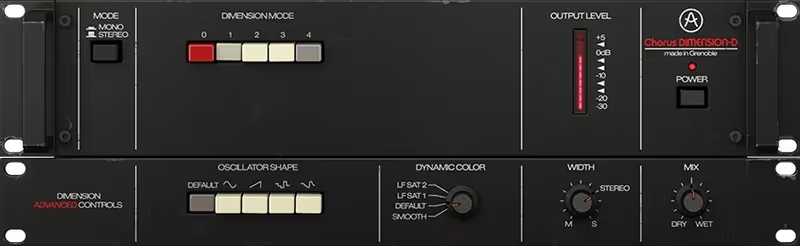
The Dimension D isn't really a chorus. It's a "spatial expander." Standard chorus pedals wobble the pitch, which can make things sound out of tune. The Dimension D uses a unique cross-companding circuit to add subtle stereo width and shimmer without any noticeable pitch modulation. This makes it perfect for vocals and lead instruments where you want width but need to maintain perfect intonation. It essentially "glues" the sound to the speakers.

Arturia's emulation controls are simple: 4 buttons. That's it. Button 4 is the famous "intensity" setting, but I often use Button 1 for just a touch of air. Arturia added a few modern features like a Mix knob and different stereo modes, but the magic is still in just pressing one of those four buttons. It immediately makes a sound feel "produced" and definitive, sitting it perfectly in the stereo field.

Heard on
80s Pop Vocals Stevie Ray Vaughan Brian Eno
Check price $49 (was $99)
02 Arturia

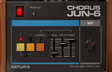
Chorus Jun-6

Best for Synth Bass

The thickest 80s character on this page, and the one most likely to disappear when the club sums to mono.

Tested score
8.4
out of 10

How it scored

  • Stereo Width 8.8

    The I+II mode is enormous on a pad.

  • Mono Compatibility 6.0

    BBD comb filtering collapses badly. Weakest against this page's test.

  • Character 9.2

    The Juno sound, hiss included. Best here.

  • Workflow Speed 9.4

    Two buttons and a rate. Fastest on the page.

Why we picked it

Synth bass and pads that need that specific, thick 80s analog character.

Who should skip it

You hate noise. The BBD emulation includes the vintage hiss (though you can turn it down).

The good

  • Thick sound
  • Classic I+II mode
  • Free (often)

The bad

  • Noisy
  • Dark tone
  • Aggressive
Engine
VST/AU/AAX
Type
Juno Chorus
Size
100 MB
Price
$29
Why it scored that way

The sound of 1984. Thick, noisy, and beautiful.

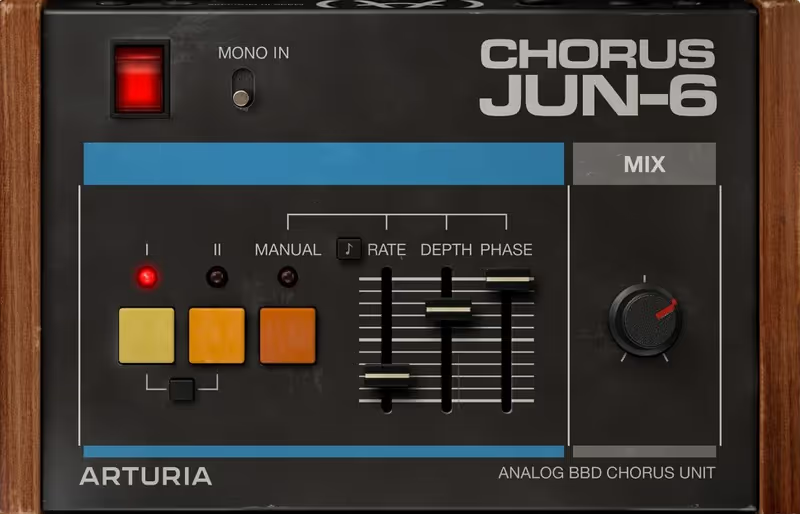
If Dimension D is polite, the Juno chorus is rude. This is the sound of every synth-pop hit from the 80s that you know and love. It uses a Bucket Brigade Device (BBD) chip which is notoriously noisy and dark, but that grit is exactly why we love it. Modes I and II offer different modulation speeds, but pressing both (I+II) creates that legendary swirling mono-compatible tremolo that defined a generation of basslines, adding instant attitude to any track.

It adds a low-mid thickness that makes thin digital synths sound huge and analog. I put this on bass patches constantly. It doesn't just widen the sound. It thickens it, adding body and weight. The "Manual" mode Arturia added allows you to tweak the LFO speed and depth, opening up this classic sound to more experimental uses beyond the original three presets.

Heard on
Eurythmics Tame Impala The Weeknd
Check price $29 (was $49)
03 Eventide

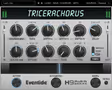
TriceraChorus

Best for Dream Pop

The lushest texture available here, sold to people who will happily spend an afternoon inside it.

Tested score
8.0
out of 10

How it scored

  • Stereo Width 9.4

    Three choruses plus micro-pitch. Enormous.

  • Mono Compatibility 7.0

    The micro-pitch layer survives mono. The density can go muddy.

  • Character 9.0

    Liquid and unmistakable. Made for shoegaze and ambient.

  • Workflow Speed 6.5

    Ribbon morphing rewards learning it. Lowest here.

Why we picked it

Lush shoegaze guitars and ambient pads needing massive, liquid texture.

Who should skip it

You want a simple effect. This creates a dense wall of sound.

The good

  • Incredible depth
  • Ribbon morphing
  • Micro-pitch

The bad

  • Can be muddy
  • Complex
  • Expensive
Engine
VST/AU/AAX
Type
Tri-Chorus
Size
200 MB
Price
$49
Why it scored that way

The lushest chorus on the market. Three voices are better than one.

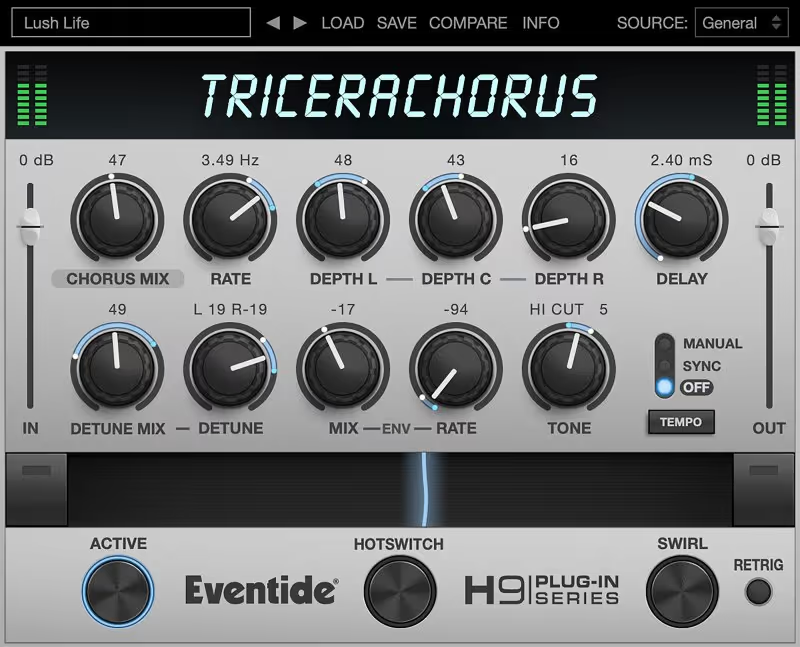
Rack chorus units from the 80s (like the Dytronics) used three separate LFOs to create a sound that was incredibly rich and complex. TriceraChorus brings that "Tri-Chorus" topology to your DAW with modern precision. Instead of a simple up/down wobble, the three voices interact to create a dense, swirling texture that never feels repetitive. It sounds like a liquid pad moving around your head, creating an immersive stereo field that is impossible to ignore.

The interface is gorgeous and "ribbon" optimized, meaning you can morph between settings smoothly in real-time. The special "Swirl" button adds a unique psychedelic flanging effect that is perfect for guitars. It is the ultimate tool for "Dream Pop" guitars and Shoegaze textures where you want the instrument to sound like it is underwater in a beautiful ocean of modulation, washing over the listener with waves of sound.

Heard on
Shoegaze 80s Rack Guitar Ambient
Check price $49 (was $99)
04 Eventide

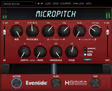
MicroPitch

Best for Widening

Not a chorus at all, and still the best answer on this page to the question it is asking.

Tested score
8.7
out of 10

How it scored

  • Stereo Width 9.5

    The widest result here, on vocals and leads alike. Best on the page.

  • Mono Compatibility 9.4

    Pitch offset rather than comb filtering, so mono barely changes it.

  • Character 7.0

    Static widening. No swirl, no movement, no vibe.

  • Workflow Speed 9.0

    Detune, delay, mix. Done.

Why we picked it

Pop vocals and lead guitars that need to sound huge and wide without sounding "wobbly."

Who should skip it

You want that swirling, psychedelic movement. This is a static widening effect.

The good

  • Industry standard
  • Huge width
  • Time-tested

The bad

  • Not a chorus
  • One specific trick
  • Old paradigm
Engine
VST/AU/AAX
Type
Pitch Shifter
Size
50 MB
Price
$49
Why it scored that way

The secret to huge vocals. It's not a chorus. It's thicker.

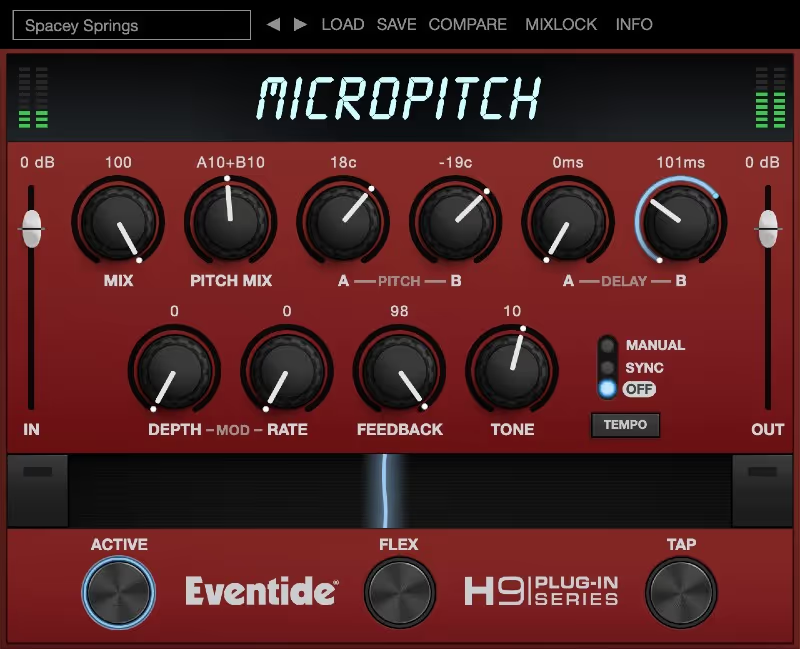
Technically, MicroPitch is a delay/pitch-shifter, but it is used like a chorus by top engineers everywhere. This is the "Van Halen" and "Pop Vocal" trick: You pitch the left side down 9 cents and delay it, and pitch the right side up 9 cents and delay it. The result is a massive, confident stereo image that has zero modulation wobble. It makes vocals sound "produced" instantly without sounding like they are swimming in effects.

Unlike a wobbling chorus, this effect is static, meaning it locks the vocal in place. It creates a solidity that fits perfectly in modern pop mixes where precision is key. If your lead vocal feels thin or small, MicroPitch is the fix 99% of the time. It is the sound of radio.

Heard on
Van Halen Pop Radio Lead Vocals
Check price $49 (was $99)
05 D16 Group

Syntorus 2

Best for Synth Pads

The deepest modulation control on this page, reached through an interface that assumes you want to be here.

Tested score
7.6
out of 10

How it scored

  • Stereo Width 8.8

    Three BBD paths produce genuinely large images.

  • Mono Compatibility 6.5

    Triple-path comb filtering. Check the mono fold before you commit.

  • Character 9.0

    Rich BBD emulation, with a tremolo section attached.

  • Workflow Speed 6.0

    LFO routing is the product. Lowest here.

Why we picked it

Sound designers and synth lovers who want deep control over every aspect of the modulation.

Who should skip it

You just want a preset. This rewards deep diving into the LFO routing.

The good

  • Deep sound
  • BBD emulation
  • Tremolo included

The bad

  • Complex UI
  • Learning curve
  • Heavy CPU
Engine
VST/AU/AAX
Type
Triple Path BBD
Size
200 MB
Price
$35
Why it scored that way

The tweaker's paradise. Analog tone with digital control.

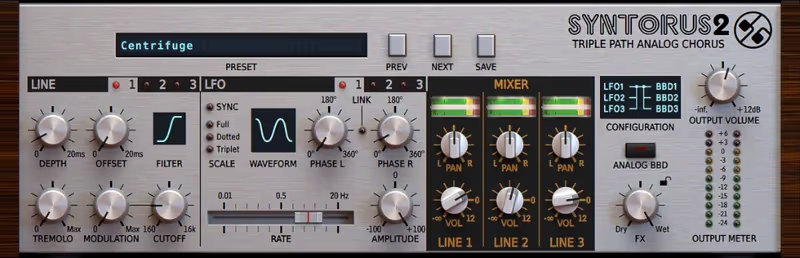
D16 Group are masters of accurate analog modeling. Syntorus 2 uses three independent delay lines, allowing you to create complex, poly-rhythmic chorus effects that standard units can't touch. You can route the LFOs in different ways, creating movement that feels alive and unpredictable. The inclusion of an analog BBD delay line emulation means it has that dark, warm grit that sits so well in a mix, giving you the best of the vintage world.

It includes a tremolo section as well, allowing for gating and rhythmic pulsing effects using the same modulation sources. I love using this on pads to create a sense of movement that syncs with the track. The UI is skeuomorphic (looks like hardware) which might put some people off, but it sounds absolutely fantastic-thick, creamy, and expensive. It is a true sound design workstation for modulation.

Heard on
Techno Deep House Trance
Check price $35 (was $65)
06 Native Instruments

Choral

Best for Sound Design

The most adaptable modulation box here and the least memorable, which is the usual cost of covering everything.

Tested score
7.8
out of 10

How it scored

  • Stereo Width 8.5

    Wide across every mode, including the Scatter setting.

  • Mono Compatibility 8.0

    Digital and well behaved when summed.

  • Character 7.0

    Clean and modern. Little vintage feel to draw on.

  • Workflow Speed 7.5

    Clear panel, and more parameters than a vintage box needs.

Why we picked it

Producers who want one versatile plugin to cover all their modulation needs.

Who should skip it

You want a simple vintage button. This has a lot of parameters to tweak.

The good

  • Versatile
  • Scatter mode
  • Clean UI

The bad

  • Digital character
  • Less vibe
  • Generic look
Engine
VST/AU/AAX
Type
Multi-Mode Chorus
Size
50 MB
Price
Check site
Why it scored that way

The overlooked gem. It can do almost everything well.

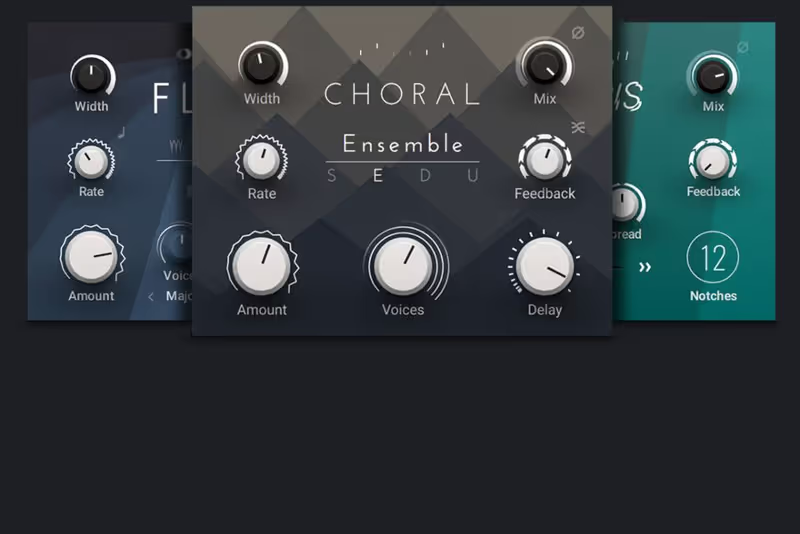
Choral is part of NI's Mod Pack, and it is criminally underrated. It has different "modes" (Synth, Ensemble, Dimension) that cover all the classic topologies we've discussed with ease. The "Scatter" control adds a unique diffusion effect that blurs the reflections, creating a reverb-like wash inside the chorus. It sounds modern, clean, and incredibly precise, making it suitable for even the most demanding production tasks where clarity is key.

The feedback loop allows it to go into self-oscillation, creating metallic, robotic textures that vintage units couldn't dream of. It is a sound designer's chorus. While it might lack the specific "dirt" of the Jun-6, its versatility makes it the perfect "desert island" chorus plugin if you can only choose one. It handles everything from subtle width to alien landscapes without breaking a sweat.

Heard on
Modern Electronic Techno Scoring
Check price
07 Acon Digital

Multiply

Best for Transparent Widen

The safest chorus here for anything that has to fold down, and the one with nothing to say for itself.

Tested score
8.0
out of 10

How it scored

  • Stereo Width 8.2

    Convincingly wide from a phase-randomising approach.

  • Mono Compatibility 9.6

    No comb filtering by design. Best on this page's stated test.

  • Character 5.5

    Deliberately colourless. Lowest here, and honest about it.

  • Workflow Speed 8.8

    Few controls, plus a built-in EQ to keep the low end mono.

Why we picked it

Anyone on a budget, or anyone needing a transparent chorus that doesn't color the sound.

Who should skip it

You want vintage grit. This is a very clean, modern digital effect.

The good

  • Free
  • No comb filtering
  • Built-in EQ

The bad

  • Colorless
  • Simple
  • Not vibe-y
Engine
VST/AU
Type
Phase Randomizer
Size
20 MB
Price
Check site
Why it scored that way

The best free chorus. Clean, wide, and unique.

Most free chorus plugins are terrible. Multiply is professional grade. It uses a special phase randomization technique to add width without the ugly "hollow" sound (comb filtering) that plagues standard delay-based choruses. This means you can add a lot of effect without your signal getting thin or metallic. It keeps the core tone of your instrument intact while spreading it across the stereo field, which is vital for maintaining punch in a mix.

It includes a built-in equalizer for the effect signal, allowing you to shimmer the highs without making the low-end muddy. This is a pro feature rarely seen on free plugins. If you are on a budget, or even if you aren't, this should be in your folder for when you need clean, transparent width on acoustic instruments or voice that doesn't distract from the performance.

Heard on
Podcasts Acousitc Guitar Clean Vocals
Check price

Frequently Asked Questions

What is the difference between chorus and flanger?

Both use a modulated delay, but chorus uses longer delay times, typically 20 to 30 ms, and little or no feedback. That puts the copies far enough behind the source to read as separate voices rather than as comb filtering.

Why does chorus make my mix sound weaker in mono?

Because stereo chorus works by detuning and delaying the two channels differently, and summing them cancels part of the signal. Check in mono, or use a mono-compatible chorus that modulates without splitting the image.

Should chorus go before or after distortion?

After, in most cases. Distorting a chorused signal generates intermodulation between the detuned copies and turns the effect to mush, where chorusing a distorted signal keeps both clearly audible.

Is chorus useful on orchestral material?

Sparingly, and usually on synths layered under the orchestra rather than on the samples themselves. Sampled sections already contain many slightly detuned players, so adding chorus mostly blurs the articulation.

Written By

Henry Foster

Henry is a mixing engineer with a background in broadcast and post-production. He obsesses over signal flow, gain staging, and the subtle coloration of analog-modeled plugins. His reviews focus on technical precision, CPU efficiency, and UI workflow.

Related Guides

All Guides →

New reviews, no noise

Occasional email when we publish something worth your time. No daily digest, no vendor press releases.

We never sell your address. Unsubscribe any time, see our privacy policy.