Best Acoustic Treatment Plugins & Room Correction Software

Your room is lying to you. Before you drill holes in your wall, these plugins can fix your monitoring environment.

Henry Foster
By Henry Foster Mixing Engineer & Studio Tech

What changed: Six picks now carry a verdict line and scores for correction accuracy, translation, headphone realism and setup, the analysis-only entry carries a verdict, and there is a decision router at the top.

ModWheel is reader-supported. When you buy through links on this page we may earn an affiliate commission, at no extra cost to you. This never influences which products we recommend, read our testing methodology.

Prices come from the store's own feed and were last checked 1 September 2026. We don't issue discount codes — the price you see is the store's own.

Pick one in 10 seconds

Short version

Compare all 7

Engine
Software/Plugin
Type
Room Correction
Size
500 MB
Engine
VST/AU/AAX
Type
Headphone Correction
Size
300 MB
$97 $149 View price
Engine
VST/AU/AAX
Type
Virtual Room
Size
400 MB
$50 $199 View price
EXPOSE 2
4. EXPOSE 2 Mastering The Mix
Engine
Standalone/Plugin
Type
Analysis Tool
Size
100 MB
BASSROOM
5. BASSROOM Mastering The Mix
8.6
Engine
VST/AU/AAX
Type
Mastering EQ
Size
200 MB
Engine
VST/AU/AAX
Type
Virtual Room
Size
300 MB
$29 $149 View price
ARC System 3
7. ARC System 3 IK Multimedia
8.5
Engine
Hardware/Software
Type
Room Correction
Size
400 MB

For years, "acoustic treatment" meant spending thousands on shipping giant boxes of fiberglass and ruining your walls with glue. But in 2026, the smartest investment for a home studio isn't always physical: it's digital.

Acoustic Treatment Plugins (or Room Correction Software) have evolved from gimmicks to essential mixing tools. By measuring your room and applying a corrective EQ curve, you can instantly flatten the bumps and dips that ruin your translation. While we still include the absolute best physical kits for those ready to build, this guide focuses on the software that solves the problem instantly.

Treatment fixes the room you record in. Convolution lets you borrow one you will never record in. Our Best Convolution Reverbs (2026): Real Spaces roundup covers that side.

Top Picks

01 Sonarworks

SoundID Reference for Speakers & Headphones

Best for Room Calibration

Tested in our studio

The correction most people mean when they say room correction, and it still cannot shorten a reverb tail.

Tested score
8.7
out of 10

How it scored

  • Correction Accuracy 9.6

    Measures the room and flattens it, which is the whole job. Best on the page.

  • Translation Confidence 9.0

    The consumer target profiles are the fastest translation check here.

  • Headphone Realism 8.5

    A large profile library, without a modelled room around it.

  • Setup Ease 7.5

    You need a calibrated microphone before anything happens.

Why we picked it

The #1 choice for producers who need professional monitoring accuracy without installing physical panels.

Who should skip it

Skip if you need to fix long reverb tails. Software can fix frequency balance but not decay time.

The good

  • Flattens frequency response
  • System-wide audio driver
  • Headphone profiles included

The bad

  • Adds latency (during tracking)
  • Can reduce headroom
  • Requires calibrated mic
Engine
Software/Plugin
Type
Room Correction
Size
500 MB
Price
$249
Why it scored that way

SoundID Reference is the ultimate digital 'fix' for an untreated room.

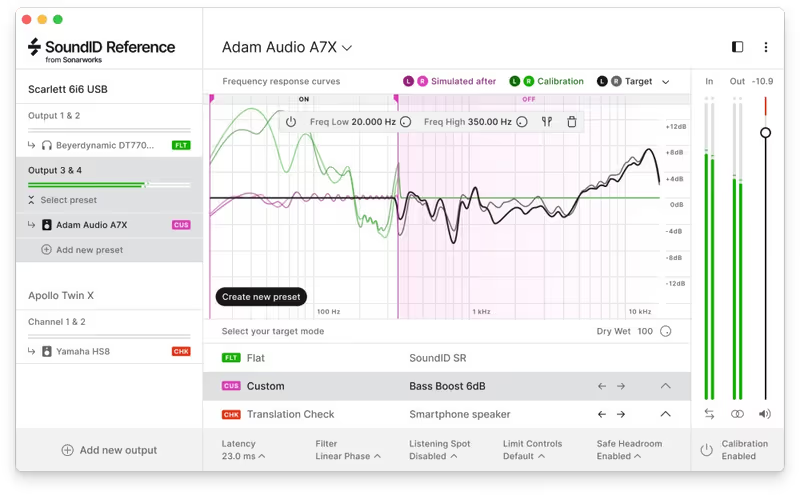
Sonarworks SoundID Reference is the plugin that changed the industry. It acts as a digital anchor for your monitoring, measuring your room's unique problems and applying a precise calibration curve to flatten them out. For anyone working in a bedroom, garage, or apartment where mounting 4-inch bass traps isn't an option, this software is a miracle worker. I ran it on a setup that had a terrible 120Hz bloom, and SoundID tightened it instantly, revealing details in the low-mids that I didn't verify existed.

It gives you the confidence to trust your speakers again. Instead of guessing "is this bass heavy or is it just my corner?", you know you are hearing the file as it is. It runs as a system-wide driver for listening to Spotify and as a zero-latency plugin (in low latency mode) for your DAW. It is the single most effective "acoustic treatment" you can buy without picking up a hammer.

Playing connects you to YouTube, which may set cookies.
Heard on
Home Studios Pro Facilities Mobile Rigs
Check price $249
02 dSONIQ

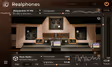
Realphones 2 Professional

Best for Headphone Mixing

The most convincing headphone room here, and the one that takes longest to stop noticing.

Score
8.0
out of 10

How it scored

  • Correction Accuracy 8.0

    Flattens the headphone rather than the room, which is a different problem.

  • Translation Confidence 8.5

    Multiple monitor profiles to check a mix against.

  • Headphone Realism 9.4

    Crossfeed and early reflections rather than an EQ curve. Best on the page.

  • Setup Ease 6.0

    A complex interface and an adjustment period. Lowest here.

Why we picked it

Producers who mix primarily on headphones and need a realistic "room" sound to judge space and depth.

Who should skip it

Skip if you prefer the "in-your-head" sound of dry headphones without any room simulation.

The good

  • Realistic room simulation
  • Multiple monitor profiles
  • Reduces ear fatigue

The bad

  • Adds latency
  • Takes time to adjust
  • Complex interface
Engine
VST/AU/AAX
Type
Headphone Correction
Size
300 MB
Price
$97
Why it scored that way

Trust your headphones like you trust your main monitors.

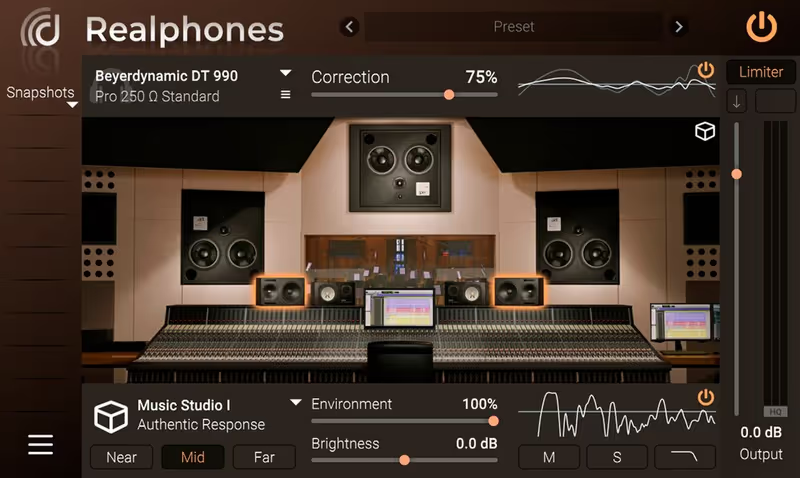
dSONIQ Realphones 2 takes headphone correction to the next level by not just flattening the frequency response, but simulating the acoustic environment of a professional control room. Unlike simple EQ curves, Realphones models the psychoacoustic feeling of listening to speakers in a treated space, complete with crossfeed and early reflections. This is essential for preventing the "super-stereo" fatigue that comes from headphone mixing.

The "Professional" version includes specific emulations of industry-standard monitors and consumer devices like cars and smartphones. It allows you to check your mix's translation instantly without leaving your chair. If you cannot treat your room properly, it gives you a convincing treated room inside your head, at the cost of a little added latency and some time spent adjusting to it.

Heard on
Mobile Producers Silent Studios QC Checks
Check price $97 (was $149)
03 Waves

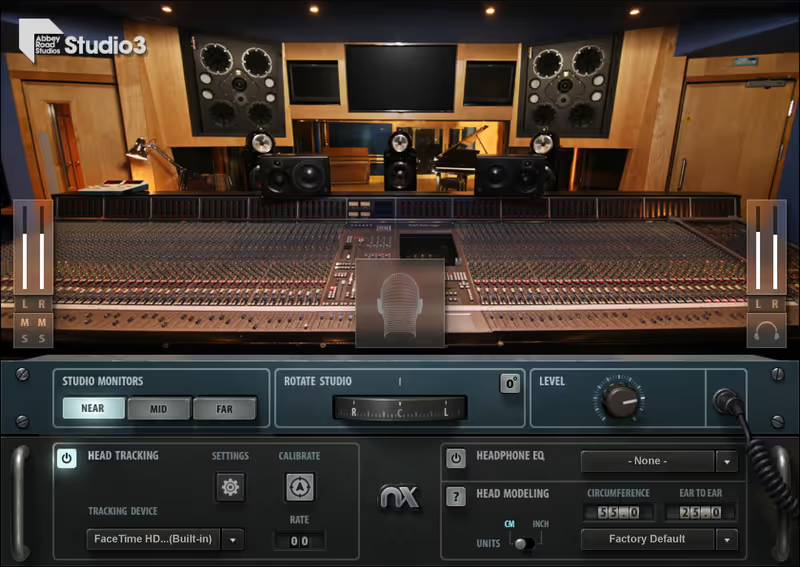
Abbey Road Studio 3

Best for Immersive Mixing

A famous control room on your headphones, provided your headphones are on the list.

Score
7.6
out of 10

How it scored

  • Correction Accuracy 6.5

    Calibration is only as good as the headphone match. Lowest here.

  • Translation Confidence 8.0

    Three monitor sets in one room, which covers near and far field.

  • Headphone Realism 9.2

    Head tracking makes the space hold still, which is what sells it.

  • Setup Ease 6.5

    Waves Central, and it wants specific headphones.

Why we picked it

Mixing engineers who want to check their work in one of the most famous acoustic spaces in history.

Who should skip it

Skip if you don't own a supported pair of headphones, as the calibration is most accurate with specific models.

The good

  • Legendary acoustic signature
  • Head-tracking support
  • 3 Sets of Monitors

The bad

  • CPU intensive
  • Requires Waves Central
  • Headphone specific
Engine
VST/AU/AAX
Type
Virtual Room
Size
400 MB
Price
$50
Why it scored that way

Why treat your bedroom when you can mix at Abbey Road?

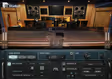
Waves Abbey Road Studio 3 brings the acoustics of the legendary Studio 3 control room directly to your headphones. Developed in collaboration with Abbey Road Studios, this plugin uses advanced Nx technology to replicate the precise sound of their near-field, mid-field, and far-field monitors. It allows you to make Critical EQ and reverb decisions with the confidence of being in a world-class acoustic space.

The head-tracking feature (optional via webcam or Bluetooth tracker) adds an eerie level of realism: as you turn your head, the sound stays anchored to the "virtual speakers," just like in real life. This immersive experience helps you judge stereo width and panning far more accurately than standard monitoring. It is a massive cheat code for anyone working in a compromised acoustic environment.

Playing connects you to YouTube, which may set cookies.
Heard on
Abbey Road Engineers Film Scoring Pop Mixing
Check price $50 (was $199)
04 Mastering The Mix

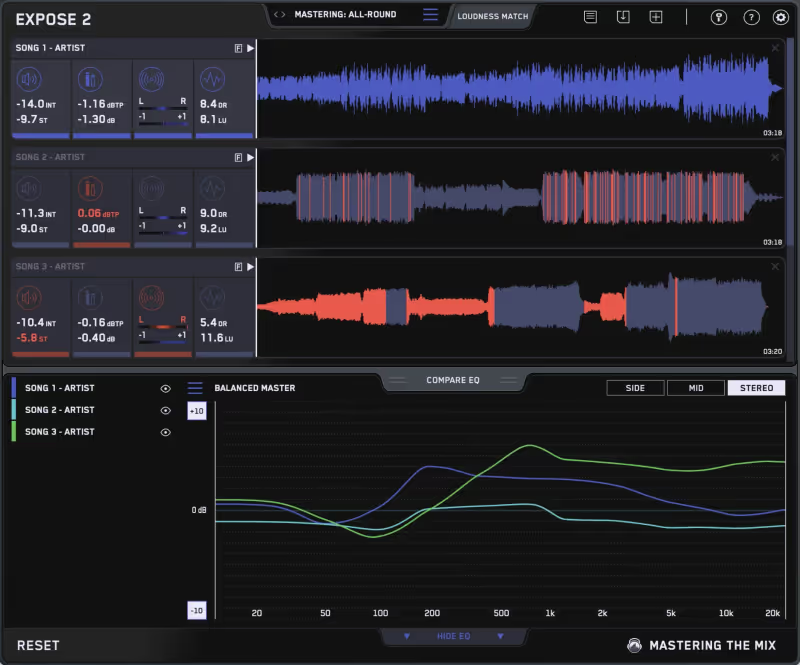
EXPOSE 2

Best for Quality Control

It corrects nothing and tells you what your room is hiding, which is a different job from everything else on this page.

Why we picked it

Essential for checking technical details (phase, clipping) that your room acoustics might hide from you.

Who should skip it

Skip if you want to change the sound of your mix. This is purely for analysis and quality control.

The good

  • Visualizes mix issues
  • Compare to reference tracks
  • Very affordable

The bad

  • Not a realtime plugin
  • Analysis only
  • No correction features
Engine
Standalone/Plugin
Type
Analysis Tool
Size
100 MB
Price
$80
Why it scored that way

A software truth-teller that bypasses your room entirely.

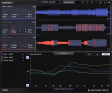
Sometimes, you don't need to treat the room: you just need to analyze the file. EXPOSE 2 is a brilliant quality control app that spots the technical flaws your untreated room might be hiding. It doesn't "fix" the acoustics, but it gives you a visual "truth" about your phase, clipping, and loudness that implies what your room is masking. I run every master through this to catch low-end phase issues that my small room physically cannot reproduce.

It highlights issues in seconds. If your bass is out of phase or your dynamic range is choked, EXPOSE 2 flags it clearly. It acts as a perfect second opinion to your ears. If you can't afford panels and aren't ready for calibration, this tool ensures your files are technically broadcast-ready regardless of where you mixed them.

Playing connects you to YouTube, which may set cookies.
Heard on
Mastering Spotify Prep Club Mixes
Check price $80
05 Mastering The Mix

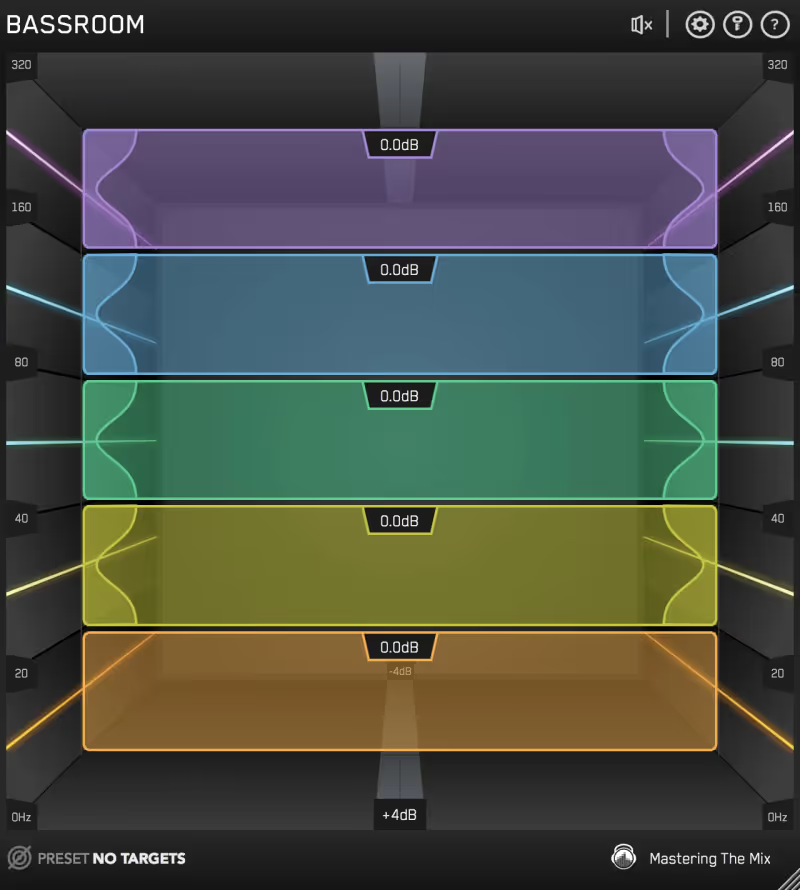
BASSROOM

Best for Low End

The narrowest tool here and the one aimed at the part of the spectrum a small room gets wrong.

Score
8.6
out of 10

How it scored

  • Correction Accuracy 8.0

    It corrects the mix rather than the monitoring, guided by genre targets.

  • Translation Confidence 9.2

    Comparing your low end against released records is the most direct check here.

  • Setup Ease 8.5

    Load it on the master and read the target. Nothing to measure.

Why we picked it

Essential for nailing low-end balance in rooms with poor bass response or standing waves.

Who should skip it

Skip if you are looking for a creative distortion or bass synth. This is a precision mixing tool.

The good

  • Genre-specific targets
  • Transparent filters
  • Easy workflow

The bad

  • Only for low end
  • Analysis based
  • Not a system driver
Engine
VST/AU/AAX
Type
Mastering EQ
Size
200 MB
Price
$80
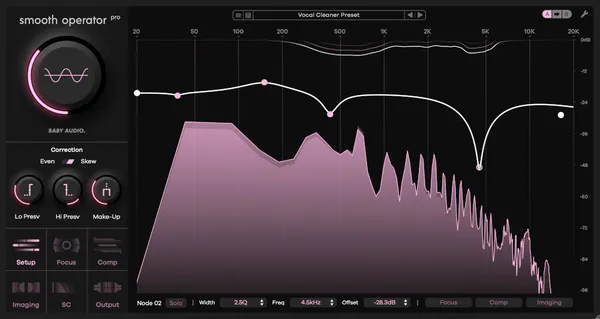
Why it scored that way

Fix the hardest part of your mix without needing massive bass traps.

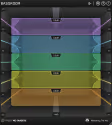
Low end is the enemy of the untreated room. BASSROOM is a dedicated mastering EQ that is specifically designed to help you nail the low frequencies, even if you can't hear them perfectly in your space. It uses genre-specific targets to show you exactly how your bass compares to pro releases. If your room is hiding a muddy 300Hz buildup or masking a weak sub-bass, BASSROOM visualizes it and guides you to the correct balance.

Unlike a standard parametric EQ, the filters are tuned for transparency and musicality in the low end. I use this on every master bus to ensure that my low end will translate to club systems, even if I'm mixing in a small room where the bass response is less than ideal. It's a "safety net" for the most critical part of the spectrum.

Playing connects you to YouTube, which may set cookies.
Heard on
EDM Producers Mastering Engineers Electronic Music
Check price $80
06 Waves

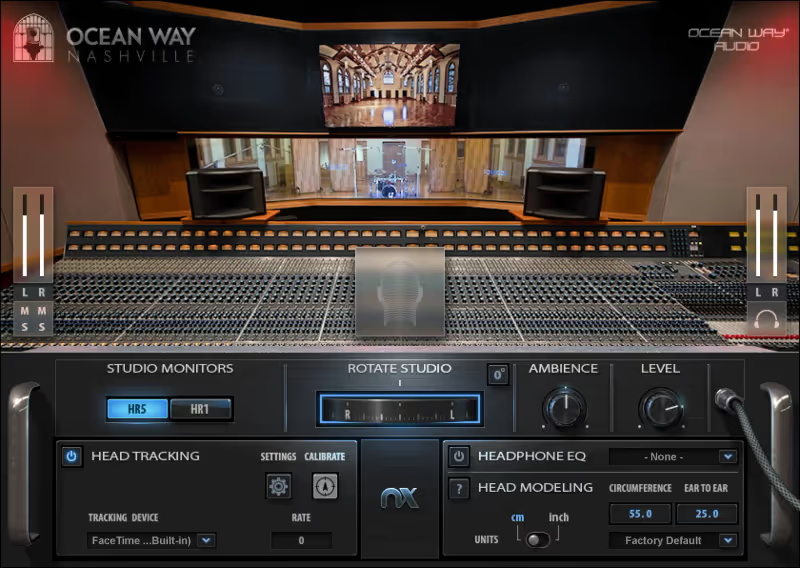
Nx Ocean Way Nashville

Best for Headphone Mixing

The cheapest way to stop your own room being a variable, and it replaces it with someone else's.

Score
7.9
out of 10

How it scored

  • Correction Accuracy 6.0

    It bypasses your room rather than measuring it. Lowest on the page.

  • Translation Confidence 8.5

    Modelled mains give a usable sense of a full-size system.

  • Headphone Realism 9.0

    Crossfeed and reflections that make headphone depth judgeable.

  • Setup Ease 8.0

    Works without the head tracker, and Waves Central is still required.

Why we picked it

The ultimate solution for mixing on the go or in untreated rooms. Turns any headphones into a pro control room.

Who should skip it

Skip if you get disoriented by 3D audio or binaural processing. The effect can be uncanny for some users.

The good

  • Legendary room sound
  • Head tracker support
  • Affordable

The bad

  • Requires Waves Central
  • Specific sound
  • Headtracker optional
Engine
VST/AU/AAX
Type
Virtual Room
Size
300 MB
Price
$29
Why it scored that way

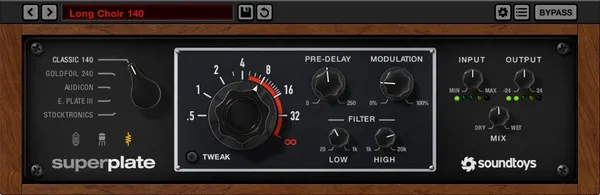
Can't treat your room? Don't. Bring a world-class studio to your headphones instead.

Waves Nx Ocean Way is arguably the ultimate "acoustic treatment" hack: it bypasses your room entirely. By modeling the acoustics involving the legendary Ocean Way Nashville control room and placing you in that virtual space over headphones, it eliminates the variables of your bedroom. I use this constantly when traveling. It simulates the cross-feed and early reflections of high-end mains monitors, giving you a realistic sense of space that flat headphones lack.

It allows you to check low-end balance and stereo imaging with the confidence of a million-dollar facility. While it takes a moment to adjust to the "out of head" sound, it is a phenomenal tool for finalizing mixes when you simply cannot trust your physical environment. This is the future of mobile mixing.

Playing connects you to YouTube, which may set cookies.
Heard on
Bedroom Producers Travel Mixing Silent Studios
Check price $29 (was $149)
07 IK Multimedia

ARC System 3

Best for Mix Correction

Tested in our studio

The one that arrives with its own microphone, which removes the step that stops most people setting correction up at all.

Tested score
8.5
out of 10

How it scored

  • Correction Accuracy 8.8

    Multi-point measurement widens the usable listening position.

  • Translation Confidence 8.8

    Virtual monitoring covers the consumer systems a cue has to survive.

  • Headphone Realism 7.5

    Included and secondary to the speaker correction.

  • Setup Ease 8.8

    Guided setup with the microphone in the box. Best here.

Why we picked it

Ideal for users who want a "package deal" with a calibrated mic included and powerful virtual monitoring options.

Who should skip it

Skip if you already own a measurement mic. The system is designed to work specifically with the included hardware.

The good

  • Includes calibrated mic
  • VRM monitor emulation
  • Easy guided setup

The bad

  • Mic cable is short
  • Plugin workflow
  • Proprietary mic only
Engine
Hardware/Software
Type
Room Correction
Size
400 MB
Price
Check site
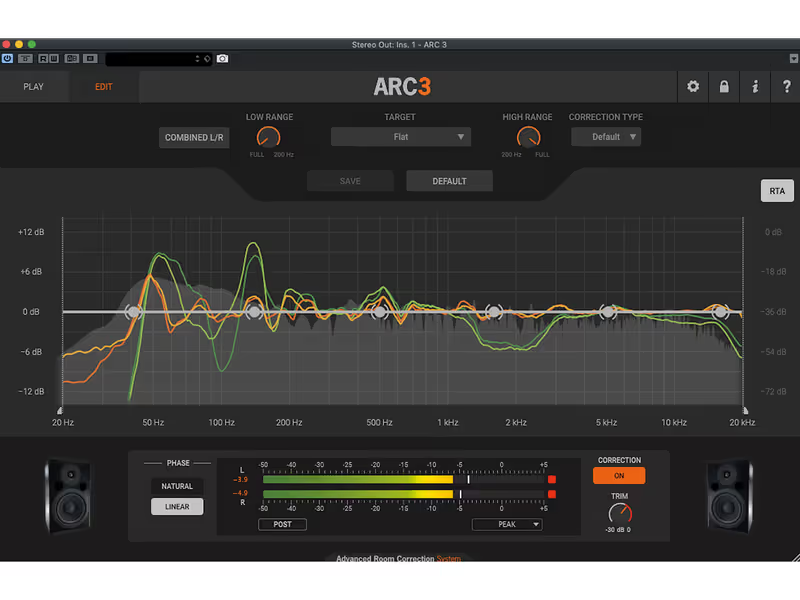
Why it scored that way

A hybrid hardware/software system that rivals Sonarworks.

IK Multimedia offers a compelling alternative to Sonarworks, combining powerful DSP plugin software with a dedicated, proprietary MEMS microphone included in the box. The ARC System 3 moves beyond simple EQ curves, creating a 3D acoustic map of your listening position. When I tested this, the "sweet spot" felt wider and more stable than other correction tools, likely due to the multi-point measurement system.

It excels at "Translation Checks." You can instantly switch the plugin to mimic a car stereo, a TV, or a phone speaker, effectively giving you multiple sets of monitors in one. If you want a solution that includes the precise mic you need and offers a slightly more flexible "virtual control room" feel than its competitors, ARC 3 is the perfect digital upgrade for your studio.

Playing connects you to YouTube, which may set cookies.
Heard on
Project Studios Mixing Mastering
Check price
Read more →

Methodology

Who is this for

Working composers and producers who need reliability, speed, and character for professional scoring tasks.

Our testing process

Where we have tested a product, we do it in actual production scenarios, ranging from rapid sketches to commercial pitches, and we evaluate it in a dense template rather than in isolation. Where we have not, the product card says so and the assessment is drawn from specifications and documented behaviour instead.

Why you should trust us

We buy most reviewed plugins ourselves. Occasionally we receive NFRs for evaluation, but this never guarantees a review or positive verdict. We may earn commissions from links, but our editorial choices are never for sale.

Also considered

For every category, we audition the top 8 to 15 standard options, discarding any that suffer from poor scripting, slow load times, or uninspiring sampling.

Frequently Asked Questions

Can plugins replace acoustic treatment?

No. Room correction software can flatten a frequency response at one listening position, but it cannot shorten a reflection or remove a room mode, and both of those are what make an untreated room misleading.

What does room correction software actually fix?

Frequency response at the measurement position, and in some cases the timing of the early reflections. What it cannot fix is decay time, so a room that rings at 80 Hz still rings after correction.

Are headphones a substitute for a treated room?

For checking detail and balance, largely yes, and for judging low end, no. Headphone low-frequency response is not comparable to a room, which is why most engineers cross-check on both.

What should I treat first in a small studio?

The first reflection points and the corners. Bass trapping in the corners addresses the modal problems that cause the largest errors, and first reflection absorption fixes the imaging, in that order of impact.

Written By

Henry Foster

Henry is a mixing engineer with a background in broadcast and post-production. He obsesses over signal flow, gain staging, and the subtle coloration of analog-modeled plugins. His reviews focus on technical precision, CPU efficiency, and UI workflow.

Related Guides

All Guides →

New reviews, no noise

Occasional email when we publish something worth your time. No daily digest, no vendor press releases.

We store only your address, never sell it, and delete it as soon as you unsubscribe. See our privacy policy.