Head to head

iZotope Trash vs Soundtoys Decapitator

iZotope Trash and Soundtoys Decapitator compared on character, control depth and workflow, with a straight answer on which one earns a permanent slot.

The short answer

Buy Decapitator if you want analog weight you can apply without thinking. Buy Trash if you want to design distortion as a texture with space and depth. Decapitator is the safer first purchase by a distance.

ModWheel is reader-supported. When you buy through links on this page we may earn an affiliate commission, at no extra cost to you. This never influences which products we recommend, read our testing methodology.

Compare all 2

These two get shelved together as distortion and used completely differently. One is a mixing tool, the other is a design tool.

Character

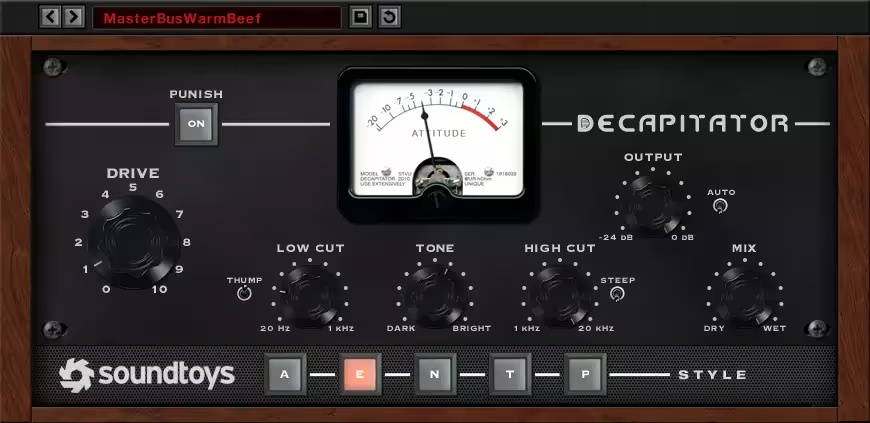
Decapitator models vintage console and tape preamps, and it holds signal depth rather than flattening it the way cheap clippers do. The E style, modelled on the Chandler/EMI TG channel, adds thick creamy low mids to thin bass and drums. It sounds like hardware, and it is remarkably difficult to make it sound bad even pushed hard.

Trash is not chasing that. Its bitcrushing lives inside the distortion modules so you waveshape audio into digital squares, which is a fundamentally different and more synthetic result.

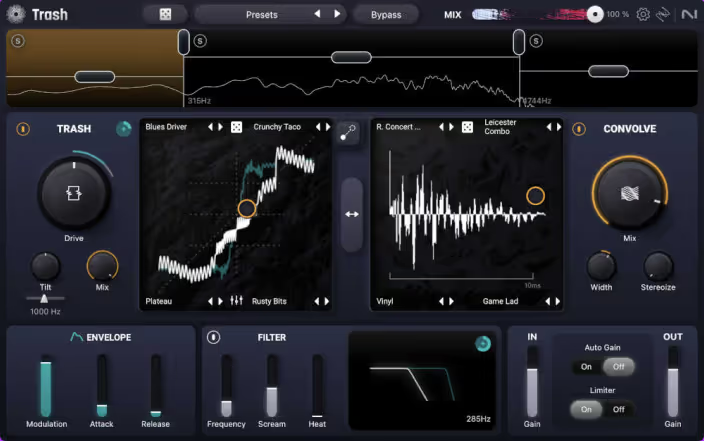
The Convolve module is Trash’s real argument

Blending lo-fi crunch with Convolve places crushed audio inside strange metallic spaces, or inside other samples entirely. The output keeps depth and room information rather than becoming a flat wall, which is what makes it usable rather than merely destructive.

Nothing in Decapitator does this, and no combination of saturation and reverb gets you the same place, because the distortion and the space are computed together.

Workflow

Decapitator is three controls and a Mix knob. The Mix knob does most of the work in practice, since parallel saturation adds weight without committing the whole signal.

Trash asks for more decisions and repays them with results you could not otherwise reach. It is slower, which matters when you are mixing rather than designing.

Side by side

TrashDecapitator
CharacterDigital, synthetic, spatialAnalog, warm, weighty
SignatureConvolve moduleStyle selection and Mix
SpeedSlower, more decisionsVery fast
Fails atSubtle warmingPrecise or spatial design
Best onSound design, texture workDrums, vocals, bass, whole mixes

Which one

Decapitator, if you own neither. It solves the more common problem, it is faster, and it is the harder of the two to misuse. Ours turns up in four separate roundups for that reason.

Trash when you have started wanting distortion to do something rather than just add weight. The Convolve module is genuinely without equivalent, and that is the moment it becomes worth the money.

Neither replaces the other. If you mix and design, both stay installed.

01 iZotope

Trash

Best for Complex Distortion

Distortion with actual space around it thanks to the convolution engine, which is overkill the moment you just want grit.

Score
7.6
out of 10

How it scored

  • Sound Quality 8.8

    The convolution stage gives the distortion dimension.

  • Workflow Speed 6.8

    A tablet-style interface that slows precise work.

  • CPU Footprint 6.0

    400 MB and heavy once multiband is engaged.

  • Metering & Control 8.8

    Full multiband control with clear metering.

Why we picked it

Modern sound design where you need distortion to have space and dimension.

Who should skip it

You just want a simple SP-1200 button. Trash is a complex multi-band beast.

The good

  • Convolution engine
  • Multiband power
  • Modern UI

The bad

  • CPU heavy
  • Overkill for simple tasks
  • iPad style UI
Engine
VST/AU/AAX
Type
Multi-band Distortion
Size
400 MB
Price
$99
Why it scored that way

The legend returns. The 'Convolve' module is a game changer.

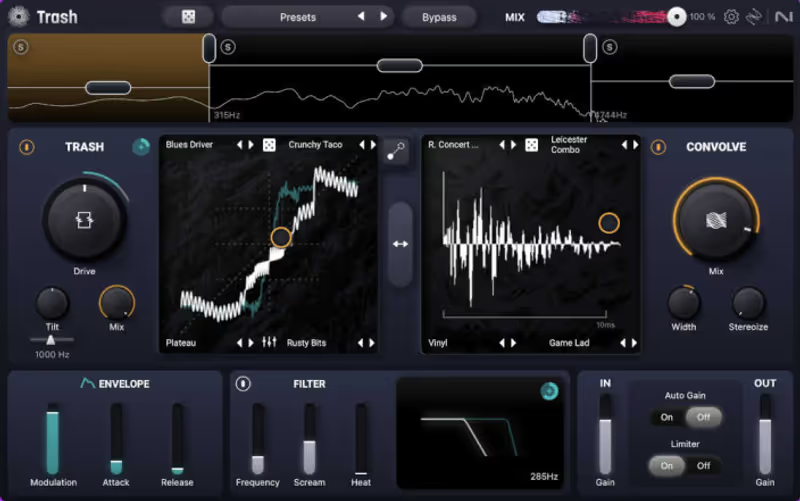
The original Trash 2 was a staple for years, and the new Trash keeps the spirit but modernizes the workflow for a new generation. The bitcrushing here is handled within the distortion modules, allowing you to "waveshape" your audio into digital squares. But the real power is blending that lo-fi crunch with the innovative 'Convolve' module, which places your crushed sound into weird, metallic spaces (or even inside other samples) for unique spatial textures that no other plugin can create.

It creates "Space Trash"-distorted textures that still have depth, room information, and a sense of place. It’s less of a vintage emulator and more of a futuristic texture generator for high-tech genres. The XY pad allows you to morph between different distortion types in real-time, making it an expressive tool for evolving basslines or transitioning leads during a live performance or intense automation pass, adding significant movement to the sound.
Playing connects you to YouTube, which may set cookies.

Heard on
Nine Inch Nails Skrillex Modern Scoring
Check price $99
02 Soundtoys

Decapitator

Best for Saturation

The fastest way to make a sterile track sound expensive, with no way to aim it at the band that needs it.

Score
7.0
out of 10

How it scored

  • Sound Quality 9.0

    Five analog models, all convincing, none of them subtle by accident.

  • Workflow Speed 9.3

    Drive, tone, mix, Punish. You are done in seconds.

  • CPU Footprint 6.5

    Spikes under oversampling, which is where you want it running.

  • Metering & Control 3.0

    A drive meter and nothing else. Lowest here.

Why we picked it

Best for adding character, warmth, and grit to sterile digital tracks.

Who should skip it

Skip this if you want pristine, glassy clean tones.

The good

  • Sounds expensive
  • Simple interface
  • Versatile tones

The bad

  • No multi-band
  • Fixed GUI on older versions
  • CPU spikes
Engine
VST/AU/AAX
Type
Saturator
Size
Plugin
Price
$199
Why it scored that way

Make digital sound analog.

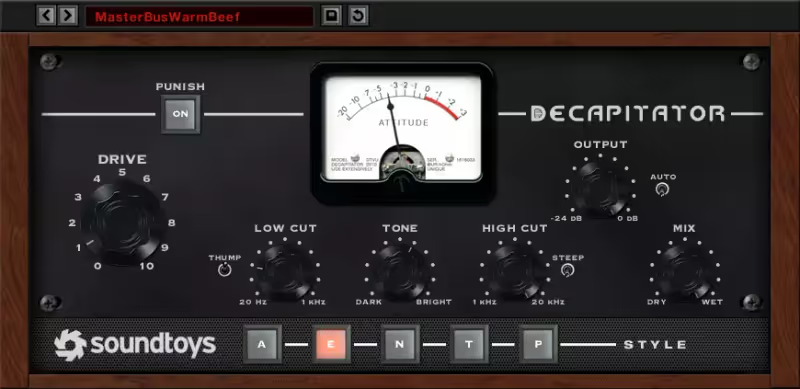
My Experience: Digital recording is often too clean and sterile. Decapitator fixes that instantly. It models the behavior of driving high-end analog hardware inputs into the red. I use it on drums to shave off transients and add punch, on bass to add growl and upper harmonics, and on vocals to add "hair" and attitude. It sits the sound in the mix instantly, giving it a perceived loudness and weight that EQ alone cannot achieve.

Deeper Look: The "Punish" button is famous for extreme distortion, but the real magic is in the subtlety. Using the "E" style (Chandler) with just a touch of Drive brings disparate elements together beautifully. It acts as a glue. The Mix knob is essential for parallel processing, allowing you to blend the destroyed signal with the clean one without complicated routing setups. It is the sound of "expensive."

Playing connects you to YouTube, which may set cookies.

Heard on
Tame Impala Rock Drums Vocal Sauce
Check price $199

Pick Trash if

You want distortion as sound design: waveshaping into digital squares, then placing the result inside strange metallic spaces with the Convolve module.

Pick Decapitator if

You want thin sources to gain body and grit reliably, on almost anything, with a plugin that is very hard to make sound bad.

Written By

Henry Foster

Henry is a mixing engineer with a background in broadcast and post-production. He obsesses over signal flow, gain staging, and the subtle coloration of analog-modeled plugins. His reviews focus on technical precision, CPU efficiency, and UI workflow.

Related Guides

All Guides →

New reviews, no noise

Occasional email when we publish something worth your time. No daily digest, no vendor press releases.

We store only your address, never sell it, and delete it as soon as you unsubscribe. See our privacy policy.