

Best Bitcrusher Plugins (2026): Lo-Fi Drums

Digital perfection is boring. The grit of an old 12-bit sampler or the aliasing of an early DAC is what gives classic records their warmth. The best bitcrushers don't just degrade audio. They add character.

Henry Foster
By Henry Foster

Henry is a mixing engineer with a background in broadcast and post-production. He obsesses over signal flow, gain staging, and the subtle coloration of analog-modeled plugins. His reviews focus on technical precision, CPU efficiency, and UI workflow.

In the age of 192kHz audio, we are obsessed with making things sound worse. But there is an art to destruction. A bad bitcrusher just sounds like broken digital noise. A great bitcrusher emulates the specific circuitry of vintage samplers like the SP-1200 or the MPC60.

I’ve tested the top downsamplers and distortion units to find the ones that smooth out the high end while adding that signature "crunch" to your drums. Whether you are making Lo-Fi study beats or aggressive Industrial techno, these are the essential tools for digital grit.

Several of these picks also appear in our Best Distortion Plugins (2026): Industrial Design roundup, which is worth a look if you are weighing up both.

ModWheel is reader-supported. When you buy through links on this page we may earn an affiliate commission, at no extra cost to you. This never influences which products we recommend, read our testing methodology.

Pick one in 10 seconds

Short version

Compare all 7

Decimort 2
1. Decimort 2 D16 Group
8.1
Engine
VST/AU/AAX
Type
Vintage Sampler Emulation
Size
50 MB
$35 $59 View price
Engine
VST/AU/AAX
Type
Multi-FX
Size
500 MB
CrushShaper 2 8.0
Engine
VST/AU/AAX
Type
Rhythmic FX
Size
100 MB
Unfiltered Audio Dent 2 7.7
Engine
VST/AU/AAX
Type
Distortion/Bitcrusher
Size
50 MB
$20 $27 View price
Trash
5. Trash iZotope
7.6
Engine
VST/AU/AAX
Type
Multi-band Distortion
Size
400 MB
Lo-Fi Glow
6. Lo-Fi Glow Native Instruments
7.0
Engine
Kontakt Player
Type
Hybrid Instrument
Size
500 MB
Super VHS
7. Super VHS Baby Audio
7.2
Engine
VST/AU/AAX
Type
Multi-FX
Size
100 MB
$10 $69 View price
Read more →

Methodology

Who is this for

Working composers and producers who need reliability, speed, and character for professional scoring tasks.

Our testing process

Where we have tested a product, we do it in actual production scenarios, ranging from rapid sketches to commercial pitches, and we evaluate it in a dense template rather than in isolation. Where we have not, the product card says so and the assessment is drawn from specifications and documented behaviour instead.

Why you should trust us

We buy most reviewed plugins ourselves. Occasionally we receive NFRs for evaluation, but this never guarantees a review or positive verdict. We may earn commissions from links, but our editorial choices are never for sale.

Also considered

For every category, we audition the top 8 to 15 standard options, discarding any that suffer from poor scripting, slow load times, or uninspiring sampling.

Top Picks

01 D16 Group

Decimort 2

Best for Vintage Drums

The closest thing to a vintage hardware sampler in software, and it colours everything whether you asked it to or not.

Tested score
8.1
out of 10

How it scored

  • Sound Quality 9.2

    The modelled filters separate it from every generic crusher here.

  • Workflow Speed 7.5

    Fast once learned, behind a small and cramped interface.

  • CPU Footprint 9.0

    50 MB with zero latency, so it is safe while tracking.

  • Metering & Control 6.5

    Deep parameters with very little visual feedback.

Why we picked it

Hip Hop producers wanting authentic vintage sampler tone. It is the closest you can get to hardware without spending $5000.

Who should skip it

You want a clean, transparent sound. This plugin colors everything heavily using its modeled filters.

The good

  • Authentic emulation
  • Incredible filters
  • Zero latency

The bad

  • UI is small
  • Can be complex
  • Very colored
Engine
VST/AU/AAX
Type
Vintage Sampler Emulation
Size
50 MB
Price
$35
Why it scored that way

The gold standard. It makes everything sound like 1995.

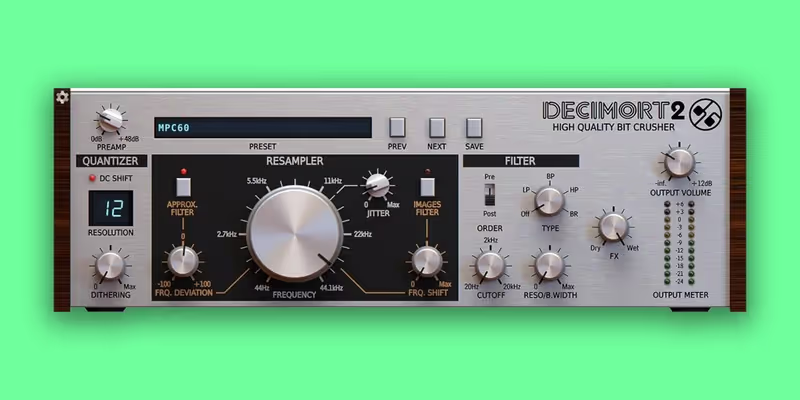
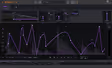
Decimort 2 is not just a bitcrusher. It is a time machine. Most plugins just reduce the sample rate mathematically, resulting in harsh, unusable digital noise from aliasing that hurts the ears. Decimort simulates the entire complicated signal path of early hardware samplers-including the crucial anti-aliasing filters and pre-amps. This is the secret sauce that separates it from free bitcrushers. You can crush a drum loop down to 12-bit, 22kHz, but actually smooth out the harsh frequencies using the filter, resulting in that punchy, warm "Golden Era" hip-hop sound without the ear fatigue.

The preset browser is filled with meticulously modeled emulations of specific classic machines (MPC60, SP-1200, Linndrum, Ensoniq EPS). I put the 'SP-1200' preset on my drum bus for nearly every Boom Bap track I mix. It instantly adds weight, glues the kit together, and makes modern digital samples sound like they were lifted directly from vinyl. It completely transforms the groove and feel of the drums, making them sit in the mix with authority.

Heard on
Boom Bap French House Industrial
Check price $35 (was $59)
02 XLN Audio

RC-20 Retro Color

Best for Lo-Fi Keys

The fastest route to a finished lo-fi character, and it is on so many records that it can date a cue.

Tested score
7.4
out of 10

How it scored

  • Sound Quality 8.5

    Consistently musical across all six modules.

  • Workflow Speed 9.2

    The quickest plugin here to a usable result.

  • CPU Footprint 6.5

    500 MB and noticeably heavy for what it does.

  • Metering & Control 5.5

    Broad strokes only. No control over aliasing frequencies.

Why we picked it

Lo-Fi and Chillhop producers who need a complete "vibe" solution in one plugin to glue their tracks.

Who should skip it

You want surgical control over aliasing frequencies. It is designed for broad strokes.

The good

  • Fast workflow
  • Sounds musical
  • Versatile FX

The bad

  • Used by everyone
  • CPU heavy
  • Limited routing
Engine
VST/AU/AAX
Type
Multi-FX
Size
500 MB
Price
$99
Why it scored that way

It’s a cliché because it works. The instant Lo-Fi button.

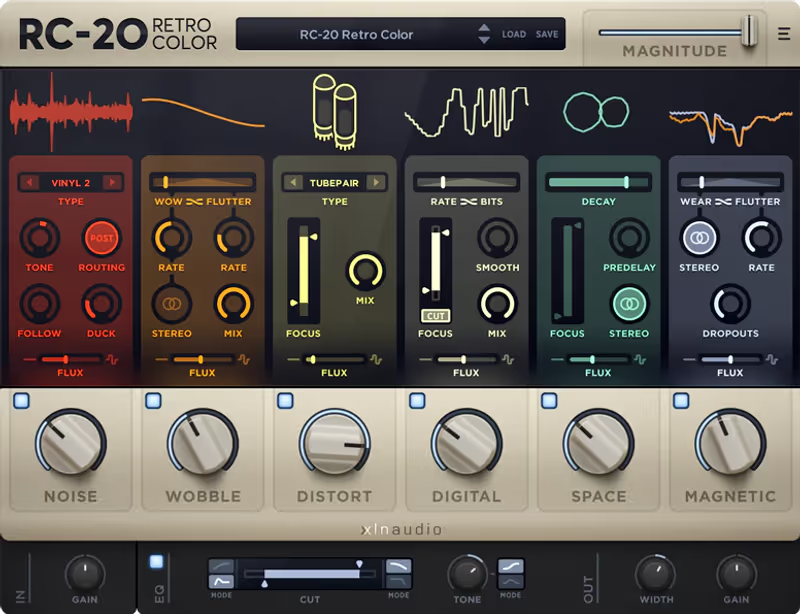
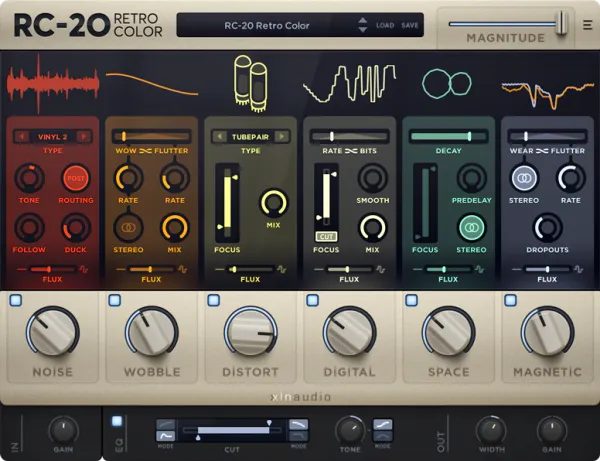
RC-20 is on every single Lo-Fi track for a reason. Its 'Digital' module is a simplified but highly musical bitcrusher that focuses on sound over specs. While it lacks the deep, surgical editing of Decimort, it compensates with incredible context and speed. Being able to combine bitcrushing with tape wobble, magnetic wear, and vinyl noise in a single cohesive interface makes dialing in a specific nostalgic vibe incredibly fast and intuitive. It focuses on the musicality of the degradation rather than the technical settings.

The "Magnitude" slider is genius-it’s a global dry/wet knob that controls the intensity of every enabled module at once. I use this for transitions. Automating the magnitude up during a breakdown makes the whole track feel like it's continuously disintegrating into dust, then snapping back to crystal clarity for the drop. It adds a dynamic performative element to what is usually a static insert effect, breathing life into the arrangement.

Heard on
Lofi Girl Modern Trap Indie Pop
Check price $99
03 Cableguys

CrushShaper 2

Best for Rhythmic Grit

The only crusher here that thinks in bars, which makes it invaluable rhythmically and pointless as a set-and-forget colour.

Tested score
8.0
out of 10

How it scored

  • Sound Quality 8.0

    Clean and modern, without the D16 character.

  • Workflow Speed 6.5

    Drawing curves is the workflow, and it takes time.

  • CPU Footprint 8.2

    100 MB and reasonable across instances.

  • Metering & Control 9.4

    Multiband plus drawable LFOs. Most controllable here.

Why we picked it

Electronic and Bass Music producers who need rhythmic movement in their distortion.

Who should skip it

You want a "set and forget" vintage tone. This forces you to think rhythmically and program curves.

The good

  • Multiband control
  • Draw your LFOs
  • Modern sound

The bad

  • Complex UI
  • Digital sound
  • Curve learning curve
Engine
VST/AU/AAX
Type
Rhythmic FX
Size
100 MB
Price
$39
Why it scored that way

Bitcrushing with rhythm. It brings static loops to life.

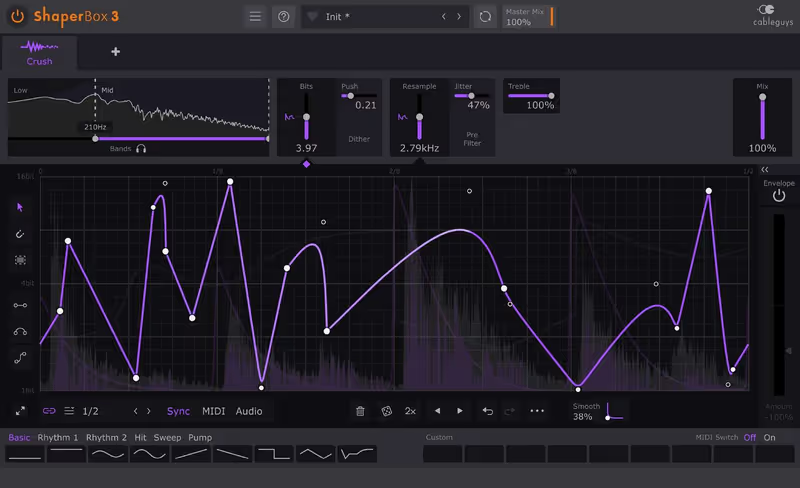
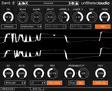
Bitcrushing is usually a static effect-you turn it on, set the rate, and it stays on forever. CrushShaper changes that paradigm completely. It uses Cableguys' famous, flexible LFO engine to modulate the bit depth and sample rate in perfect time with your track's tempo. You can crush just the snare hits while leaving the kick drum clean, or create a pumping, distorted side-chain rhythm on a sustained bass note that grooves with the beat. It turns distortion into a rhythmic instrument that dances with your track.

I love using the 'Multiband' mode to only crush the absolute high frequencies of a drum loop while leaving the lows intact. This gives you that sizzling, crispy top end of an old breakbeat sample without muddying up your low-end kick or sub-bass. It allows you to transform clean, modern drum recordings into vintage-sounding breaks that still have the punch and definition required for modern dance music production on large club systems.

Heard on
Dubstep Drum & Bass Glitch Hop
Check price $39
04 Plugin Alliance

Unfiltered Audio Dent 2

Best for Industrial FX

A modular destruction system rather than a bitcrusher, and completely wrong for anything that needs to stay musical.

Tested score
7.7
out of 10

How it scored

  • Sound Quality 8.2

    Genuinely unique flavours, and it turns harsh quickly.

  • Workflow Speed 5.0

    Complex and unattractive. Slowest on this list.

  • CPU Footprint 8.5

    50 MB and light for how deep it goes.

  • Metering & Control 9.0

    Modular routing reaches places nothing else here can.

Why we picked it

Sound designers and Industrial producers needing extreme digital aggressive textures and modular control.

Who should skip it

You are mixing a smooth jazz record. This is a weapon of mass destruction.

The good

  • Insanely deep
  • Unique flavors
  • Modular system

The bad

  • Can be harsh
  • Complex
  • Ugly UI
Engine
VST/AU/AAX
Type
Distortion/Bitcrusher
Size
50 MB
Price
$20
Why it scored that way

Industrial grade destruction. Not for the faint of heart.

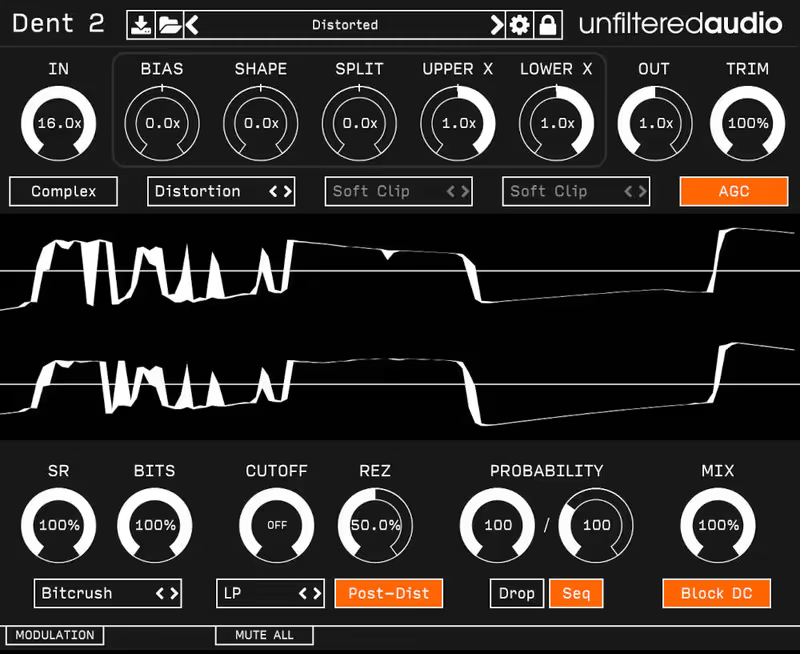
Dent 2 is aggressive. It doesn't want to make things sound "warm" or "nostalgic". It wants to mangle them beyond recognition. The magic here is the incredibly deep modulation system. You can patch LFOs, Envelope Followers, and Sequencers to virtually any parameter, including the sample rate and bit depth. I used this on a sci-fi horror noise layer, randomizing the bit depth to create unpredictable, glitching digital artifacts that scared the director more than the score itself.

It includes distinct "Clipping" modes which drastically change the flavor of the digital distortion. It is a sound design tool first and a mixing tool second, designed for those who want to push boundaries. If you are looking for standard "sampler emulation," look elsewhere. But if you want to create sounds that have never been heard before, Dent 2 is a playground of digital destruction that rewards experimentation by surprising you with new textures.

Heard on
Cyberpunk Audio Industrial Techno Sound Design
Check price $20 (was $27)
05 iZotope

Trash

Best for Complex Distortion

Distortion with actual space around it thanks to the convolution engine, which is overkill the moment you just want grit.

Tested score
7.6
out of 10

How it scored

  • Sound Quality 8.8

    The convolution stage gives the distortion dimension.

  • Workflow Speed 6.8

    A tablet-style interface that slows precise work.

  • CPU Footprint 6.0

    400 MB and heavy once multiband is engaged.

  • Metering & Control 8.8

    Full multiband control with clear metering.

Why we picked it

Modern sound design where you need distortion to have space and dimension.

Who should skip it

You just want a simple SP-1200 button. Trash is a complex multi-band beast.

The good

  • Convolution engine
  • Multiband power
  • Modern UI

The bad

  • CPU heavy
  • Overkill for simple tasks
  • iPad style UI
Engine
VST/AU/AAX
Type
Multi-band Distortion
Size
400 MB
Price
$99
Why it scored that way

The legend returns. The 'Convolve' module is a game changer.

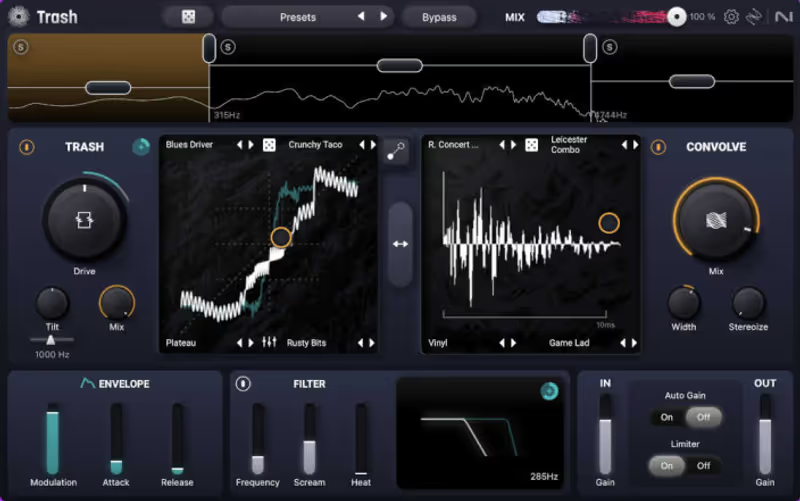
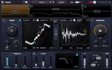
The original Trash 2 was a staple for years, and the new Trash keeps the spirit but modernizes the workflow for a new generation. The bitcrushing here is handled within the distortion modules, allowing you to "waveshape" your audio into digital squares. But the real power is blending that lo-fi crunch with the innovative 'Convolve' module, which places your crushed sound into weird, metallic spaces (or even inside other samples) for unique spatial textures that no other plugin can create.

It creates "Space Trash"-distorted textures that still have depth, room information, and a sense of place. It’s less of a vintage emulator and more of a futuristic texture generator for high-tech genres. The XY pad allows you to morph between different distortion types in real-time, making it an expressive tool for evolving basslines or transitioning leads during a live performance or intense automation pass, adding significant movement to the sound.

Heard on
Nine Inch Nails Skrillex Modern Scoring
Check price $99
06 Native Instruments

Lo-Fi Glow

Best for Chill Beats

An instrument in a plugin roundup, so it fails the one test this page actually runs: it will not touch your own drums.

Tested score
7.0
out of 10

How it scored

  • Sound Quality 7.5

    Pleasant and entirely sample based.

  • Workflow Speed 8.8

    Simple macros with no chain to build.

  • CPU Footprint 8.5

    500 MB and low CPU inside Kontakt Player.

  • Metering & Control 3.0

    It cannot process your audio at all. Lowest here by far.

Why we picked it

Producers who want 'ready-to-go' lo-fi instruments without messing with effect chains.

Who should skip it

You want to process your own drums. This is an instrument, not an effect plugin.

The good

  • Instant vibe
  • Simple macros
  • Low CPU

The bad

  • It's an instrument
  • Less control
  • Samples only
Engine
Kontakt Player
Type
Hybrid Instrument
Size
500 MB
Price
$49
Why it scored that way

All the work is done for you. Beautifully ruined sounds.

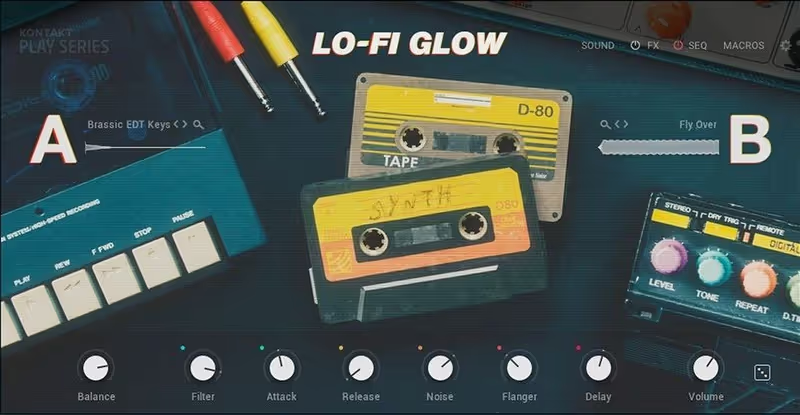
Sometimes you don't want to add a bitcrusher to a sound. You just want a sound that is already crushed and ready to go. Lo-Fi Glow is exactly that solution. It captures keyboards, synths, and basses that have been pre-processed through broken pedals and cheap vintage samplers. The "Grit" macro is effectively a curated bitcrusher that matches the instrument perfectly, saving you the hassle of building elaborate FX chains just to get a vibe.

It is incredibly inspiring for writing sessions. You load a preset, play a simple chord, and it already sits in that "cloudy," warm frequency pocket that Lo-Fi producers love. Because the bitcrushing was applied during the sampling process, the artifacts feel like part of the instrument's character rather than a layer on top, resulting in a more cohesive and organic sound that fits perfectly in chill-hop tracks.

Heard on
Study Beats Bedroom Pop Background Music
Check price $49
07 Baby Audio

Super VHS

Best for 80s Nostalgia

One sound, delivered instantly and cheaply, with a noise floor you are not allowed to turn off.

Tested score
7.2
out of 10

How it scored

  • Sound Quality 7.5

    The 80s tone is right, and the noise is permanent by design.

  • Workflow Speed 9.4

    Effectively one knob. Nothing here is faster.

  • CPU Footprint 8.5

    100 MB and undemanding.

  • Metering & Control 3.5

    Almost none, and no way to remove the noise floor.

Why we picked it

Synthwave and Retrowave producers needing instant 80s nostalgia in their productions.

Who should skip it

You like clean mixes. This plugin introduces a high noise floor intentionally that cannot be removed.

The good

  • One-knob simplicity
  • Perfect 80s tone
  • Cheap

The bad

  • Noisy
  • Not versatile
  • One trick pony
Engine
VST/AU/AAX
Type
Multi-FX
Size
100 MB
Price
$10
Why it scored that way

The easiest way to make your track sound like 1984.

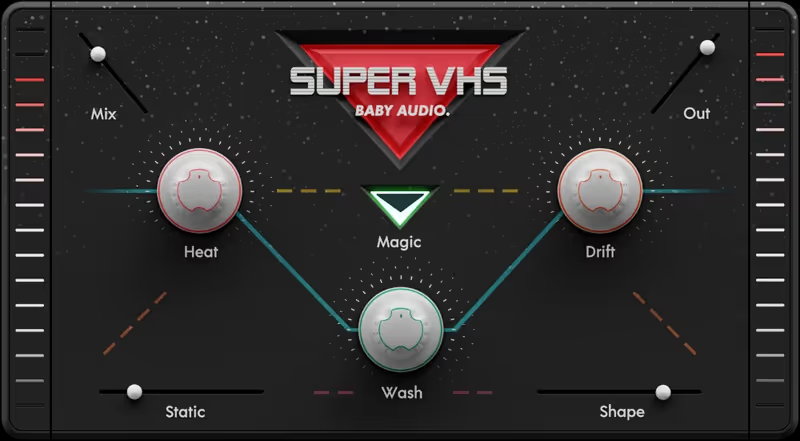
Baby Audio understands that we don't always want to tweak a dozen parameters. Sometimes we just want an instant vibe. The 'Drift' and 'Wash' knobs on Super VHS are calibrated perfectly to emulate bad tape. But the 'Heat' knob is where the bitcrushing magic happens. It’s a dirty, aggressive saturation algorithm that breaks up the signal just like a cheap camcorder microphone overloading at a loud concert. It sounds broken in the best way possible.

It’s messy, noisy, and absolutely lacks subtlety-and that is exactly why it is brilliant. Throw it on a generic synth pad, turn up the 'Static' noise, and you are instantly in Stranger Things territory. It glues the sound together with a thick layer of grime that makes everything sound like it was recorded to a VCR in 1984, adding instant nostalgia and emotional weight to even the simplest melody.

Heard on
Synthwave Indie Rock Retro Pop
Check price $10 (was $69)

Frequently Asked Questions

What is the difference between bit depth and sample rate reduction?

Reducing bit depth adds quantisation noise across the whole signal, so quiet passages get gritty. Reducing sample rate folds high frequencies back down as aliasing, which produces the metallic, inharmonic ring.

Why does my bitcrusher sound harsh rather than lo-fi?

Because the aliasing is unfiltered. Putting a low-pass filter after the crusher removes the top-octave artefacts and leaves the grit, which is the difference between vintage-sounding and simply unpleasant.

What bit depth sounds like a classic sampler?

Twelve bits is the classic sampler territory and eight bits is clearly an effect. Below eight the source stops being recognisable, which is useful for sound design but not for character.

Should bitcrushing go before or after reverb?

Before, if you want the space to sound clean around a degraded source, and after if you want the whole image to sound degraded. Crushing after reverb is the more aggressive option because it quantises the tail as well.

Written By

Henry Foster

Henry is a mixing engineer with a background in broadcast and post-production. He obsesses over signal flow, gain staging, and the subtle coloration of analog-modeled plugins. His reviews focus on technical precision, CPU efficiency, and UI workflow.

Related Guides

All Guides →

New reviews, no noise

Occasional email when we publish something worth your time. No daily digest, no vendor press releases.

We never sell your address. Unsubscribe any time, see our privacy policy.