


7 Best AI Mixing Plugins (2026)

If you are spending hours hunting for harsh resonances manually, you are wasting valuable creative energy.

Henry Foster
By Henry Foster Mixing Engineer & Studio Tech

ModWheel is reader-supported. When you buy through links on this page we may earn an affiliate commission, at no extra cost to you. This never influences which products we recommend, read our testing methodology.

Prices come from the store's own feed and were last checked 1 September 2026. We don't issue discount codes — the price you see is the store's own.

Pick one in 10 seconds

Short version
  • Two tracks are fighting and you want it fixed in one knob pure:unmask
  • A vocal is spiky and manual de-essing keeps costing you consonants smart:deess
  • A source is tonally wrong before any of it is a mix problem smart:EQ 4
  • You are mixing a large session alone and need a second opinion on every channel Neutron 5
  • The whole vocal chain has to exist by lunchtime Nectar 4 Standard
  • The delivery has a loudness spec attached to it smart:limit

Compare all 7

Finding the best AI mixing plugins is absolutely mandatory for producers who need to deliver high-quality mixes under incredibly tight deadlines. Traditional equalizers require you to blindly sweep narrow frequency bands for minutes just to locate a single harsh vocal whistle. The top machine learning tools analyze your incoming audio instantly, automatically applying complex dynamic cuts perfectly tailored to the incoming signal.

You need a digital assistant that handles the tedious, clinical cleanup tasks so you can focus entirely on creative mixing decisions. A smart plugin completely replaces the endless frustration of manually automating problematic frequency buildups throughout a dense track. The right tool depends heavily on your workflow, such as preferring automatic resonance suppression or complete, AI-generated channel strip suggestions.

Assistive tools are a starting point rather than a chain, and they still need something underneath them doing the actual work. Best Essential Mixing Plugins (2026): The Toolkit covers the manual equivalents these are trained to imitate.

Top Picks

01 iZotope

Neutron 5

Best for Channel Strip

The widest coverage of anything here and the heaviest, which is the wrong trade if you only wanted the unmasking.

Score
7.4
out of 10

How it scored

  • Automation Accuracy 8.5

    The assistant lands a defensible starting balance across a whole session.

  • Masking Detection 9.2

    Unmask draws the collision between instances rather than describing it.

  • Workflow Speed 7.5

    Comprehensive, and there is a lot of interface between you and one module.

  • CPU Footprint 4.5

    A full strip on every channel is the heaviest option on this page.

Why we picked it

Best for comprehensive track balancing because the Mix Assistant automatically sets starting levels and creates complete processing chains instantly.

Who should skip it

Avoid if you suffer from severe CPU limitations and prefer using extremely lightweight, single-purpose digital equalizers.

The good

  • Incredible automatic unmasking capabilities
  • Fantastic automated starting points
  • Visually identifies track collisions easily

The bad

  • High computer processing requirements
  • Interface can feel slightly overwhelming
  • AI suggestions sometimes lack character
Format
VST/AU/AAX
Protection
iLok
Price
$299
Why it scored that way

Neutron is effectively a highly educated assistant engineer capable of instantly providing a fantastic starting balance.

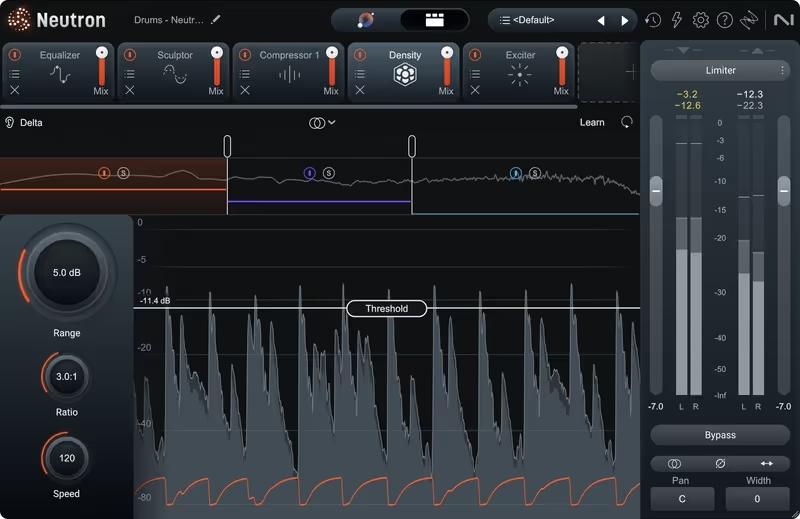
Neutron 5 utilizes the incredibly advanced Mix Assistant to listen to your entire multitrack session and automatically suggest a cohesive starting balance. The Unmask module is absolutely phenomenal, instantly identifying and carving out frequency collisions between your massive kick drum and heavily distorted bassline. I frequently use the Sculptor module on poorly recorded acoustic guitars to instantly correct the tonal balance without needing five separate equalizers.

The fully loaded channel strip demands a significant amount of computer processing power, which can easily overwhelm older laptops on large sessions. Despite the heavy CPU tax, it is the absolute best all-in-one alternative for producers who want a comprehensive AI mixing ecosystem. The ability to visually see the frequency masking between different tracks directly within the interface is a massive workflow improvement.

Playing connects you to YouTube, which may set cookies.
Heard on
Greg Kurstin Ian Kirkpatrick Finneas
Check price $299
02 sonible

smart:EQ 4

Best for Intelligent Equalizer

The most useful analysis here, provided you pull the intensity back from the setting it opens on.

Score
8.4
out of 10

How it scored

  • Automation Accuracy 9.2

    The generated curve is usable on poor sources rather than merely plausible.

  • Masking Detection 8.8

    Cross-channel grouping across up to six tracks, carving for the lead.

  • Workflow Speed 8.5

    Analyse, then one intensity control. The rest is optional.

  • CPU Footprint 7.0

    Dynamic filtering per band, and it is not free on a large session.

Why we picked it

Best for rapid tonal correction because the AI instantly generates a perfectly balanced dynamic equalization curve based on the source material.

Who should skip it

Avoid if you prefer the colorful, musical imperfections of vintage analog equalizers rather than perfectly flat spectral balance.

The good

  • Instantly achieves perfect spectral balance
  • Incredible cross-channel masking correction
  • Highly intuitive dynamic adaptation

The bad

  • 100% intensity can sound overly sterile
  • Requires iLok account authorization
  • Slightly clinical user interface
Format
VST/AU/AAX
Protection
iLok
Price
$79
Why it scored that way

This plugin completely eliminates the tedious guesswork of trying to manually balance a poorly recorded instrument.

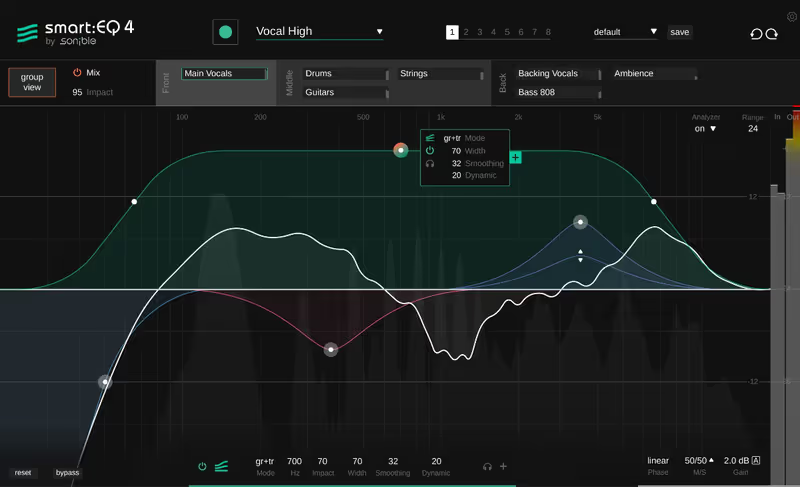
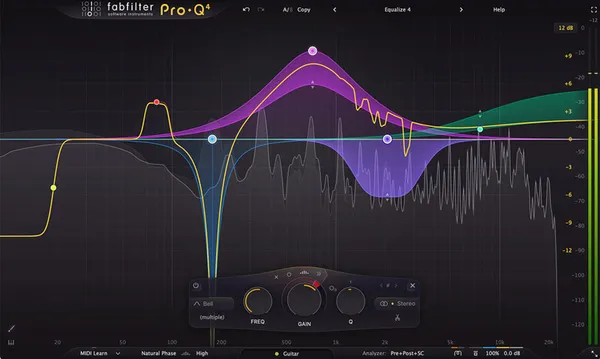
Sonible smart:EQ 4 listens to your audio source and instantly generates a highly complex, dynamic equalization curve to perfectly balance the frequency spectrum. The cross-channel processing feature allows you to group up to six tracks together, letting the AI automatically carve out space for the lead vocal. I use this plugin constantly on messy drum overheads because it instantly tames harsh cymbals while simultaneously bringing out the snare body.

The automatic correction can sometimes feel slightly overzealous, flattening the unique character of an instrument if you apply the curve at maximum intensity. Even with that minor caveat, it remains the absolute best alternative to traditional equalizers when you are facing a severe time crunch. The dynamic adaptation ensures that the equalization perfectly follows the changing tonal balance of the performance over time.

Heard on
Dave Pensado Tony Maserati Jaycen Joshua
Check price $79 (was $129)
03 sonible

smart:comp 3

Best for Transparent Compression

Compression you cannot hear working, which is the whole point and also the reason it will bore you.

Score
7.9
out of 10

How it scored

  • Automation Accuracy 8.8

    Suggested attack and release hold up on acoustic material without pumping.

  • Workflow Speed 8.0

    Analyse and go, with the transfer curve there if you want it.

  • CPU Footprint 7.0

    Spectral processing across many bands rather than one gain stage.

Why we picked it

Best for invisible dynamic leveling because the spectral engine compresses only the specific frequencies that actually require control.

Who should skip it

Avoid if you want a colorful, aggressive compressor that adds heavy harmonic saturation and obvious pumping.

The good

  • Incredibly transparent spectral compression
  • Perfect automatic attack and release times
  • Brilliant free-form transfer curve drawing

The bad

  • Provides absolutely zero analog coloration
  • Requires iLok account authorization
  • Visualizer can be slightly overwhelming
Format
VST/AU/AAX
Protection
iLok
Price
$79
Why it scored that way

This plugin provides incredibly transparent dynamic control that never squashes the life out of your mix.

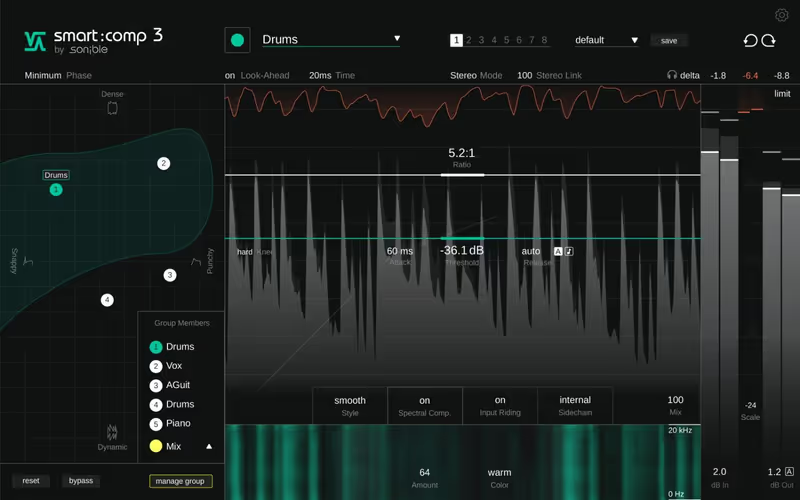
Sonible smart:comp 3 utilizes a revolutionary spectral compression engine that applies dynamic gain reduction across thousands of individual frequency bands simultaneously. The AI parametrization instantly suggests the perfect attack, release, and ratio settings based entirely on the specific profile of the incoming audio. I heavily rely on this tool for acoustic guitar buses because it perfectly levels the performance without inducing that obvious, heavy pumping artifact.

Because it focuses entirely on extreme transparency and spectral balance, it is completely useless for achieving aggressive, colorful vintage compression. Regardless of this intentional lack of character, it is the best alternative available when you need completely invisible dynamic control. The included free-form transfer curve allows you to draw incredibly complex compression mapping that traditional threshold knobs simply cannot achieve.

Heard on
Fab Dupont Mick Guzauski Andrew Scheps
Check price $79 (was $129)
04 iZotope

Nectar 4 Standard

Best for Vocal Chain

A complete vocal chain in one window, at a latency and CPU cost you will notice while tracking.

Score
6.7
out of 10

How it scored

  • Automation Accuracy 8.5

    Auto-Level rides the take before the compressor sees it.

  • Workflow Speed 7.5

    Fast to a result, slower to find anything once every module is loaded.

  • CPU Footprint 4.0

    Heavy, and it introduces latency, which rules it out on an input chain.

Why we picked it

Best for modern vocal production because the intelligent assistant instantly creates a perfectly balanced, radio-ready vocal chain.

Who should skip it

Avoid if you prefer building your vocal chain using individual vintage analog emulations spread across multiple inserts.

The good

  • Incredible automatic vocal leveling
  • Fantastic harmony and voice generation
  • Perfectly tailored automatic de-essing

The bad

  • High computer processing demands
  • Introduces noticeable plugin latency
  • Interface can feel slightly bloated
Format
VST/AU/AAX
Protection
iLok
Price
$199
Why it scored that way

Nectar provides an entire world-class vocal chain inside a single, highly intelligent plugin window.

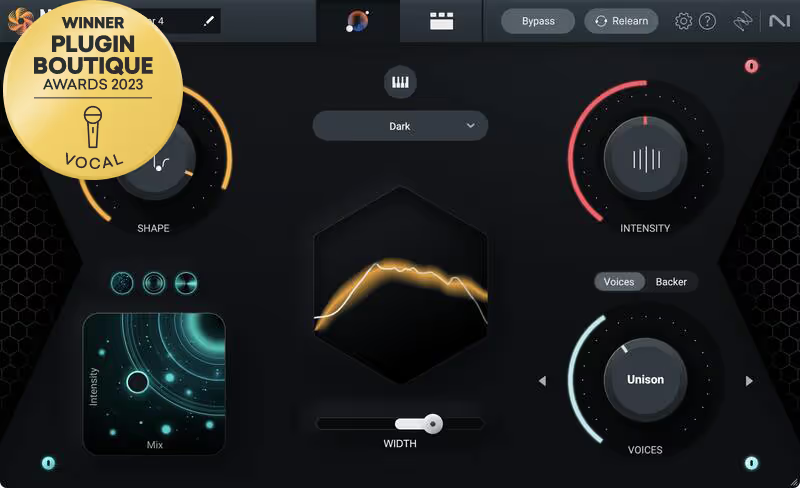
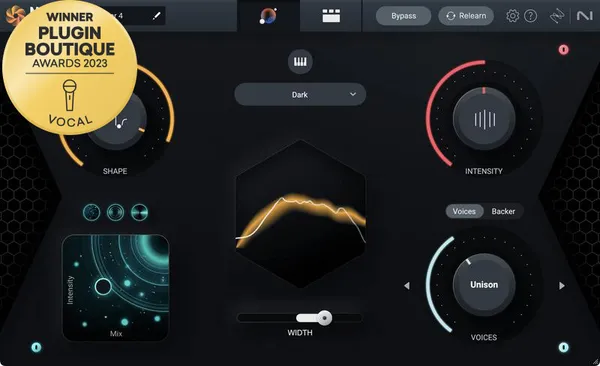
Nectar 4 Standard completely automates the most tedious aspects of vocal production by instantly applying perfectly tailored equalization, compression, and incredibly precise de-essing. The newly integrated Auto-Level module is absolutely fantastic, acting like a transparent vocal rider that perfectly glues the performance before it even hits the compressor. I constantly rely on the Voices module to instantly generate incredibly thick, artificial choir harmonies for heavy electronic pop choruses.

Similar to Ozone and Neutron, loading every single module simultaneously will severely tax your computer processor and introduce noticeable latency. Despite the heavy footprint, it is the absolute best vocal chain alternative for producers who want a polished, commercial vocal sound immediately. The included Backer module is surprisingly innovative, allowing you to morph your vocal tone using completely different synthetic profiles.

Heard on
Greg Kurstin Ian Kirkpatrick Charlie Puth
Check price $199
05 sonible

smart:limit

Best for Intelligent Limiter

The only tool here that answers a delivery spec rather than a taste question, and it makes you read a histogram to do it.

Score
7.6
out of 10

How it scored

  • Automation Accuracy 8.8

    Targets are per platform and the processing adjusts to hit them.

  • Workflow Speed 6.5

    LUFS and true peak histograms, which is a lot to read before your first move.

  • CPU Footprint 7.5

    Master bus only, so the load lands once.

Why we picked it

Best for precise loudness targeting because it automatically adjusts the limiting parameters to match specific streaming platform requirements.

Who should skip it

Avoid if you strictly prefer traditional vintage limiters and despise highly complex, analytical visual feedback meters.

The good

  • Incredible automatic loudness targeting
  • Fantastic visual streaming platform guides
  • Excellent transient preservation

The bad

  • Highly analytical visual interface
  • Steep learning curve for beginners
  • Requires iLok account authorization
Format
VST/AU/AAX
Protection
iLok
Price
$79
Why it scored that way

This plugin completely removes the anxiety of delivering masters that fail streaming service loudness penalties.

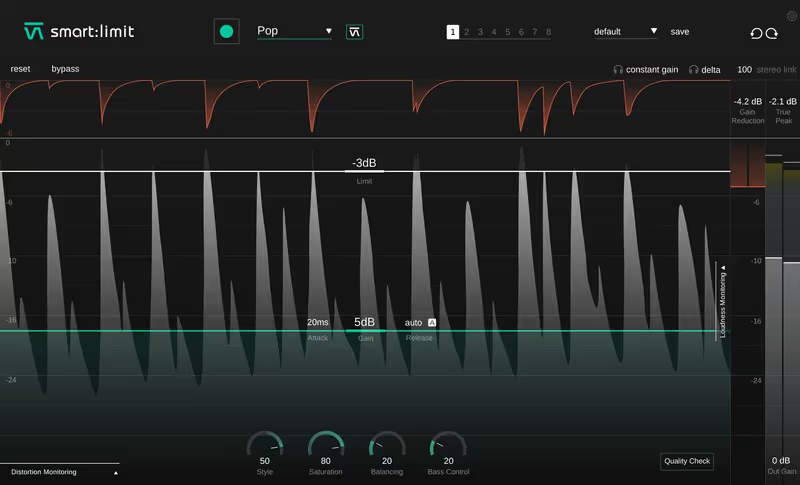
Sonible smart:limit analyzes your entire mix and provides real-time visual feedback against the exact loudness requirements of Spotify, Apple Music, and YouTube. The intelligent processing automatically adjusts the limiting algorithm to preserve your mix's transient punch while achieving competitive commercial loudness without distortion. I regularly place this on my master bus when finalizing electronic tracks because it guarantees the low-end remains completely intact even under massive gain reduction.

The highly analytical visual interface can be incredibly intimidating for beginners who are not accustomed to reading complex LUFS and true peak histograms. Even with this steep initial learning curve, it remains the absolute best intelligent alternative to traditional, blind brickwall limiters on the market. The integrated sound-shaping tools allow you to perfectly tweak the final spectral balance without needing to open another standalone equalization plugin.

Heard on
Various Mastering Engineers Independent Producers Bedroom Mixers
Check price $79 (was $129)
06 sonible

smart:deess

Best for Intelligent De-esser

The most reliable single job on this page, and a lot of money for a plugin that does one thing.

Score
8.7
out of 10

How it scored

  • Automation Accuracy 9.4

    It separates sibilance from consonants without leaving a lisp. Best here.

  • Workflow Speed 8.8

    Nothing to tune, and the display shows which phonemes it caught.

  • CPU Footprint 8.0

    One process on one track. Light in the quantities a vocal needs.

Why we picked it

Best for vocal sibilance control because the intelligent detection automatically suppresses harsh consonants without destroying the high frequencies.

Who should skip it

Avoid if you demand traditional frequency sweeping controls and manual threshold parameters for your vocal de-essing tasks.

The good

  • Flawless automatic sibilance detection
  • Never dulls the fundamental vocal tone
  • Excellent real-time visual feedback

The bad

  • Lacks traditional frequency sweep controls
  • Premium price point for a single tool
  • Requires iLok account authorization
Format
VST/AU/AAX
Protection
iLok
Price
$79
Why it scored that way

This AI tool perfectly solves one of the most frustrating and tedious tasks in modern vocal production.

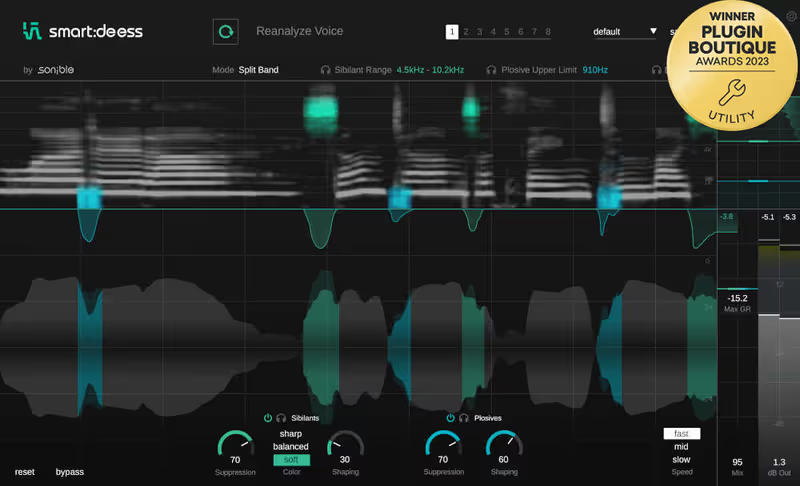
Sonible smart:deess utilizes deep machine learning to automatically distinguish between unwanted harsh sibilance and essential high-frequency vocal consonants perfectly. This means you no longer have to manually draw tedious volume automation curves just to tame a spiky, aggressive vocal performance. I use this plugin constantly on lead vocals because it instantly smooths out harsh microphone resonances without leaving the singer sounding like they have a severe lisp.

Because it relies entirely on complex automatic detection algorithms, it does not provide the traditional frequency sweeping controls found on older analog de-essers. Despite this intentional workflow shift, it is undeniably the best intelligent alternative to spending hours manually hunting for harsh vocal whistles. The real-time visual display makes it incredibly easy to see exactly which specific phonemes the artificial intelligence is actively suppressing.

Heard on
Pop Vocal Producers Podcast Editors Voiceover Artists
Check price $79 (was $129)
07 sonible

pure:unmask

Best for Track Unmasking

One knob that replaces a sidechain routing job, and nothing at all to fall back on when the default is wrong.

Score
8.9
out of 10

How it scored

  • Automation Accuracy 8.0

    Consistent on the kick and bass case, less so on complex sources.

  • Masking Detection 8.5

    Carves the target against a sidechain without a crossover to place.

  • Workflow Speed 9.5

    Sidechain, one knob, done. Best on the page.

  • CPU Footprint 9.4

    Light enough to leave on dozens of channels. Best here.

Why we picked it

Best for immediate track separation because the single-knob design automatically resolves complex frequency masking issues instantly.

Who should skip it

Avoid if you require deep, surgical control over specific crossover frequencies and traditional multi-band sidechain parameters.

The good

  • Incredibly fast, intuitive single-knob workflow
  • Extremely low computer CPU footprint
  • Perfectly resolves frequency masking

The bad

  • No surgical multi-band parameter controls
  • Cannot adjust specific crossover frequencies
  • Requires iLok account authorization
Format
VST/AU/AAX
Protection
iLok
Price
$19
Why it scored that way

This incredibly simple utility completely eliminates the need for complex, multi-band sidechain compression routing in your DAW.

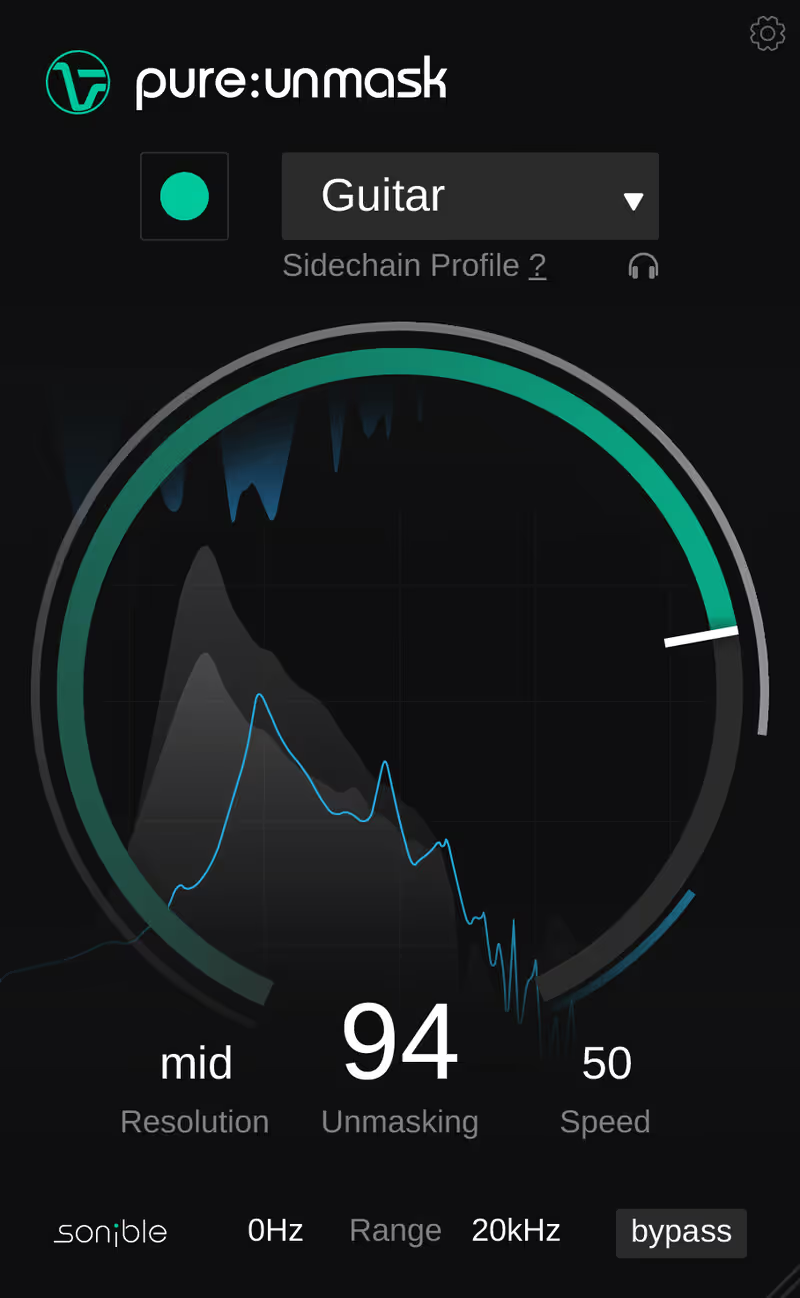
Sonible pure:unmask uses advanced machine learning to listen to a sidechain input and automatically carve out conflicting frequencies on the target track. This allows you to instantly glue a massive kick drum and a heavy sub-bass together using only a single, highly intuitive macro control knob. I rely on this lightweight utility constantly to ensure my lead vocals perfectly cut through dense, heavily distorted electric guitar walls without sounding unnatural.

The extreme simplicity of the interface means you have absolutely no surgical control over the specific crossover frequencies or attack and release times. Regardless of this intentional limitation, it is the absolute best budget-friendly alternative for producers who just want immediate, flawless mix clarity. The incredibly low CPU footprint allows you to place dozens of instances across a massive mix session without experiencing any audio dropouts.

Heard on
Home Studio Producers Independent Mix Engineers Songwriters
Check price $19 (was $39)
Read more →

Methodology

Who is this for

Working composers and producers who need reliability, speed, and character for professional scoring tasks.

Our testing process

Where we have tested a product, we do it in actual production scenarios, ranging from rapid sketches to commercial pitches, and we evaluate it in a dense template rather than in isolation. Where we have not, the product card says so and the assessment is drawn from specifications and documented behaviour instead.

Why you should trust us

We buy most reviewed plugins ourselves. Occasionally we receive NFRs for evaluation, but this never guarantees a review or positive verdict. We may earn commissions from links, but our editorial choices are never for sale.

Also considered

For every category, we audition the top 8 to 15 standard options, discarding any that suffer from poor scripting, slow load times, or uninspiring sampling.

Frequently Asked Questions

Can these plugins actually mix a track for me?

No, and none of them claim to. What they do is solve individual problems quickly, such as finding a resonance, matching a tonal target or catching sibilance, which is the tedious part rather than the creative one. The balance, the arrangement and the decisions about what should be loud remain yours.

What is the AI in these plugins actually doing?

Analysing the spectrum of your audio and comparing it against a target or against another track, then setting parameters that a person would otherwise set by ear. It is pattern matching rather than generation, which is why the results are predictable and why they are only as good as the target being matched.

Do assistive plugins make everything sound the same?

They can, if you accept the default. An assistant aims at a genre target, so leaving several tracks at full intensity converges them toward the same tonal balance. Treat the suggestion as a starting point, pull the intensity back to somewhere between a third and a half, and the character survives.

Are these useful to an experienced engineer or only to beginners?

Both, for different reasons. A beginner gets a usable result and an explanation of what was wrong, and an experienced engineer gets an hour back on a session full of repetitive corrective work. The tools that pay off fastest at either level are the narrow ones that do a single job well.

Written By

Henry Foster

Henry is a mixing engineer with a background in broadcast and post-production. He obsesses over signal flow, gain staging, and the subtle coloration of analog-modeled plugins. His reviews focus on technical precision, CPU efficiency, and UI workflow.

Related Guides

All Guides →

New reviews, no noise

Occasional email when we publish something worth your time. No daily digest, no vendor press releases.

We store only your address, never sell it, and delete it as soon as you unsubscribe. See our privacy policy.