

Best Auto-Tune Alternatives

Most people looking for an Auto-Tune alternative are not unhappy with Auto-Tune. They are unhappy about renting it. That changes which of these is the right answer, because the closest match is not the cheapest one.

The ModWheel Team
By The ModWheel Team Editorial Staff

ModWheel is reader-supported. When you buy through links on this page we may earn an affiliate commission, at no extra cost to you. This never influences which products we recommend, read our testing methodology.

Prices come from the store's own feed and were last checked 1 September 2026. We don't issue discount codes — the price you see is the store's own.

Pick one in 10 seconds

Short version
  • You want the closest thing to the Antares flagship, owned outright The most complete alternative to it, at forty-nine dollars. bx_crispytuner
  • You are tuning a live feed or tracking through the plugin Built to be invisible with low latency, which is a different design goal. Tune Real-Time
  • You need to retune a chord or a stereo stem The only thing here that handles polyphonic material. reTune
  • You want the obvious hard-tuned effect and nothing else Twenty-nine dollars, fast, and openly artificial. Vocal Tuner

Compare all 4

Approach
Graphical, per-note
Best At
Detailed lead correction
$49 $198 View price
Approach
Real-time, no editor
Best At
Tracking and live
$29 $199 View price
reTune 6.8
Approach
Polyphonic editing
Best At
Chords and stems
Vocal Tuner
4. Vocal Tuner AIR Music Technology
6.9
Approach
Minimal controls
Best At
The audible effect
$29 $99 View price

Vocal tuning splits into two jobs that get confused constantly. One is correction, where the goal is that nobody notices. The other is the audible effect, where the goal is that everybody does. A plugin can be excellent at one and poor at the other.

The axes below score both, plus the thing that actually decides most purchases, which is whether the plugin glitches on the one difficult phrase in the song. Artefact behaviour under stress is where these separate, and it is not visible on a feature list.

Nothing was tested in a studio and every card says so. The scores come from published specification and documented behaviour, and the verdicts agree with what this site has already said about these plugins elsewhere.

7 Best Vocal Tuning Plugins for Perfect Pitch covers the field including the Antares originals.

Top Picks

01 Brainworx Best Overall

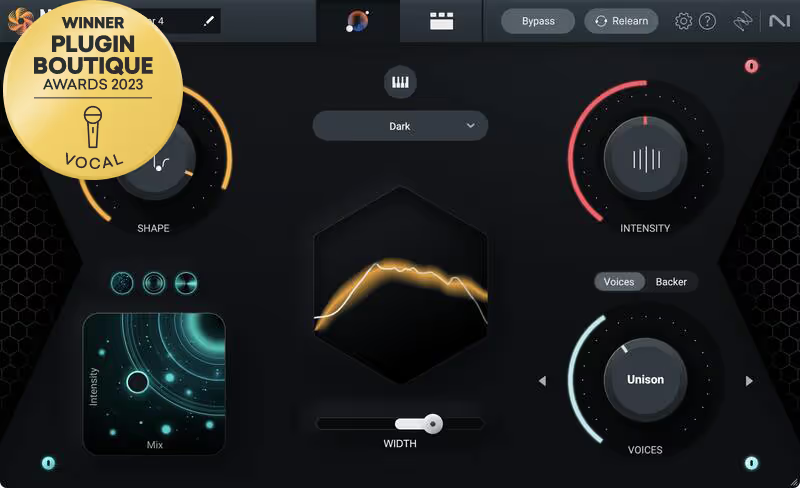
bx_crispytuner

Best for Lead Vocals

Not tested by us, assessed from specs and documented behaviour

The direct answer to this page's question. It covers the graphical editing and per-note control that make the Antares flagship worth using, at forty-nine dollars and without a subscription attached.

Assessed score
8.3
out of 10

How it scored

  • Artefact Suppression 8.0

    Holds together on difficult phrases better than anything else at the price.

  • Editing Depth 8.5

    Graphical note editing and formant control, which is the flagship feature set.

  • Workflow Speed 7.5

    Deeper than the fast options here, so it asks for more of your time.

  • Value 9.2

    Forty-nine dollars, owned rather than rented.

Why we picked it

Best for lead vocals that carry a record, where per-note editing is worth the time it takes.

Who should skip it

Skip it for large stacks of backing vocals, because the depth becomes a cost rather than a feature.

The good

  • Graphical per-note editing
  • Formant control included
  • Perpetual licence at forty-nine dollars

The bad

  • Slower than one-knob options
  • Overkill on backing stacks
  • Learning curve on the editor
Approach
Graphical, per-note
Best At
Detailed lead correction
Price
$49
Why it scored that way

The closest thing to the flagship you can buy outright.

This is the recommendation for the reader who arrived here for commercial reasons rather than technical ones. Auto-Tune's flagship is a very good plugin and the objection most people have is the licensing model rather than the results. Brainworx built the closest equivalent that you buy once, and it covers the graphical note editing and formant control that separate a professional tuner from a pitch corrector.

Where it earns its place is under stress. Every tuner on this page handles a steady sustained note. The differences appear on a phrase with a slide in it, a breathy onset or a note held past the singer's comfortable range, and this holds together through those better than anything else at the price does.

The trade is time rather than quality. The fast options further down this page get you a usable result in seconds and this one expects you to open the editor and make decisions. On a lead vocal carrying a record that is the right way round, and on forty backing vocals it is not.

Heard on
Pop Production Songwriting Demos Vocal Mixing
Check price $49 (was $198)
02 Waves

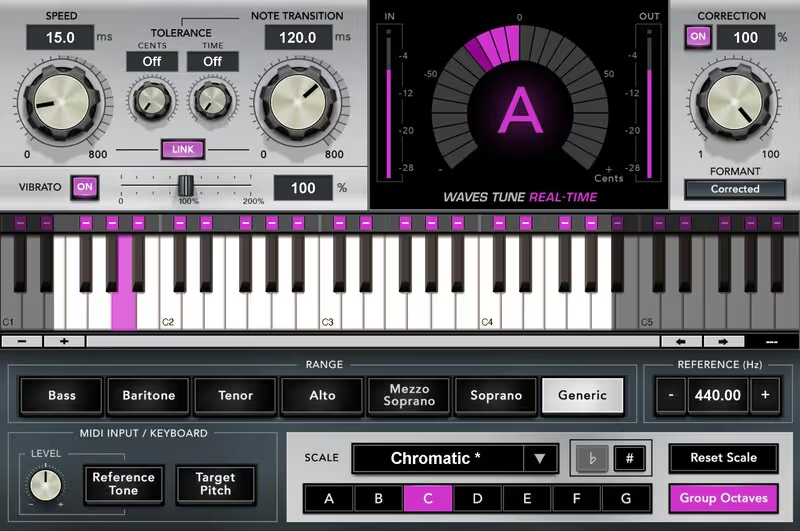
Tune Real-Time

Best for Live Tuning

Not tested by us, assessed from specs and documented behaviour

A different design goal rather than a cheaper version of the same thing. Low latency and no editing stage make it right for tracking and live work, and wrong for fixing a difficult take afterwards.

Assessed score
7.4
out of 10

How it scored

  • Artefact Suppression 7.5

    Clean on a competent take, and it cannot look ahead to help a poor one.

  • Editing Depth 4.0

    None by design. There is no graph and no per-note pass.

  • Workflow Speed 9.5

    Fastest here. Set the key and it works.

  • Value 8.5

    Fifty dollars, and frequently discounted well below it.

Why we picked it

Best for tracking and live performance, where latency matters more than the ability to edit afterwards.

Who should skip it

Skip it for repairing difficult takes, because there is no editing stage to overrule its decisions.

The good

  • Very low latency
  • Set the key and forget
  • Useful on a monitor path

The bad

  • No editing stage at all
  • Cannot rescue a bad take
  • Decisions are not reversible
Approach
Real-time, no editor
Best At
Tracking and live
Price
$29
Why it scored that way

The one built to be used while somebody is singing.

Judge this one on the job it was built for or you will judge it unfairly. Real-time tuning has to decide what a note is before the note has finished, which rules out the look-ahead that a graphical tuner depends on. That constraint is why it sounds different, and it is also why it can sit on a monitor path without the singer hearing a delay.

For tracking that is genuinely useful rather than a novelty. A vocalist who hears themselves in tune commits harder to the performance, and engineers have been using that trick on a monitor send since long before it had a plugin attached to it. It is also the standard choice for live work, where anything that requires an editing pass afterwards is obviously useless. What it cannot do is rescue a bad take. There is no graph, no per-note control and no way to tell it that a particular slide was intentional. Bring it a difficult phrase and it will make a decision you cannot overrule, which is exactly the situation the plugin above exists for.

Heard on
Live Performance Vocal Tracking Streaming
Check price $29 (was $199)
03 zplane

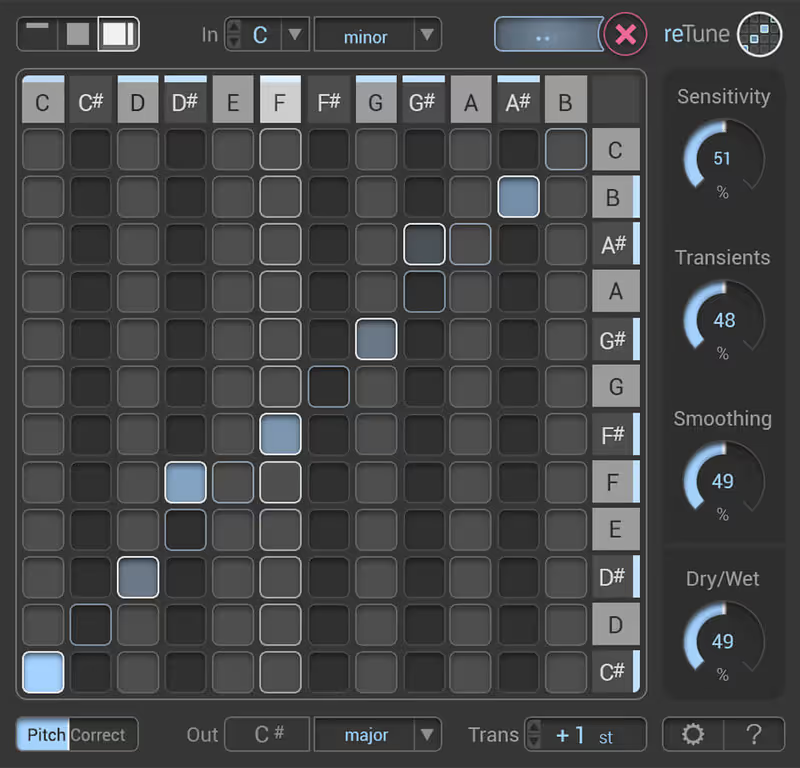
reTune

Best for Polyphonic Retuning

Not tested by us, assessed from specs and documented behaviour

A different job rather than a competitor. Polyphonic retuning is something no monophonic tuner attempts, and if that is what you need then price and workflow stop being the deciding factors.

Assessed score
6.8
out of 10

How it scored

  • Artefact Suppression 6.5

    Polyphonic editing is harder, and the artefacts show sooner.

  • Editing Depth 9.0

    Individual notes inside a chord, which nothing else here offers.

  • Workflow Speed 5.5

    Slow by nature. This is surgery rather than correction.

  • Value 6.0

    The most expensive option on this page for the narrowest capability.

Why we picked it

Best for polyphonic material, stems and restoration work where going back to the multitrack is not possible.

Who should skip it

Skip it for ordinary lead vocal tuning, because you are paying for a capability you will never open.

The good

  • Retunes polyphonic material
  • Note-level editing in chords
  • Solves otherwise dead ends

The bad

  • Artefacts appear sooner
  • Slowest workflow here
  • Most expensive on the page
Approach
Polyphonic editing
Best At
Chords and stems
Price
$155
Why it scored that way

The only one here that will retune a chord.

Include this on the shortlist only if you already know why. Monophonic tuners assume one note at a time, which is true of a vocal and false of a guitar chord, a stereo bounce or a stacked harmony printed to a single file. reTune works on polyphonic material and lets you move an individual note inside it.

That is genuinely rare and it solves problems that are otherwise unsolvable without going back to the multitrack, which is frequently not an option on material you did not record. For anyone doing restoration work, or fixing a stem delivered out of tune, it is the only tool on this page that engages with the problem at all.

The costs follow from the difficulty. Polyphonic pitch editing produces artefacts sooner than monophonic editing does, the workflow is slow and deliberate rather than quick, and it is the priciest option here. None of that matters if it is the only thing that does the job, and all of it matters if you are tuning a lead vocal.

Heard on
Restoration Post Production Remixing
Check price $155
04 AIR Music Technology

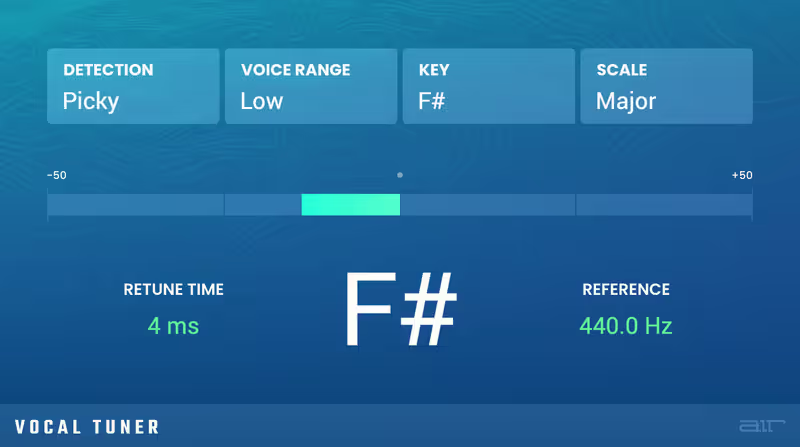
Vocal Tuner

Best for Hard Tuning

Not tested by us, assessed from specs and documented behaviour

Cheap, fast and openly artificial, which is the correct tool when the hard-tuned sound is the intention rather than a failure. Nobody should reach for it to hide correction.

Assessed score
6.9
out of 10

How it scored

  • Artefact Suppression 5.5

    Audible under any real correction, which is sometimes the point.

  • Editing Depth 4.0

    Almost none. A handful of controls and no note map.

  • Workflow Speed 9.2

    Seconds to a result, because there is very little to set.

  • Value 8.8

    Twenty-nine dollars, which is the entire argument.

Why we picked it

Best when the audible tuned effect is the intention, and for demos where speed matters more than transparency.

Who should skip it

Skip it for transparent correction, because the artefacts show on anything with movement in it.

The good

  • Twenty-nine dollars
  • Effect arrives instantly
  • Almost nothing to set

The bad

  • Audible under real correction
  • No editing stage
  • A colour, not a corrector
Approach
Minimal controls
Best At
The audible effect
Price
$29
Why it scored that way

The obvious effect, for the price of lunch.

This belongs on the page for one reason, which is that the audible hard-tuned sound is a legitimate production choice and has been for twenty-five years. If that is what you want, paying two hundred dollars for a transparent corrector and then driving it into artefacts is a strange route to take.

What twenty-nine dollars buys here is speed and obviousness rather than subtlety. There is very little to set, the effect arrives the moment you insert it, and it makes no attempt whatsoever to hide what it is doing to the performance. For a demo, a reference vocal, or a deliberate stylistic effect on a hook, that is exactly the right amount of tool to own.

Be honest about the ceiling before buying. Ask it to correct transparently and the artefacts are audible on any phrase with movement in it, and there is no editor to intervene. It is a colour rather than a corrector, and everything above it on this page does the corrector job better.

Heard on
Pop Production Demos Electronic Production
Check price $29 (was $99)
Read more →

Methodology

Who is this for

Working composers and producers who need reliability, speed, and character for professional scoring tasks.

Our testing process

Where we have tested a product, we do it in actual production scenarios, ranging from rapid sketches to commercial pitches, and we evaluate it in a dense template rather than in isolation. Where we have not, the product card says so and the assessment is drawn from specifications and documented behaviour instead.

Why you should trust us

We buy most reviewed plugins ourselves. Occasionally we receive NFRs for evaluation, but this never guarantees a review or positive verdict. We may earn commissions from links, but our editorial choices are never for sale.

Also considered

For every category, we audition the top 8 to 15 standard options, discarding any that suffer from poor scripting, slow load times, or uninspiring sampling.

Frequently Asked Questions

What is the closest alternative to Auto-Tune Pro?

The Brainworx crispytuner. It covers the graphical per-note editing and formant control that make the Antares flagship worth using, holds together on difficult phrases better than anything else near its price, and is sold as a perpetual licence rather than a subscription.

Is there a free Auto-Tune alternative?

Several DAWs include usable pitch correction already, and it is worth checking before buying anything: Logic has Flex Pitch, Cubase has VariAudio and Reaper has ReaTune. For occasional correction on a competent take these are frequently enough, and they cost nothing because you already own them.

Why do people want an Auto-Tune alternative?

Mostly licensing rather than results. Antares moved to a subscription model, and a plugin you rent behaves differently from one you own when a project has to be reopened in five years. The second reason is that specific jobs, particularly polyphonic material and live tracking, are better served by other designs.

Does tuning always sound artificial?

No, and how artificial it sounds is mostly about how far the note has to move rather than which plugin moved it. A quarter-tone correction is inaudible on any tool here. A semitone correction on a phrase with a slide in it will be audible on all of them, which is why editing depth matters more than transparency claims.

Written By

The ModWheel Team

The ModWheel editorial team is a collective of composers, producers, and sound designers. We collaborate to bring you comprehensive guides, industry news, and curated lists that represent our shared expertise and passion for music technology.

Related Guides

All Guides →

New reviews, no noise

Occasional email when we publish something worth your time. No daily digest, no vendor press releases.

We store only your address, never sell it, and delete it as soon as you unsubscribe. See our privacy policy.