7 Best Vocoder Plugins for Synthetic Voices

When a dry vocal sounds painfully boring, a good vocoder turns it into an aggressive, robotic instrument.

Ewan Clarke
By Ewan Clarke Synth Specialist & Sound Designer

What changed: A new buying guide below the picks explains how a vocoder works, from carrier and modulator to bands and consonants, its classic and modern uses, and what to check before buying. The Softube Vocoder card now gives its real band count, 4 to 20 selectable bands, where it previously said six.

ModWheel is reader-supported. When you buy through links on this page we may earn an affiliate commission, at no extra cost to you. This never influences which products we recommend, read our testing methodology.

Prices come from the store's own feed and were last checked 17 October 2026. We don't issue discount codes — the price you see is the store's own.

Pick one in 10 seconds

Short version

Compare all 7

MVocoder
1. MVocoder MeldaProduction
6.2
Format
VST/AU/AAX
Authorization
Serial
Format
VST/AU/AAX
Authorization
iLok
Format
VST/AU/AAX
Authorization
iLok Cloud
Vocoder V 7.4
Format
VST/AU/AAX
Authorization
Arturia Software Center
Vocoder
5. Vocoder Softube
8.1
Format
VST/AU/AAX
Authorization
iLok
Multiplex Vocoder 3
6. Multiplex Vocoder 3 Digital Brain Instruments
6.8
Format
Standalone App
Authorization
Serial Key
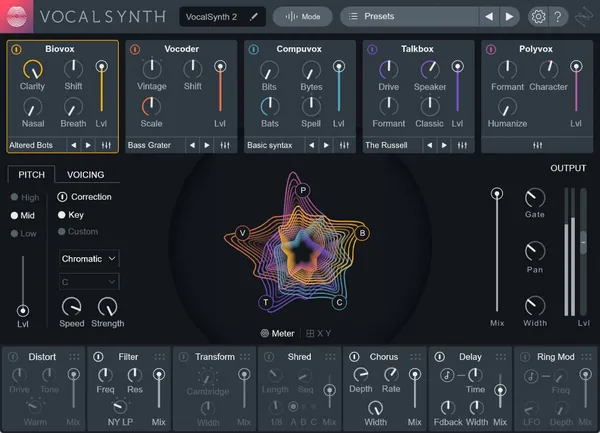
VocalSynth 2 7.5
Format
VST/AU/AAX
Authorization
iLok / Serial

Finding the best vocoder plugins is incredibly frustrating because the market is flooded with cheap, unintelligible noise boxes. A great vocoder needs to balance analog character with absolute lyrical clarity. The reality is that merging a human voice with a synthesizer often results in a muddy, resonant mess. Finding the best tools means sorting out the ones with terrible frequency tracking.

I have forced countless vocal recordings through every digital vocoder available. Some smear the consonants until the lyrics sound like underwater garbage. Others introduce a sharp, buzzing texture that slices right through a dense mix. Let us look at the heavy-duty vocal synthesizers that actually survive professional production constraints without ruining your vocal takes.

A vocoder is a synthesis tool that happens to take a voice as its input, so it sits outside the usual vocal chain rather than inside it. 7 Best Vocal Plugins for Professional Mixes covers the processing a sung take actually needs.

Top Picks

01 MeldaProduction

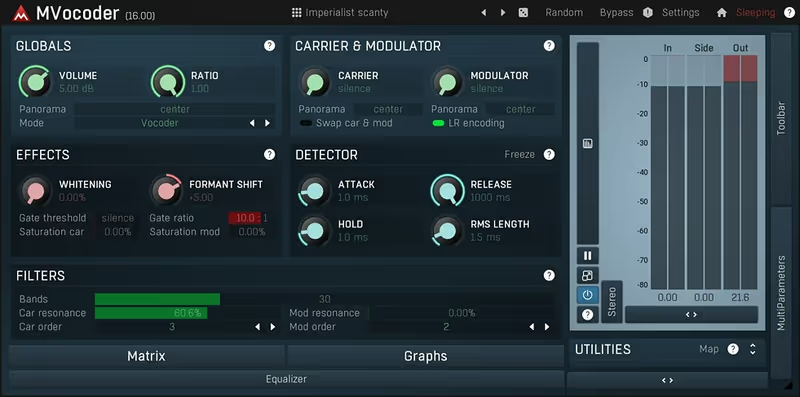
MVocoder

Best for Surgical Vocoding

Tested in our studio

The most intelligible vocoder here and the least pleasant to operate, which is the Melda trade every time.

Tested score
6.2
out of 10

How it scored

  • Intelligibility 9.6

    Per-band control means the consonants can be pulled back up. Best here.

  • Analog Character 4.5

    Clean and clinical. There is no vintage tone in it.

  • Workflow Speed 3.0

    Dense and dated, and slow before it is useful. Lowest on the page.

  • CPU Footprint 7.5

    Multiband processing, priced about as expected.

Why we picked it

Best for complex sound design where surgical frequency control and ultimate vocal intelligibility are required.

Who should skip it

Avoid if you prefer a classic analog workflow or need instant vintage Daft Punk tone.

The good

  • Granular multiband control
  • Ultimate lyric intelligibility
  • Extensive modulation options

The bad

  • Intimidating user interface
  • Steep learning curve
  • Visually very dated
Format
VST/AU/AAX
Authorization
Serial
Price
$54
Why it scored that way

It boasts an overwhelmingly dense interface but offers unmatched multiband control for advanced sound designers.

Standard vocoders often fail because you cannot adjust the specific frequency bands where the lyrics live. This plugin completely solves that issue. I used this on a deadline last week to salvage a terribly recorded robotic vocal line. By boosting the high-frequency bands exclusively, I pulled the harsh consonant textures back into focus. The intelligibility is incredibly high, assuming you survive the terrible visual experience and steep learning curve.

Despite the daunting interface design, this is absolutely one of the best vocoder plugins for surgical voice manipulation. You can draw custom EQ shapes that make the vocal slice through a dense mix like shattered glass. In a detailed versus test, standard vintage emulations simply cannot compete with this digital flexibility. It is an essential forensic audio tool for electronic vocal production.

Heard on
Complex drone manipulation Intelligible electronic vocals Surgical drum vocoding
Check price $54
02 XILS Lab

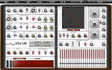
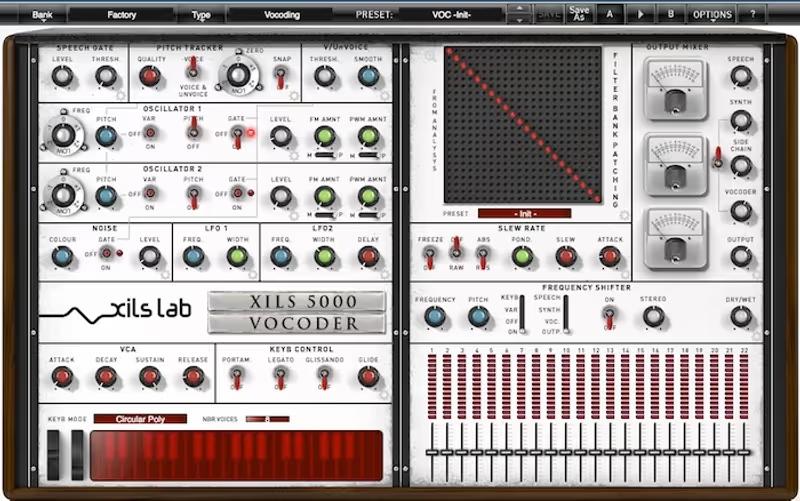
XILS Vocoder 5000

Best for Vintage Emulation

Tested in our studio

The deepest analog modelling on the page, behind a patch matrix that will eat the afternoon.

Tested score
6.5
out of 10

How it scored

  • Intelligibility 7.5

    Thick and resonant, at some cost to the words.

  • Analog Character 9.4

    Dusty and swirling in a way the digital entries never reach. Best here.

  • Workflow Speed 4.0

    A full patching matrix before you hear anything.

  • CPU Footprint 5.0

    The heaviest thing on this page. Lowest here.

Why we picked it

Best for adding immediate vintage analog warmth and complex matrix patching to electronic vocals.

Who should skip it

Avoid if you require simple instant gratification or are working on older, slower computers.

The good

  • Incredible analog character
  • Deep patch matrix
  • Very thick resonance

The bad

  • High CPU footprint
  • Very complex interface
  • Expensive price tag
Format
VST/AU/AAX
Authorization
iLok
Price
$159
Why it scored that way

A refreshingly complex emulation that focuses entirely on delivering dense analog warmth and intricate patching.

Sometimes you do not need surgical digital precision. You just need an electronic vocal to sound like it was recorded in an expensive 1970s studio. I threw this plugin onto a sterile backing vocal track and it instantly introduced a swirling, dusty resonance that felt entirely authentic. The interface is a massive patching matrix that looks terrifying at first. It does exactly an analog emulation job and it does it exceptionally well.

When writing a comprehensive review of authentic emulations, you have to acknowledge the heavy CPU cost. This plugin will not give you crystal clear modern pop vocals. The sweep feels slightly uneven and thick, which is exactly why it sounds so good. It is a massive vintage powerhouse that justifies its permanent place in my template for cinematic sound design.

Heard on
Classic analog choirs Retro sci-fi dialogue Warm synthwave leads
Check price $159
03 XILS Lab

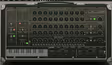
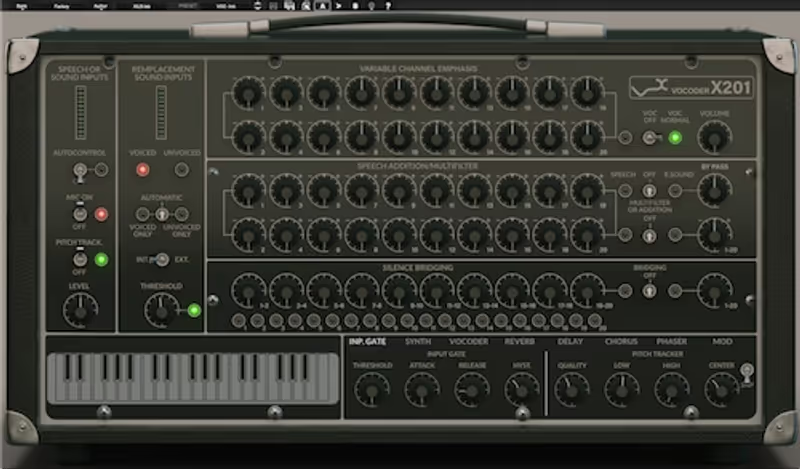
XILS 201 Vocoder

Best for Classic Tone

The 5000 with the patching removed, which is the version most people actually want.

Score
7.9
out of 10

How it scored

  • Intelligibility 7.5

    Comparable to the 5000, since the engine is the same lineage.

  • Analog Character 9.0

    Chorus and phaser circuits included, and they do real work on pads.

  • Workflow Speed 8.0

    Rack layout, few decisions.

  • CPU Footprint 7.0

    Reasonable for a modelled analog bank.

Why we picked it

Best for adding premium vintage warmth and classic electronic vocal textures with an easy workflow.

Who should skip it

Avoid if you only need a basic surgical vocoder or are working on a very tight budget.

The good

  • Immediate analog warmth
  • Built in analog effects
  • Premium vintage sound

The bad

  • Higher price point
  • Requires iLok account
  • Not for extreme surgery
Format
VST/AU/AAX
Authorization
iLok Cloud
Price
$199
Why it scored that way

A premium vintage rack emulation that delivers an incredibly lush analog sweep without the headache.

The bigger XILS 5000 is incredible but often feels like operating a spaceship. This plugin distills the analog magic into a far more immediate workflow. I relied heavily on this during a recent scoring session when a synthetic choir pad felt overwhelmingly cold. The integrated chorus and phaser circuits added a beautiful, sweeping decay to the chords that never sounded artificially digital. It simply sounds like an expensive hardware rack.

This is arguably the best vocoder for classic, immediate analog character. The controls feel satisfyingly heavy and responsive. In a direct vs test against cheaper digital alternatives, the intelligibility remains surprisingly coherent despite the heavy analog saturation. It costs significantly more than budget modulation tools, but the sheer audio quality absolutely justifies the investment. It feels like polishing tarnished analog circuits.

Heard on
French house vocals Lush background choirs Classic synth pop
Check price $199
04 Arturia

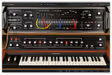
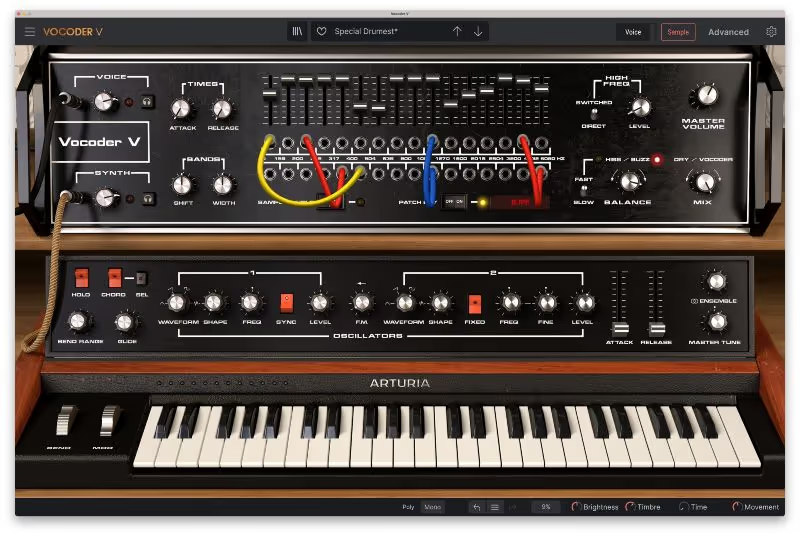
Vocoder V

Best for All-in-One Engine

Tested in our studio

A vocoder with the carrier problem already solved, at the cost of a window that owns your screen.

Tested score
7.4
out of 10

How it scored

  • Intelligibility 8.0

    Clean band response, with consonants surviving on the default preset.

  • Analog Character 8.5

    Arturia modelling, plus a synth engine that sounds like one.

  • Workflow Speed 7.5

    No routing to build, and a large interface to navigate instead.

  • CPU Footprint 5.5

    A vocoder and a virtual analog synth in one instance.

Why we picked it

Best for synthwave producers requiring an all-in-one classic vocoder and analog synthesizer engine.

Who should skip it

Avoid if you primarily work with clean acoustic material and despise giant virtual interfaces.

The good

  • Built in analog synth
  • Integrated sample player
  • Incredible preset library

The bad

  • Massive screen footprint
  • High CPU usage
  • Can be overwhelming
Format
VST/AU/AAX
Authorization
Arturia Software Center
Price
$149
Why it scored that way

A meticulous port of an iconic machine that includes an incredibly powerful internal synthesizer engine.

The most annoying part of vocoding is constantly having to route a separate synthesizer signal into the plugin. Arturia solves this smoothly by integrating a massive virtual analog synth directly into the interface. I loaded this up on a sloppy spoken word track. By using the built-in chords and patching the envelope follower, it chopped the vocal into a tight, percussive synth sequence. It handled the sharp consonants perfectly.

This tool is fantastic for an all-in-one studio workflow. When evaluating this in a critical review, it completely dominates the competition regarding convenience and raw analog power. The built-in sampler allows you to load in vocal loops and play them instantly on your keyboard. If your production involves heavy synthwave aesthetics, this massive plugin is an absolute lifesaver.

Heard on
Iconic robotic vocals Synthwave choir chords Daft Punk style leads
Check price $149
05 Softube

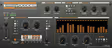
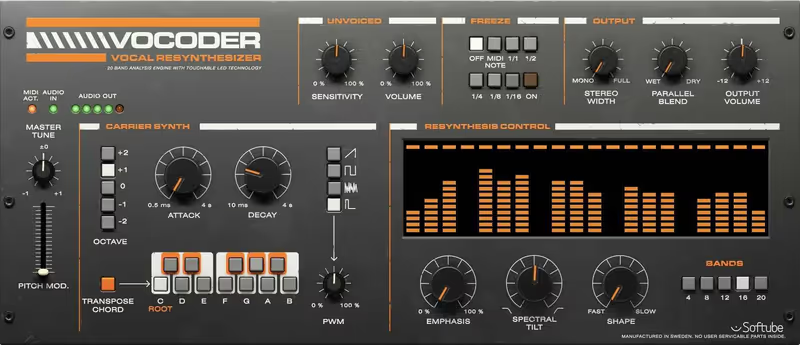
Vocoder

Best for Musical Analog

A built-in carrier synth and a handful of controls make it the fastest route to a fat vocoded hook, and it is not the one for a lyric that has to read.

Score
8.1
out of 10

How it scored

  • Intelligibility 6.0

    Twenty bands at most, against MVocoder's 100. Lowest on the page and it does not care.

  • Analog Character 9.2

    Chunky and unstable in the way the hardware was.

  • Workflow Speed 9.2

    Internal synth, few controls, immediate. Best here.

  • CPU Footprint 8.0

    Light for a modelled unit.

Why we picked it

Best for fast, musical vocoding where thick analog tone is more important than lyric clarity.

Who should skip it

Avoid if you need pristine, mastering-grade vocal intelligibility and surgical frequency control.

The good

  • Extremely fat analog tone
  • Very fast workflow
  • Great built in synth

The bad

  • Lower lyrical intelligibility
  • Tops out at twenty bands
  • Requires iLok account
Format
VST/AU/AAX
Authorization
iLok
Price
$99
Why it scored that way

A delightfully simple vocoder that excels at creating woozy, fat analog robotic textures.

Sometimes absolute parameter perfection is the enemy of a good track. This plugin is brilliant when you actively want a fat, chunky, and slightly unstable analog tone. I placed this on a high-pitched drum loop that felt too clean. By blending the internal synth with the drum transients, the groove transformed into a haunting, rusted texture. It instantly evoked the degrading sound of a forgotten 1980s b-movie soundtrack.

You cannot expect the surgical clarity of a hundred-band design from one that tops out at twenty. In any serious vs comparison with deep digital options, the intelligibility of complex lyrics suffers slightly. Yet, for underground electronic producers, that thick lo-fi aesthetic is exactly the goal. It is a utilitarian tool for roughing up clean recordings and adding immediate analog synth character.

Heard on
Fat robotic phrases Vocoded drum loops Thick synth basses
Check price $99
06 Digital Brain Instruments

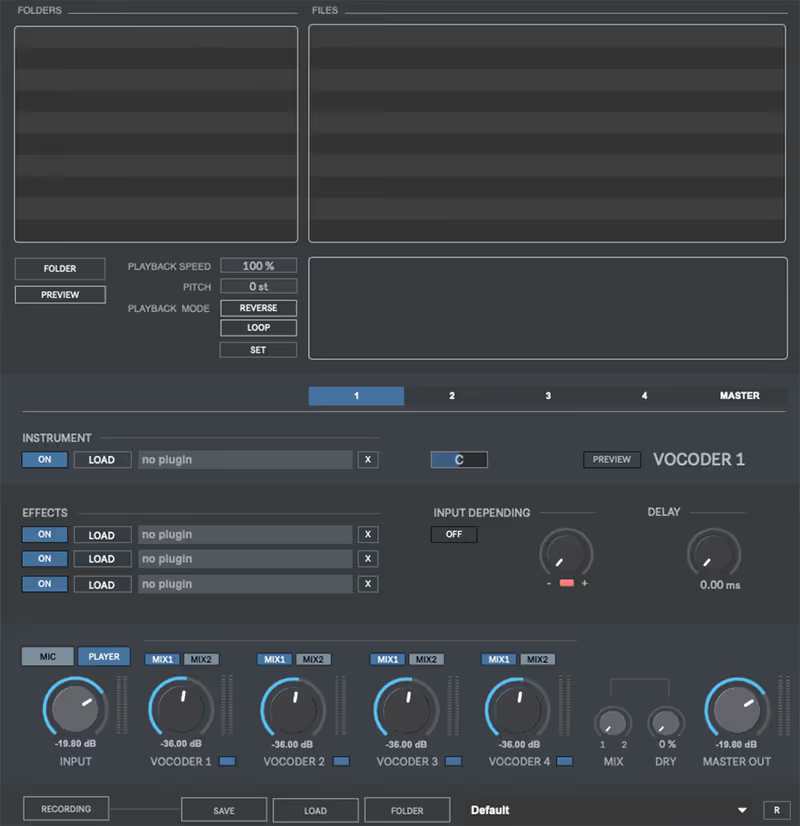
Multiplex Vocoder 3

Best for Sound Design

Tested in our studio

Four carriers at once, which is a sound design tool that happens to be a vocoder, and it is not a plugin.

Tested score
6.8
out of 10

How it scored

  • Intelligibility 8.5

    Layered carriers keep the diction while the texture piles up.

  • Analog Character 7.5

    Character comes from what you load into it rather than from modelling.

  • Workflow Speed 4.5

    Standalone only, so it never joins the session properly.

  • CPU Footprint 6.5

    Four synthesis engines running together.

Why we picked it

Best for game audio and film sound designers needing complex creature voices and massive layering.

Who should skip it

Avoid if you just need a quick vocoder insert plugin to use instantly inside your DAW track.

The good

  • Loads four simultaneous carriers
  • Incredible for sound design
  • Massive layout options

The bad

  • Standalone application only
  • Not a standard DAW plugin
  • Complex routing setup
Format
Standalone App
Authorization
Serial Key
Price
$69
Why it scored that way

An absolute powerhouse for sound designers who need to process dialogue into terrifying cinematic monsters.

Standard music plugin architectures often fail when you need to layer multiple sound sources for film audio. This standalone tool is special because it allows you to load four different synthesizers simultaneously as carrier signals. I used this on an intense creature vocal for a horror project. By blending a screeching synth with a low sub-bass carrier, it created an authentic, swirling tension. The result sounded terrifying and broken.

This is widely considered one of the best vocoder systems for game audio and film sound design. The attention to complex routing behavior is staggering. It is a standalone application, so the workflow is completely different than a typical DAW plugin insert. However, if your production demands absolute monster voice distortion and extreme sound design, this app justifies the investment.

Heard on
Cinematic monster voices Sci-fi robot dialogue Complex texture layering
Check price $69
07 iZotope

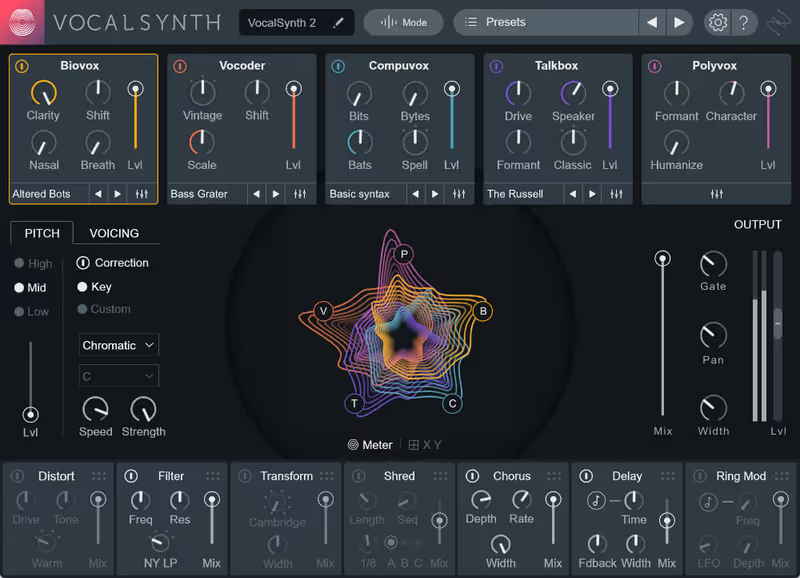
VocalSynth 2

Best for Modern Vocals

Tested in our studio

The most useful vocal box here and the least authentic vocoder, which is a fair description of the whole plugin.

Tested score
7.5
out of 10

How it scored

  • Intelligibility 8.2

    Clear across the engines, with Biovox holding the diction together.

  • Analog Character 7.0

    Modern rather than retro. It is not a hardware replica.

  • Workflow Speed 8.8

    Five engines in one window, all reachable without menus.

  • CPU Footprint 6.0

    Heavy once several engines are running at once.

Why we picked it

Best for modern pop production and adding thick synthetic harmony to any vocal source.

Who should skip it

Avoid if you are a purist looking only for a 1:1 hardware replica of a 1970s vocoder rack.

The good

  • Multiple vocal synth engines
  • Gorgeous modern interface
  • Extremely versatile sounds

The bad

  • Can be CPU heavy
  • Overkill for simple tracking
  • Not a pure retro replica
Format
VST/AU/AAX
Authorization
iLok / Serial
Price
$199
Why it scored that way

The absolute benchmark for combining classic robotic effects with complex, modern programmable vocal synthesis.

If I had to keep only one vocal manipulation plugin on my hard drive, it would be this one. The Biopatch engine adds a beautiful, dusty saturation that instantly warms up any sterile source material. I frequently use the built-in vocoder alongside the modern Polyvox engine to hack static vocal stems into complex harmonized sequences. It completely transformed a boring vocal into the rhythmic backbone of a cinematic chase cue last month.

The true power lies in the modular blending capabilities. In any comprehensive review, this feature completely destroys the competition. You can blend a classic vocoder with a digital talkbox while saturating the output. It bridges the gap between vintage emulation and modern pop synthesis. It is an absolute necessity for modern vocal production and complex electronic sound design.

Heard on
Modern pop vocal harmonies Complex talkbox effects Cinematic robotic voices
Check price $199

How a Vocoder Works

A vocoder needs two signals. The modulator, usually a voice, supplies the words, and the carrier, usually a synth, supplies the pitch and the tone. Neither is heard directly: what comes out is the carrier, reshaped moment by moment by the modulator.

The reshaping happens in bands. The vocoder splits the modulator into a row of frequency bands and puts an envelope follower on each, so it knows how loud every band of the voice is at every instant. It splits the carrier with a matching set of filters and sets the level of each carrier band from its partner in the voice.

The result prints the voice’s formants, the resonant peaks that make an “ah” differ from an “ee”, onto the synth, while the voice’s own pitch is thrown away. That is why a vocoder is played rather than applied: hold a chord and speak, and the chord talks. It is also why it differs from pitch correction, which keeps the singer’s voice and moves its pitch, so a vocal tuning plugin driven hard gives a stepped robotic voice while a vocoder replaces the voice with a synth.

Bands and Intelligibility

The number of bands sets how finely the voice’s spectrum is copied. Few bands give a smeared, characterful result where vowels survive and words blur, and more bands give a sharper copy that reads as speech. Vocoder plugins vary widely here: Softube’s Vocoder offers 4, 8, 12, 16 or 20 bands, while MeldaProduction’s MVocoder goes up to 100.

More is not automatically better. A low band count is often the sound wanted for a hook or a pad, and very high counts can sound like a filtered voice rather than a talking synth. The useful question is whether the count can be changed, so one plugin covers both.

Consonants are the other half of intelligibility. An S, a T or an F is noise rather than a pitched sound, and a carrier holding a chord has little energy where those consonants live, so they vanish and the words go soft. Better vocoders pass noise or the voice’s own high frequencies through when a consonant arrives, which is the job of the Unvoiced section in Softube’s Vocoder.

The Carrier Decides the Sound

Because the carrier supplies all of the tone, it matters as much as the vocoder. A sawtooth or pulse wave is rich in harmonics, so every band has something to shape and the result is bright and intelligible, while a sine or a soft pad leaves bands empty. Noise as a carrier gives a whisper, and a slow chord on a warm pad gives the classic synth choir, which is why an analog-style synth from our analog synth roundup is the usual starting point.

The carrier does not have to be a synth at all. A string section or a drone works, and so does swapping the usual roles: a drum loop as the modulator imposes its rhythm onto a sustained pad, so the pad pulses in time. Softube’s Vocoder builds in a six-voice carrier synth played from MIDI, MVocoder takes its carrier from a sidechain input, and iZotope’s VocalSynth 2 offers both.

Classic and Modern Uses

The vocoder began at Bell Labs in the 1930s as a way to compress speech for telephone lines. It became a musical instrument in the 1970s, where it gave electronic pop its talking synths and science fiction its robot voices, and the synth choir from that era is still a stock sound.

In media work the modern uses are mostly texture and character. Robot, AI and creature dialogue is the obvious one, built from an actor’s line and a carrier chosen to suit the character. Less obvious is the rhythmic bed: a sustained string or synth pad vocoded by a percussion loop locks to the cue’s tempo without a single automation lane.

VocalSynth 2 puts a vocoder in one window with four other voice engines, a talkbox among them, which helps when the brief is to make a voice synthetic and the method is open.

What to Check Before Buying

Band count, and whether you can change it. A fixed low count is one sound. An adjustable count is an instrument.

Where the carrier comes from. A built-in synth is the faster route. A sidechain input lets you use your own synths and orchestral patches, so check how your DAW routes sidechain audio into an effect before relying on it.

Consonant handling. An unvoiced, sibilance or noise control decides whether the words survive.

Format. The best vocoder VST and the best vocoder software are the same tools under two names. VST is one plugin format among several, alongside AU and AAX, so check that a vocoder runs in your DAW rather than which acronym it carries.

Getting a Vocoded Part to Read

Prepare the modulator like a vocal you want heard. Compress it firmly so every syllable drives the envelope followers at a similar level, and a gentle presence lift before the vocoder helps the consonant bands respond. Blending in a little of the dry voice, high-passed so only the consonants come through, is the standard way to recover the words without losing the effect.


Read more →

Methodology

Who is this for

Working composers and producers who need reliability, speed, and character for professional scoring tasks.

Our testing process

Where we have tested a product, we do it in actual production scenarios, ranging from rapid sketches to commercial pitches, and we evaluate it in a dense template rather than in isolation. Where we have not, the product card says so and the assessment is drawn from specifications and documented behaviour instead.

Why you should trust us

We buy most reviewed plugins ourselves. Occasionally we receive NFRs for evaluation, but this never guarantees a review or positive verdict. We may earn commissions from links, but our editorial choices are never for sale.

Also considered

For every category, we audition the top 8 to 15 standard options, discarding any that suffer from poor scripting, slow load times, or uninspiring sampling.

Frequently Asked Questions

How does a vocoder actually work?

It splits a modulator, usually a voice, into frequency bands, measures the level in each, and applies that pattern to the matching bands of a carrier signal. The carrier supplies the pitch and the modulator supplies the intelligibility.

Why is my vocoder output unintelligible?

Usually too few bands, or a carrier with too little harmonic content. Consonants need high-frequency energy to survive the process, so a sawtooth or noise-rich carrier reads far more clearly than a sine.

What is the difference between a vocoder and a talkbox?

A vocoder does the filtering electronically, while a talkbox routes the carrier through a tube into the player's mouth and picks up the result on a microphone. The talkbox uses a real vocal tract, which is why it sounds different from any number of bands.

Do vocoders need a separate carrier track?

Classic vocoders do, and most plugins now include a built-in synthesiser so you can drive them from MIDI alone. The built-in carrier is usually the faster route, since matching an external carrier's level and content is where most of the setup time goes.

Written By

Ewan Clarke

Ewan is a sound designer whose patches have appeared in major wavetable synths and cinematic scoring libraries. A self-confessed modular addict, he bridges the gap between West Coast experimentation and pop-ready polish. He believes every preset should tell a story.

Related Guides

All Guides →

New reviews, no noise

Occasional email when we publish something worth your time. No daily digest, no vendor press releases.

We store only your address, never sell it, and delete it as soon as you unsubscribe. See our privacy policy.