


7 Best Mastering Plugins for Professional Audio

A great mix is a raw diamond. The mastering chain is the brutal cut that makes it shine across every playback system.

Henry Foster
By Henry Foster

Henry is a mixing engineer with a background in broadcast and post-production. He obsesses over signal flow, gain staging, and the subtle coloration of analog-modeled plugins. His reviews focus on technical precision, CPU efficiency, and UI workflow.

In 2026, the final stage of record production is no longer locked behind the doors of million-dollar facilities. It happens on laptops. I have spent thousands of hours analyzing mixes, and the best mastering plugins for professional audio provide both surgical control and vintage character.

The best tools for loud masters do not destroy your transients. They amplify the emotion without crushing the life out of the performance. Delivering a quiet or distorted master is unacceptable today. We tested the heaviest hitters in the industry to find the processors that deliver an undeniable, competitive polish instantly.

ModWheel is reader-supported. When you buy through links on this page we may earn an affiliate commission, at no extra cost to you. This never influences which products we recommend, read our testing methodology.

Pick one in 10 seconds

Short version

Compare all 7

Mastering Bundle 9.0
Engine
VST/AU/AAX
Type
Mastering Bundle
Size
120 MB
Elevate Mastering Bundle 7.5
Engine
VST/AU/AAX
Type
Mastering Suite
Size
150 MB
Engine
VST/AU/AAX
Type
Restoration Suite
Size
80 MB
Engine
VST/AU/AAX
Type
Analog EQ
Size
200 MB
LIMITER
5. LIMITER Mastering The Mix
8.5
Engine
VST/AU/AAX
Type
True Peak Limiter
Size
40 MB
MMasteringFXBundle
6. MMasteringFXBundle MeldaProduction
7.1
Engine
VST/AU/AAX
Type
Mastering Modular
Size
450 MB
Engine
VST/AU/AAX
Type
Analog Compression
Size
180 MB
$40 $149 View price
Read more →

Methodology

Who is this for

Working composers and producers who need reliability, speed, and character for professional scoring tasks.

Our testing process

Where we have tested a product, we do it in actual production scenarios, ranging from rapid sketches to commercial pitches, and we evaluate it in a dense template rather than in isolation. Where we have not, the product card says so and the assessment is drawn from specifications and documented behaviour instead.

Why you should trust us

We buy most reviewed plugins ourselves. Occasionally we receive NFRs for evaluation, but this never guarantees a review or positive verdict. We may earn commissions from links, but our editorial choices are never for sale.

Also considered

For every category, we audition the top 8 to 15 standard options, discarding any that suffer from poor scripting, slow load times, or uninspiring sampling.

Top Picks

01 FabFilter

Mastering Bundle

Best for Surgical EQ

The most precise and best-metered tools on this list, and the ones least likely to add any character of their own.

Tested score
9.0
out of 10

How it scored

  • Sound Quality 8.5

    Extremely transparent, with no analogue warmth on offer.

  • Workflow Speed 8.5

    Fast once you trust your ears over the display.

  • CPU Footprint 9.2

    120 MB and very light across a chain.

  • Metering & Control 9.8

    The best interface in mastering software. Nothing else is close.

Why we picked it

A visual alternative to listening blindly. Best for precise equalization and multiband control.

Who should skip it

Avoid if you fall into the trap of mixing with your eyes instead of your ears.

The good

  • Best interface available
  • Extremely transparent
  • Low CPU footprint

The bad

  • Visuals can distract
  • Expensive bundle
  • No analog warmth
Engine
VST/AU/AAX
Type
Mastering Bundle
Size
120 MB
Price
$519
Why it scored that way

The undeniable heavyweight champion of digital mastering.

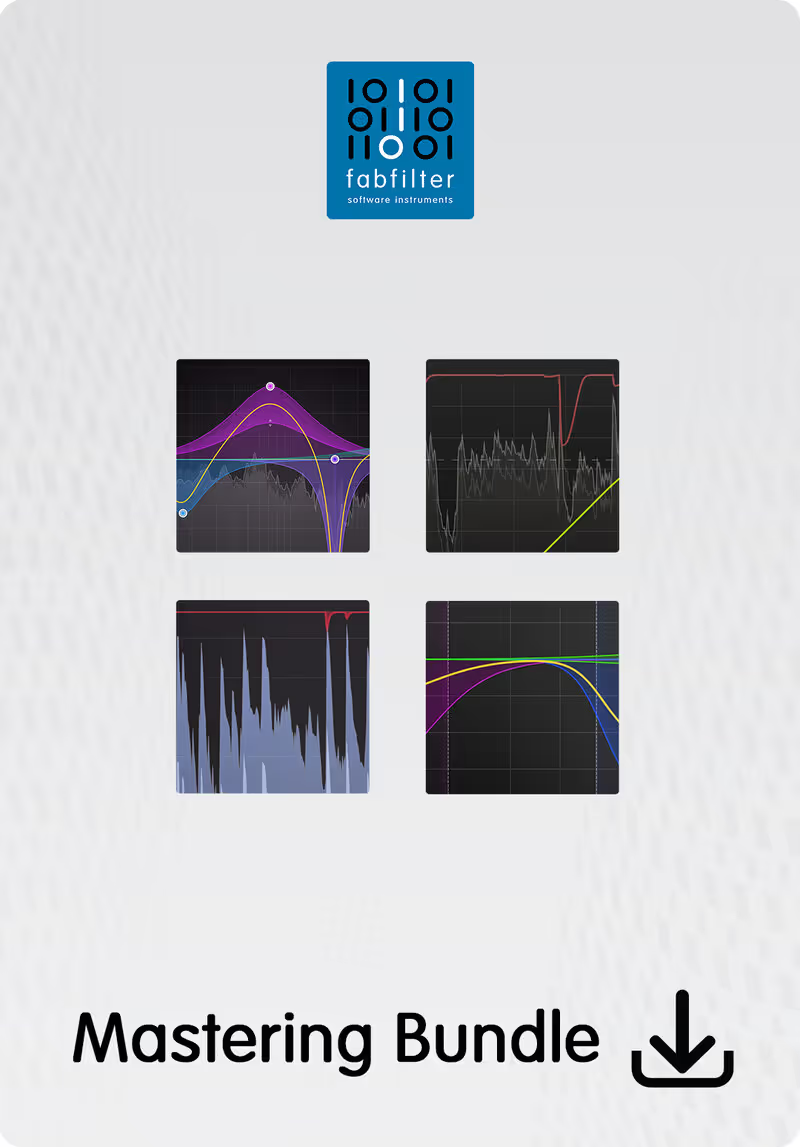
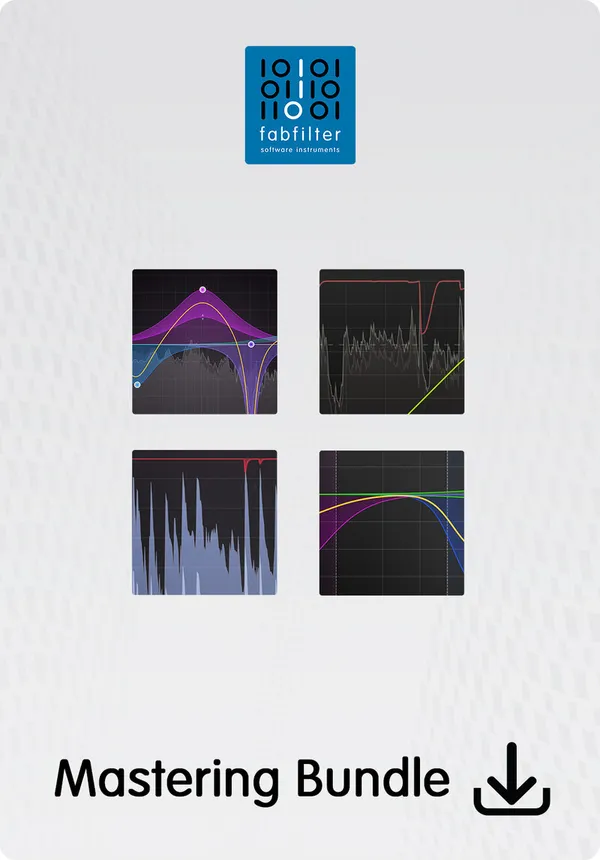
There is a reason you see FabFilter on almost every professional mastering timeline. I use the Pro-L 2 on every single mix that leaves my studio simply because it sounds massive and transparent. On a recent downtempo track, the low end was getting muddy. A quick graphical adjustment in the Pro-Q 3 instantly cleared the rumble without compromising the kick. The visual feedback makes finding problematic frequencies faster than relying strictly on your ears.

The clinical interface lacks the inspiring aesthetics of hardware emulations, and you can easily over-EQ by relying too heavily on the visuals. You have to remember to actually listen to the changes instead of just watching the spectrum analyzer. It easily wins any best digital EQ vs analog EQ argument based purely on speed and feature set. This bundle is an absolute necessity for modern, fast-paced workflows that demand surgical precision daily.

Heard on
Electronic Producers Top Tier Studios Bedroom Producers
Check price $519
02 Newfangled Audio

Elevate Mastering Bundle

Best for Transparent Limiting

Gets a dense mix louder than anything else here while keeping the transients, and makes you work for it.

Tested score
7.5
out of 10

How it scored

  • Sound Quality 9.0

    The transient preservation is genuinely unusual at this loudness.

  • Workflow Speed 6.0

    Very complex, with a steep curve. Worst here on speed.

  • CPU Footprint 7.5

    The 26-band limiter is not free.

  • Metering & Control 7.5

    Highly tweakable behind an uninspiring interface.

Why we picked it

A brilliant alternative to traditional brickwall limiters. Best for complex mixes requiring transparent loudness.

Who should skip it

Avoid if you want simple one-knob operation. The interface demands significant attention to detail.

The good

  • Incredible volume
  • Preserves transients
  • Highly tweakable

The bad

  • Very complex
  • Uninspiring UI
  • Steep learning curve
Engine
VST/AU/AAX
Type
Mastering Suite
Size
150 MB
Price
$199
Why it scored that way

A hyper-intelligent approach to squeezing maximum volume from a mix.

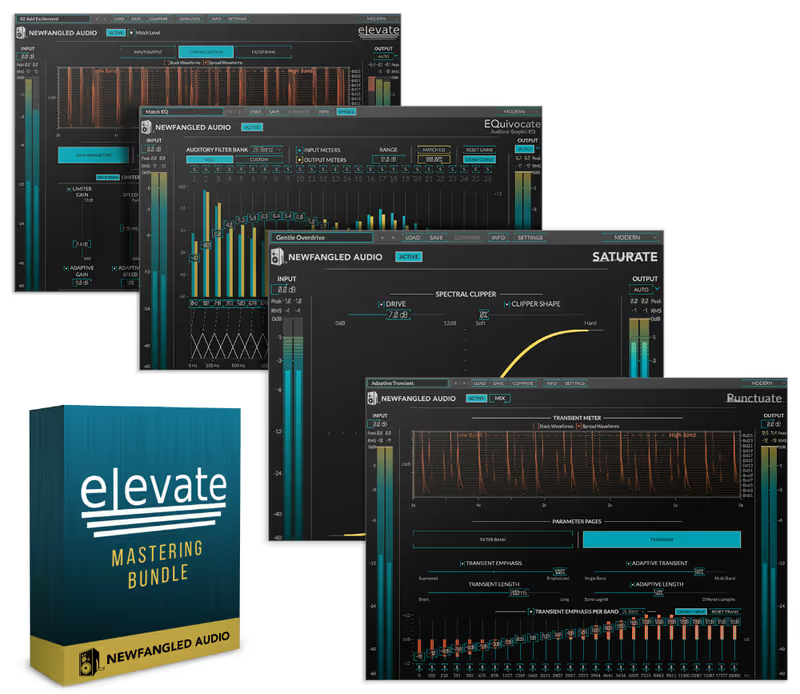
Traditional limiters often destroy the punch of a snare drum when pushed hard. I threw the Elevate Mastering Bundle onto a dense metal mix that needed serious loudness without losing its transient impact. The algorithmic approach adjusts the gain based on critical hearing bands, which somehow keeps the cymbals from sounding like harsh static. This bundle preserved the rusty, aggressive snap of the drums better than any other limiter in my entire plugin folder.

It is definitely overkill if you are just looking for a simple volume boost. The interface looks like a science experiment, and tweaking the individual bands can quickly ruin a mix if you lack experience. For those searching for the best mastering limiter vs a standard brickwall processor, this provides an incredibly transparent squeeze. It respects the original dynamic intent while delivering the competitive loudness required for modern streaming services today.

Heard on
Heavy Metal Dense EDM Mastering Engineers
Check price $199
03 Acon Digital

Mix & Mastering Suite

Best for Audio Restoration

A repair kit rather than a polish kit, and the right buy when the problem is noise rather than tone.

Tested score
7.6
out of 10

How it scored

  • Sound Quality 7.5

    Very transparent with low phase distortion. It can sound sterile.

  • Workflow Speed 7.5

    Straightforward, if plain.

  • CPU Footprint 8.5

    80 MB and efficient.

  • Metering & Control 7.0

    Functional. The noise reduction is the standout tool.

Why we picked it

A clinical alternative to colorful analog models. Best for repairing audio and transparent balancing.

Who should skip it

Avoid if you need a plugin to add warmth or saturation. These tools only subtract problems.

The good

  • Very transparent
  • Excellent noise reduction
  • Low phase distortion

The bad

  • Lacks character
  • Basic interface
  • Can sound sterile
Engine
VST/AU/AAX
Type
Restoration Suite
Size
80 MB
Price
$129
Why it scored that way

Surgical precision for fixing noisy, problematic mixes.

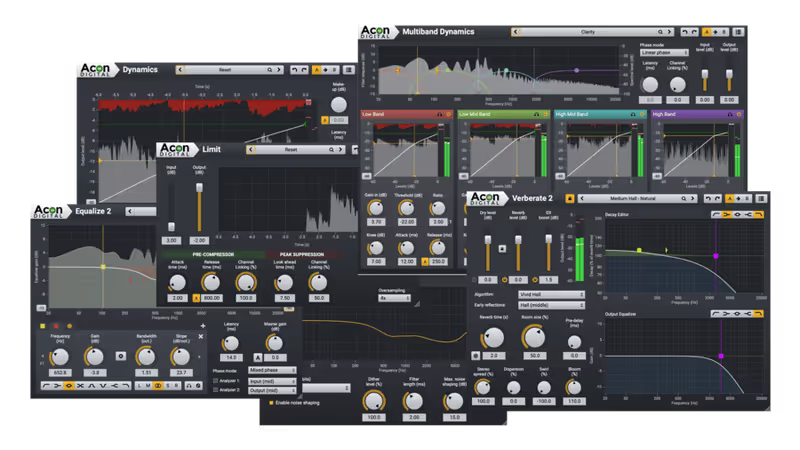
Cleaning up a noisy mix usually results in dull, lifeless audio, but Acon Digital offers a completely different experience. I received a stem package last week that was covered in hum and digital artifacts. Placed at the very start of my mastering chain, these tools scrubbed the dust off the high end while maintaining the integrity of the vocal. It is shockingly transparent and works faster than most dedicated spectral restoration software options out there.

The equalizers and dynamics processors in this suite are very clean, meaning they will not add analog character to your track. If the mix needs a vintage color injection, you will need to look elsewhere for that specific vibe. Compared to other options in a best mastering suite vs individual plugins debate, this provides undeniable clinical precision. It is the perfect first stage for a mastering workflow that requires absolute transparency and corrective accuracy.

Heard on
Post Production Podcast Edit Clean Pop
Check price $129
04 Kiive Audio

M5133 Mastering Equalizer

Best for Analog Mastering

A sweetener, not a corrector, so buy it for the saturation and keep something surgical alongside it.

Tested score
6.8
out of 10

How it scored

  • Sound Quality 8.5

    Beautiful saturation and genuinely musical curves.

  • Workflow Speed 8.0

    Few controls, quick to a pleasing result.

  • CPU Footprint 5.5

    Heavy for an EQ, which matters at the end of a chain.

  • Metering & Control 5.0

    The curves are too wide for any surgical work.

Why we picked it

A warm alternative to clean digital equalizers. Best for adding analog sweetening to the master bus.

Who should skip it

Avoid if you need to surgically remove very specific frequencies. The curves are extremely wide.

The good

  • Beautiful saturation
  • Very musical curves
  • Looks great

The bad

  • Heavy on CPU
  • Cannot do surgery
  • Can become muddy
Engine
VST/AU/AAX
Type
Analog EQ
Size
200 MB
Price
$139
Why it scored that way

Instantly inject expensive console warmth into sterile digital mixes.

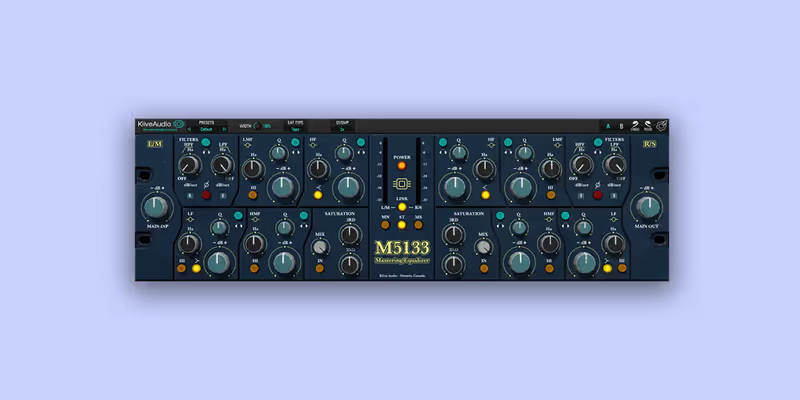
When a track sounds lifeless, surgical adjustments are rarely enough to fix the problem. I added the M5133 Mastering Equalizer to an electronic dub track that felt completely sterile. Driving the input gently introduced a warm, saturated character that felt like running the audio through an expensive analog console. The broad strokes of this equalizer are incredible for sweetening a dull mix, adding a glowing, bright texture to the high frequencies instantly.

You cannot use this tool to notch out narrow resonant frequencies because the curves are too broad. It is a broad paint brush, not a surgical scalpel. If you are comparing heavy color options in a best mastering EQ vs pure digital plugin scenario, this is the clear winner for analog vibe. It breathes life into digital audio, making the entire track feel unified, heavy, and undeniably polished for final release.

Heard on
Indie Rock Modern Jazz Electronic Dub
Check price $139
05 Mastering The Mix

LIMITER

Best for Peak Limiting

The safest way to hit a delivery spec without printing distortion, provided you can live with it being cautious.

Tested score
8.5
out of 10

How it scored

  • Sound Quality 8.2

    Avoids the distortion that catches out faster limiters.

  • Workflow Speed 8.8

    The release suggestions remove most of the guesswork.

  • CPU Footprint 8.5

    40 MB and light.

  • Metering & Control 8.5

    Clear true peak feedback, on a slightly busy panel.

Why we picked it

A smart alternative to guessing release times. Best for ensuring compliant deliveries for Spotify and Apple Music.

Who should skip it

Avoid if you prefer a completely manual approach to setting attack and release curves.

The good

  • Smart suggestions
  • Avoids distortion
  • Great visual feedback

The bad

  • Can be conservative
  • Feels automated
  • Interface is busy
Engine
VST/AU/AAX
Type
True Peak Limiter
Size
40 MB
Price
$80
Why it scored that way

A smart limiter that prevents streaming distortion automatically.

Finding the right true peak settings can be a frustrating guessing game, but LIMITER removes the guesswork entirely. I tested it on a hip hop track that was constantly distorting the streaming codecs on playback. The visual interface immediately flagged the problematic transients and suggested the optimal release times to maintain the groove. It offers a smart, analytical approach that prevents the loud 808s from crushing the vocal or tearing the mix apart completely.

The heavily guided interface might annoy veteran engineers who prefer to dial in parameters completely by ear. It occasionally suggests overly conservative settings that sacrifice some perceived loudness for absolute technical compliance. For beginners asking about the best true peak limiter vs traditional options, this plugin is an incredible educational tool. It saves you from the embarrassment of delivering a distorted master to a client while protecting your low frequencies during the final stage.

Heard on
Spotify Delivery Modern Hip Hop Fast Turnarounds
Check price $80
06 MeldaProduction

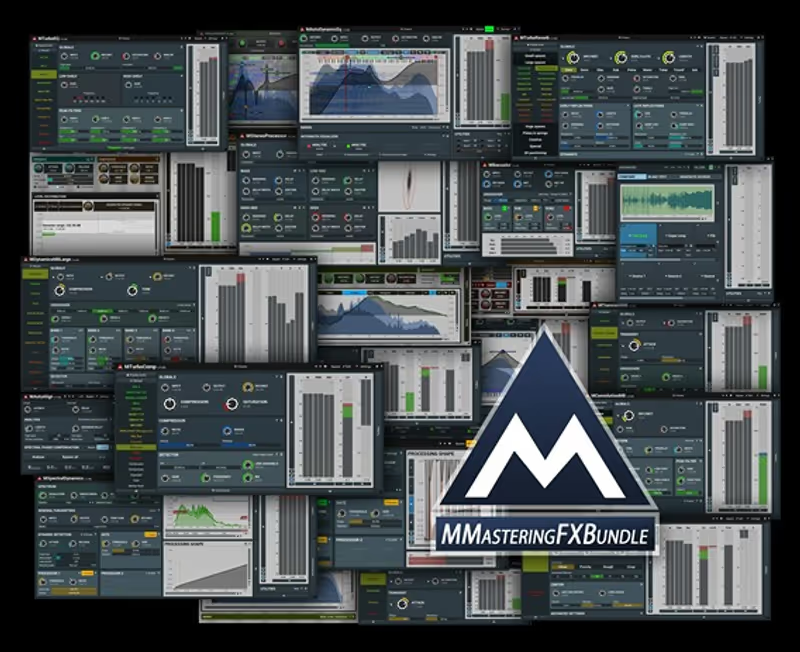
MMasteringFXBundle

Best for Deep Processing

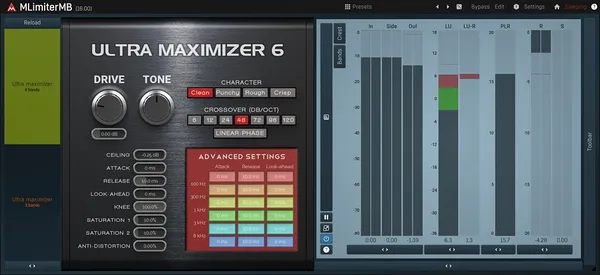
It will fix problems nothing else on this list can reach, and it will happily let you ruin a master doing it.

Tested score
7.1
out of 10

How it scored

  • Sound Quality 8.0

    Very capable once configured correctly.

  • Workflow Speed 4.5

    Dense menus and an intimidating workflow. Worst in this roundup.

  • CPU Footprint 7.0

    450 MB, moderate in use.

  • Metering & Control 9.0

    Effectively infinite routing and analysis.

Why we picked it

A complex alternative to simple mastering solutions. Best for deep audio repair and experimental dynamic control.

Who should skip it

Avoid if you get overwhelmed by dense interfaces. The menus are incredibly deep and confusing.

The good

  • Infinite routing
  • Very powerful tools
  • Fixes weird problems

The bad

  • Horrible interface
  • Intimidating workflow
  • Easy to ruin mix
Engine
VST/AU/AAX
Type
Mastering Modular
Size
450 MB
Price
$717
Why it scored that way

The absolute deepest toolkit for fixing unfixable problems.

Sometimes you need bizarre tools to fix catastrophic mixing errors, and MeldaProduction delivers the strangest solutions. I used their spectral dynamics processor on a live recording where the bass guitar completely devoured the entire frequency spectrum. The multiband processing allowed me to tame the low end dynamically without touching the kick drum at all. The sheer depth of the routing matrix allows for problem solving that traditional mastering processors cannot even begin to attempt.

The interface is famously intimidating, featuring hundreds of tiny parameters that look like an aviation control panel. It is incredibly easy to get lost fine-tuning settings that no one will ever actually hear. In a test of the best multiband tools vs standard compression, the flexibility of this bundle shines through the convoluted interface. It is not pretty, and it is terrible for fast workflows, but it fixes the unfixable things quickly.

Heard on
Sound Design Strange Repair Experimental Music
Check price $717
07 Plugin Alliance

Shadow Hills Mastering Compressor

Best for Mix Glue

It makes a master sound expensive and costs you both CPU and headroom to do it, so it is the last thing to add, not the first.

Tested score
6.5
out of 10

How it scored

  • Sound Quality 9.0

    The transformer emulation is the best-sounding thing here.

  • Workflow Speed 6.5

    Two compressors interacting makes balancing slow.

  • CPU Footprint 4.5

    Very heavy. The worst offender on this list.

  • Metering & Control 6.0

    A big interface that still colours everything you send it.

Why we picked it

A weighty alternative to clean bus compression. Best for adding analog thickness to the final stage.

Who should skip it

Avoid if the mix is already very dense and muddy. This compressor adds significant mid-range weight.

The good

  • Sounds expensive
  • Emulates transformers perfectly
  • Huge interface

The bad

  • Very heavy CPU load
  • Hard to balance
  • Colors everything
Engine
VST/AU/AAX
Type
Analog Compression
Size
180 MB
Price
$40
Why it scored that way

The heaviest, most expensive sounding glue you can apply to a mix.

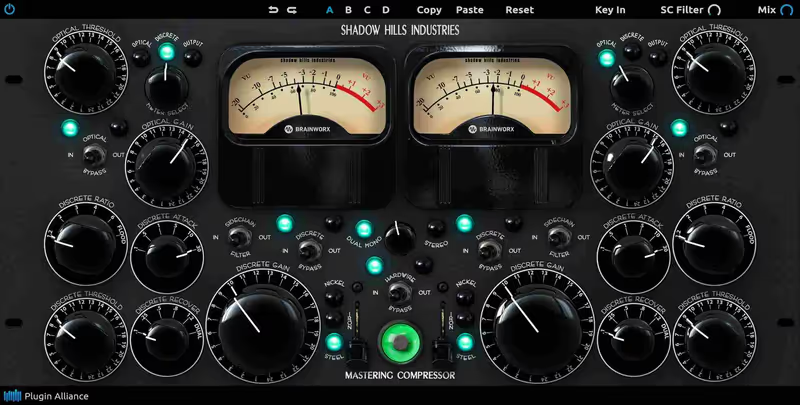
There are few compressors that sound as expensive and weighty as the Shadow Hills emulation. I slapped this onto the master bus of a very thin indie rock track, and the transformation was immediate. Engaging both the optical and discrete compression stages glued the screaming guitars to the drum kit perfectly. The transformer models add a rusty, vintage thickness to the low mids that instantly makes a cheap mix sound like a high-budget production.

The dual-stage compression is complicated to balance, and a slight misjudgment will quickly choke the life out of a mix. It is also incredibly heavy on CPU resources compared to transparent digital alternatives on the market. If you are wondering about the best analog bus compressor vs a digital limiter, this plugin provides that dense, heavy glue. It requires careful listening to master, but the analog color is absolutely worth the effort.

Heard on
Heavy Rock Vintage Pop Analog Emulation
Check price $40 (was $149)

What didn’t make the list

3 cut
  • Ozone 12 Advanced iZotope

    The most complete single mastering suite available, left out because its assistant-led workflow makes it a different kind of purchase from the focused tools here.

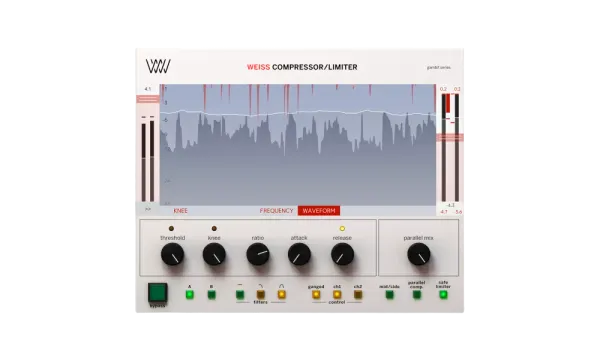
  • Weiss DS1-MK3 Softube

    A faithful model of a genuine mastering-house standard, though the price puts it well outside what most composers will spend on one processor.

  • bx_masterdesk Brainworx

    A very quick route to a competent master, but it hides exactly the parameters this roundup is trying to compare.

Frequently Asked Questions

What does mastering actually do?

It makes a final balance translate consistently across playback systems, and prepares the file to specification. It is corrective and preparatory, not a stage that fixes a mix that does not work.

Can I master my own mixes?

You can, and the main obstacle is familiarity rather than skill. Having heard the mix a hundred times makes small problems inaudible, which is the practical argument for fresh ears rather than for a different room.

What loudness should I target?

Whatever the delivery specification says, and around minus fourteen LUFS integrated as a general streaming reference. Platforms normalise on playback, so mastering louder than the target gains nothing and costs dynamic range.

Do I need a dedicated mastering suite or separate plugins?

Separate plugins are entirely workable, and suites mainly buy you consistent metering and gain-matched comparison. Level-matched A/B is the feature that most improves mastering decisions, whichever form it comes in.

Written By

Henry Foster

Henry is a mixing engineer with a background in broadcast and post-production. He obsesses over signal flow, gain staging, and the subtle coloration of analog-modeled plugins. His reviews focus on technical precision, CPU efficiency, and UI workflow.

Related Guides

All Guides →

New reviews, no noise

Occasional email when we publish something worth your time. No daily digest, no vendor press releases.

We never sell your address. Unsubscribe any time, see our privacy policy.